Notion alternativeA Notion alternative you
do not have to build first.

Notion is a tool you build a system in. EvyOS already is one. Goals, projects, tasks, habits, skills, notes and a calendar are there the moment you sign in, wired to each other, with nothing to design. That is the trade: you give up Notion's freedom and get structure that works on day one.

Start for free →See pricing

Free plan, no card. 2 goals, 5 projects, 20 open tasks, 5 habits, 5 skills.

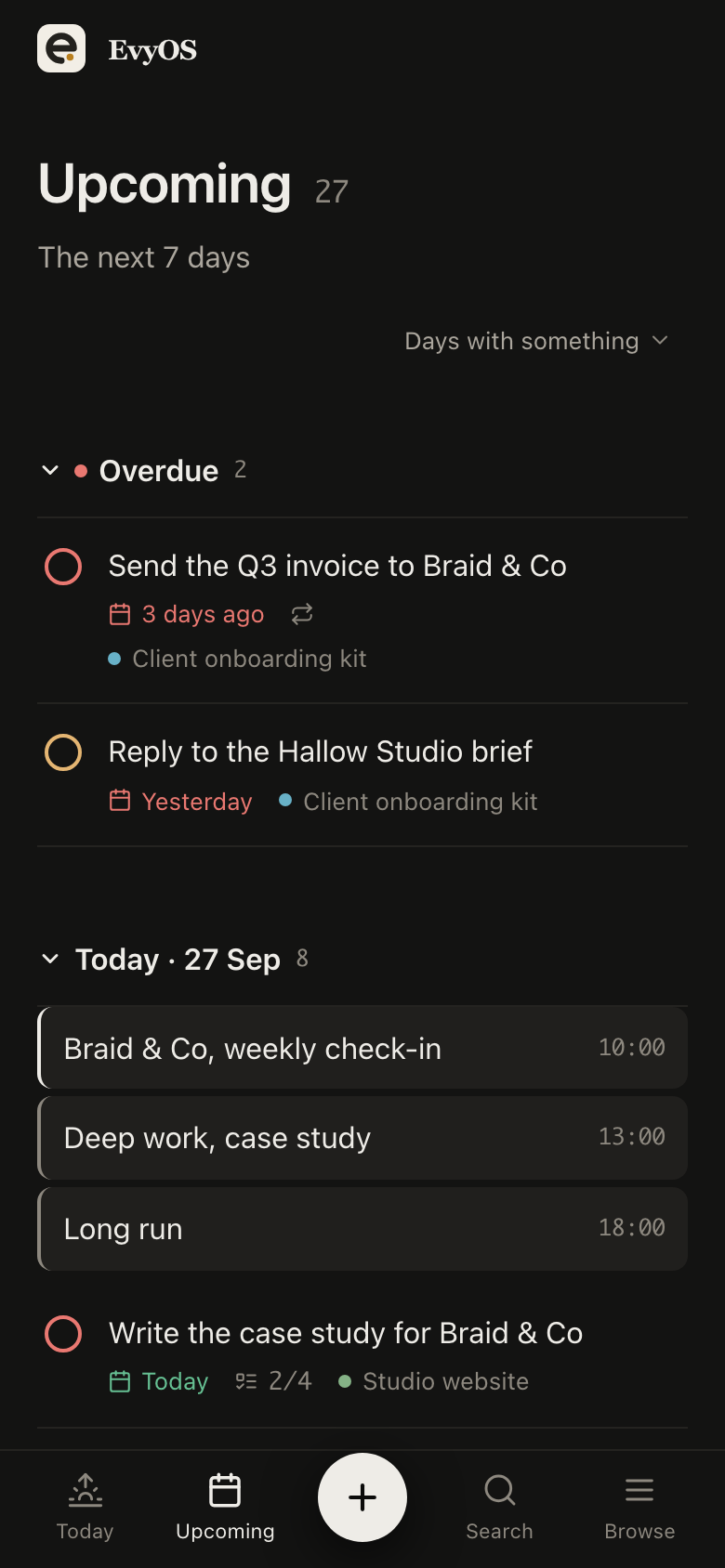
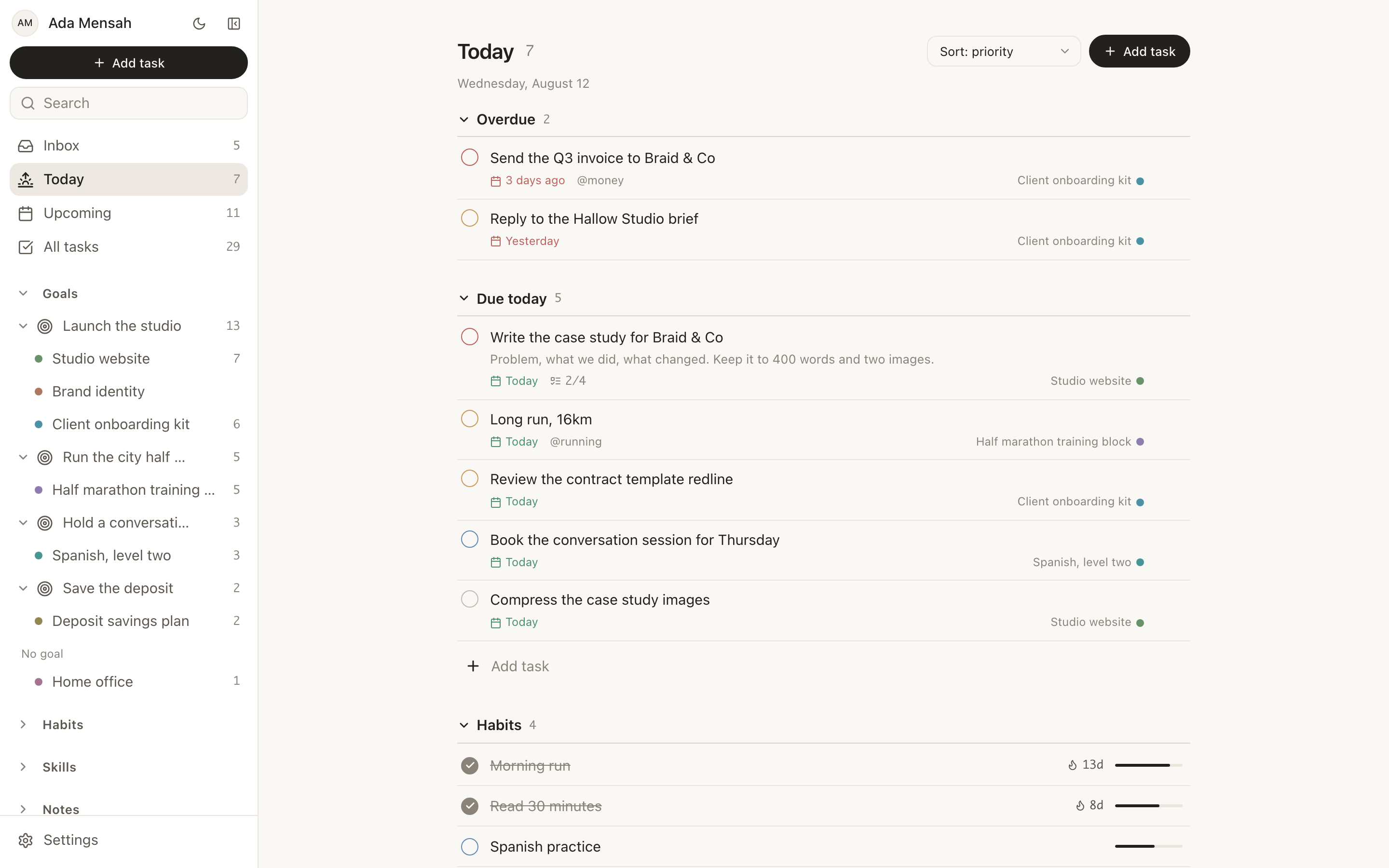
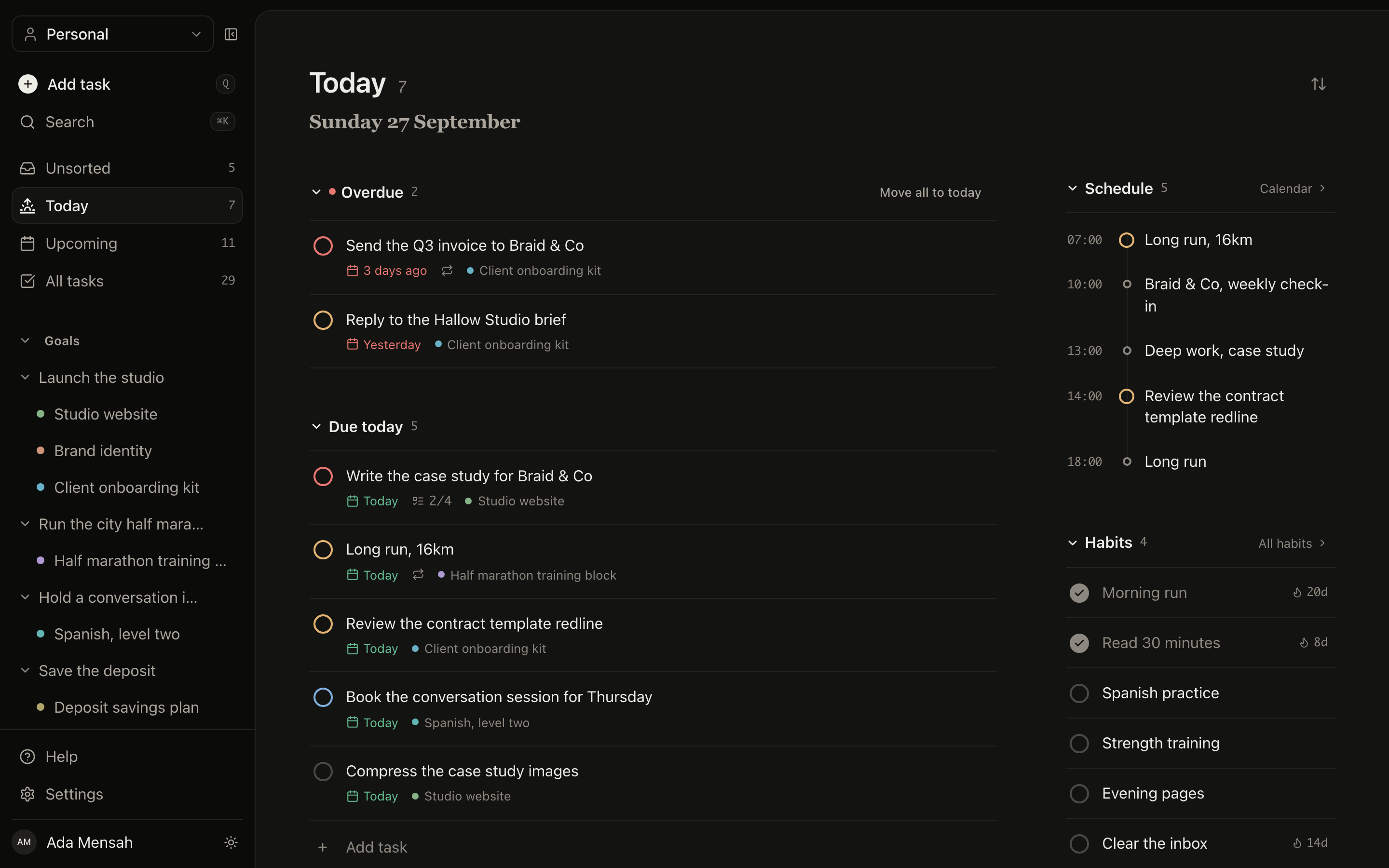
Today in EvyOS: overdue work split out at the top, then the tasks due today, then the habits scheduled for today, then the calendar
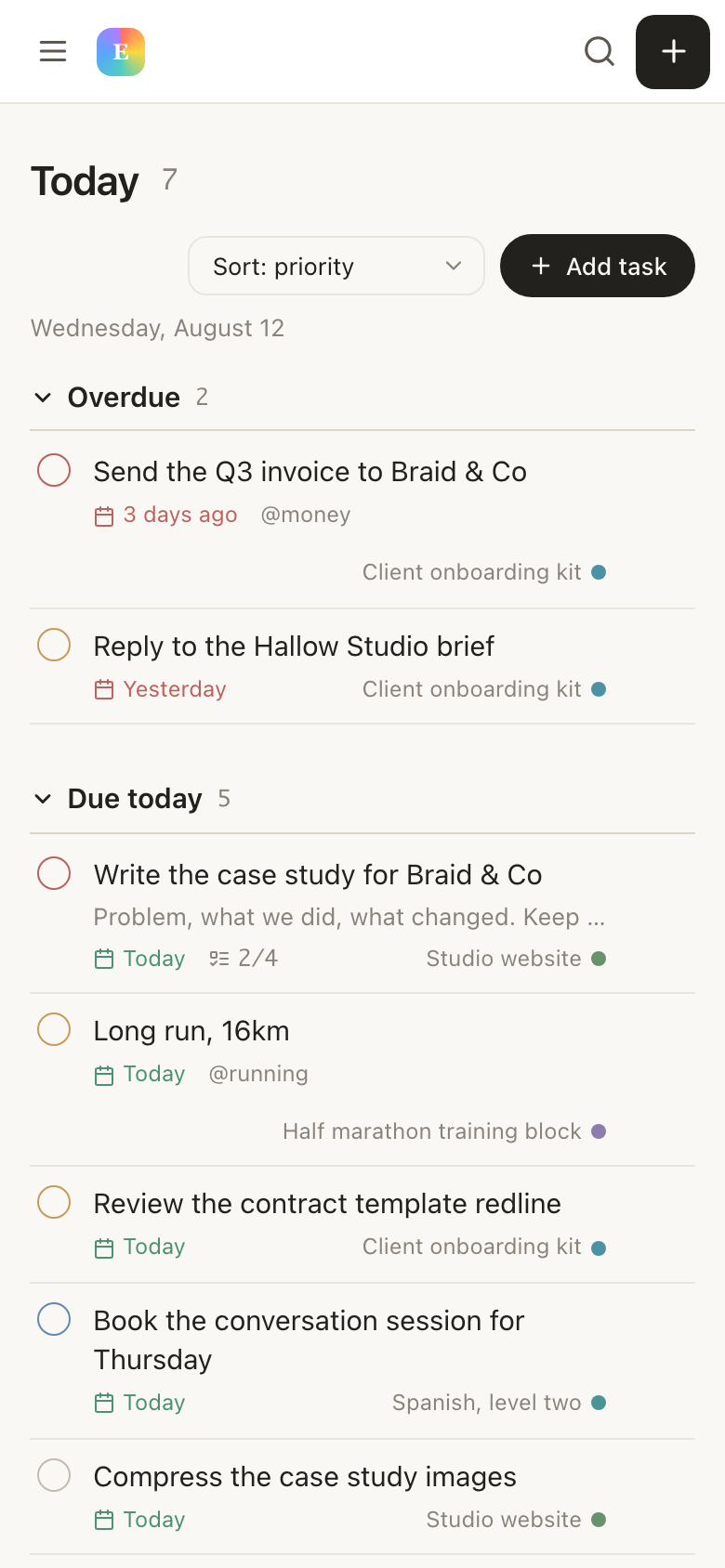
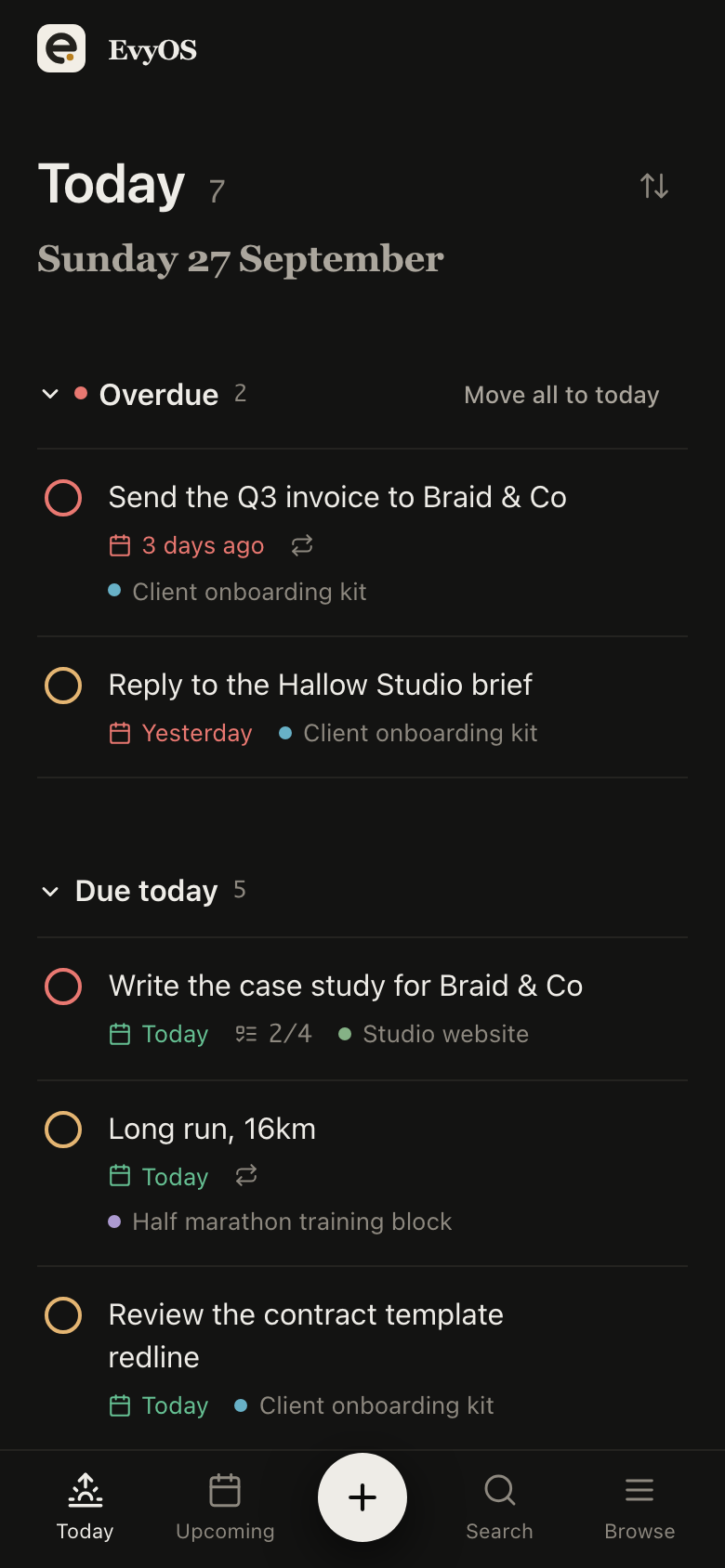
Today in EvyOS: overdue work split out at the top, then the tasks due today, then the habits scheduled for today, then the calendar, on a phone
✦ Already built

Seven record types, wired together.

None of this is a template you install or a database you configure. It is the application. The fields below are the fields, and the links between them are already made.

🎯
Goals

A category, a priority, a target date and milestones. Progress is calculated from the projects and tasks underneath, never typed in, so the number cannot flatter you the way a manual percentage field does.

Projects and tasks

Projects carry milestones, a deadline and an optional parent goal. Tasks carry 4 priority levels, a due date, estimated and actual minutes, subtasks, comments, attachments, tags and recurrence. A task with no project lands in an unsorted inbox.

🔥
Habits

Daily or named weekdays, a streak, a strength score built from consistency and recency, and a year-long contribution graph. Notion has no native habit tracking, which is the single most common reason people end up on this page.

📚
Skills

A level and a target level, practice sessions logged in minutes with an activity type, and a library of the resources you are working through. The other thing a database can only imitate.

📝
Notes

Markdown, folders, tags, search and version history, with [[Title]] wiki-links that produce backlinks and an optional public share link. Simpler than a Notion page on purpose, and sitting next to the work it belongs to.

📅
Calendar events

A date, a time, a duration and recurrence, in day, week and month views, and on the Today screen under everything else the day is asking of you.

✦ The parts you will ask about

Four questions every Notion
user arrives with.

01 - The daily view

Two views you never configure.

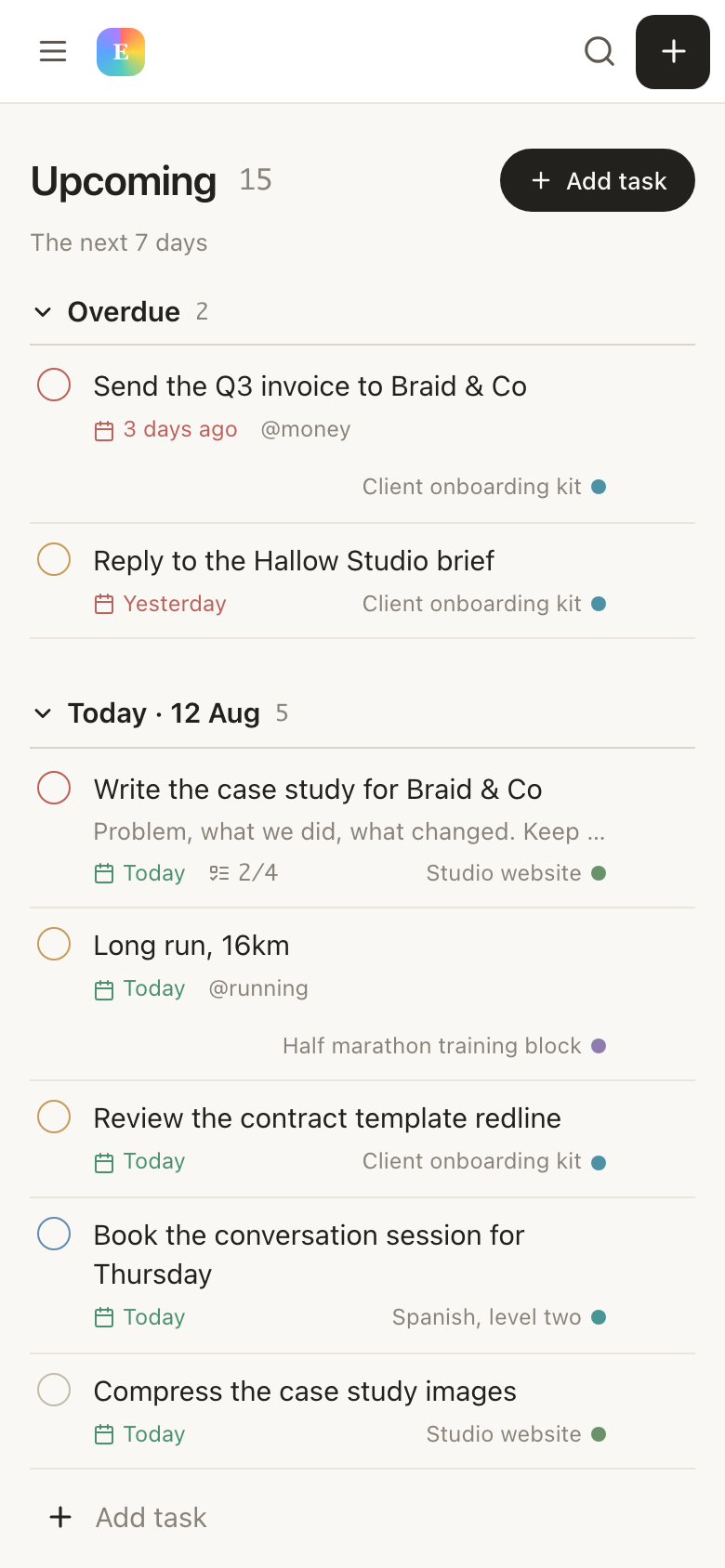
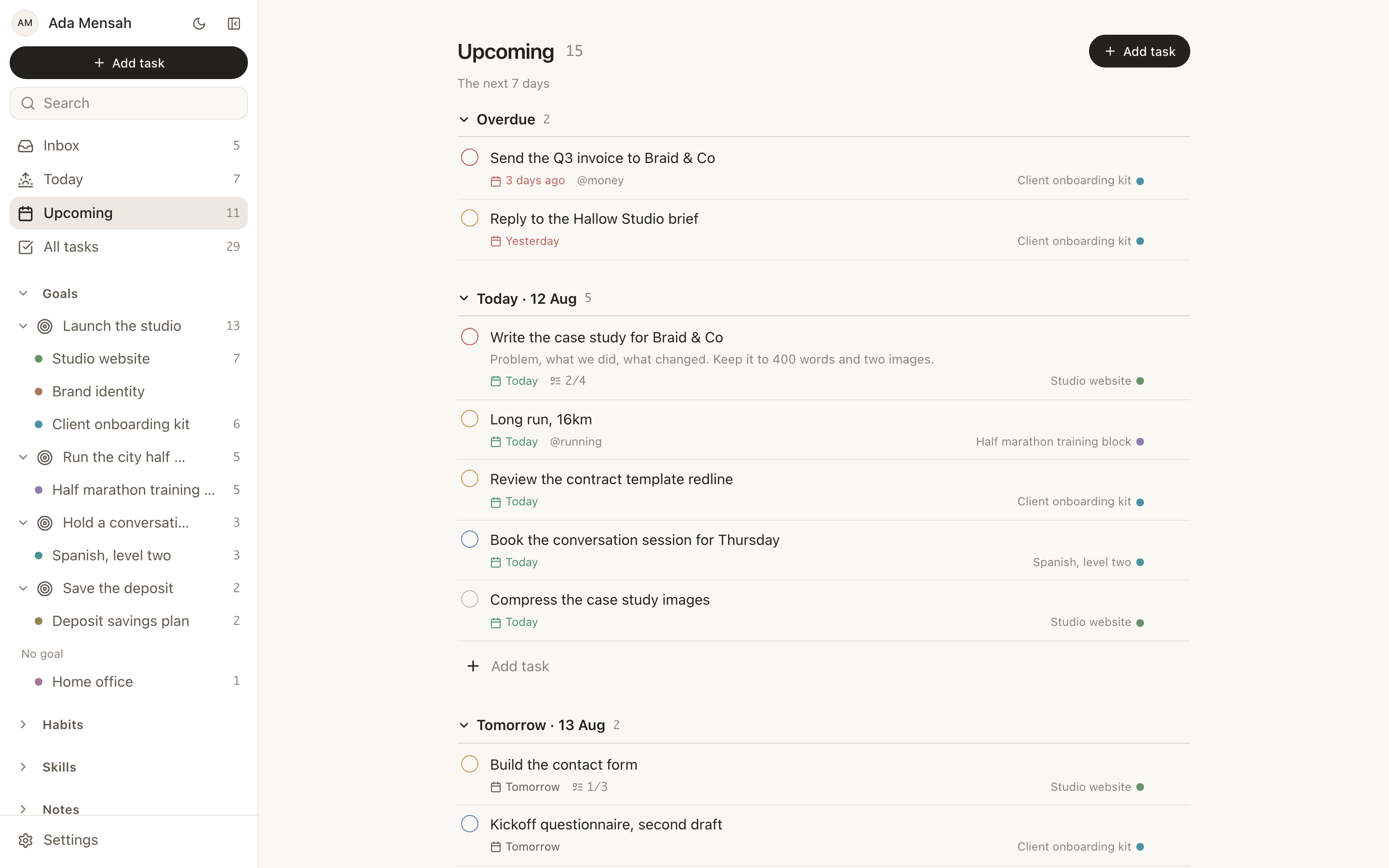
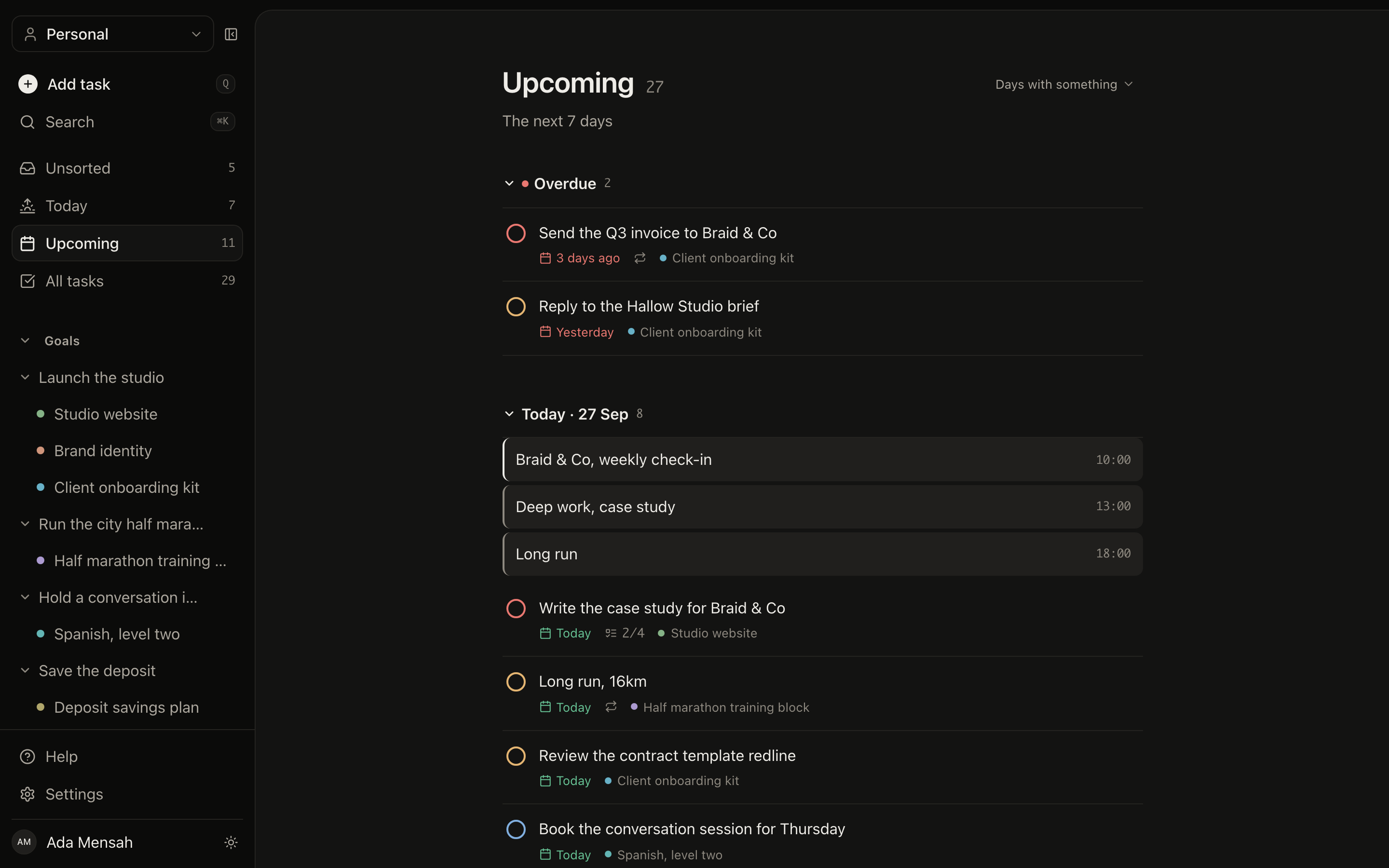
In Notion the home screen is something you make: linked databases, filters, a formula or two, and a rebuild every time the way you work shifts. Here there are two fixed views. Today puts overdue work at the top, then what is due, then the habits scheduled for today, then the calendar. Upcoming lays out the next 7 to 14 days, one section per day. Neither needs setting up, and neither quietly stops matching reality.
TodayUpcomingOverdue split outNothing to configure
The Upcoming view in EvyOS, showing the next two weeks with one section per day
The Upcoming view in EvyOS, showing the next two weeks with one section per day, on a phone
02 - Habits and skills

The two things Notion has no place for.

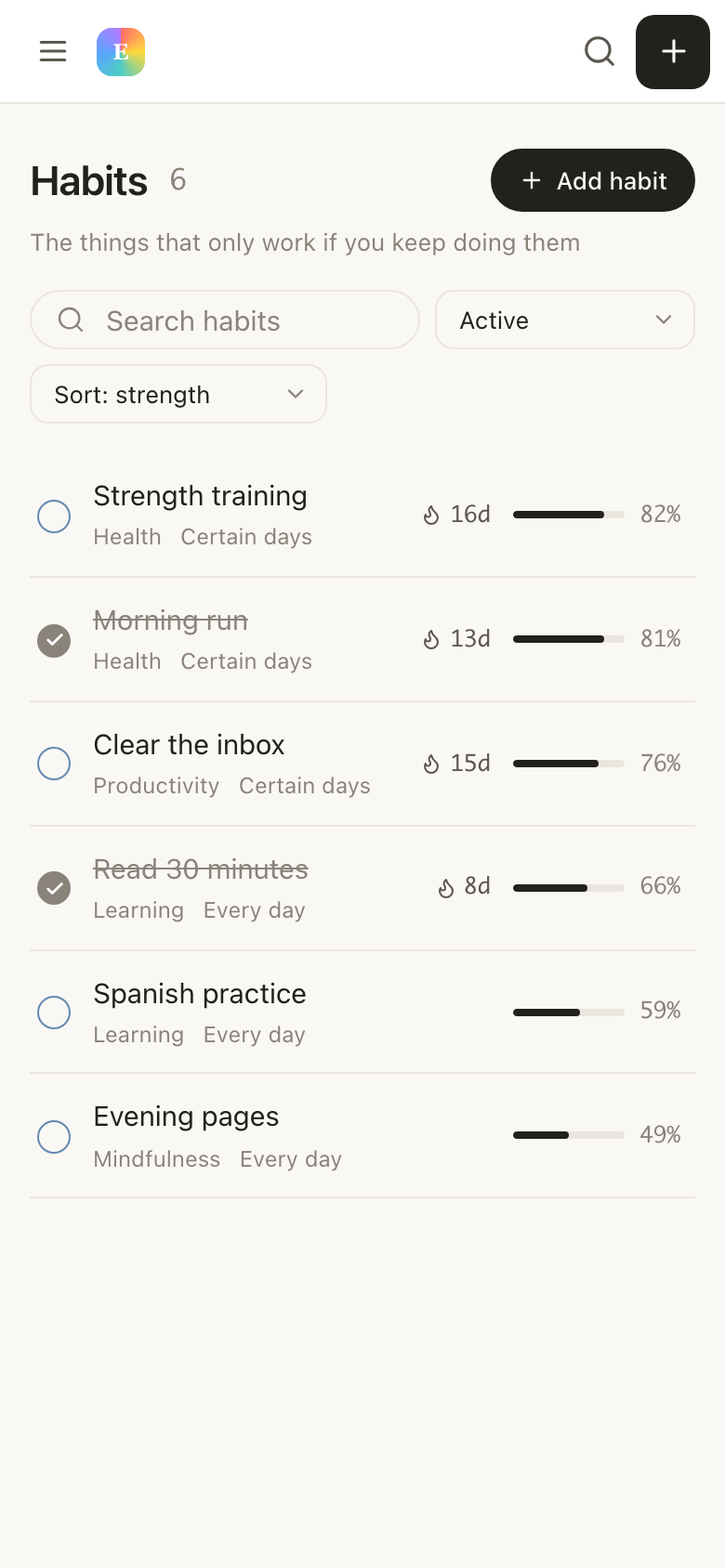
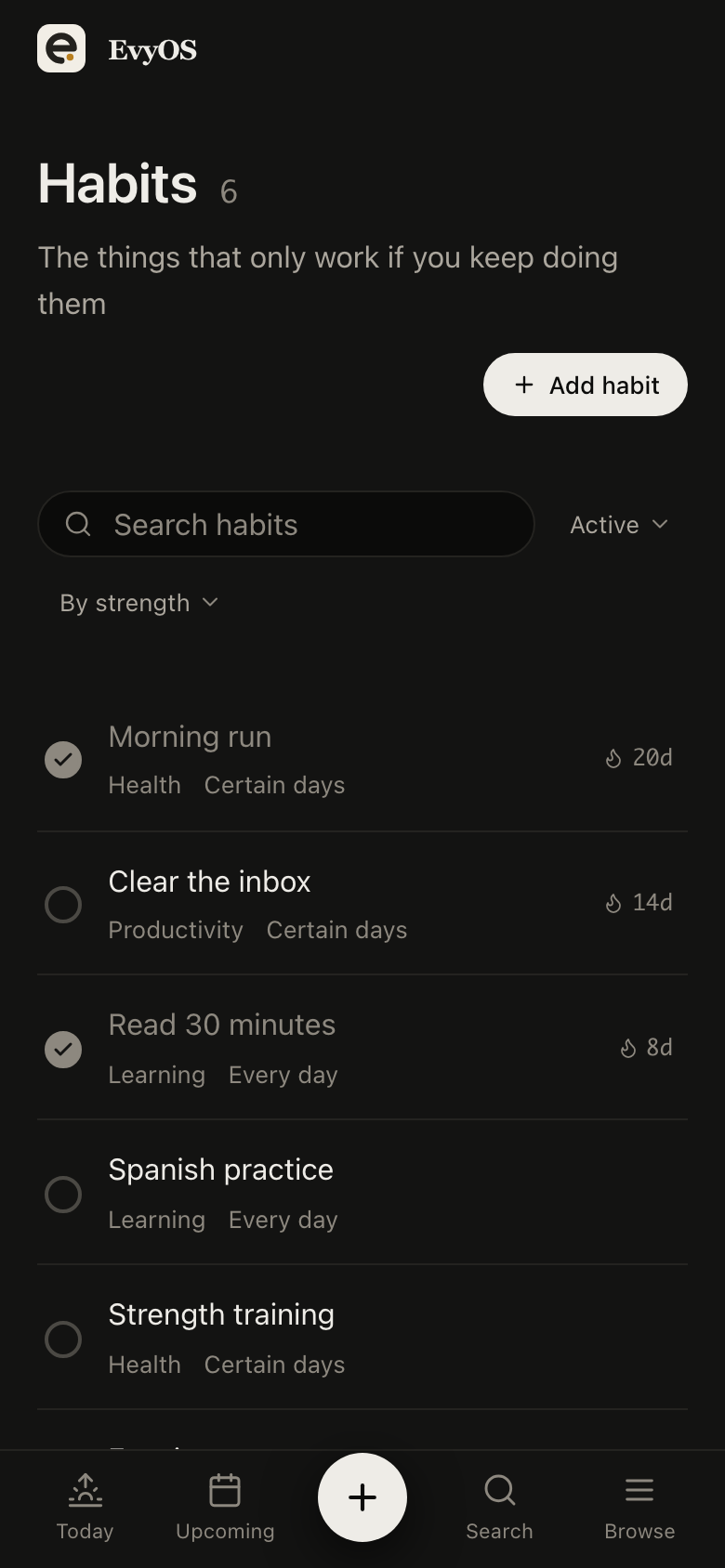
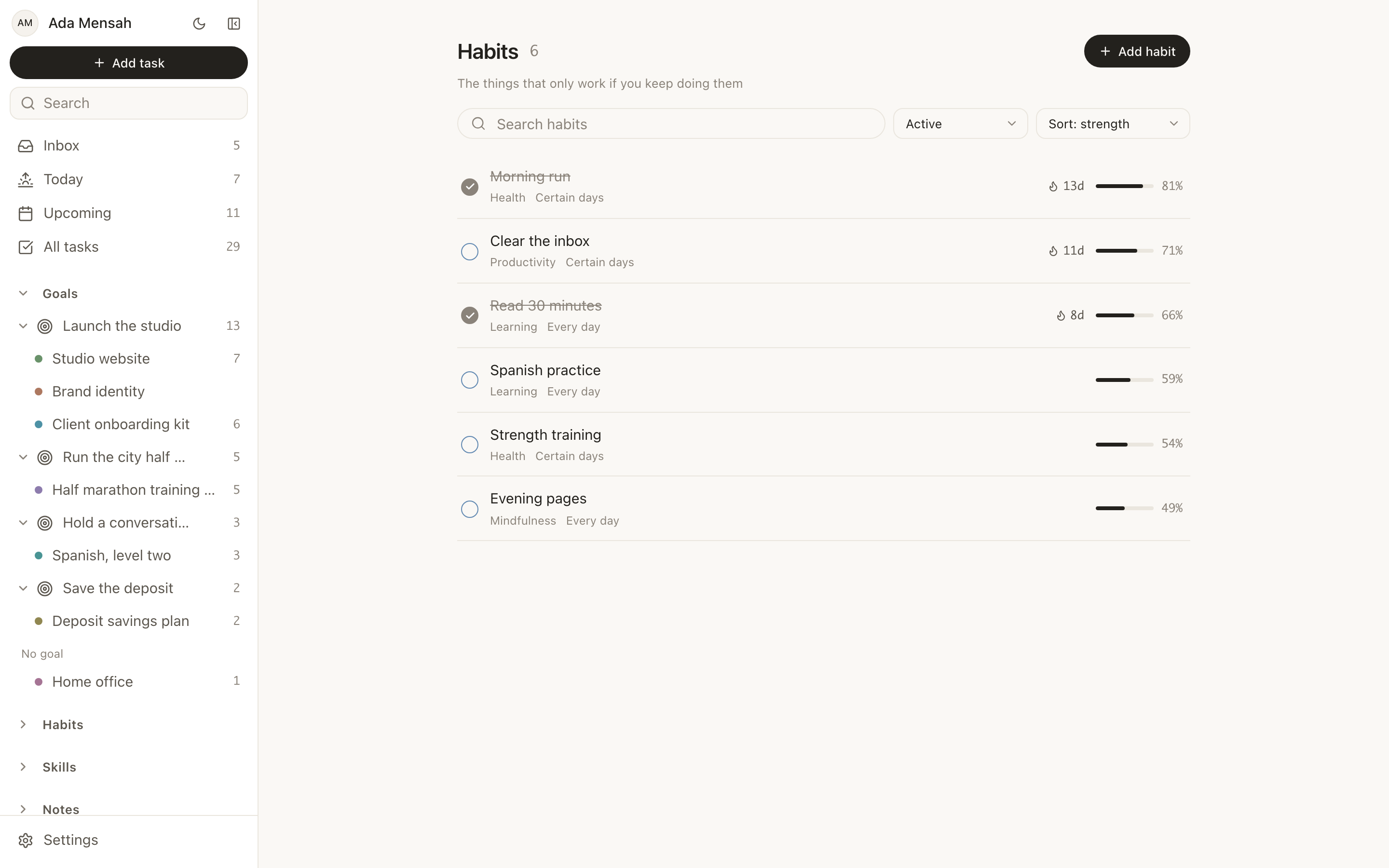
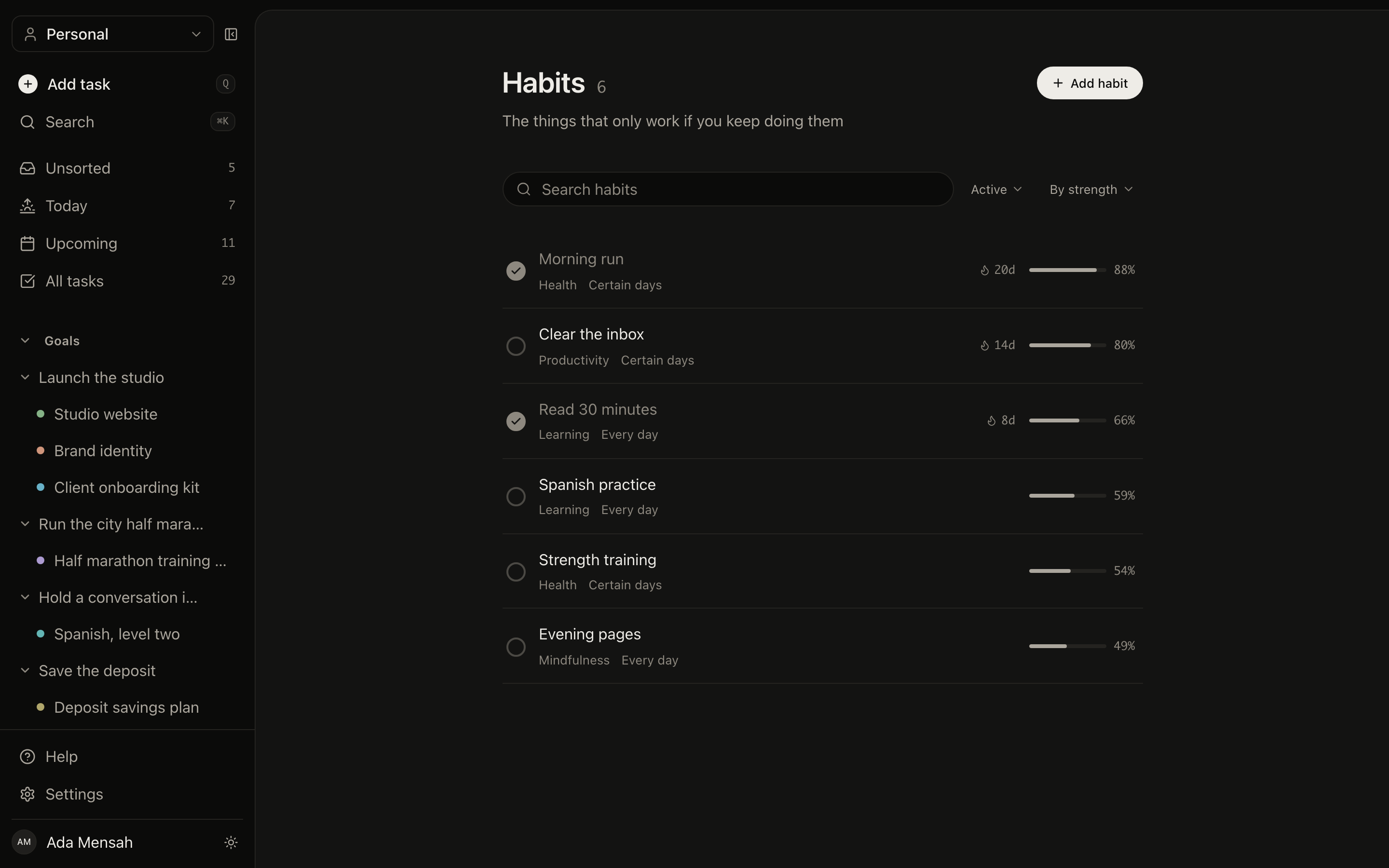
Notion will happily store a row per day. What it will not do unless you build it is compute a streak, weight recent weeks more heavily than old ones, or draw a year. A habit here arrives with all three, plus a schedule that keeps it out of Today on the days it is not meant to happen. A skill records practice in minutes, with an activity type, against a level you are working towards.
StreaksStrength scoreYear viewPractice minutes
The habits view in EvyOS: each habit with its schedule, a week of checkboxes, its current streak and its strength score
The habits view in EvyOS: each habit with its schedule, a week of checkboxes, its current streak and its strength score, on a phone
03 - Notes

Notes, compared honestly.

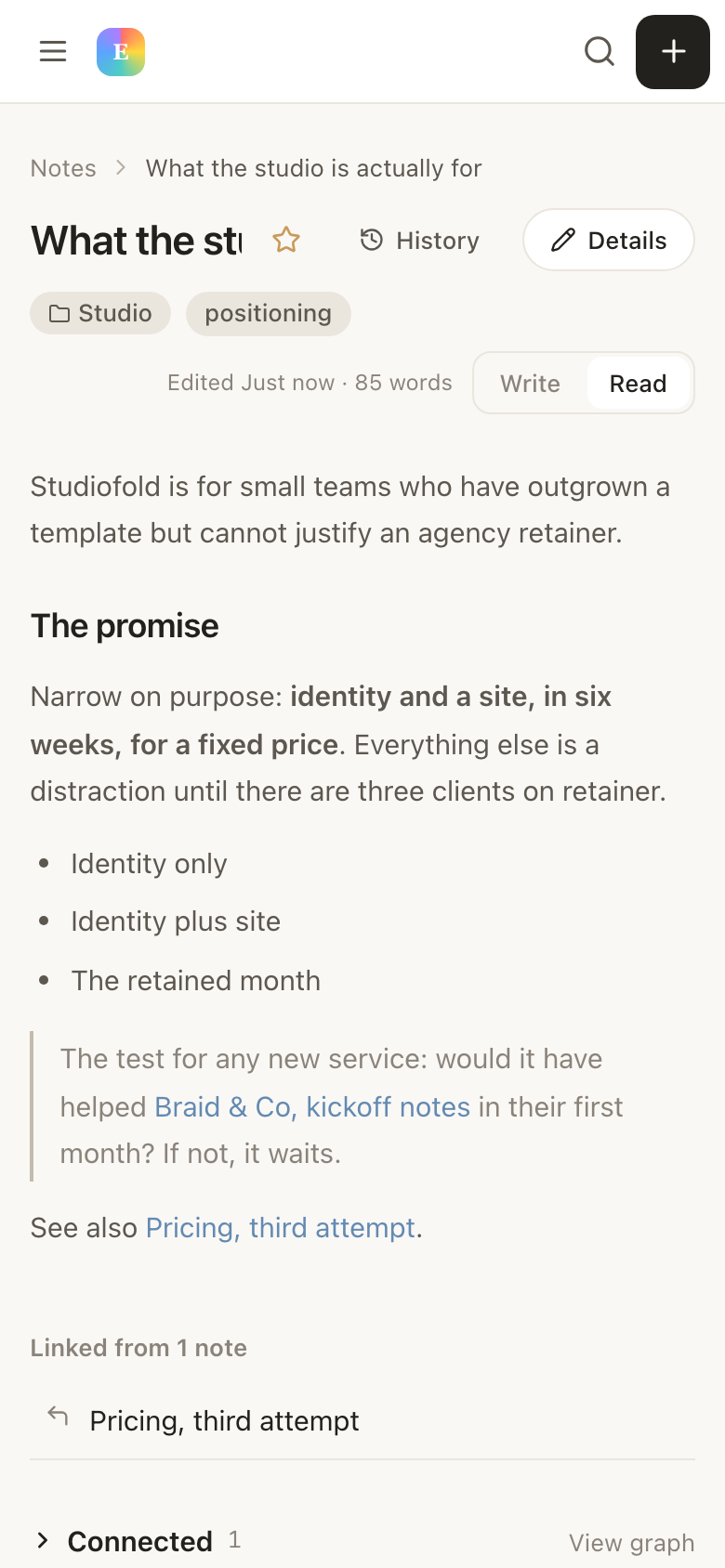
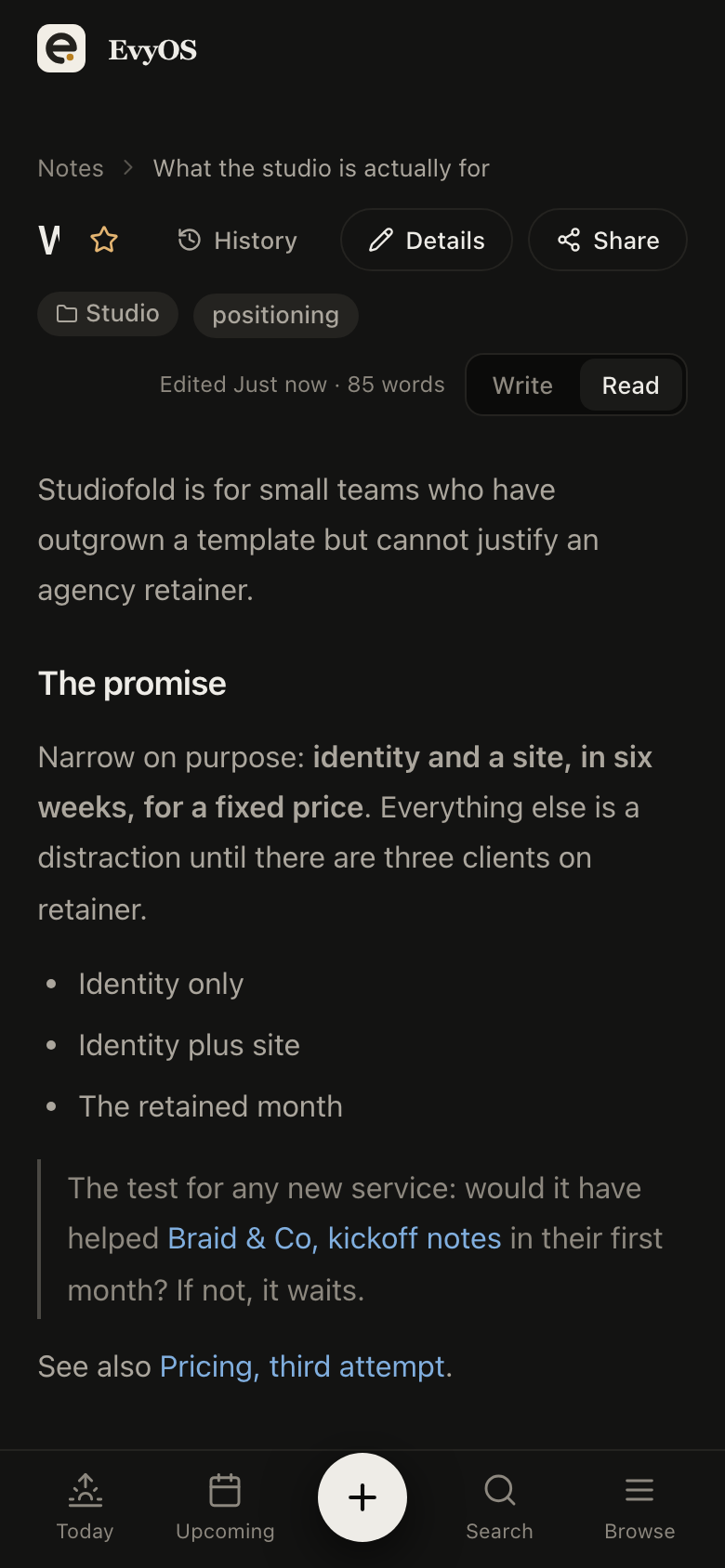
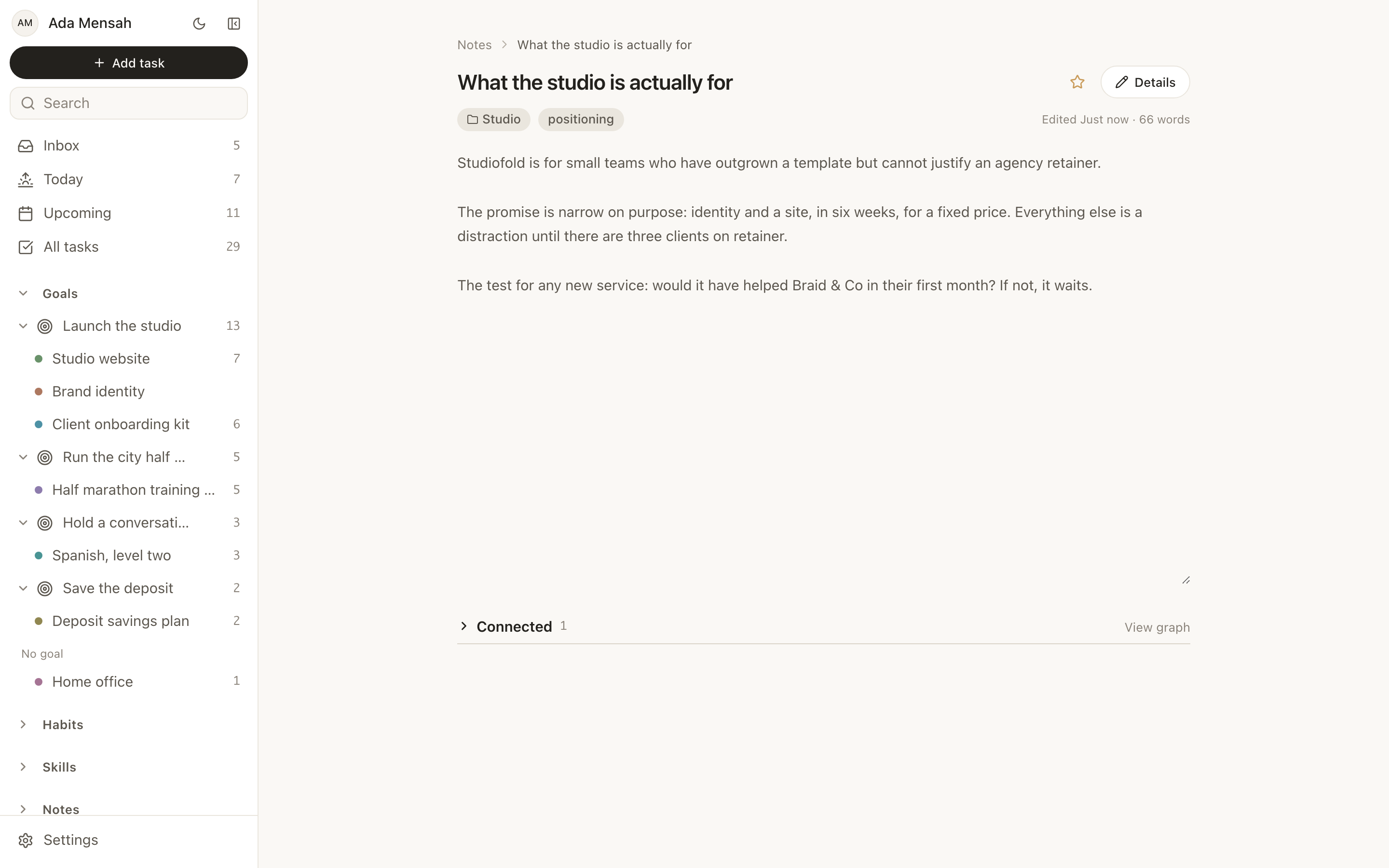
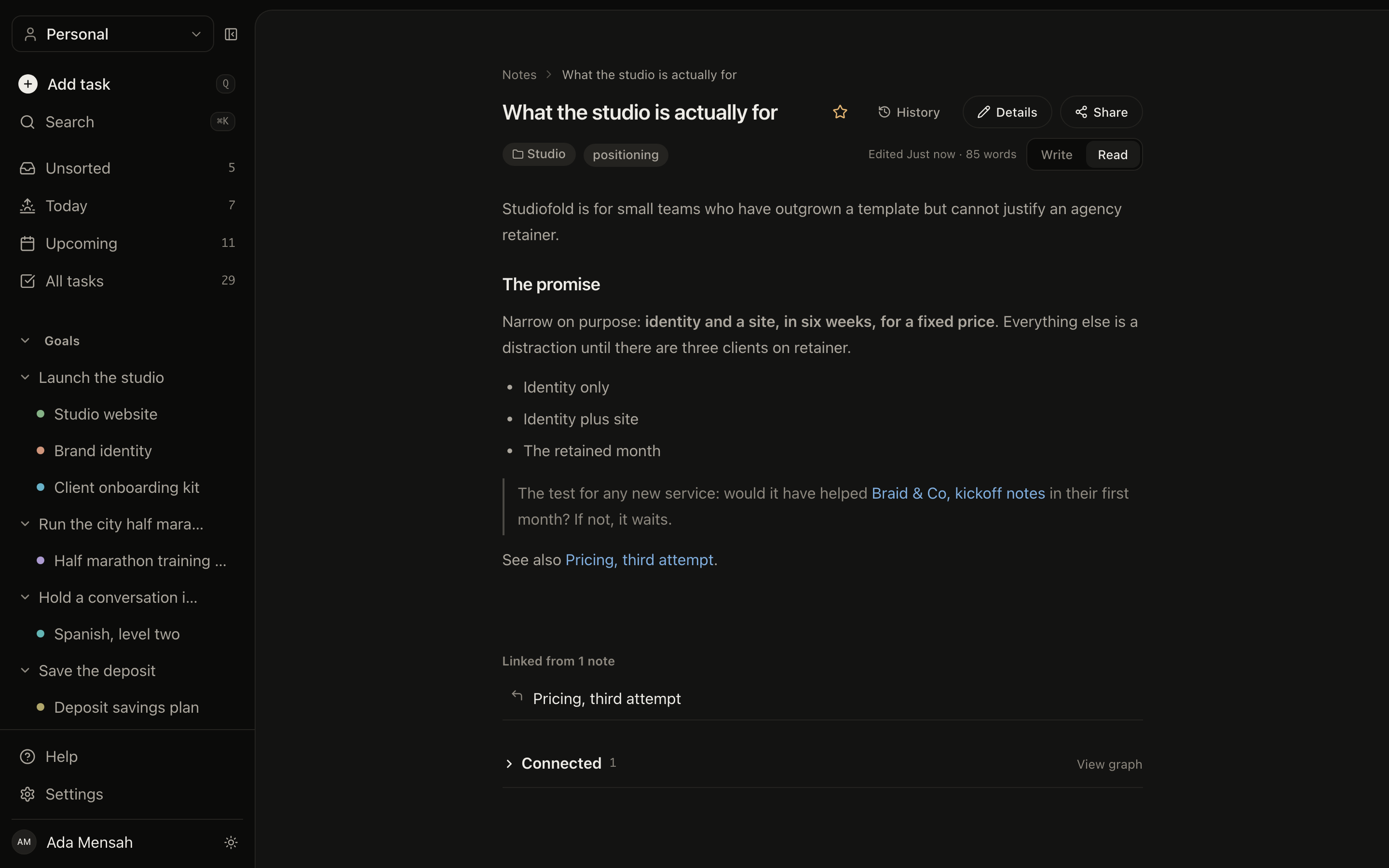
This is the half of the trade that costs you something. A note is markdown with folders, tags, search, version history, [[Title]] wiki-links with backlinks, and a public share link if you want one. It is a good personal knowledge base and a good place to write down the thinking behind a project. It is not a wiki you shape into nested pages, and there is no block editor. If long documents are the centre of your system, Notion is better at them.
MarkdownWiki-links and backlinksVersion historyPublic share link
A note open in EvyOS: markdown content with wiki-links, its folder and tags, and the backlinks pointing at it
A note open in EvyOS: markdown content with wiki-links, its folder and tags, and the backlinks pointing at it, on a phone
04 - Connections

Relations, without a schema to design.

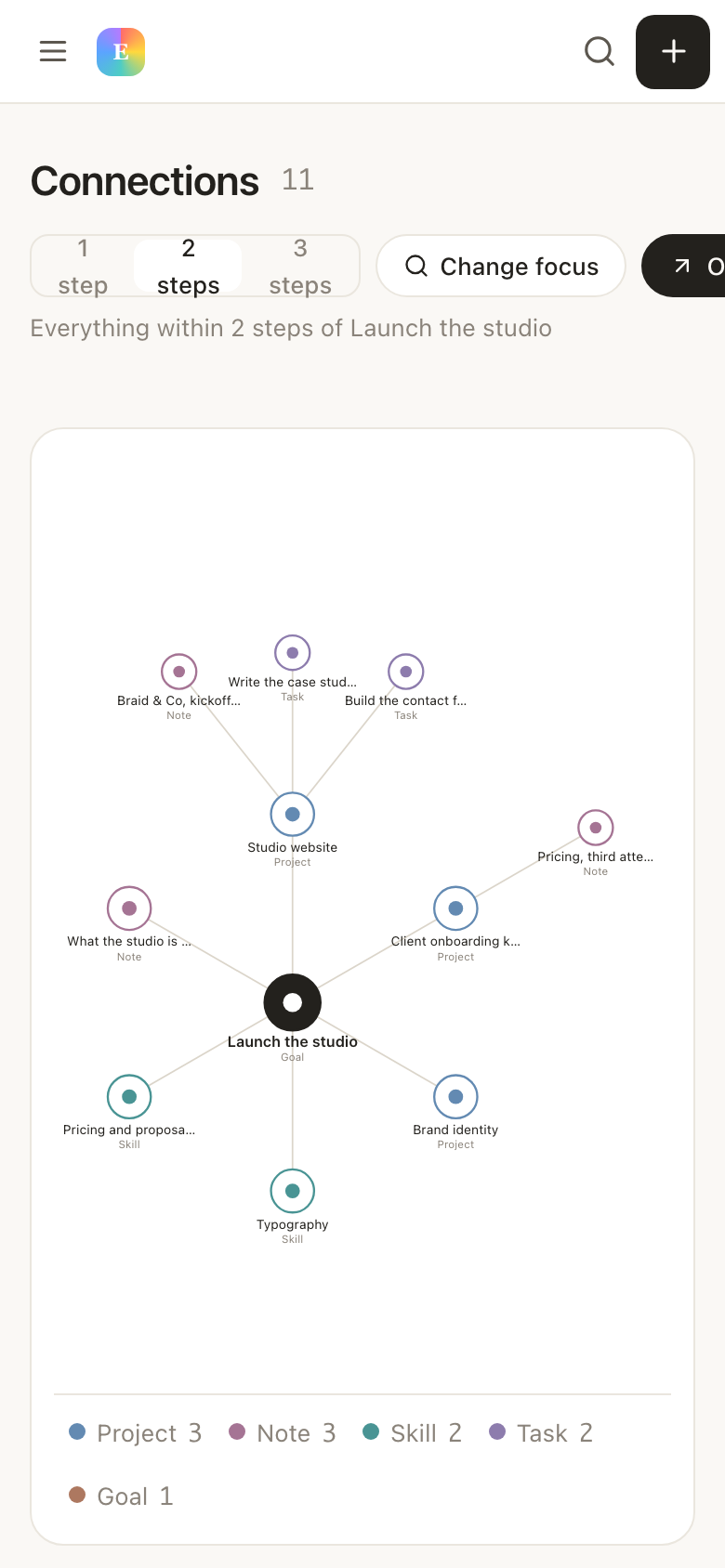
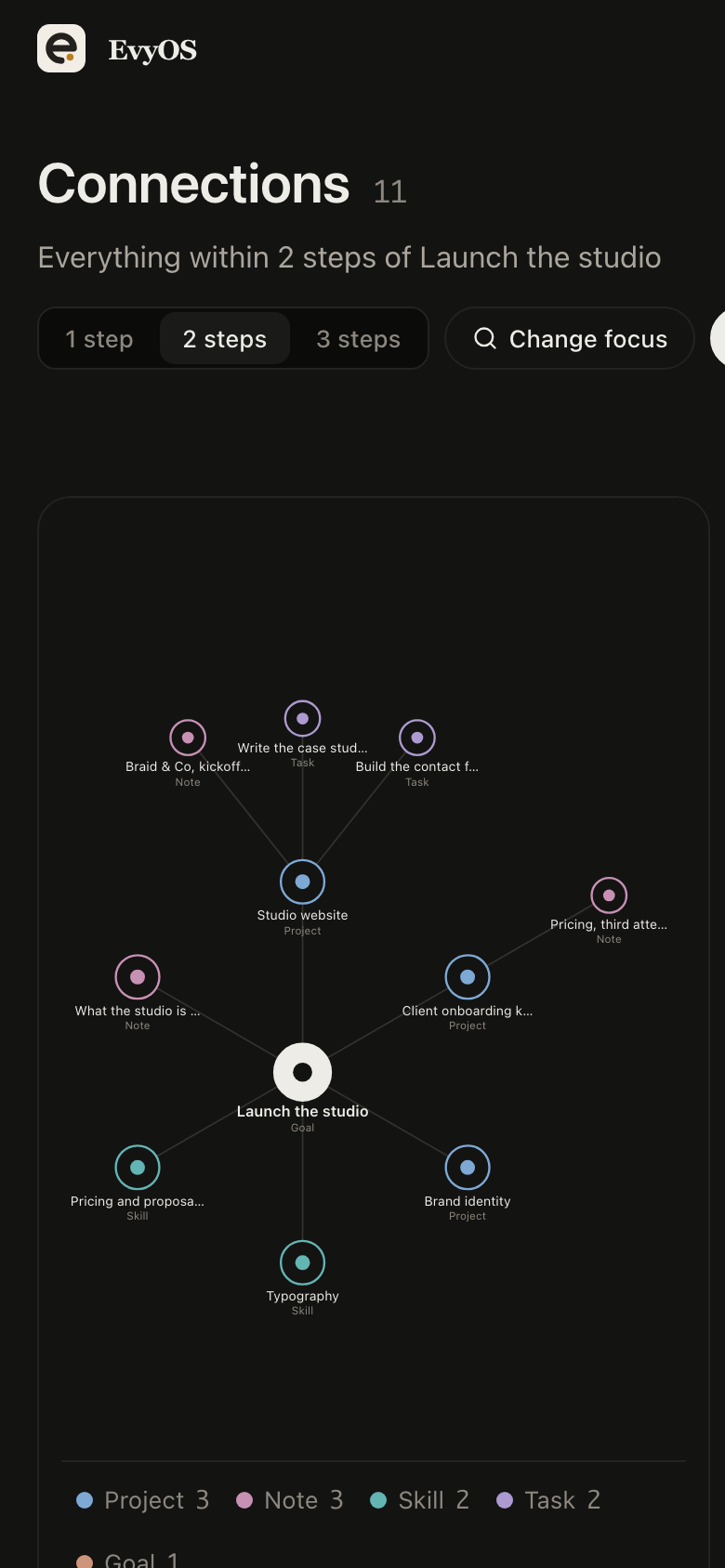
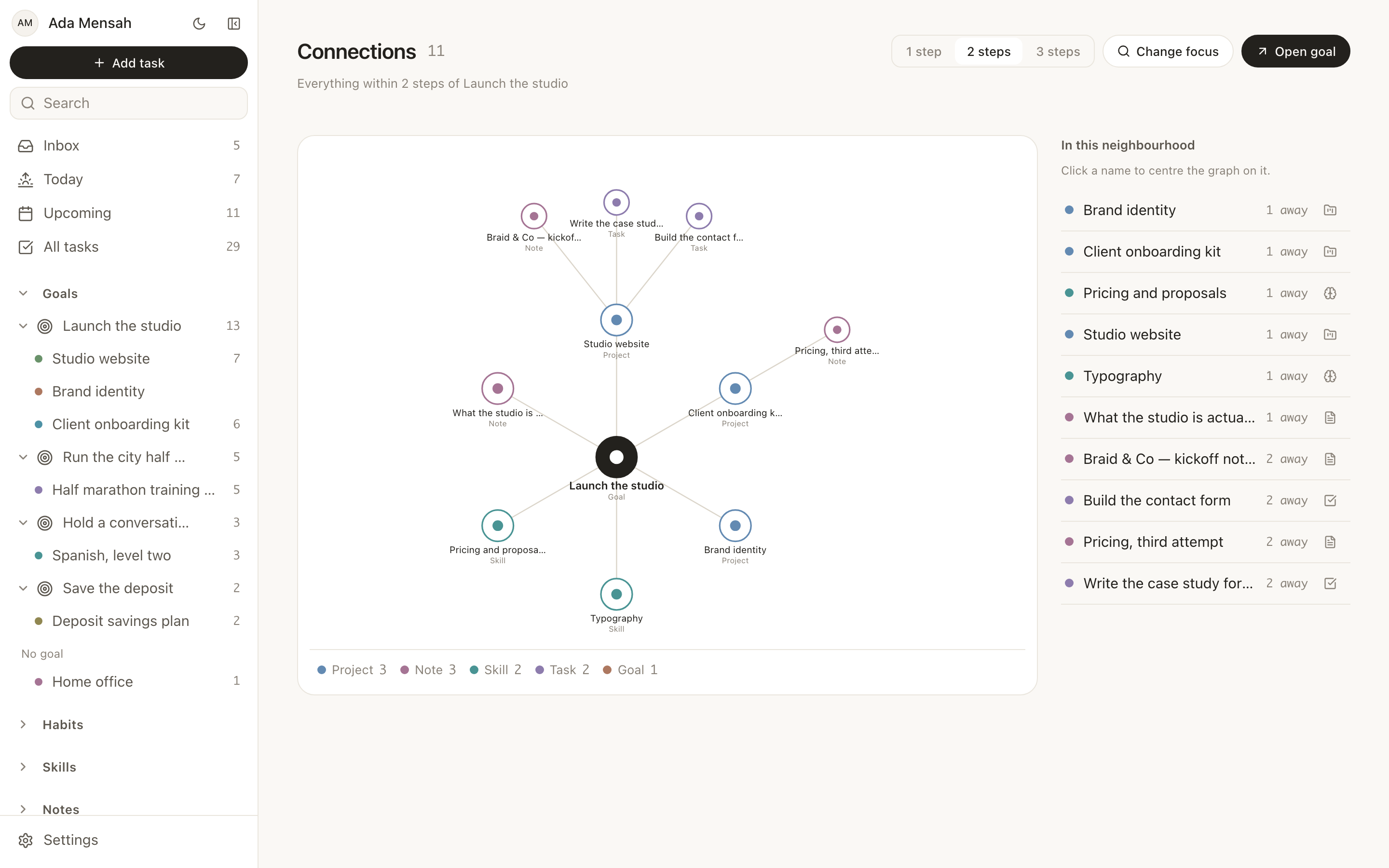
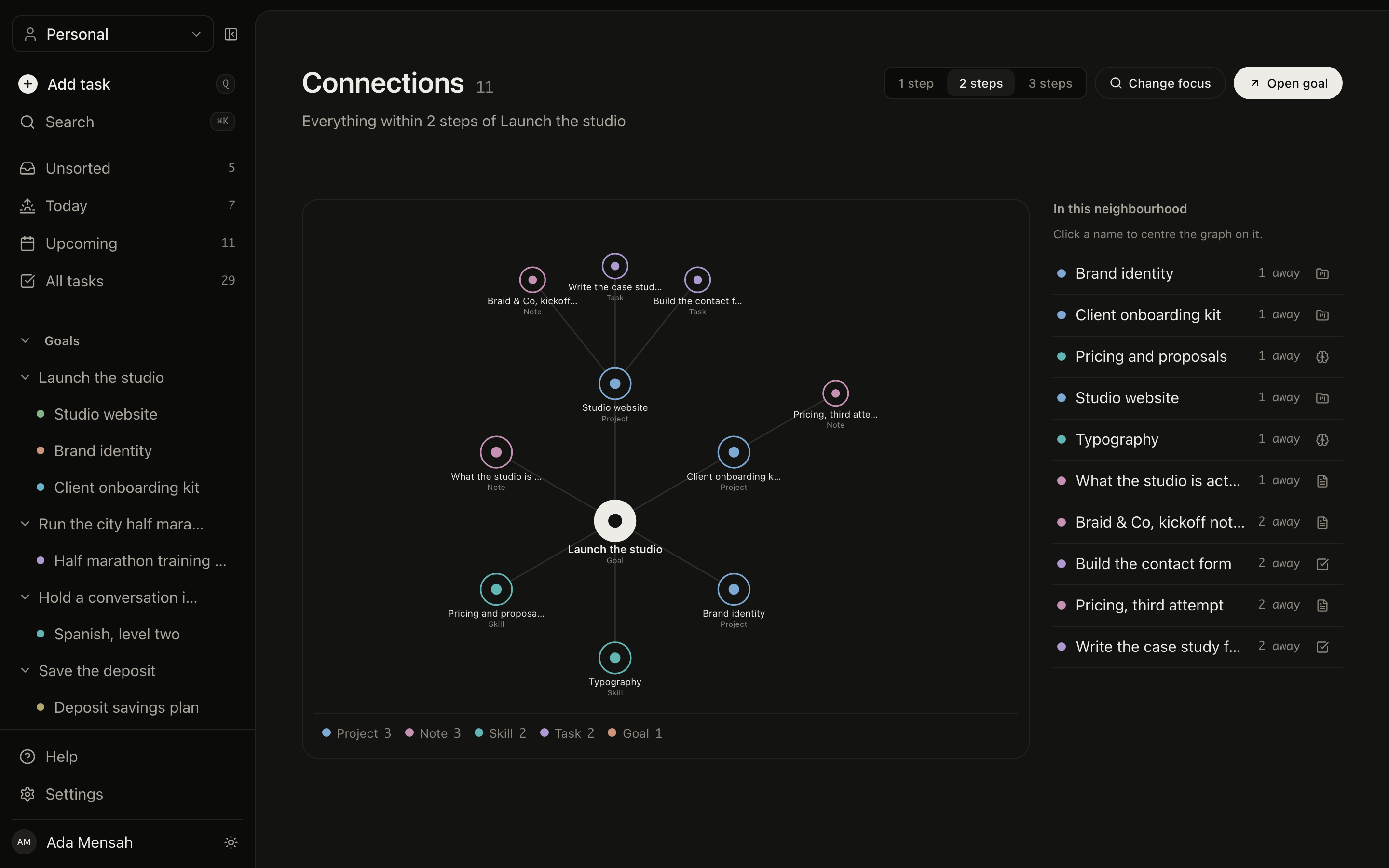
The connection graph links any record to any other with a typed relationship: this note explains that project, this skill serves that goal, this habit supports that project. It is the nearest thing here to a Notion relation, with one difference that matters on the first day. You do not define which databases may point at which. You point at the thing and say what the link means.
Any record to any recordTyped relationshipsNo schema to define
The connection graph in EvyOS, showing goals, projects, notes, habits and skills linked to each other with typed relationships
The connection graph in EvyOS, showing goals, projects, notes, habits and skills linked to each other with typed relationships, on a phone
✦ The honest part

What Notion is better at.

A comparison that only flatters one side is not worth reading, and it is not worth writing either. Three things Notion does that this cannot, and will not.

Freeform documents and wikis

A Notion page can be shaped into almost anything: a nested wiki, a handbook a company reads, a brief with sections that fold away. For long-form documentation Notion is the better tool and it is not close.

Databases shaped your way

Custom properties, relations, rollups, formulas, and the same records rendered as a table, a board, a gallery or a calendar. If the way you work does not match anybody else's shape, that flexibility is the whole reason to stay.

Templates and a community

Thousands of published templates, years of tutorials, and somebody else's finished system to duplicate. EvyOS has none of that. What it has instead is one system, already made, that nobody has to publish.

To be exact about the limits: no databases you define, no custom properties, no formula fields and no freeform page building. No Gantt charts, no offline mode, and no Google Calendar or iCal sync. No importer for a Notion workspace. The only integration is the connector for ChatGPT and Claude.

Moving over

An evening, not a weekend.

1
Bring the goals you actually have

Two or three, typed in by hand. There is no Notion importer, and this is the one place that works in your favour: you re-read what you were trying to do rather than migrating a database of things you stopped caring about in March.

2
Add only the open work

The projects under each goal, then the tasks that are still open. Anything finished stays in Notion. The free plan counts only open items, so completing something hands the slot straight back.

3
Set up the habits and skills

The routines and the practice Notion never had a native place for. Five of each on the free plan, which is already more than most people sustain. From here Today tells you what the day is asking, and you stop maintaining the tool.

✦ What it costs

Free, then $9.99.

The free plan is a working system rather than a demonstration of one, and its limits count open items only, so it rewards finishing things instead of punishing you for having a long history.

See the plans →
  • Free: 2 active goals, 5 active projects, 20 open tasks, 5 habits, 5 skills and the weekly summary
  • Limits count open items only, so finishing something frees the slot
  • Pro removes the limits at $9.99 a month or $99 a year
  • Shared workspaces on Pro: 5 people included, then $3 per person per month, and only the subscriber pays
  • A ChatGPT and Claude connector over MCP, on Pro
  • Cancel whenever; your data is exportable and stays yours
Questions

Frequently asked.

No. There is no Notion importer, and there is no partial one hiding behind a Pro plan either. You copy across the goals, projects and open tasks you are actually working on, which for most people is an evening rather than a weekend, and you leave the archive where it is. Anything already finished does not need to move at all, and because the free plan counts only open items, a completed task never occupies a slot.
No, and this is the trade the whole product is built on. There are seven record types with fixed fields: goals, projects, tasks, habits, skills, notes and calendar events. You cannot add a custom property, write a formula field, or render the same records as a board and then a gallery. What you get in exchange is that none of it needs designing, and it still works the same way in a year. If your system needs a shape nobody else has, Notion is the right tool and you should stay with it.
That is the case it is strongest in. Notion is built around documents and databases that a team shapes to fit, and personal productivity is something you assemble on top of that. EvyOS starts from one person: the goals you are working towards, the projects under them, the tasks that move them, and the habits and skills that support them, with Today and Upcoming as fixed views you never configure. Shared workspaces exist, but the default shape is one person's life.
Yes. A habit is a record type here, not a template you install. Each one has a schedule of daily or named weekdays, a streak, a strength score computed from consistency and recency rather than raw count, and a year-long contribution graph. Skills work the same way for practice: a level, a target level, and sessions logged in minutes with an activity type. These two are the most common reason people arrive from Notion, because they are the hardest things to approximate with a database.
No, and they are not trying to be. A note here is markdown with folders, tags, search, version history, [[Title]] wiki-links that produce backlinks, and an optional public share link. That is enough for a personal knowledge base and for writing something down beside the work it belongs to. It is not a wiki you shape into nested pages, and there is no freeform block editor. If long documents are the centre of your system, Notion is better at them and it is worth saying so plainly.
Plenty of people do, and it is a real answer rather than a hedge. Notion keeps the documents, the wiki and anything a team reads. EvyOS keeps the plan: what you are trying to do, what is due today, what you are practising. The two do not sync, so the boundary works best when it is clean, one home for documents and one home for work, rather than the same task typed into both.
The free plan holds 2 active goals, 5 active projects, 20 open tasks, 5 habits and 5 skills, plus the weekly summary, and it never asks for a card. The limits count only open items, so finishing something gives the slot back. Pro is $9.99 a month or $99 a year, removes the limits, and adds shared workspaces and the ChatGPT and Claude connector.

Notion is a tool you build a system in.
This one already is one.

Sign in and the goals, projects, tasks, habits, skills, notes and calendar are there, connected. Nothing to design, and nothing to maintain afterwards.

Start for free