NotesA notes app that is not
a separate app.

Markdown documents with folders, tags, full-text search and version history, kept in the same place as the tasks, projects and goals they are about. The decision you already made once is a search away instead of somewhere in another tool.

Start for free →See pricing

Notes are on the free plan. No card, no time limit.

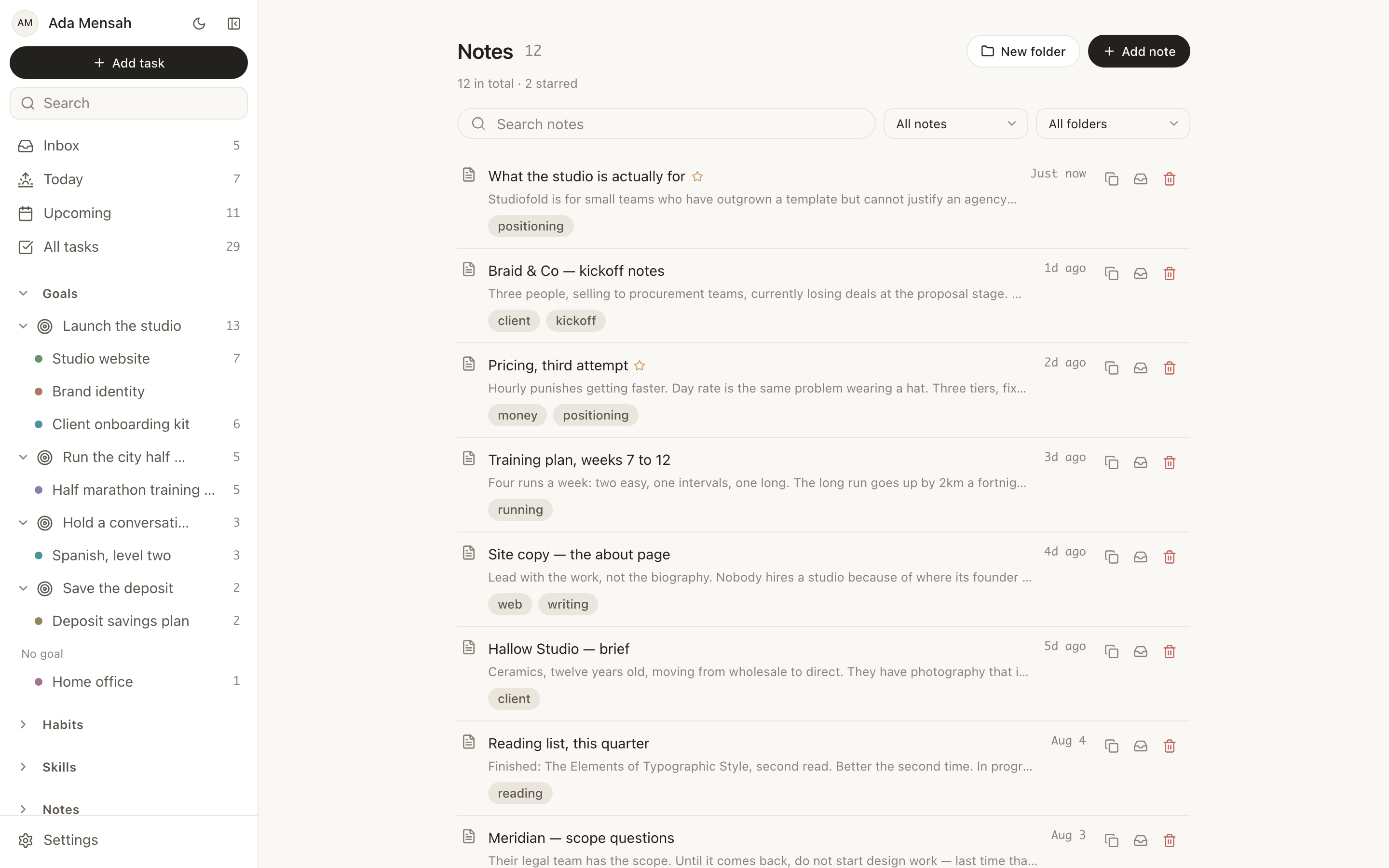
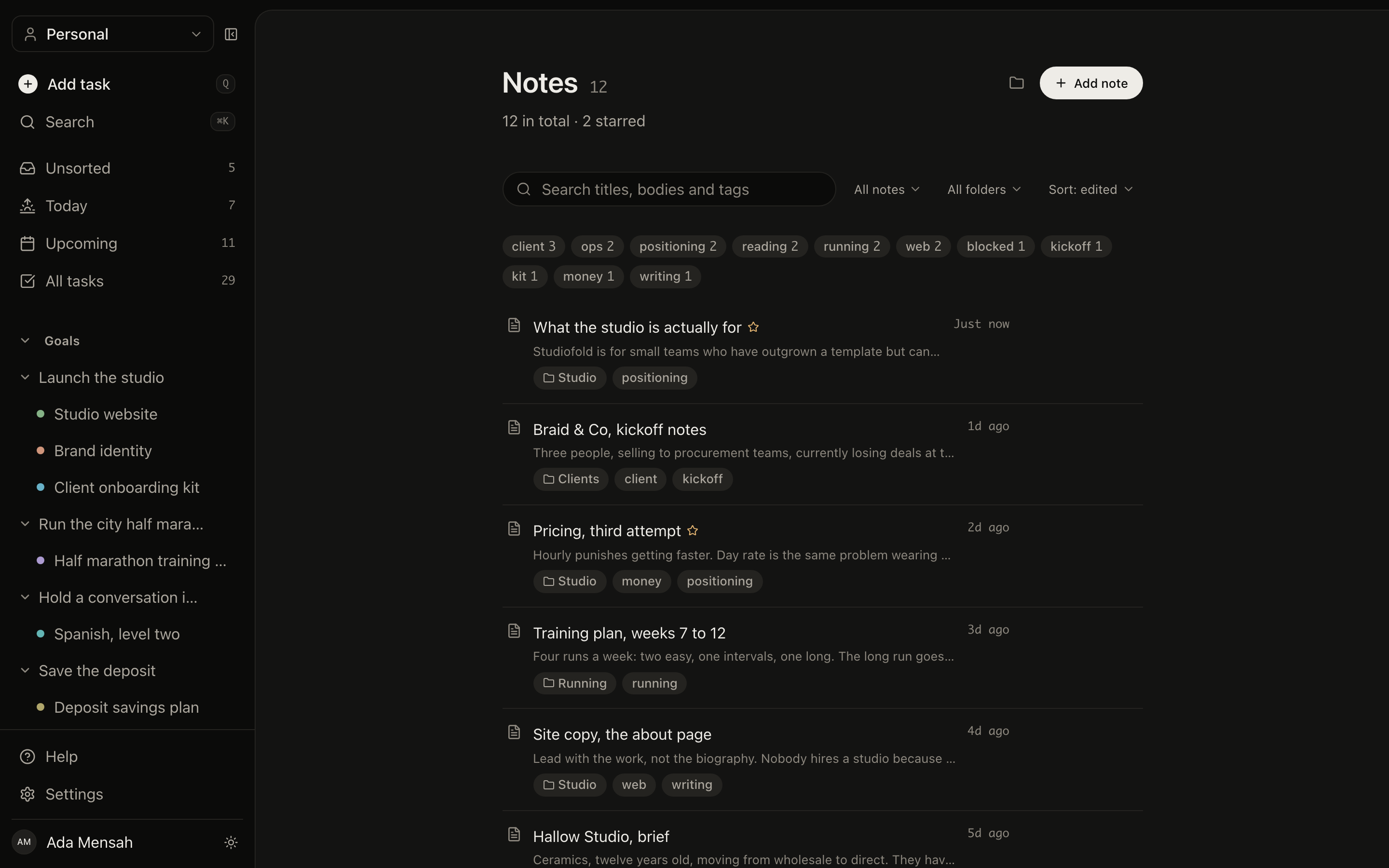
The notes list in EvyOS: a search box over titles, bodies and tags, filters for folders, a row of tags with counts, and notes showing their folder, tags and when they were last edited
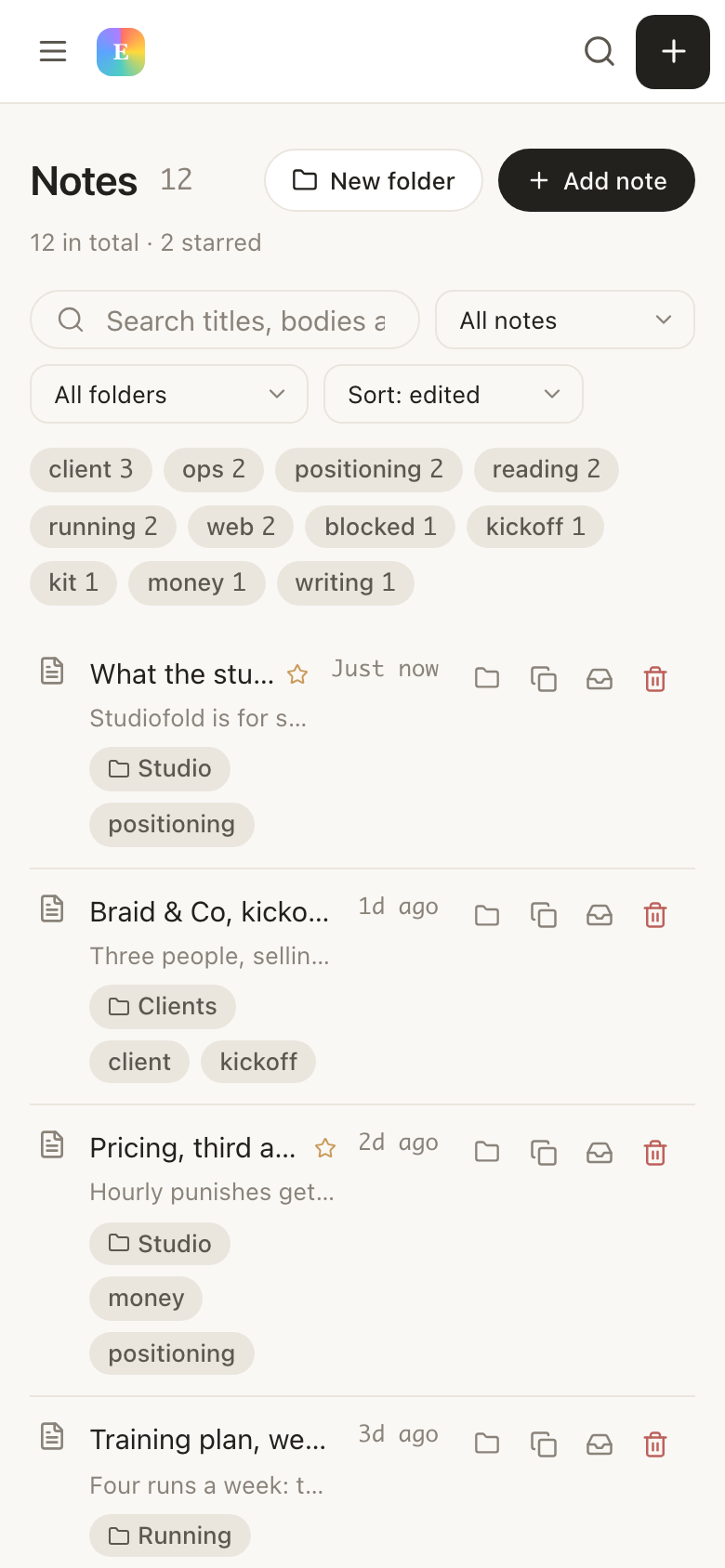
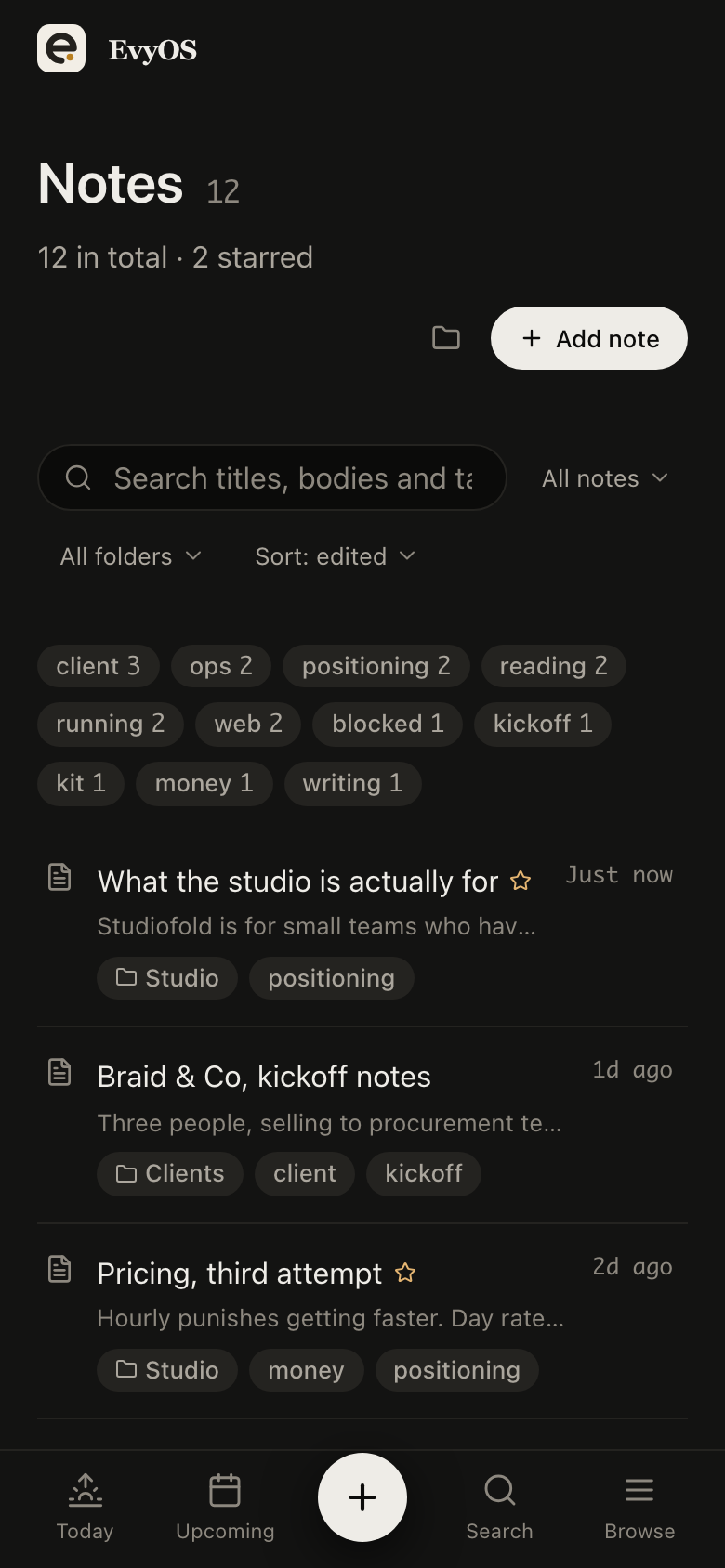
The notes list in EvyOS: a search box over titles, bodies and tags, filters for folders, a row of tags with counts, and notes showing their folder, tags and when they were last edited, on a phone
✦ What a note has

Plain documents, kept properly.

Nothing here needs learning. Write markdown, put it in a folder, tag it, and find it later by something you remember from inside it. The care went into the parts you only notice when they are missing.

📝
Markdown, read and write

Headings, lists, quotes, bold, links. Switch between writing and reading on the same screen, with a word count so you know whether the thing you wrote is a note or a draft.

📁
Folders and tags

One folder to file it, as many tags as it deserves. Folders keep the list navigable; tags cut across them, so client notes in three folders still gather in one place.

🔍
Search inside the text

Full-text search across titles, bodies and tags. Months later you remember a phrase, not a filename, and that is enough to get the note back.

🕐
Version history

Every note keeps what it used to say. An edit that cut the wrong paragraph is a thing you can look at and undo, rather than a loss you find out about later.

🔗
A public link, if you want

Publish a note to a read-only URL and send it to someone with no account and no reason to make one. Private by default; unshare whenever you like.

Trash, with restore

Deleting a note puts it in the trash rather than ending it. Clearing out old notes should not be a decision you have to think hard about first.

✦ The parts worth explaining

Markdown notes with version history,
next to the work they describe.

01 - The note itself

Write it, read it, keep it.

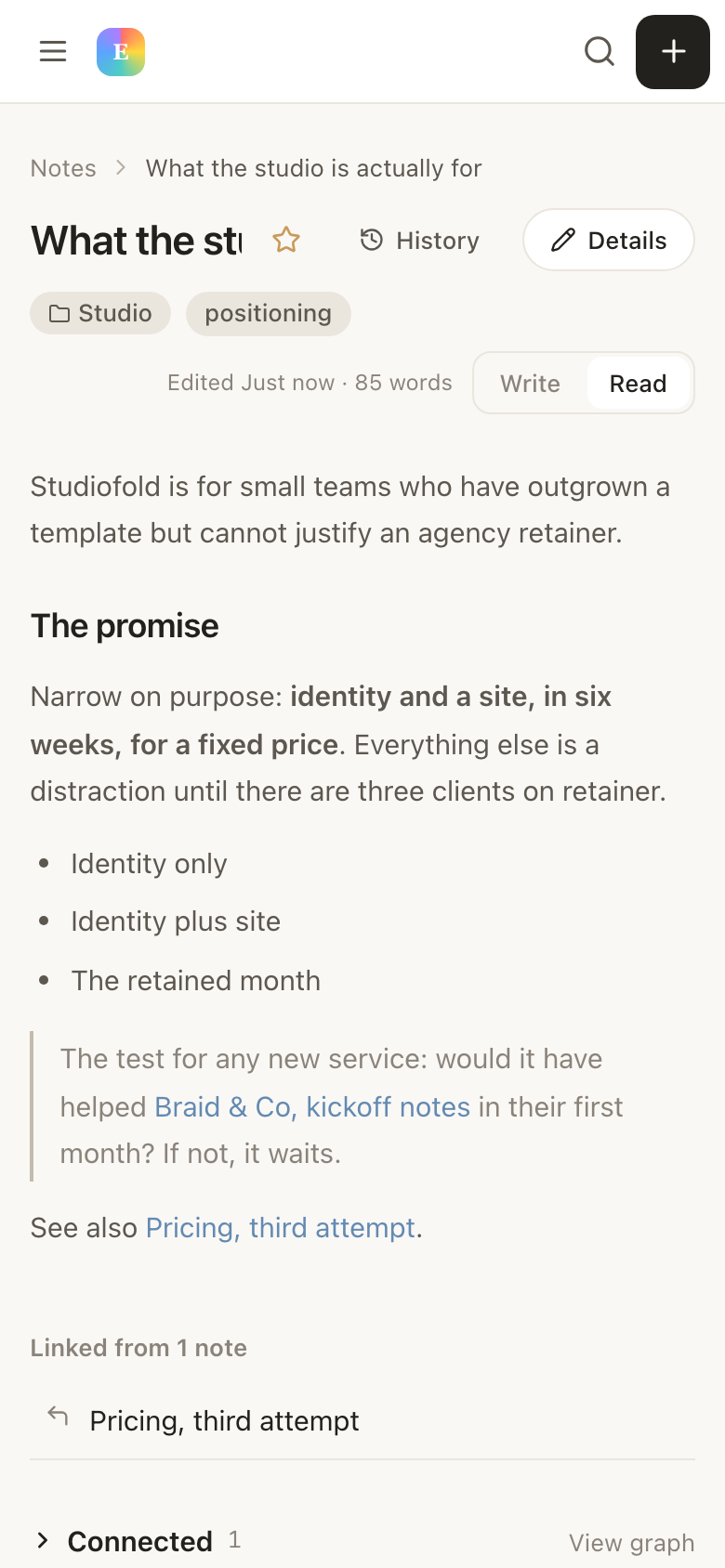
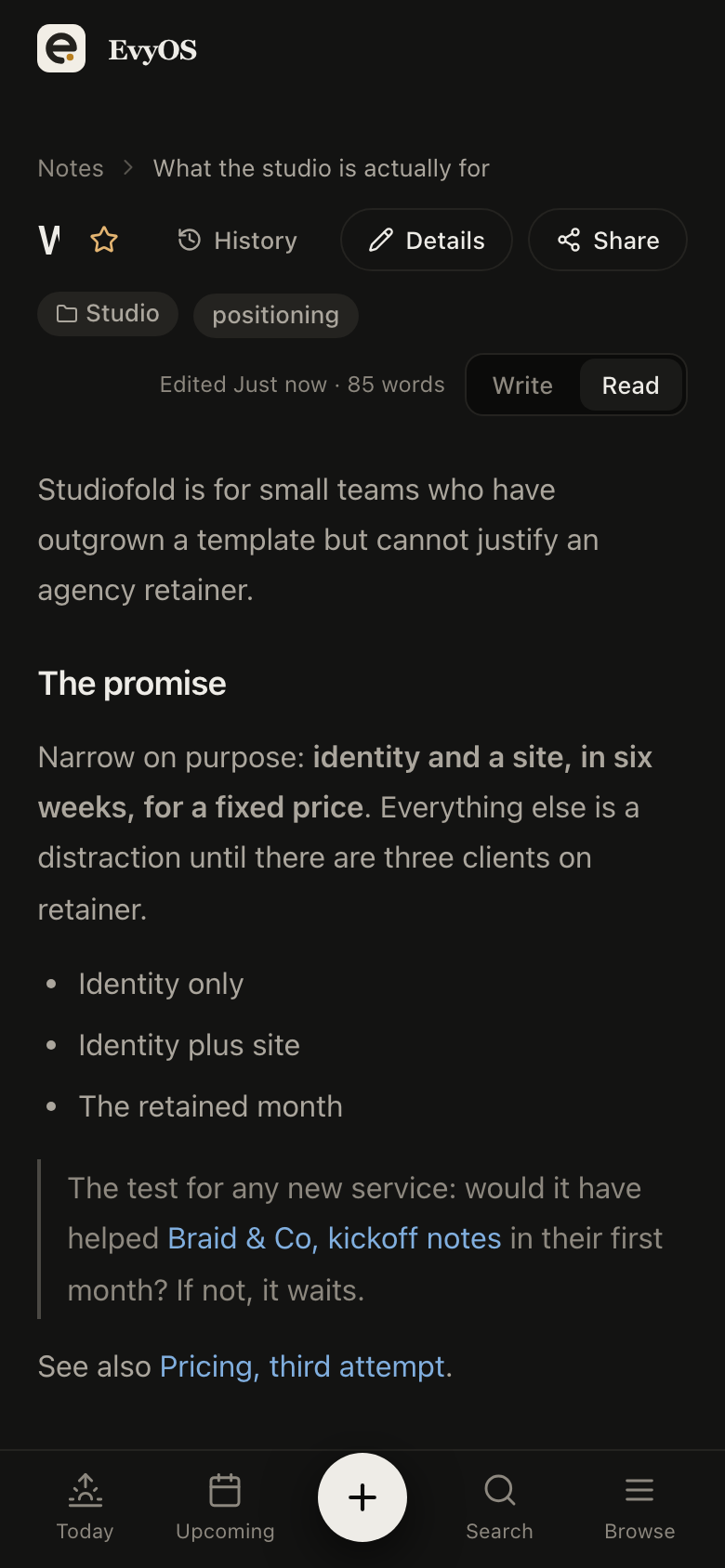
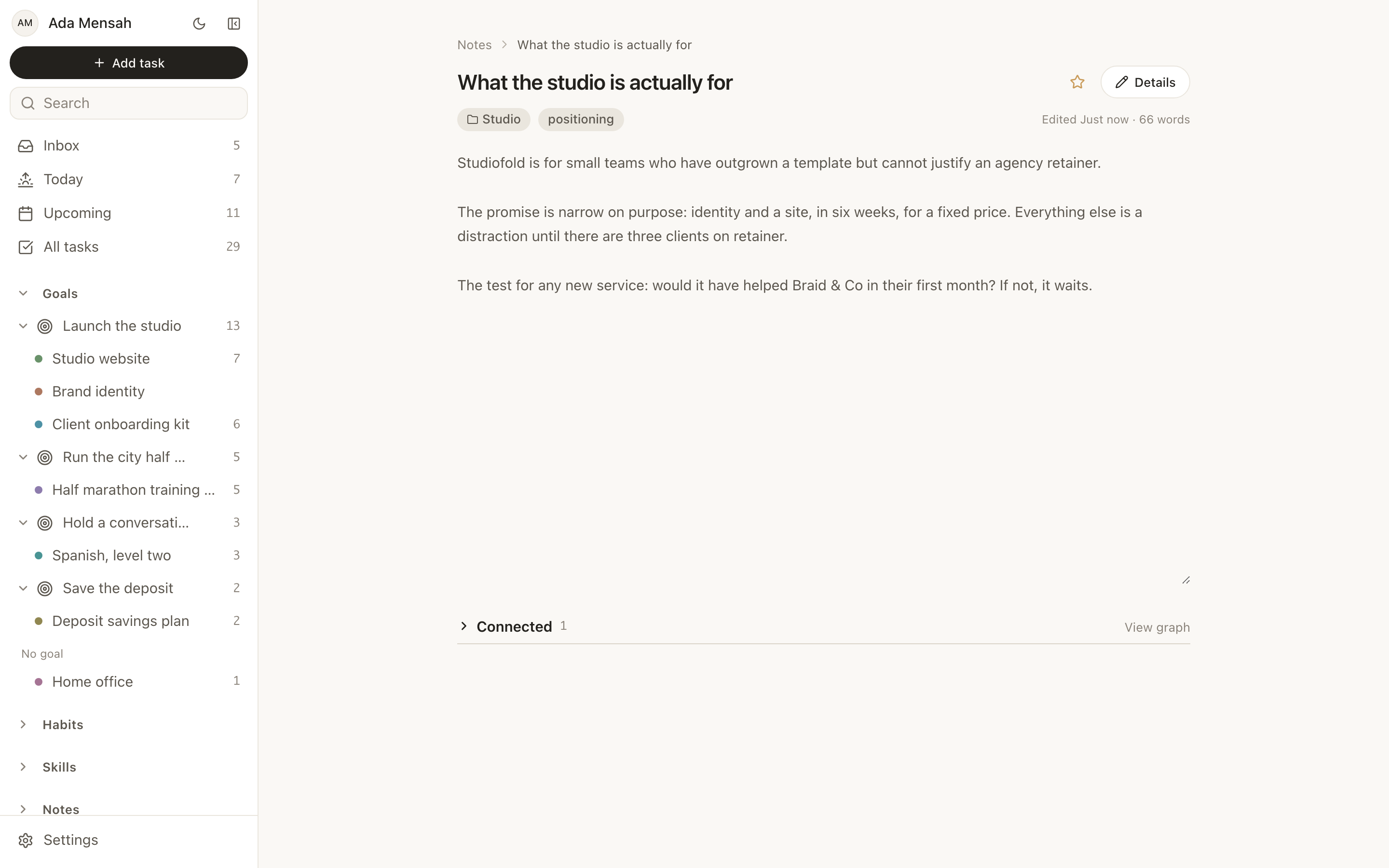
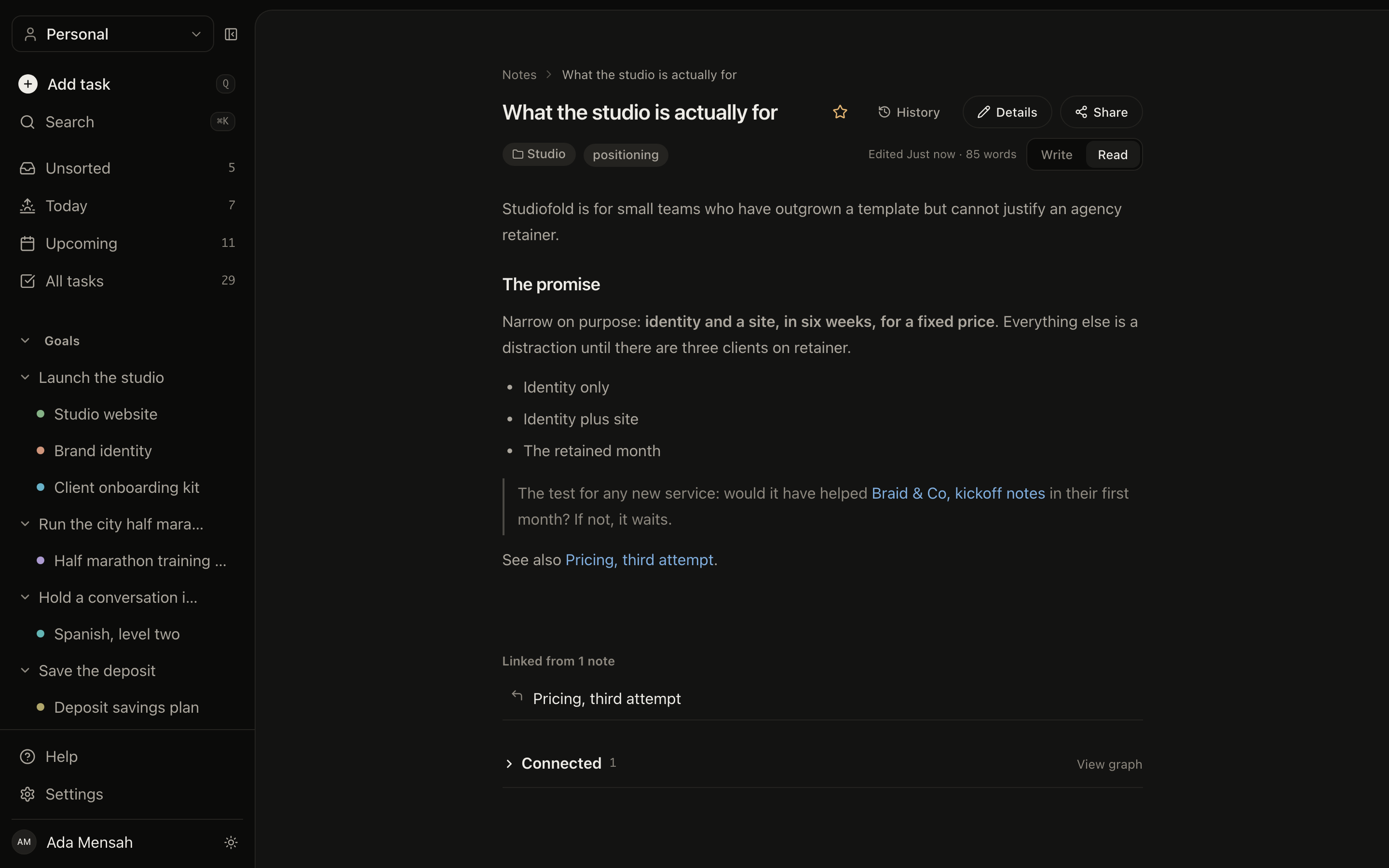
A note opens as a document: markdown body, the folder it is filed in, its tags, when it was last edited and how long it is. Toggle between writing and reading without leaving the page, star the ones you keep coming back to, and open the history when an edit went further than you meant it to.
MarkdownWrite and read modesVersion historyStarred notes
A note open in EvyOS: a markdown document with headings, a list and a quote, its folder and tag above, a word count and last-edited time, and buttons for history and details
A note open in EvyOS: a markdown document with headings, a list and a quote, its folder and tag above, a word count and last-edited time, and buttons for history and details, on a phone
02 - Where they live

A notes app that links to tasks.

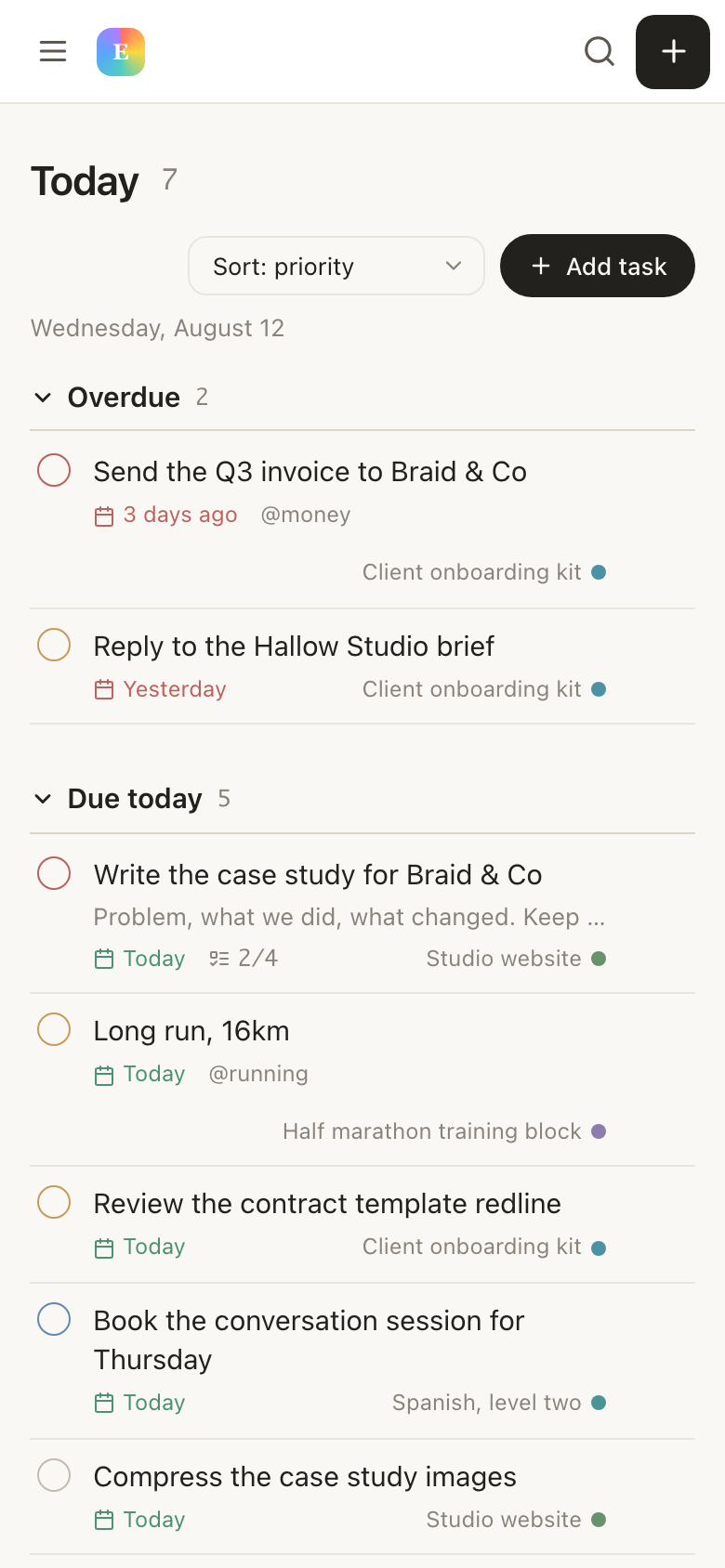
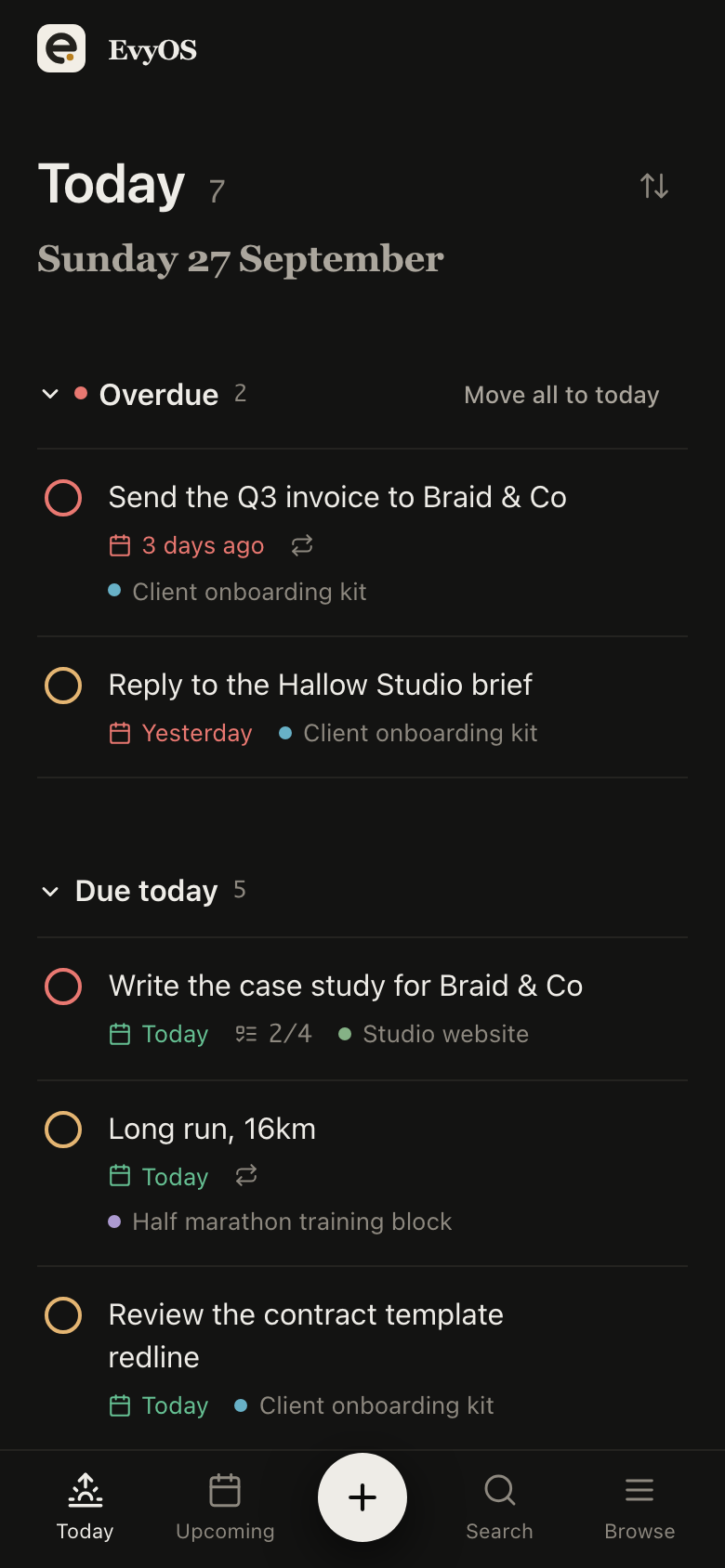
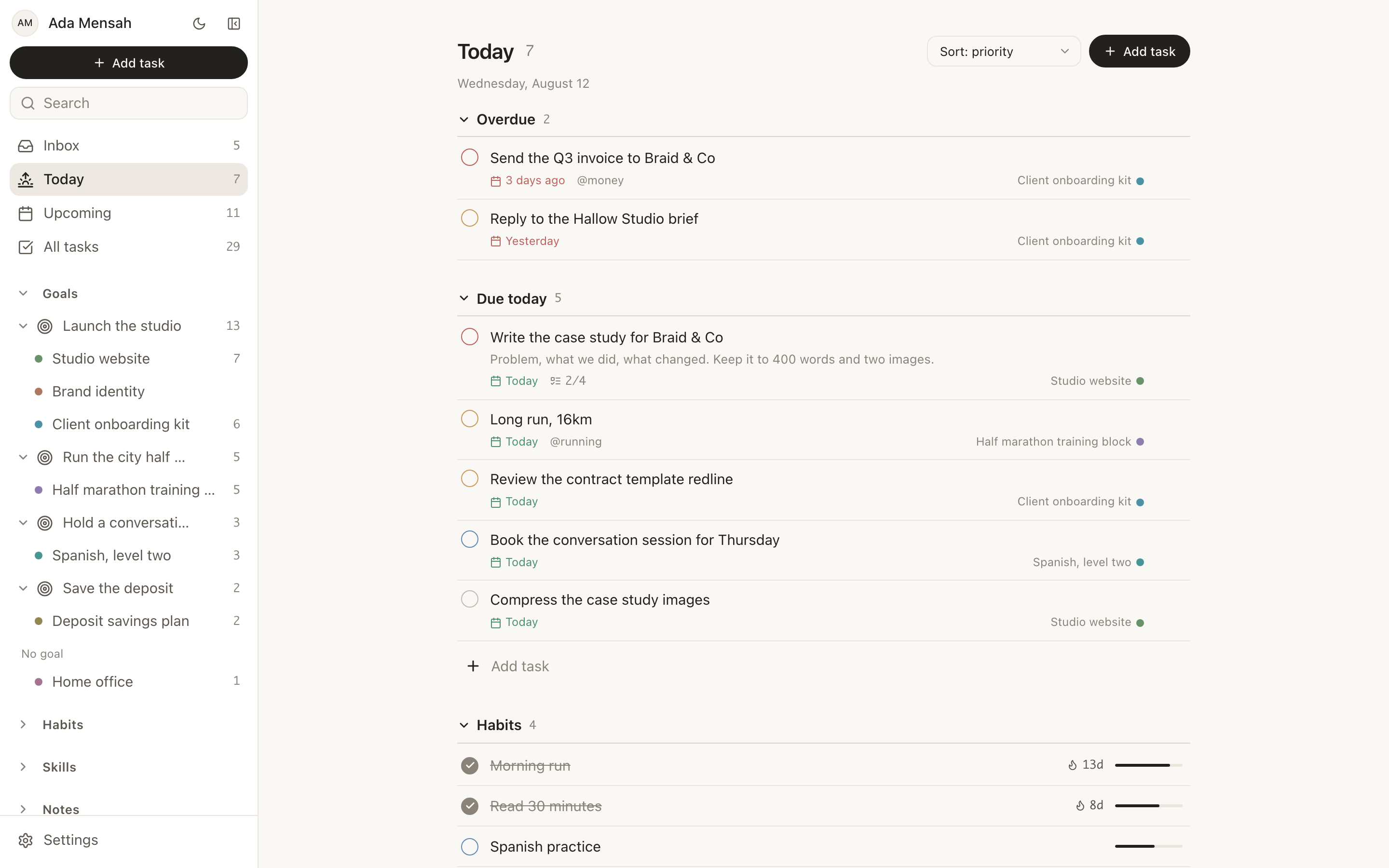
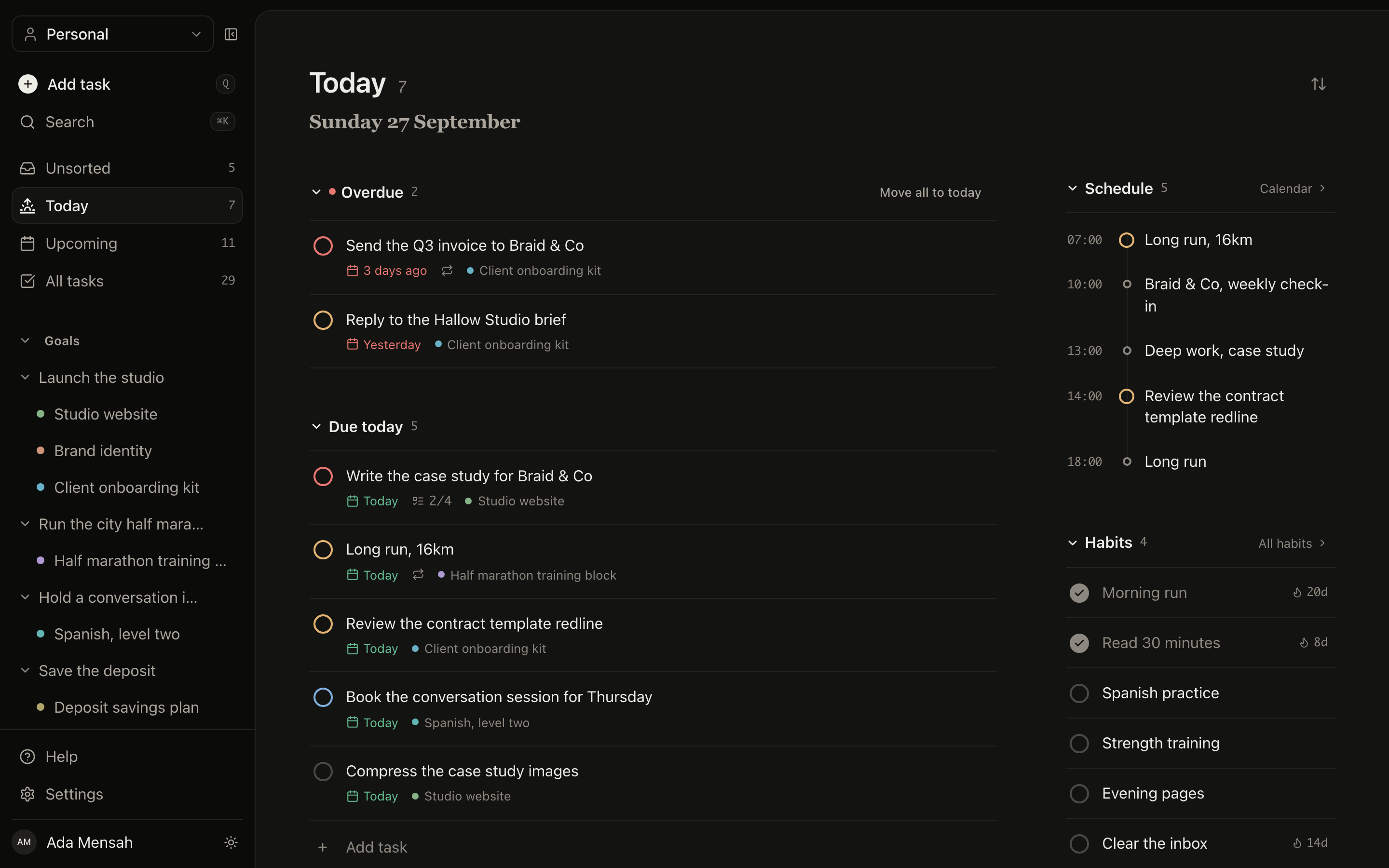
Notes in EvyOS are one of seven record types, alongside goals, projects, tasks, habits, skills and calendar events. The brief and the task list are in the same sidebar, in the same workspace, under one search. It is a smaller idea than it sounds until the week you stop opening a second app to find what you already decided.
One sidebarOne searchShared workspacesSame account
The Today view in EvyOS, showing overdue tasks, what is due today, habits and the calendar, with notes in the same sidebar as the rest of the record types
The Today view in EvyOS, showing overdue tasks, what is due today, habits and the calendar, with notes in the same sidebar as the rest of the record types, on a phone
Getting started

Filing a note takes longer to describe than to do.

1
Write it

Add a note and type. Markdown if you want the structure, plain sentences if you do not. Nothing is required except the words.

2
File it and tag it

Put it in a folder so the list stays readable, and add the tags that will pull it back later. Both are optional and both take a second.

3
Find it, or send it

Search a phrase from inside it when you need it again. If somebody else needs it, publish a read-only link and send that instead of a copy.

✦ What it is

A notes app, not a second job.

A note-taking system you have to maintain is a system you eventually abandon, and the notes go with it. These are markdown documents in folders, with tags and a search that reads the body. That is the whole model, and it is the reason it still works in the third year, when the enthusiasm has gone and you only want the file back.

See the plans →
  • Markdown documents with folders and tags
  • Full-text search over titles, bodies and tags
  • Version history on every note, and a trash you can restore from
  • A read-only public link per note, off by default
  • Shared with a workspace on Pro, at $9.99 a month or $99 a year
✦ What people keep in them

Three kinds of note.

The thinking

Positioning, pricing, the reason you chose the harder option. Decisions you made carefully once and will otherwise remake badly in eight months.

A second brain, or a personal OS →

The reference

Kickoff notes, a training plan, the reading list for this quarter. Documents you come back to rather than read once, which is exactly what search and folders are for.

EvyOS for grad students →

The draft

Site copy, an outline, the first version of something that will go elsewhere. Version history matters most here, because drafts are where you cut the good paragraph by accident.

EvyOS for freelance writers →

Questions

Frequently asked.

Both, and they do different jobs. A note lives in one folder, which is where you file it, and carries as many tags as you like, which is how it turns up next to related notes in other folders. The list can be filtered by either, and a tag row across the top shows how many notes each one holds.
Yes. Search runs over titles, bodies and tags, not just titles, so a note you cannot name is still findable by a phrase you remember from inside it. That is usually how it goes six months later, when what you kept was the sentence rather than the heading you gave it.
Every note keeps its earlier versions, so an edit that removed the paragraph you actually needed is recoverable rather than gone. Open the history on a note to see what it used to say. Deleting works the same way: a deleted note goes to trash and can be restored.
Yes. Any note can be published to a read-only public URL, which anyone with the link can open without an EvyOS account. It is the right shape for a brief, a reading list, a recipe or a set of meeting notes you want one person to read. The rest of your notes stay private, and you can unshare at any time.
They overlap more than you might expect, and it is worth being plain about where they differ. EvyOS notes are markdown with folders, tags, search and version history, and they do link to each other: write [[Title]] and it becomes a real link, with backlinks shown on the note it points at. What EvyOS adds is linking outward — a note can also be connected to the task, project, goal or skill it belongs to, and you can walk that graph from any record. What it does not try to be is a knowledge base you curate as a practice in itself, with plugins and a canvas. For that, Obsidian is still the better tool.
They are in the same account, the same sidebar and the same workspace, so the thinking about a project is not in a different app from the project. One search reaches across tasks, projects, goals, habits, skills and notes, which means you do not have to remember which of the seven you wrote something into.
On Pro, yes. Connect EvyOS to your assistant and it can create, read and edit notes, along with folders, through the same API the app uses. Note content is replaced wholesale when it is edited, so the assistant reads a note before changing part of it.

The note you cannot find
might as well not exist.

Write markdown, file it in a folder, tag it, and search the body when you need it back. It is in the same place as the work it is about.

Start for free