Calendar and daily plannerA calendar is only half
of what your day is.

The events are in one app, the tasks in another, the habits in a third, and the day you are actually going to have is in none of them. In EvyOS the calendar sits in the same system as the work, so what you have promised and what you have scheduled are on one page.

Start for free →See pricing

Free to start, no card. Day, week and month views on every plan.

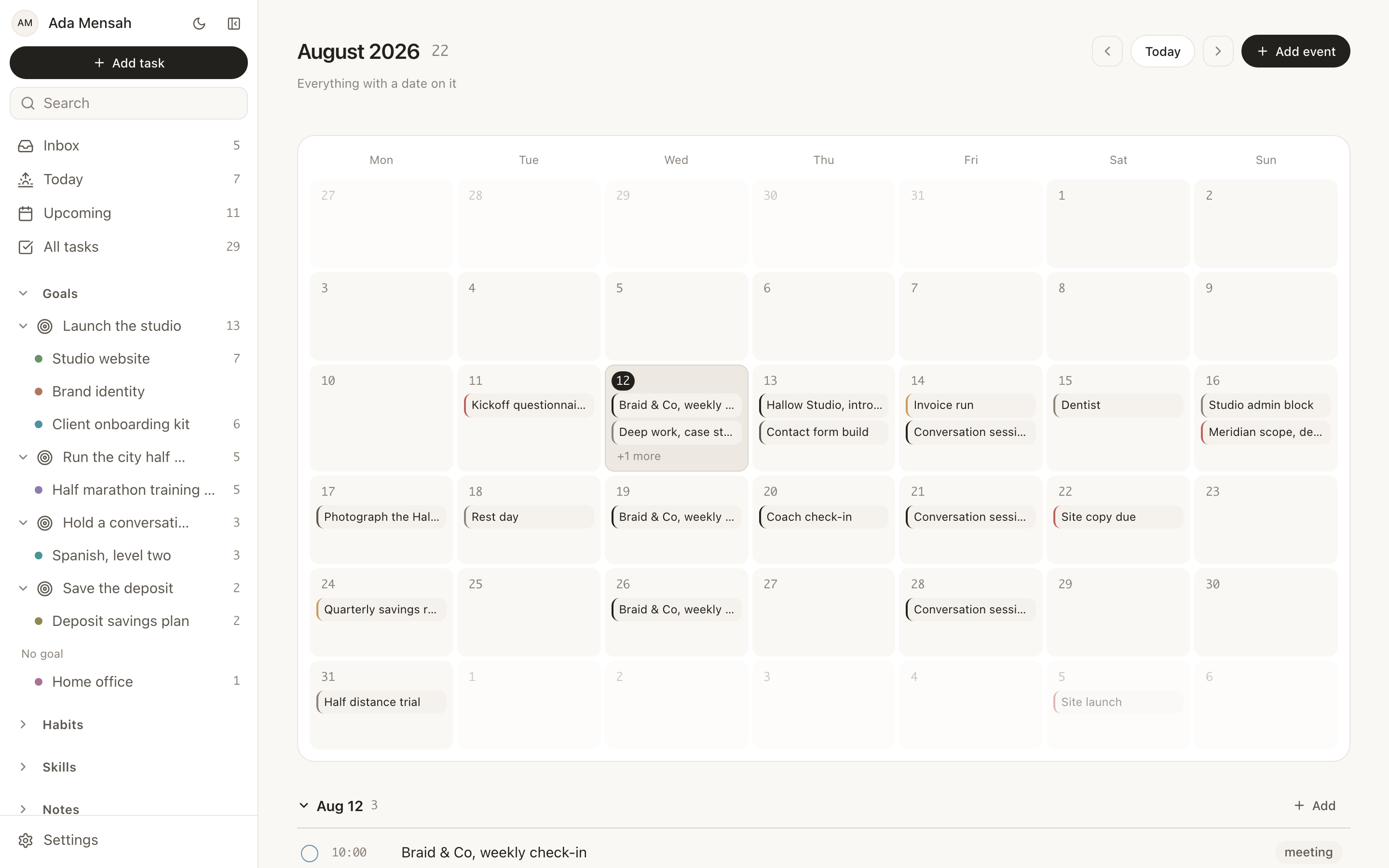
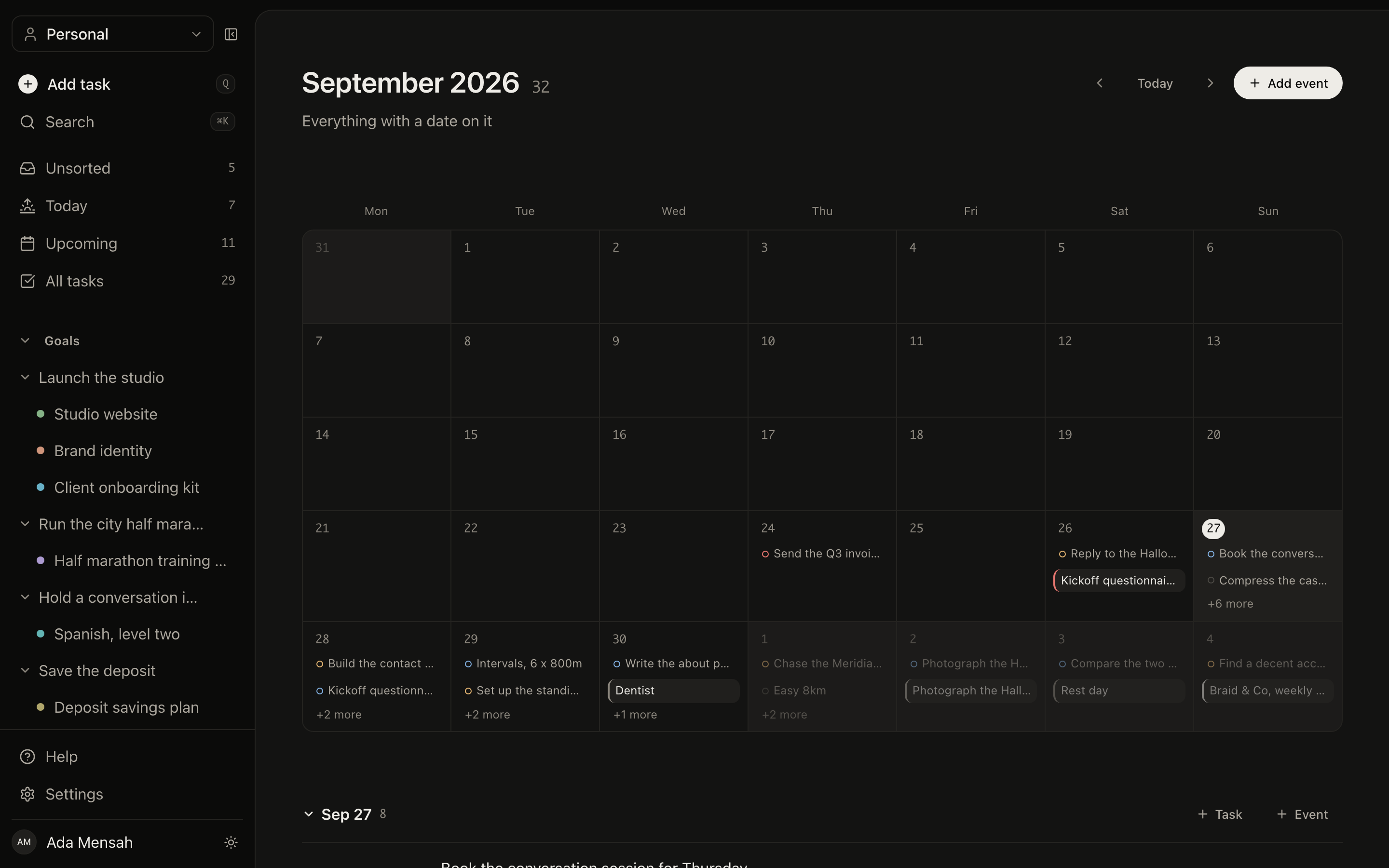
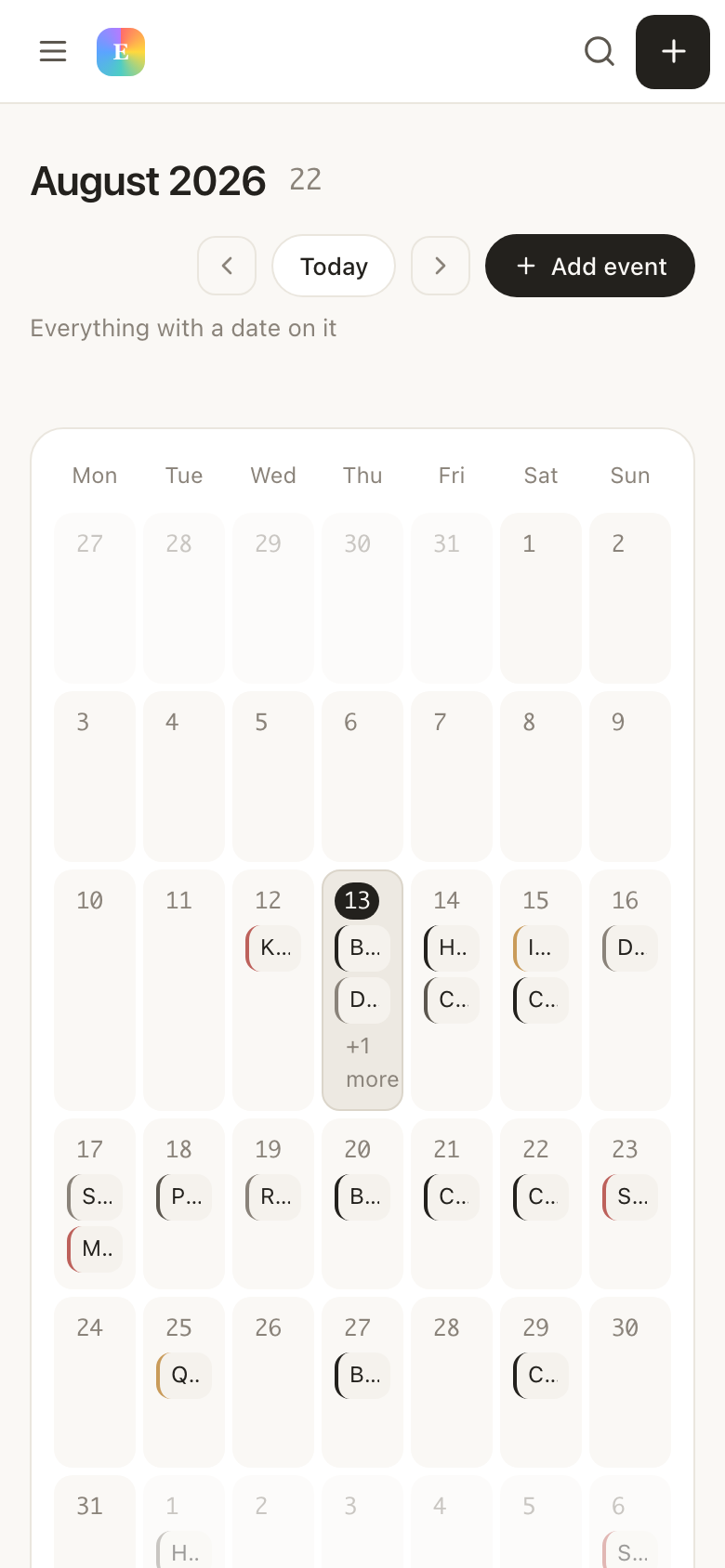
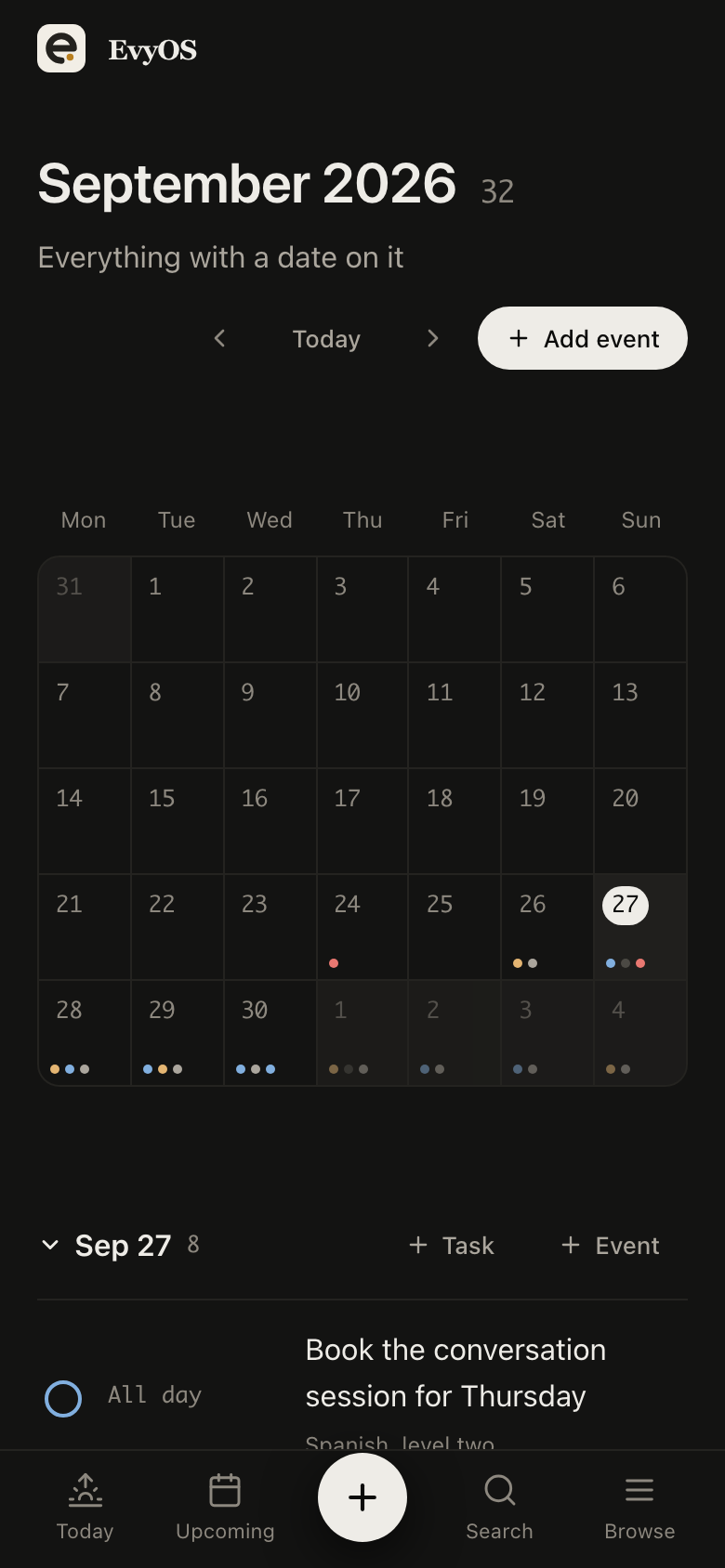
The EvyOS calendar in month view, with events on their dates and a panel showing the selected day's events with their times and durations
The EvyOS calendar in month view, with events on their dates and a panel showing the selected day's events with their times and durations, on a phone
✦ What this is

Not a meeting calendar.
A day calendar.

It is worth being direct about this before you sign up. The EvyOS calendar does not sync with Google Calendar or Outlook, there is no .ics import or export, and it will not send an invitation to anybody. It is a calendar for your own time, in the same place as the tasks and habits that fill it. If your work meetings are booked by other people, keep the calendar that holds them and use this one for the day you are planning.

📅
Events with real detail

A title, a description, a type, a date, a start time and a duration. Add a location if it has one, mark it all day if it takes the whole day, and set it to repeat if it comes back every week.

🕐
Day, week and month

Day for working through a single date, week for the shape of the next few days, month for seeing which weeks are already full. The same events, at three distances.

Tasks in the same place

Tasks have due dates, priorities and an estimate in minutes. They live beside the events rather than in a separate product, so a full afternoon is visible while you are deciding what to take on.

🔄
Habits, not entries

A habit is not an event repeated forever. It has its own schedule and keeps a completion record and a streak, and it shows up in the day without cluttering the month.

🎯
Attached to a reason

Tasks belong to projects, projects to goals. A Thursday morning spent on something is traceable to what it was for, which is the part a standalone calendar can never tell you.

🔒
No invitations, on purpose

An event records the number of people expected. It does not email them, share your availability or hand out a booking link. This is a planner, not a scheduling tool.

✦ The views you will use

See your tasks and calendar
on one screen.

01 - Today

Overdue first, then the day.

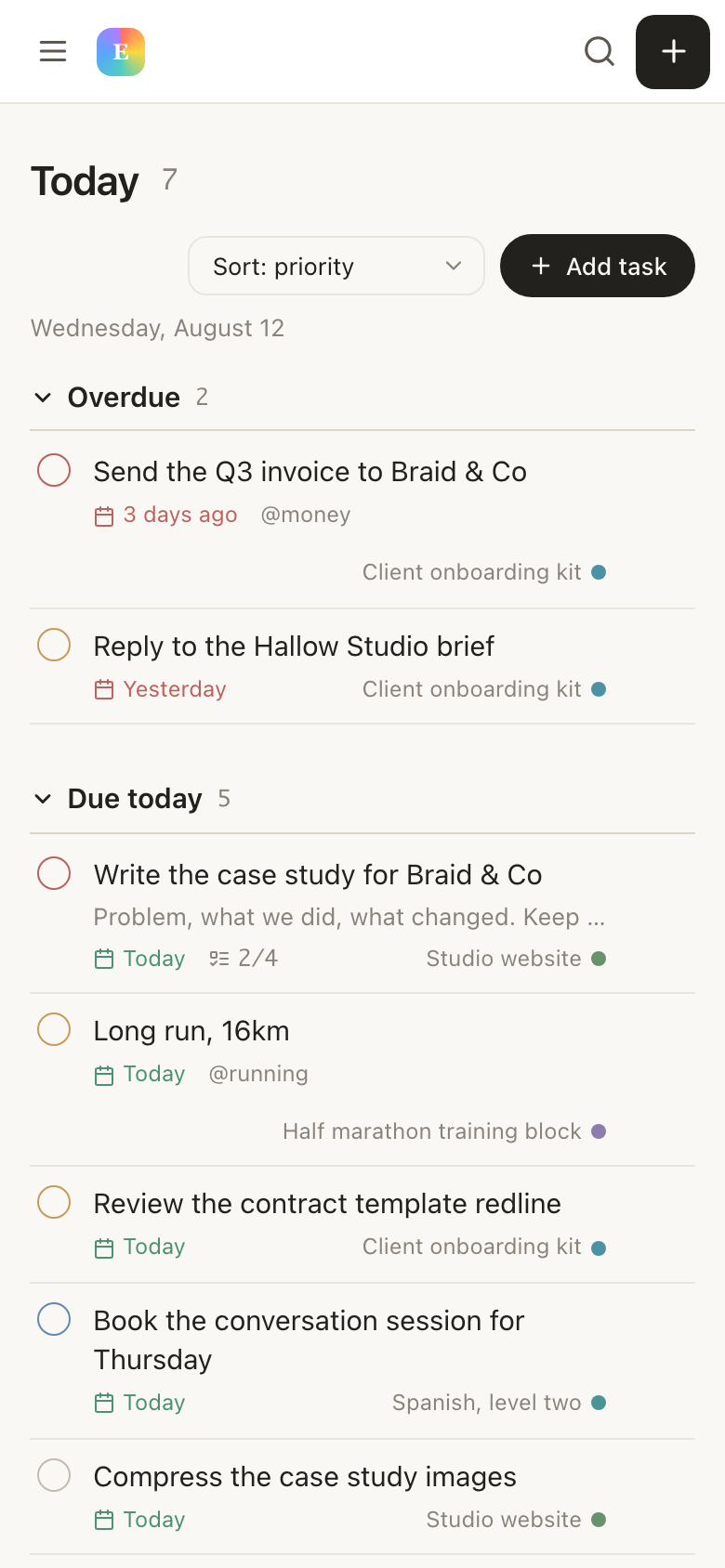
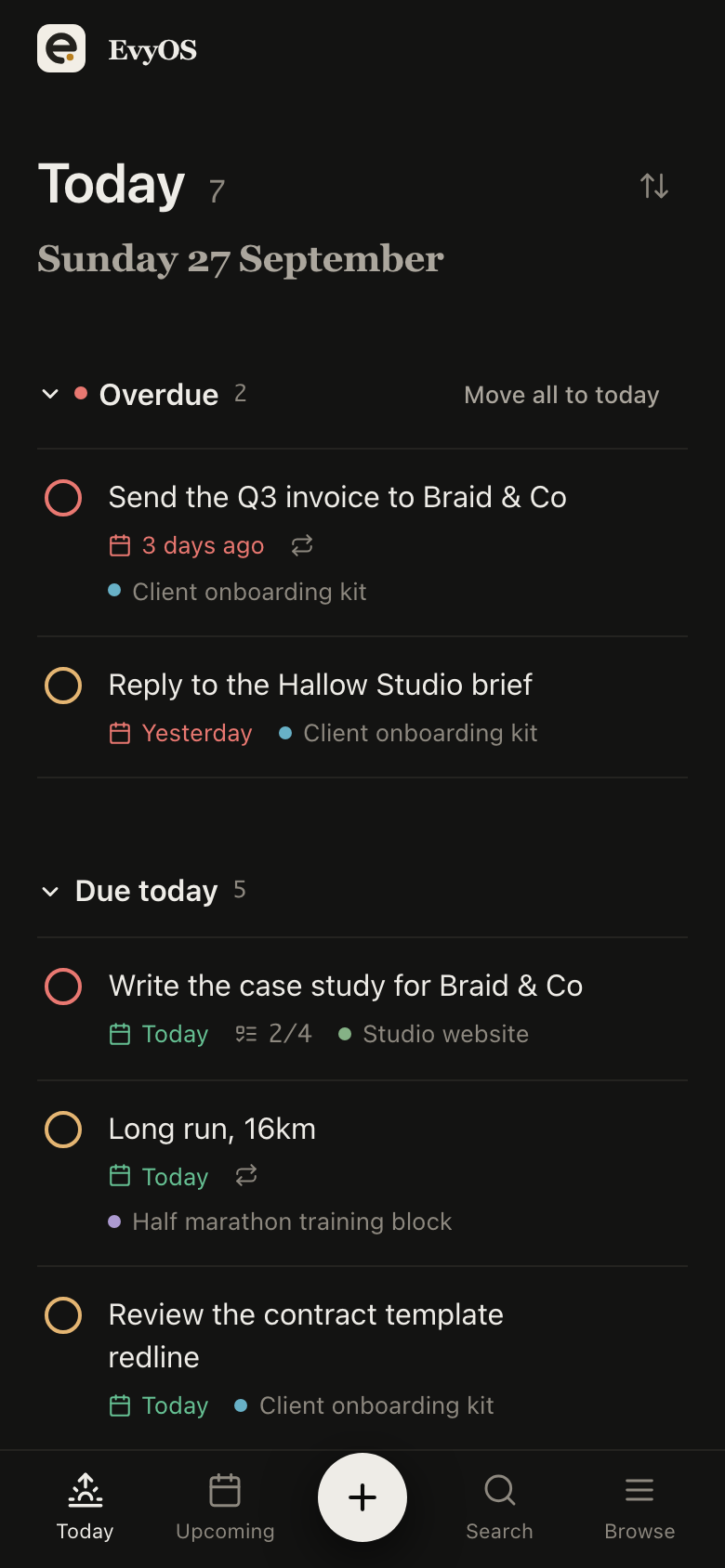
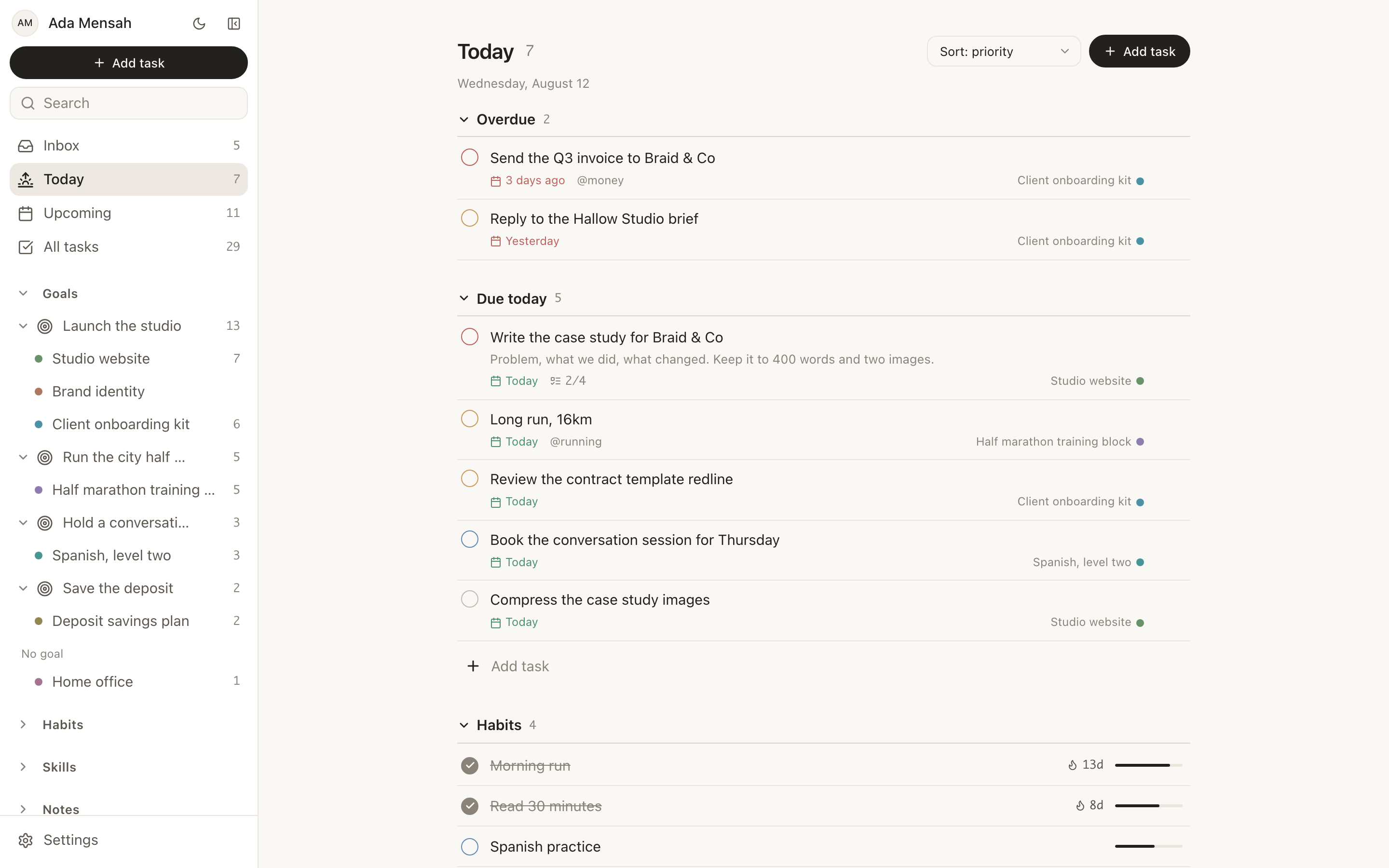
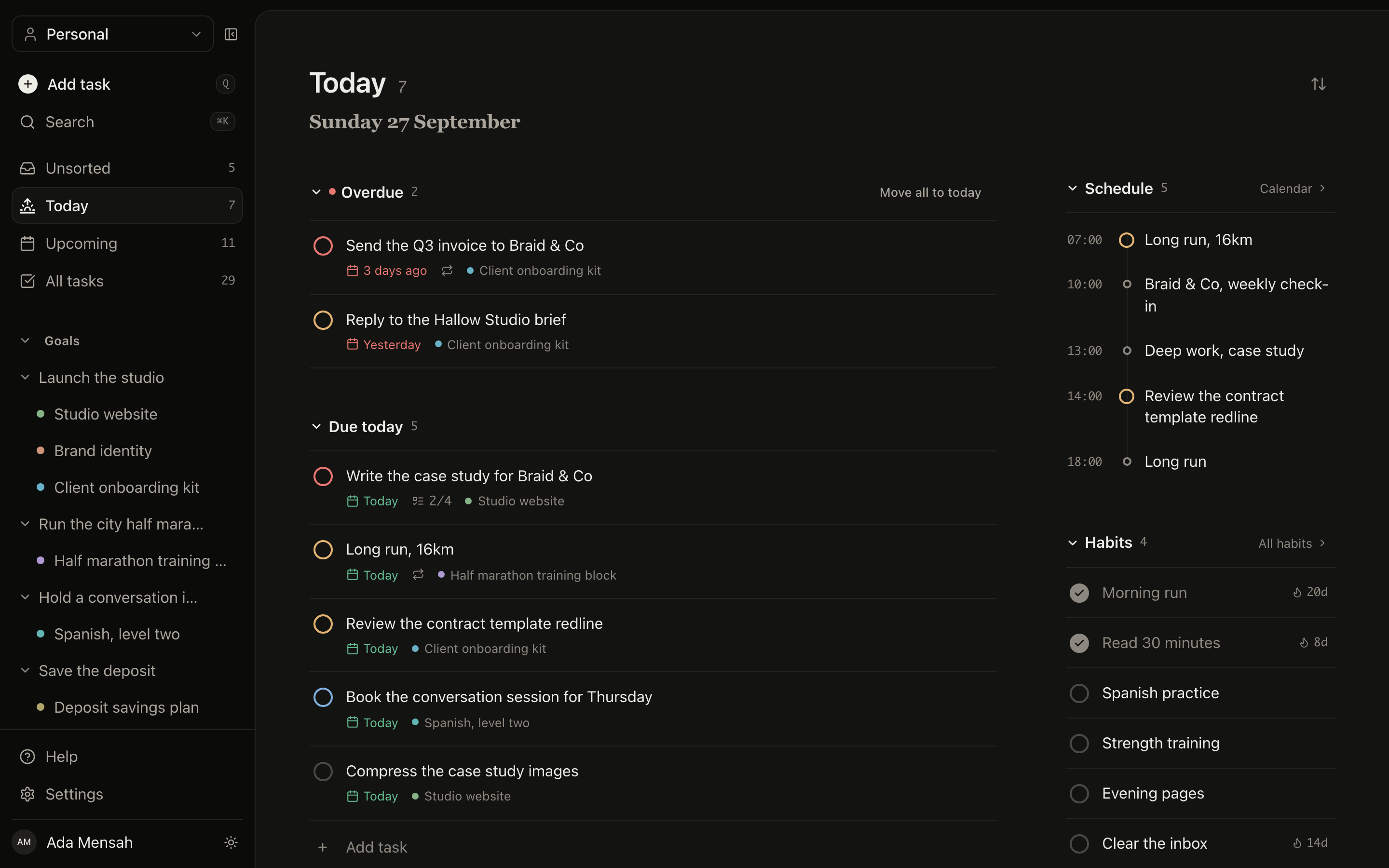
Today reads top to bottom in the order the questions actually occur to you. What did I miss, so overdue tasks are pulled out and put at the top rather than buried in a list. What is due. Which habits are still open. What is on the calendar. Four answers, one screen, before the first coffee.
Overdue split outDue todayToday's habitsToday's events
The Today view in EvyOS: overdue tasks at the top, then tasks due today, then the day's habits, then the calendar events for the day
The Today view in EvyOS: overdue tasks at the top, then tasks due today, then the day's habits, then the calendar events for the day, on a phone
02 - Upcoming

The next 2 weeks, day by day.

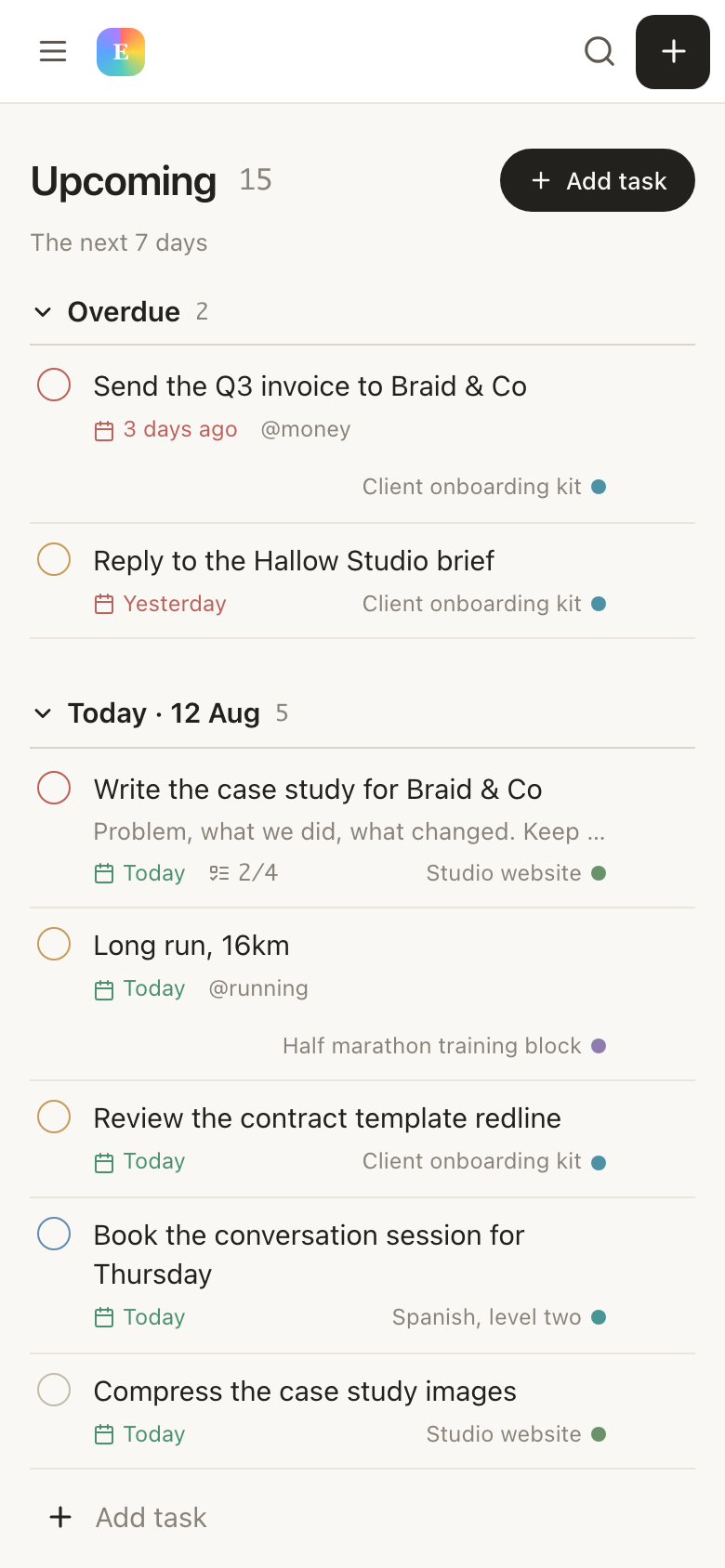
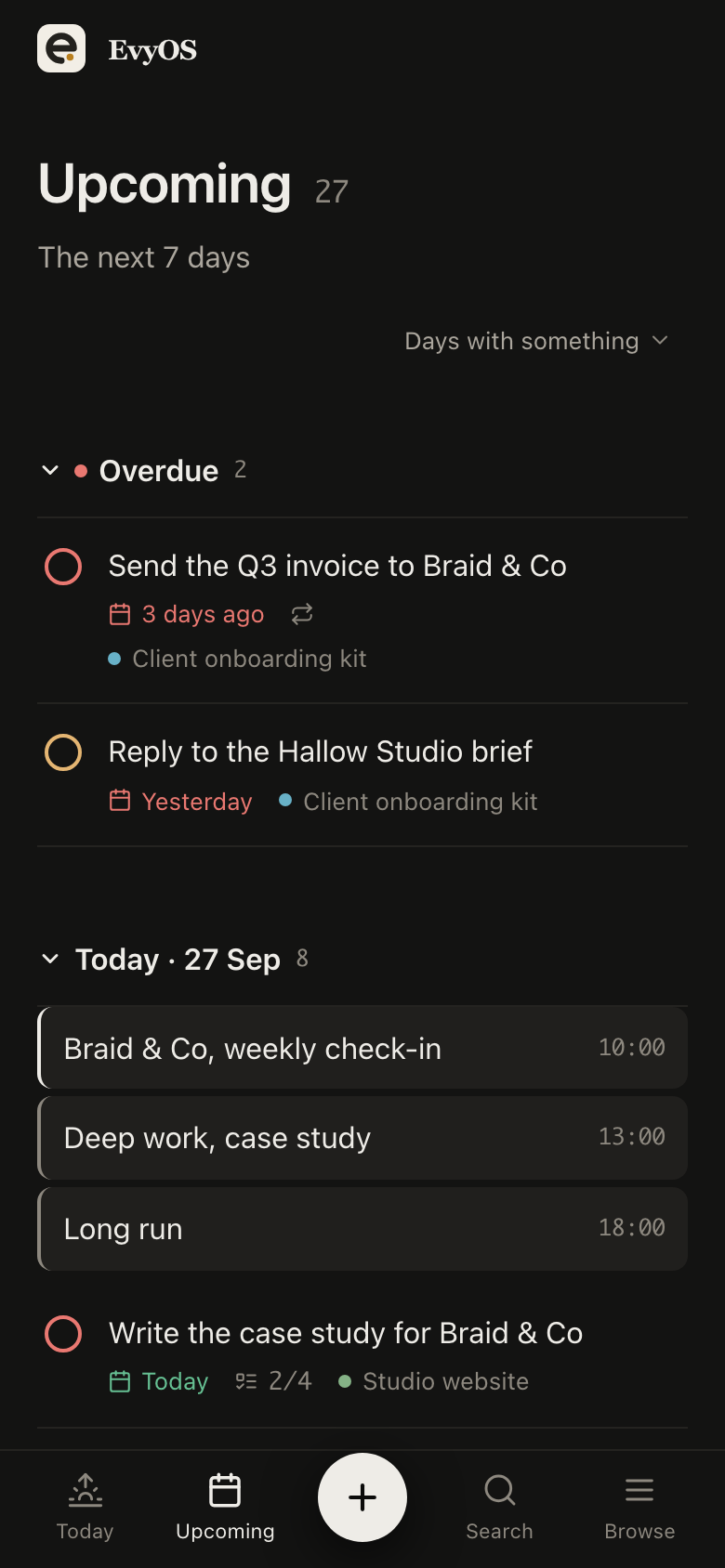
Upcoming lists the next 7 to 14 days as one section per day, so a week that is already full looks full before you agree to anything else. This is the view to plan from on a Sunday evening: move a task to a lighter day, push a deadline that was never realistic, and see it land.
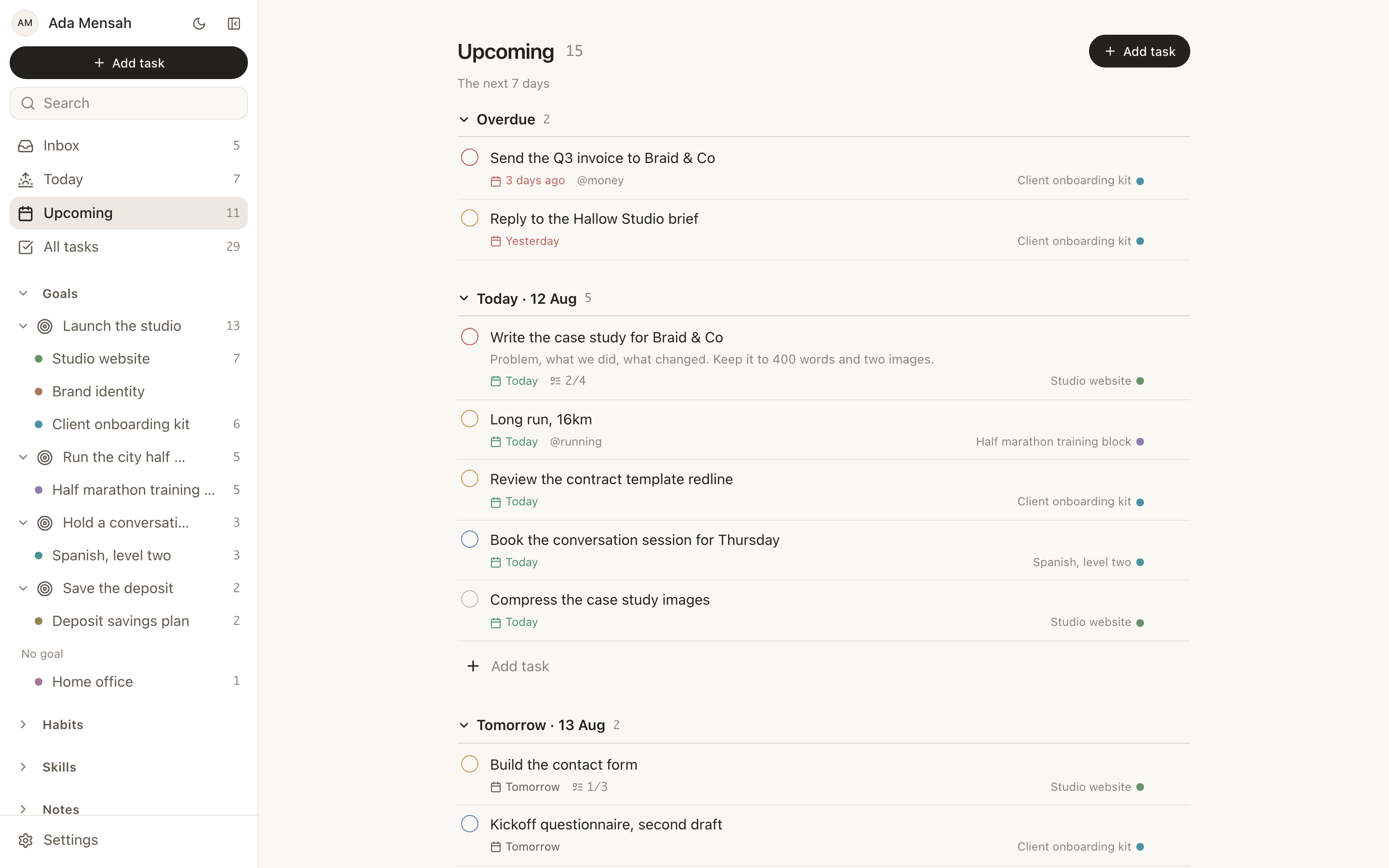
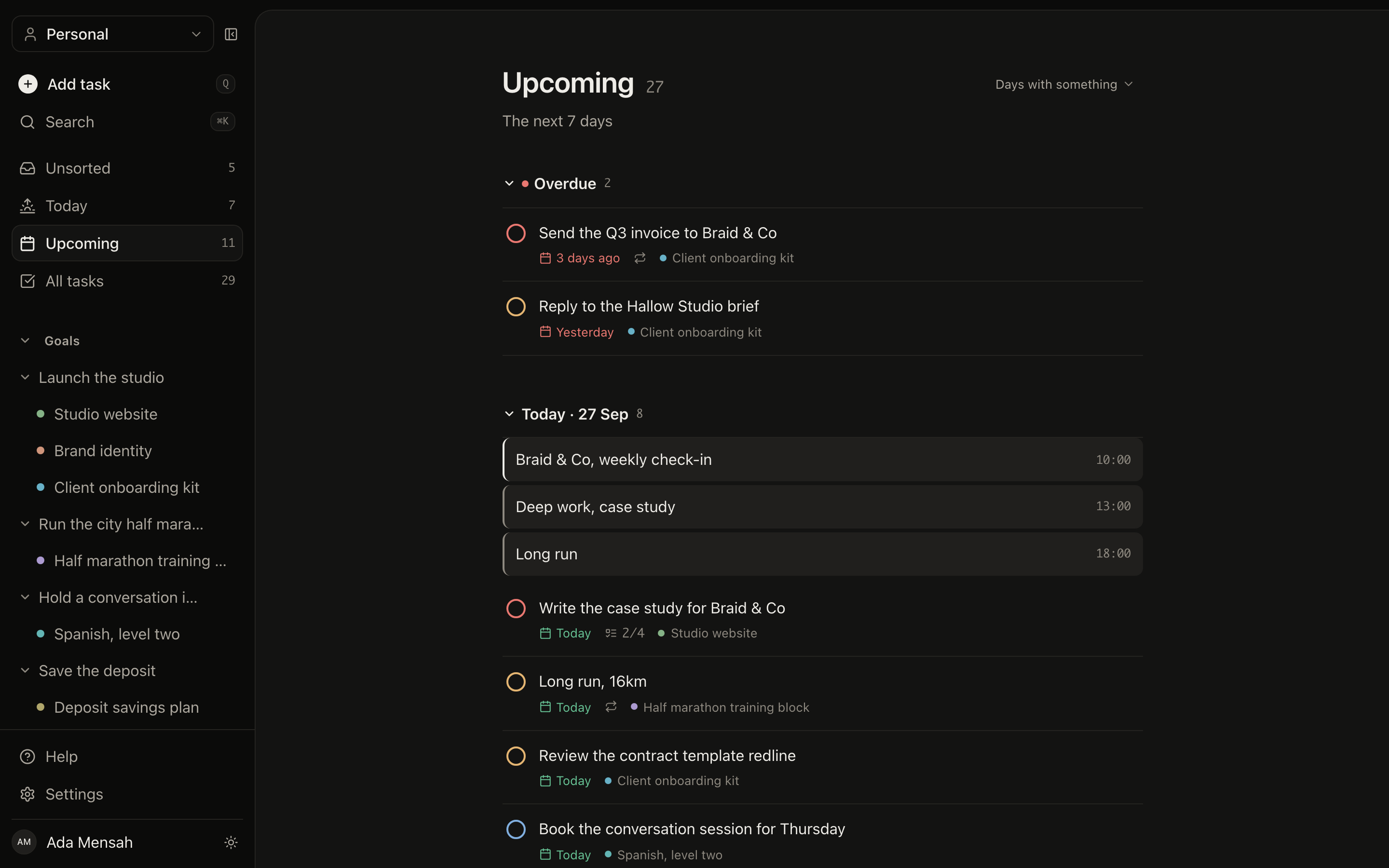
One section per day7 to 14 days aheadDue datesPriorities
The Upcoming view in EvyOS, showing the next fortnight as a separate dated section for each day with the tasks due on it
The Upcoming view in EvyOS, showing the next fortnight as a separate dated section for each day with the tasks due on it, on a phone
03 - Habits in the day

The repeating things, kept separate.

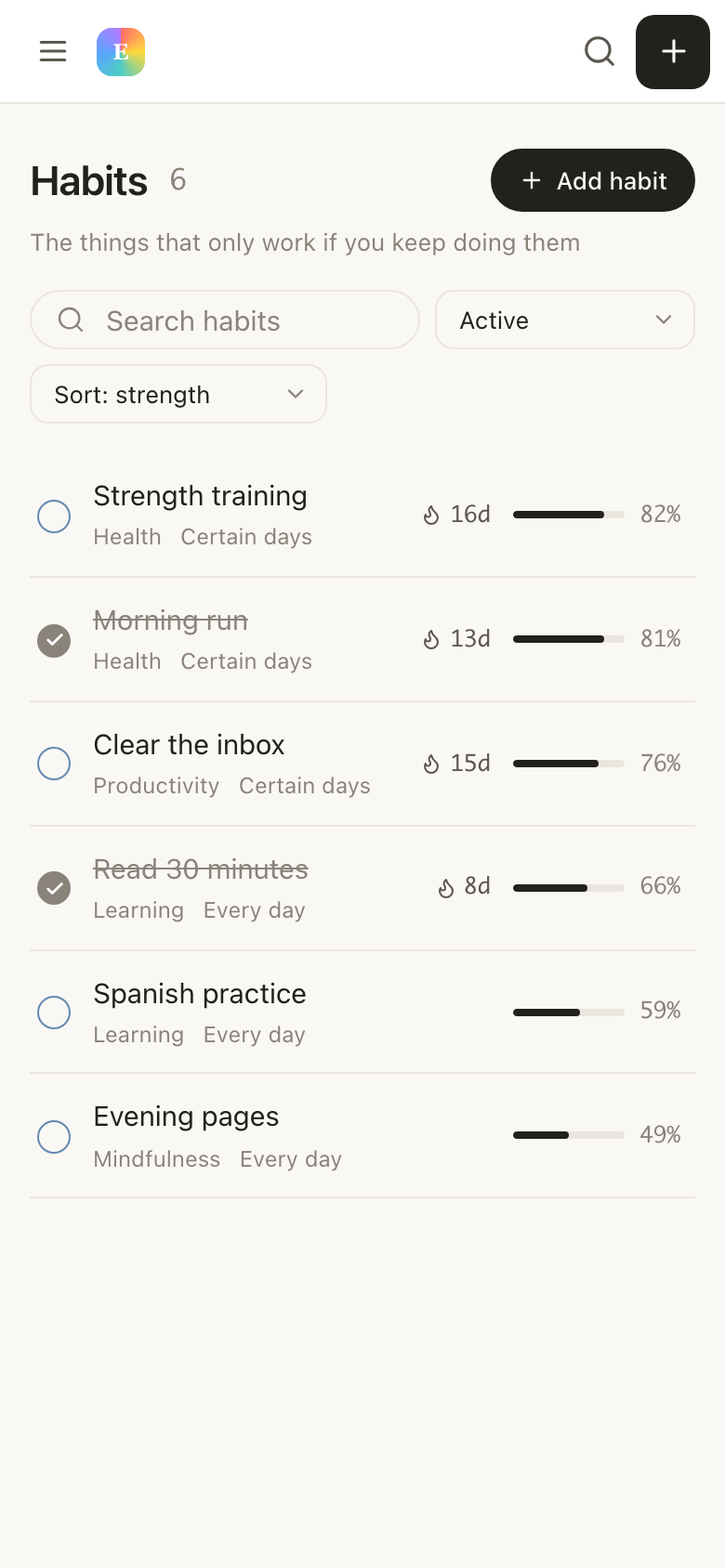
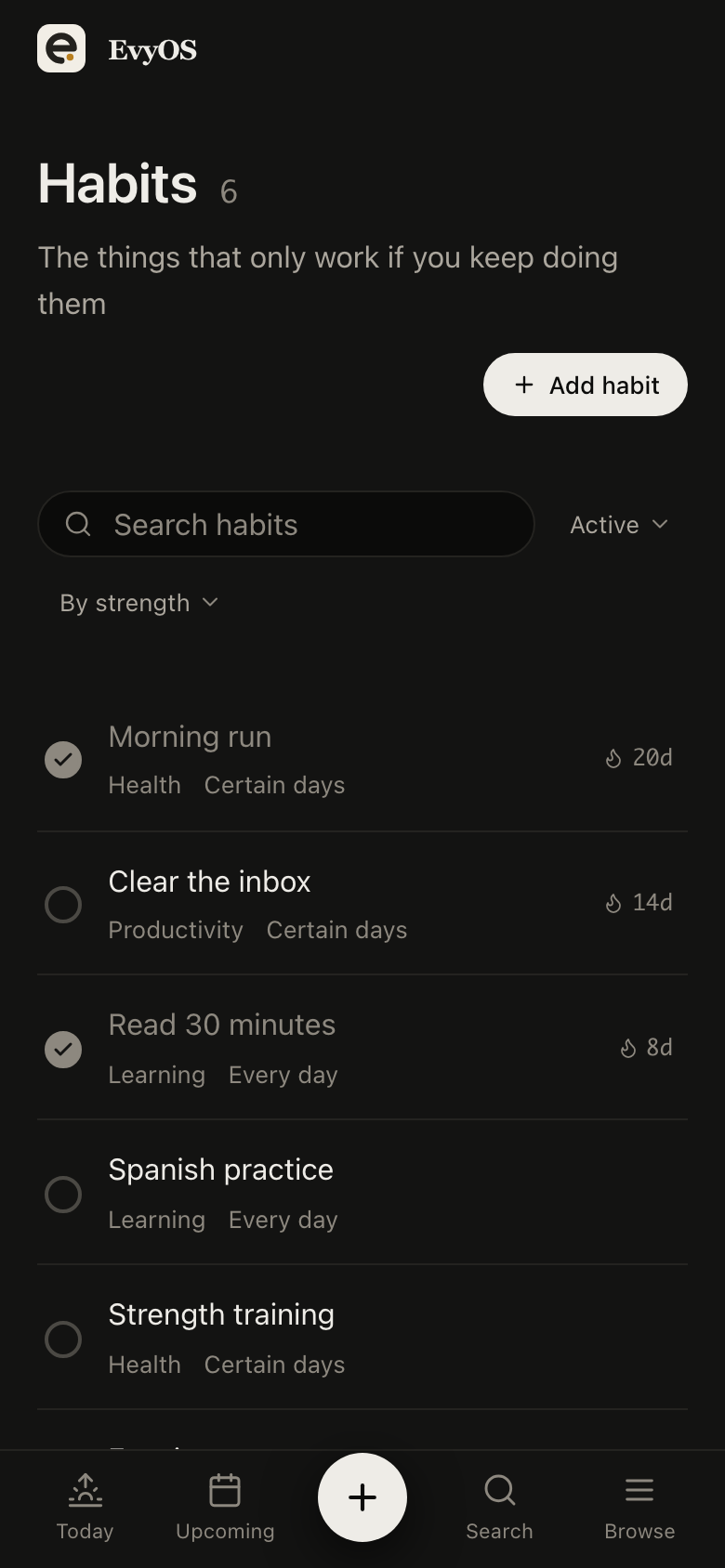
Putting a daily walk on a calendar as a recurring event makes a month unreadable within a week. A habit in EvyOS has its own schedule and its own record, so it appears in the day when it is due, keeps a streak and a completion history, and leaves the calendar to the things that genuinely happen at 14:00.
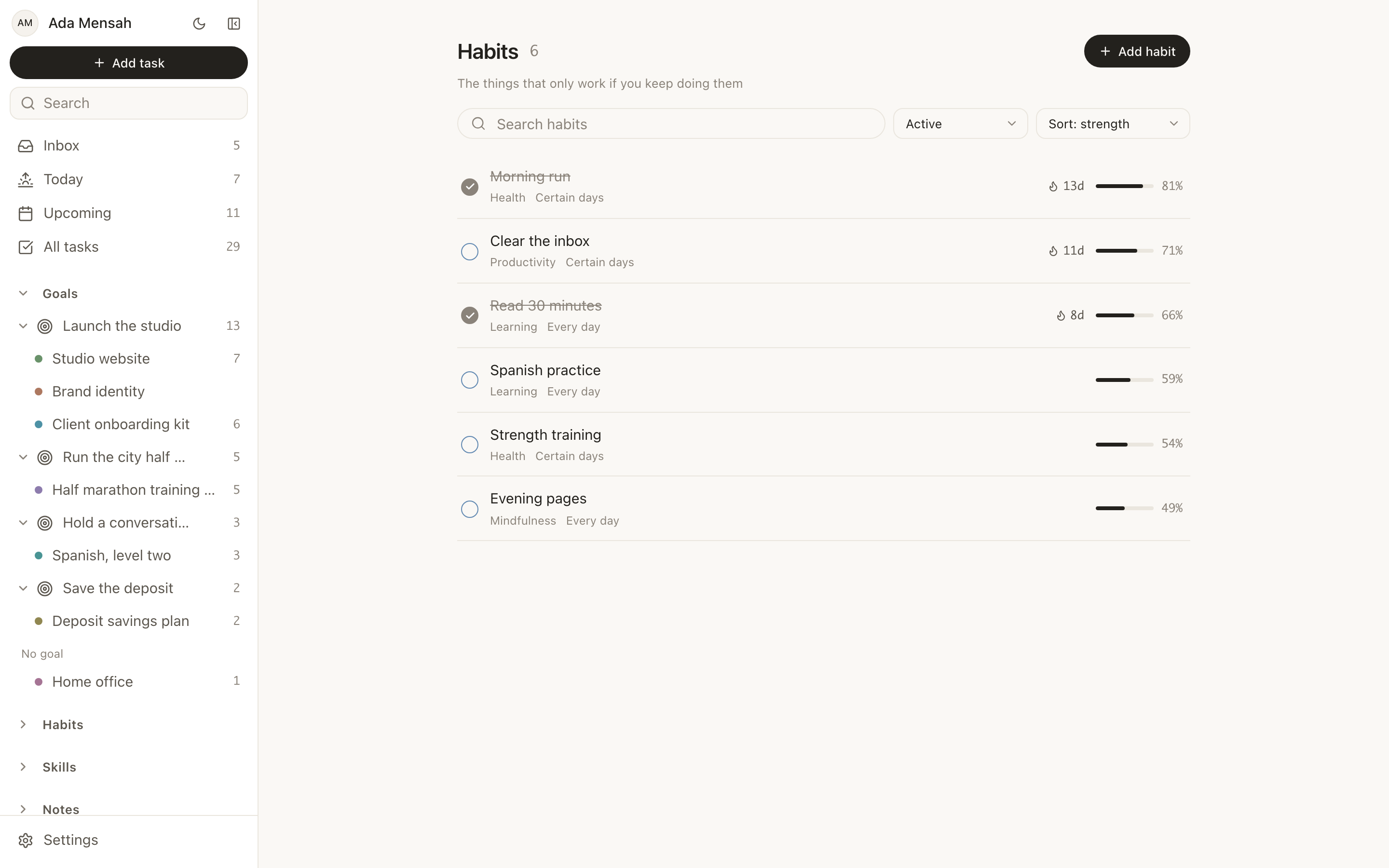
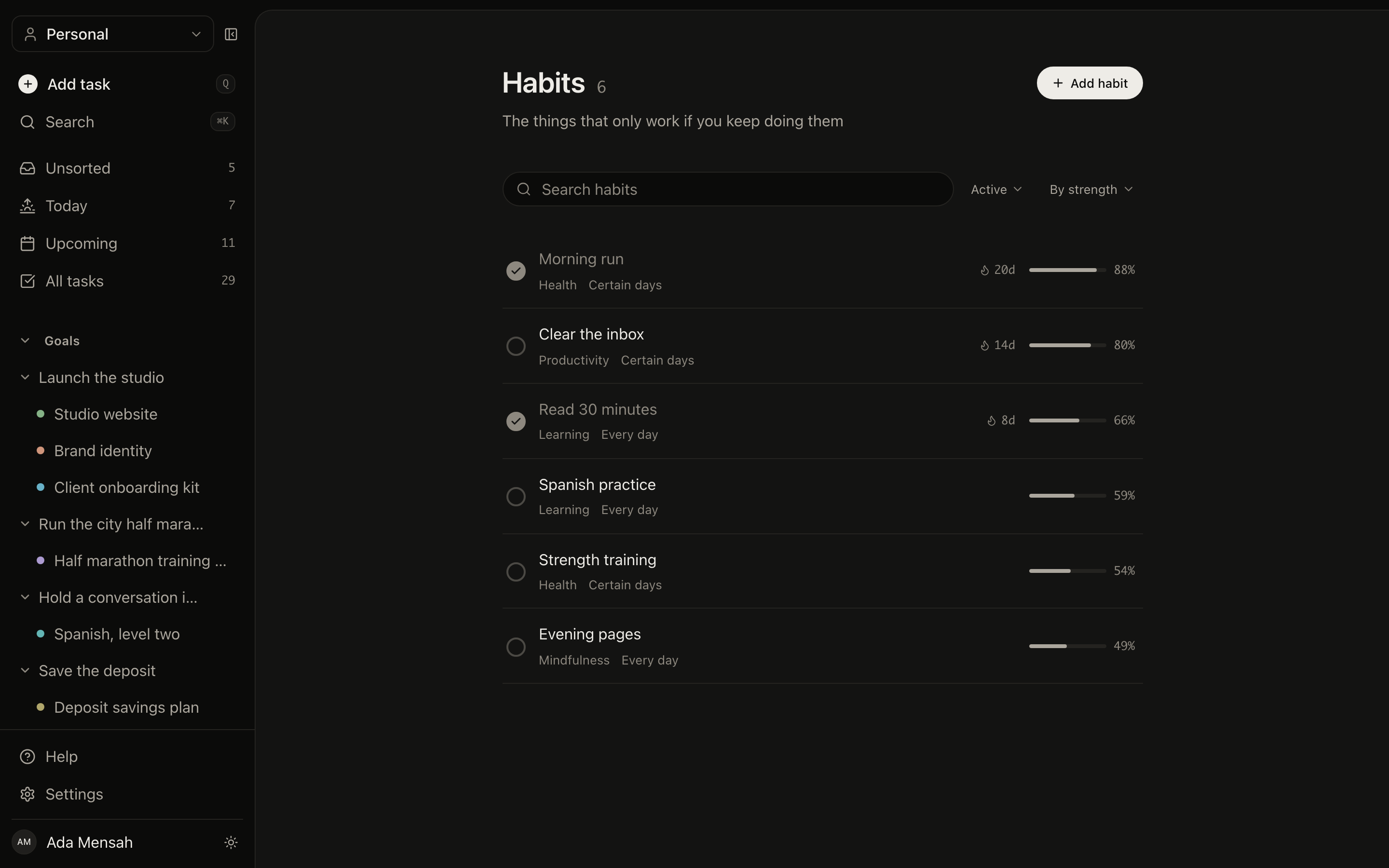
Own scheduleStreaksCompletion historyShown in Today
The habits screen in EvyOS, with each habit's schedule, current streak and recent completions shown as a row
The habits screen in EvyOS, with each habit's schedule, current streak and recent completions shown as a row, on a phone
Getting started

Planning a day takes about 3 minutes.

1
Put the fixed things on the calendar

The appointments, the class, the call you already agreed to. Give each one a time and a duration, mark the all-day ones, and set anything weekly to repeat.

2
Give the work a date

Add tasks with due dates and priorities, under the project they belong to. An estimate in minutes is optional and worth writing down, because it is the thing that makes an overloaded day obvious.

3
Open Today and work down it

Overdue, then due, then habits, then events. Tick things off from the list or open a task in the side panel without losing your place.

✦ Who plans like this

A daily planner with a to-do list in it.

The people who get the most out of one calendar and one task list in the same app tend to be the ones whose day is not handed to them by a meeting invitation.

Remote workers

A calendar with 2 calls in it and 6 hours of unshaped time either side. The plan for those 6 hours is the part that needs writing down, and it is not a meeting.

EvyOS for remote workers →

Freelancers

Several clients, several deadlines, and nobody scheduling your week for you. Seeing the next fortnight one day at a time is what stops you saying yes to a Thursday that is already gone.

EvyOS for freelancers →

People with ADHD

Out of sight is out of mind, and 4 apps means 3 of them are out of sight. One screen that shows the overdue, the due, the habits and the events removes the part of the day spent checking.

EvyOS for ADHD →

✦ What it costs

The calendar is on every plan.

Charging for the view that shows you your own day would be a strange place to put a paywall. The free plan limits how much open work you can hold at once, not how you look at it.

See the plans →
  • Calendar, Today and Upcoming on the free plan
  • Free: 2 active goals, 5 active projects, 20 open tasks, 5 habits and 5 skills
  • Limits count open items only, so finishing something gives the slot back
  • Pro at $9.99 a month or $99 a year: unlimited projects, habits and skills
  • Pro also adds shared workspaces, progress heatmaps and the AI daily planner
Questions

Frequently asked.

No. There is no Google Calendar sync, no Outlook sync, no iCal or .ics import or export and no CalDAV. The EvyOS calendar holds events you create in EvyOS, and nothing crosses over from anywhere else. If your meetings are booked by other people in a work calendar, keep that calendar and use this one for the shape of your own day.
That is what the Today view is for. It reads top to bottom: anything overdue first, then what is due today, then the habits you have committed to, then the events on the calendar. One page answers what have I missed, what is due and what am I already committed to, which usually takes three apps.
Yes. Day for working through a single date hour by hour, week for the shape of the next few days, month for spotting the weeks that are already full. There is also an Upcoming view that lists the next 7 to 14 days as one section per day, which is the view most people plan from.
No. An event records how many people are expected as a number, but EvyOS does not send email invitations, share availability or produce a booking link. If other people need to be invited, book it wherever you normally book things and put the event in EvyOS so it shows up in your day.
Yes. An event can recur, and it carries a title, description, type, date, start time, duration, location and an all-day flag. For something you want a streak on rather than an entry on, use a habit instead: habits have their own schedule and keep a completion record, and they appear in the Today view under the tasks.
Yes. The calendar, the Today view and the Upcoming view are all on the free plan, along with the weekly summary. The free limits apply to open items elsewhere: 2 active goals, 5 active projects, 20 open tasks, 5 habits and 5 skills. Pro is $9.99 a month or $99 a year and lifts the project, habit and skill limits.

Your day is one day.
It should be one screen.

Put the events, the tasks and the habits in the same system and stop reassembling your morning out of 4 apps.

Start for free