Obsidian alternativeYour notes link to each other.
Nothing links to the work.

Obsidian is very good at what it does. The question is whether your notes should sit in a vault of their own or next to the tasks, projects and goals they are about. EvyOS is markdown notes with folders, tags, search and backlinks, in the same account as the work.

Start for free →See the notes app

Hosted, so there is no vault to maintain and no local files. Read the honest trade below before you switch.

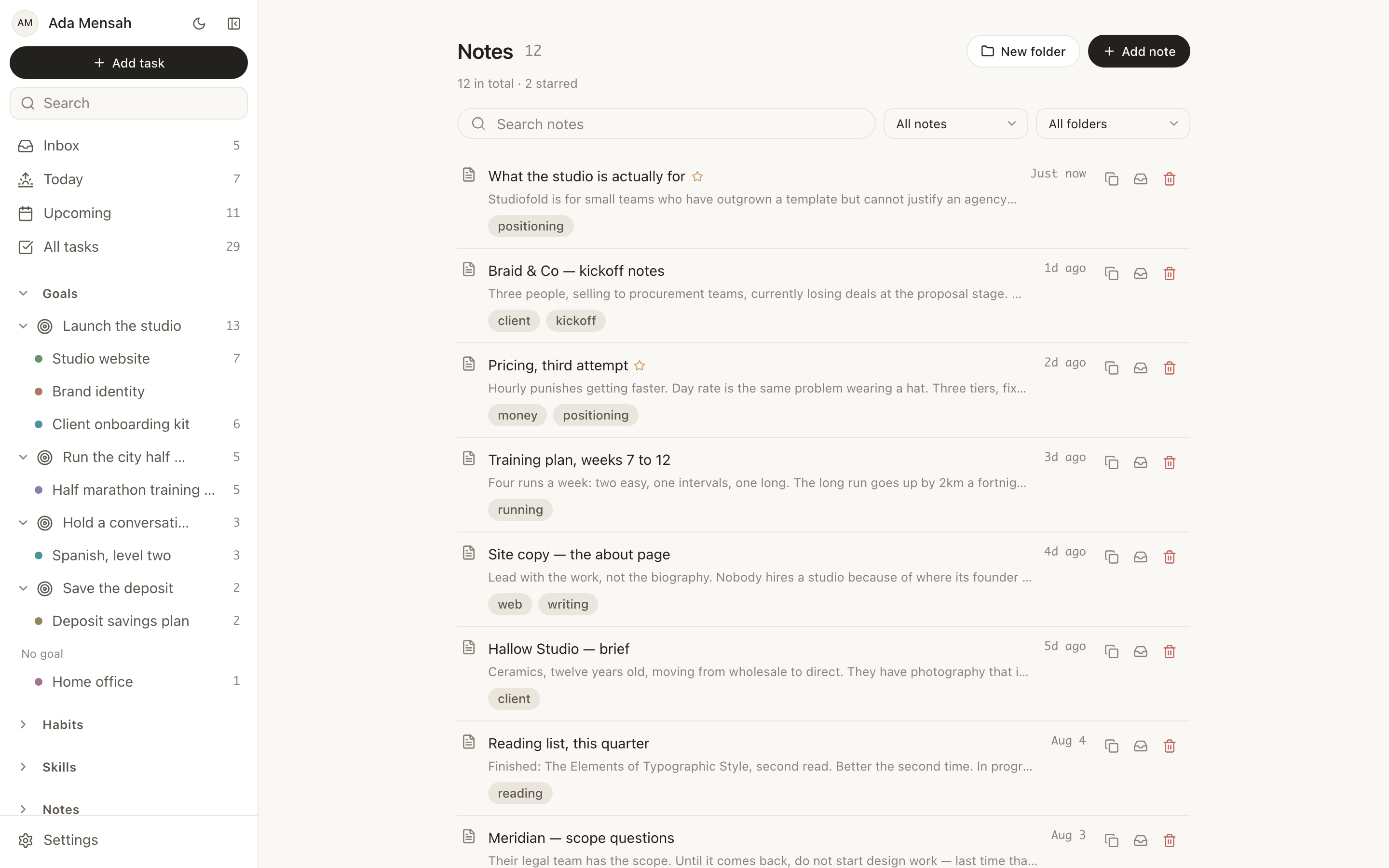
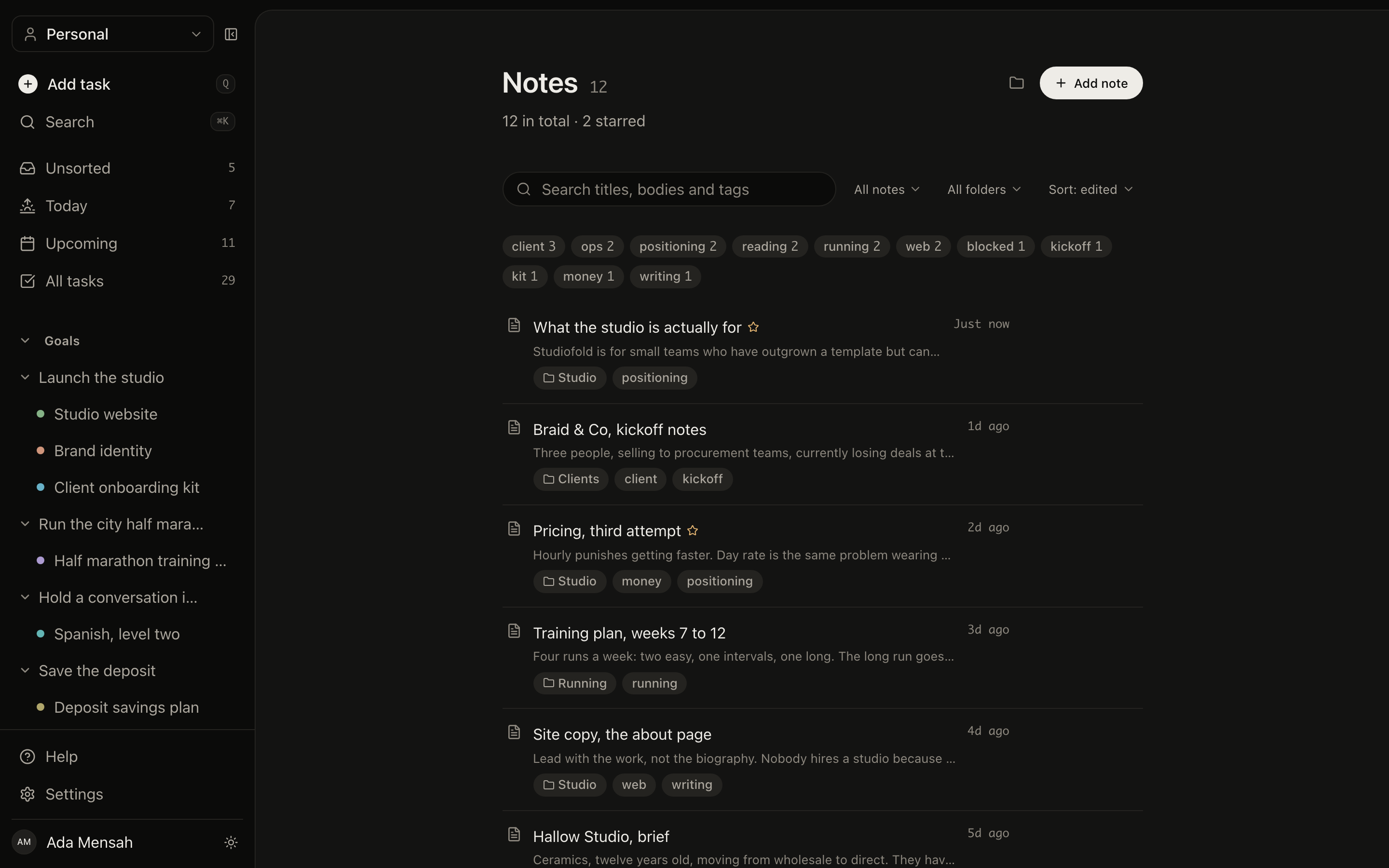
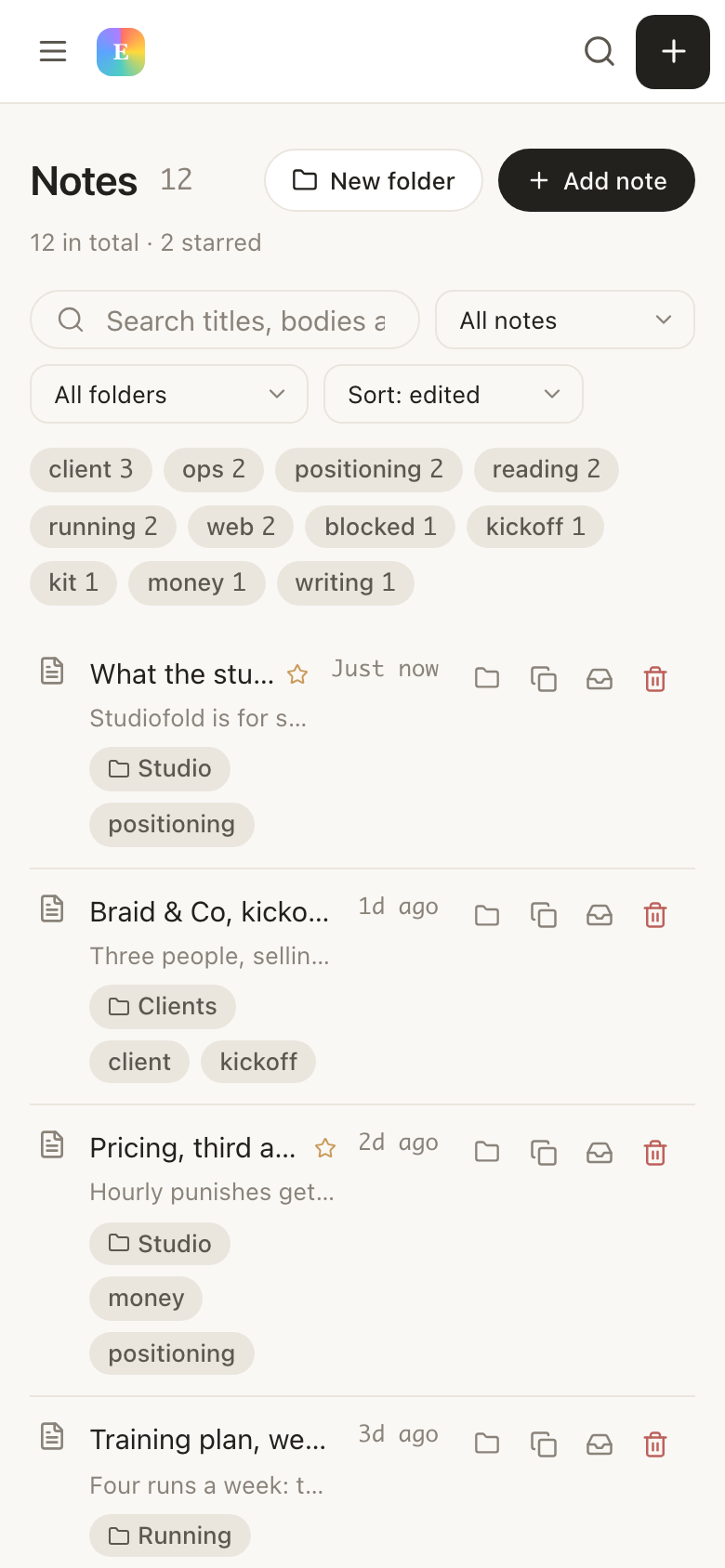
The notes list in EvyOS: search over titles, bodies and tags, folder filters, a row of tags with counts, and notes showing their folder and when they were last edited
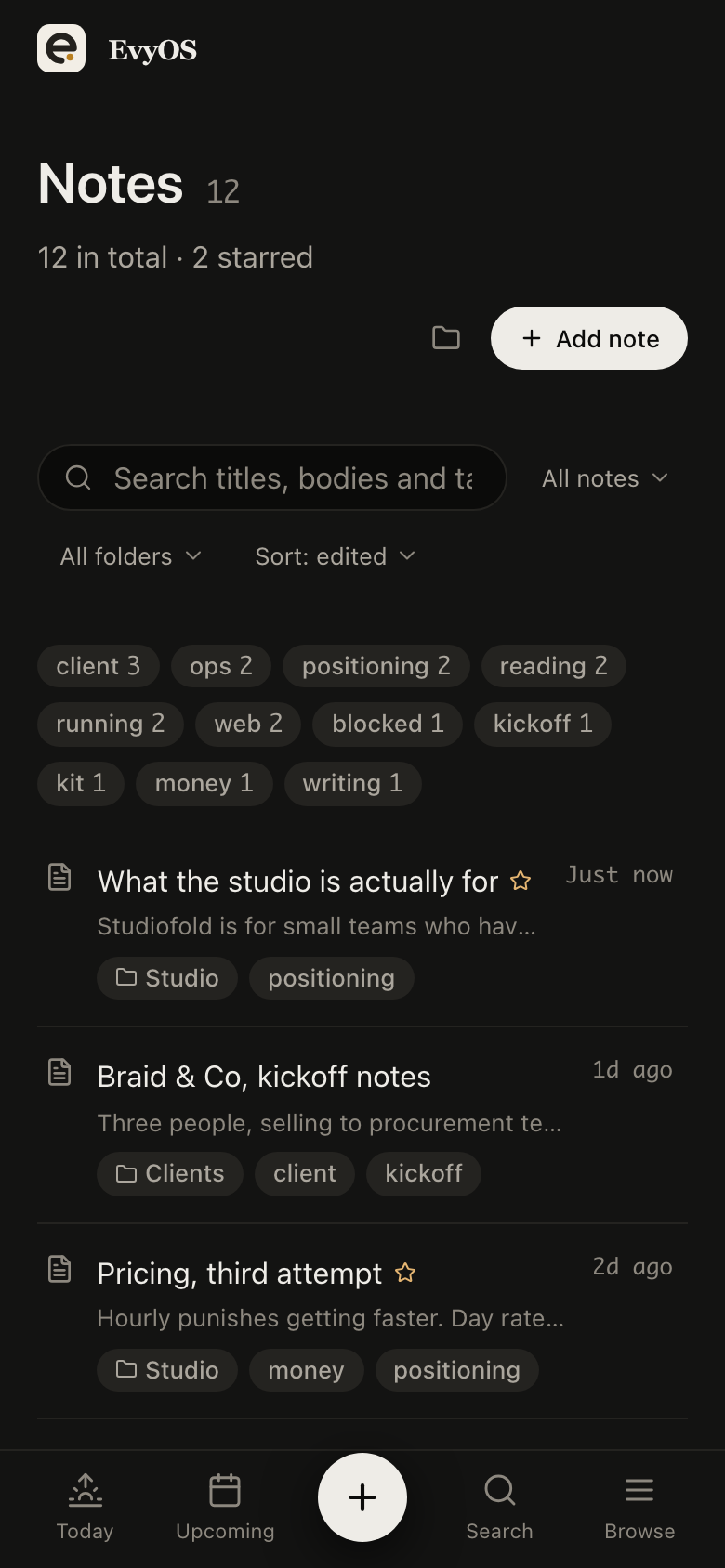
The notes list in EvyOS: search over titles, bodies and tags, folder filters, a row of tags with counts, and notes showing their folder and when they were last edited, on a phone
✦ Where Obsidian wins

Read this before you switch.

Obsidian is loved for good reasons, and most of them are things EvyOS does not have at all. If any of these five is the reason you opened Obsidian in the first place, stay where you are.

📁
Files you own, on disk

A vault is a folder of markdown on your own machine. It works with no company behind it and outlives any product decision we make. EvyOS is hosted: your notes live on our servers, and there is no folder on your computer. That is a real difference, not a detail.

Offline, always

Obsidian opens on a plane, in a basement, with the wifi off. EvyOS has no offline mode. If you write in places without a connection, this page ends here and Obsidian is your answer.

🔧
Plugins and customisation

A large plugin ecosystem, themes, a canvas, and a vault you can shape into almost anything. EvyOS has none of it: no plugin API, no community directory, no themes. One product with one shape.

🔗
Thinking in a graph

Note-to-note linking as a practice, with a graph view of the whole vault and the discoveries that come from wandering it. EvyOS has backlinks but no graph view of notes, and no ambition to be a place you browse for its own sake.

📚
Long-form knowledge work

A thesis, a book, a research corpus you will still be adding to in five years. Obsidian is built for that depth. EvyOS notes are documents beside a plan, and they do not pretend otherwise.

Keeping both

Nothing here asks you to delete a vault. Plenty of people keep Obsidian for the writing and use EvyOS for goals, projects, tasks and habits. Two tools with one job each is a reasonable answer.

✦ The actual difference

One stores thinking. One runs the work.

Obsidian is where thinking is stored. EvyOS is where work happens, with notes attached to it. So the question is not which one has better notes, because for pure note-taking Obsidian usually does. The question is whether the note about the client should sit next to the client's project, or in a vault that knows nothing about deadlines.

See how notes work →
  • Seven record types in one account: goals, projects, tasks, habits, skills, notes and calendar events
  • Markdown notes with folders, tags, full-text search and version history
  • [[Title]] links between notes, with forward links and backlinks on every note
  • A connection graph across all seven types, walkable 3 steps out
  • Hosted and synced, with no local files and no offline mode
✦ The parts worth explaining

Backlinks are the floor here,
not the ceiling.

01 - The note

Markdown, links and history.

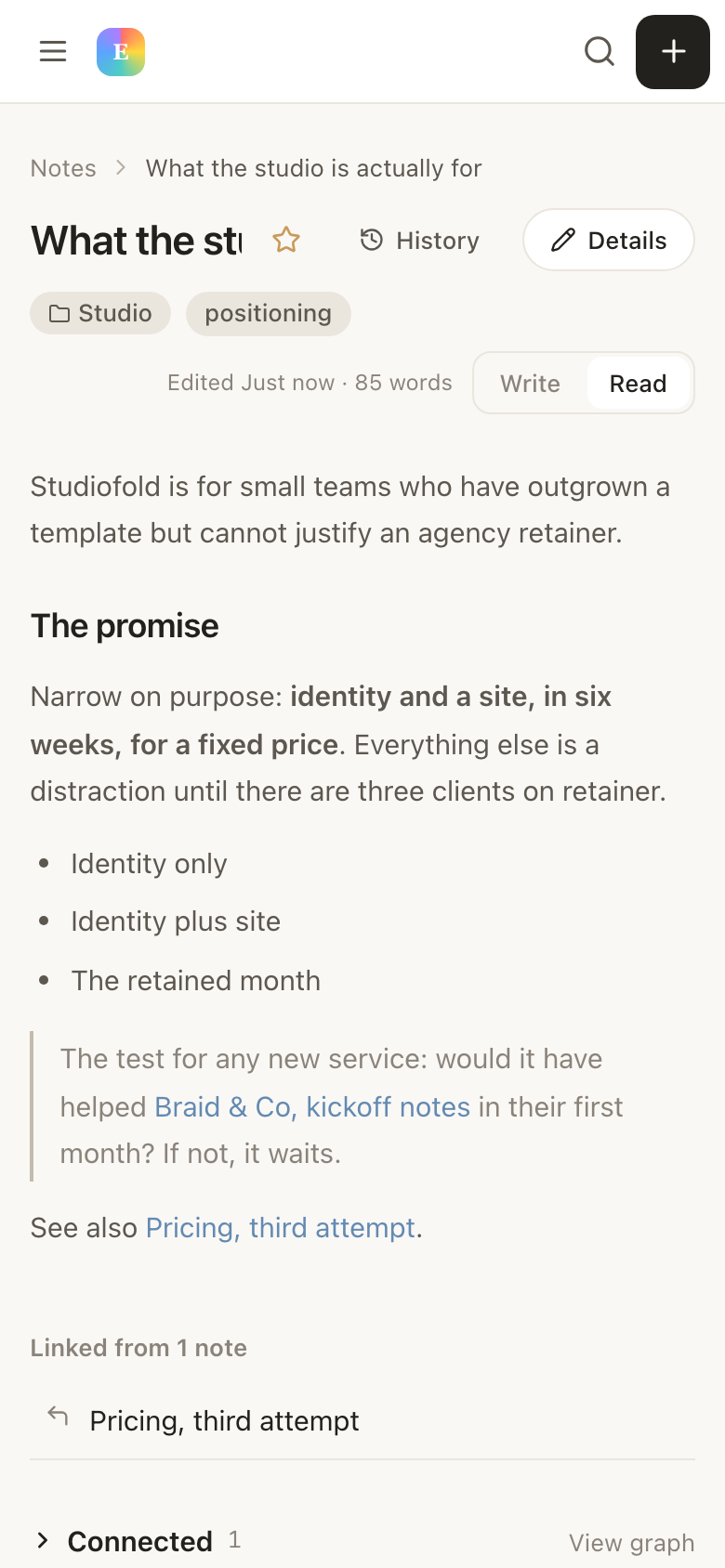
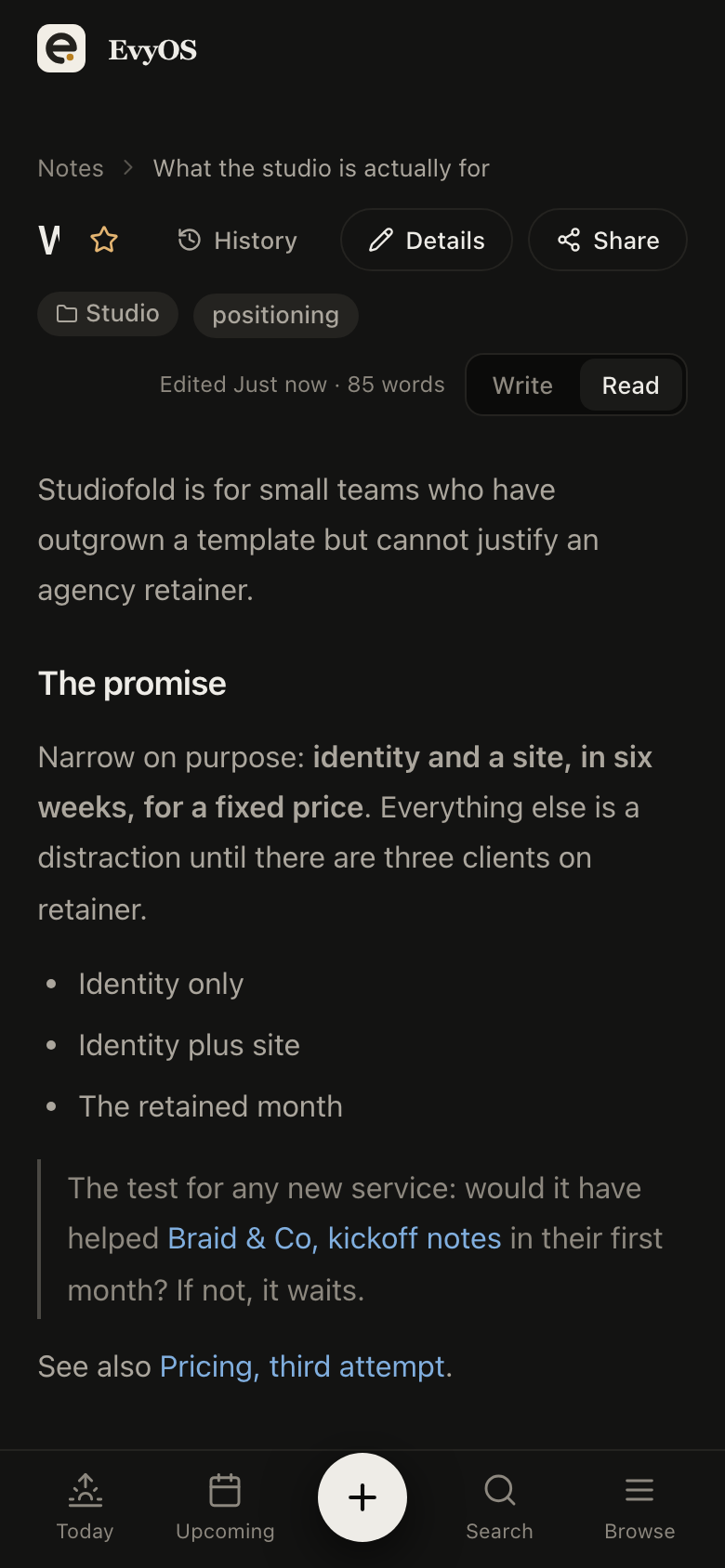
A note is a markdown document in one folder with as many tags as you want. Search reads the body, not only the title, so a phrase you half remember is enough to get it back. Every note keeps its earlier versions, deleting puts it in a trash you can restore from, and any single note can be published to a read-only public link. Write [[Title]] and it becomes a real link, parsed on the server, with the backlinks shown on the note it points at.
MarkdownWiki-links and backlinksVersion historyPublic link
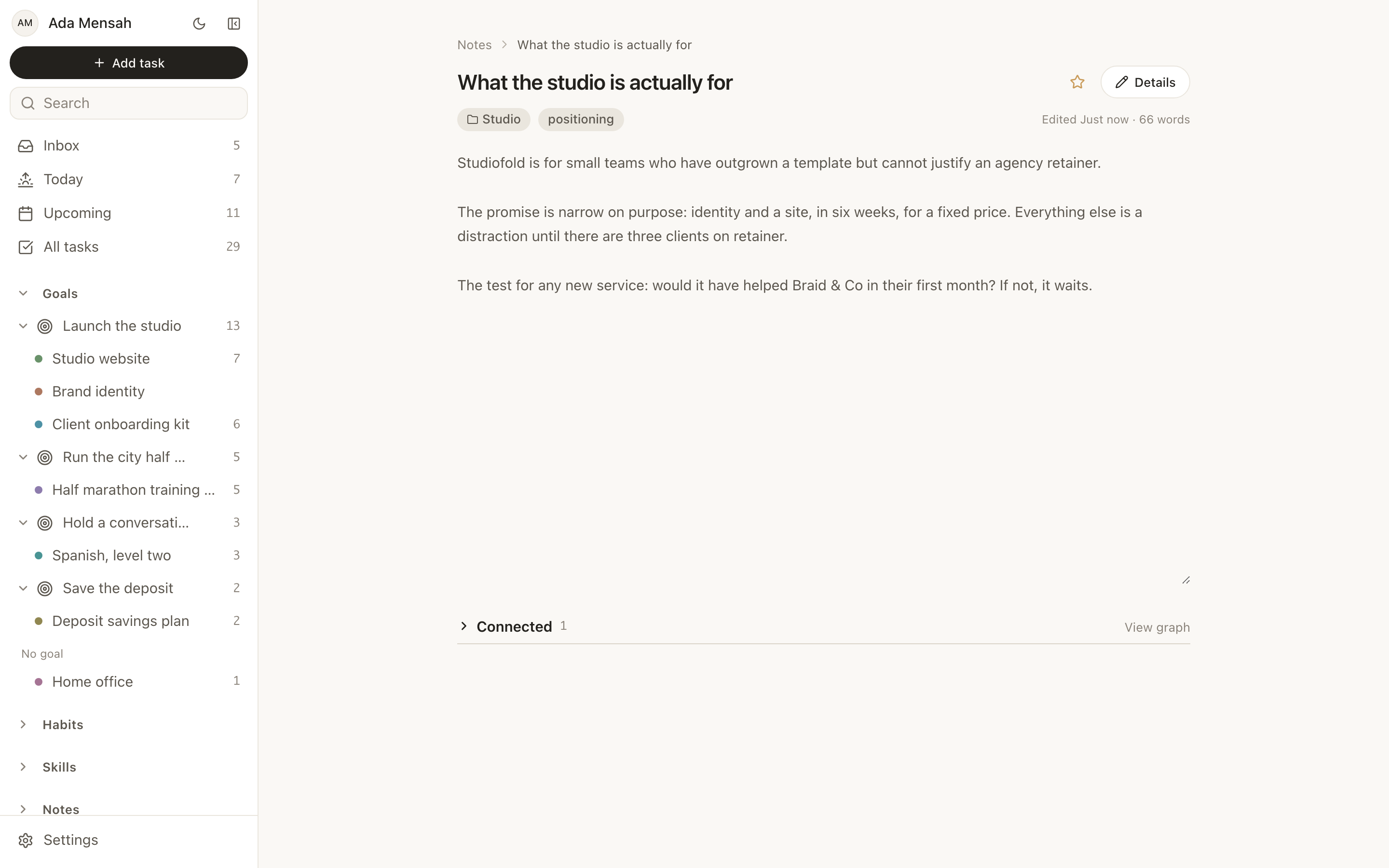
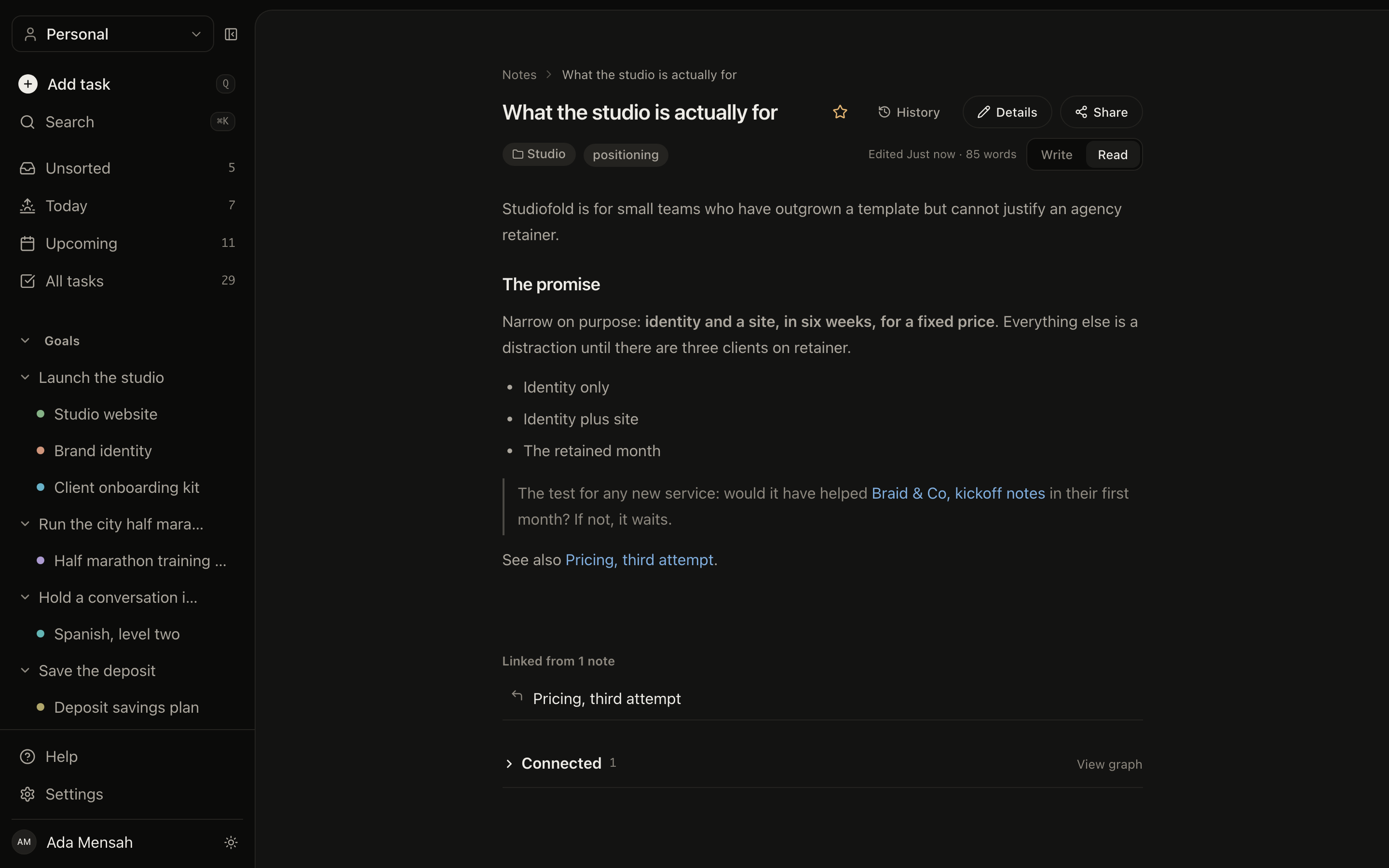
A note open in EvyOS: a markdown document with headings, a list and a quote, its folder and tags above, a word count and last-edited time, and buttons for history and details
A note open in EvyOS: a markdown document with headings, a list and a quote, its folder and tags above, a word count and last-edited time, and buttons for history and details, on a phone
02 - Connections

A note can point at a deadline.

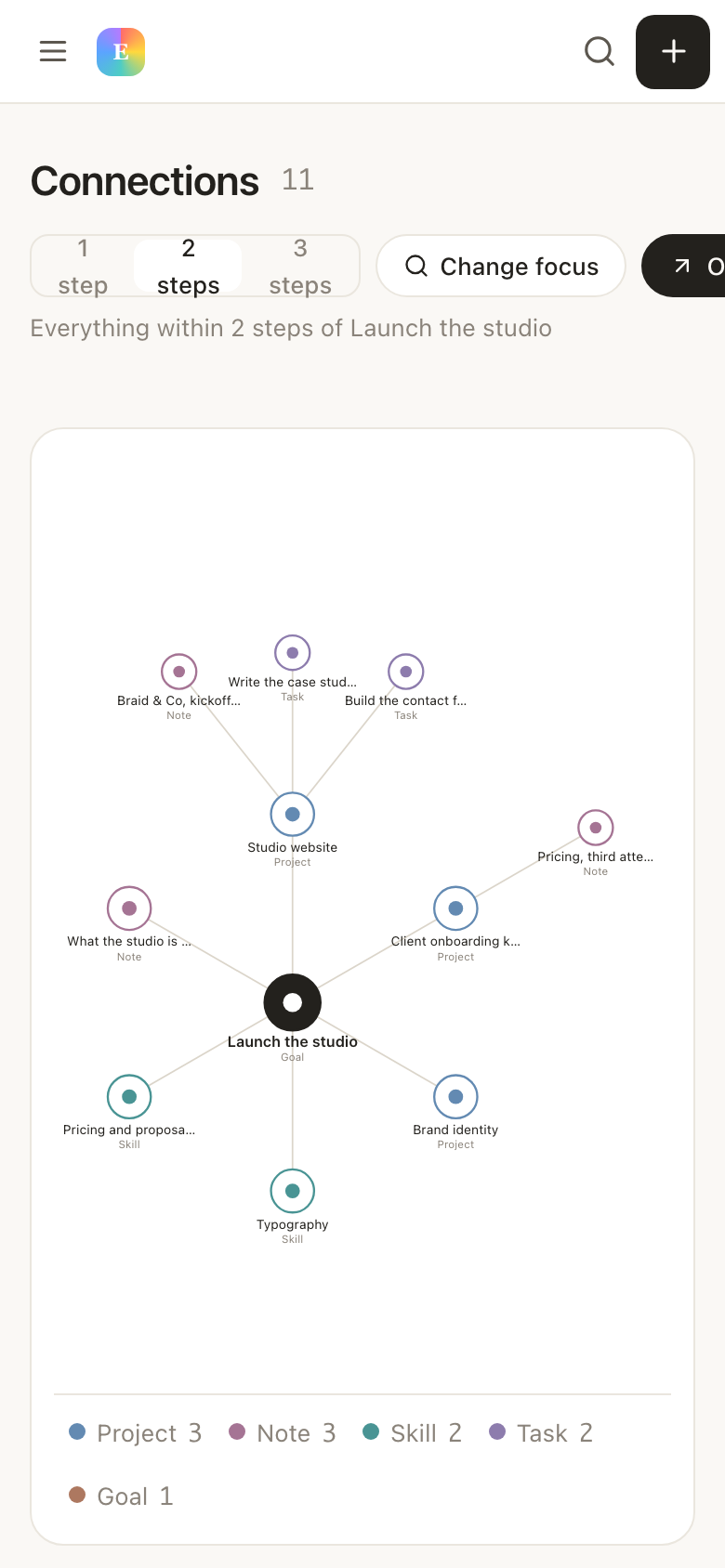
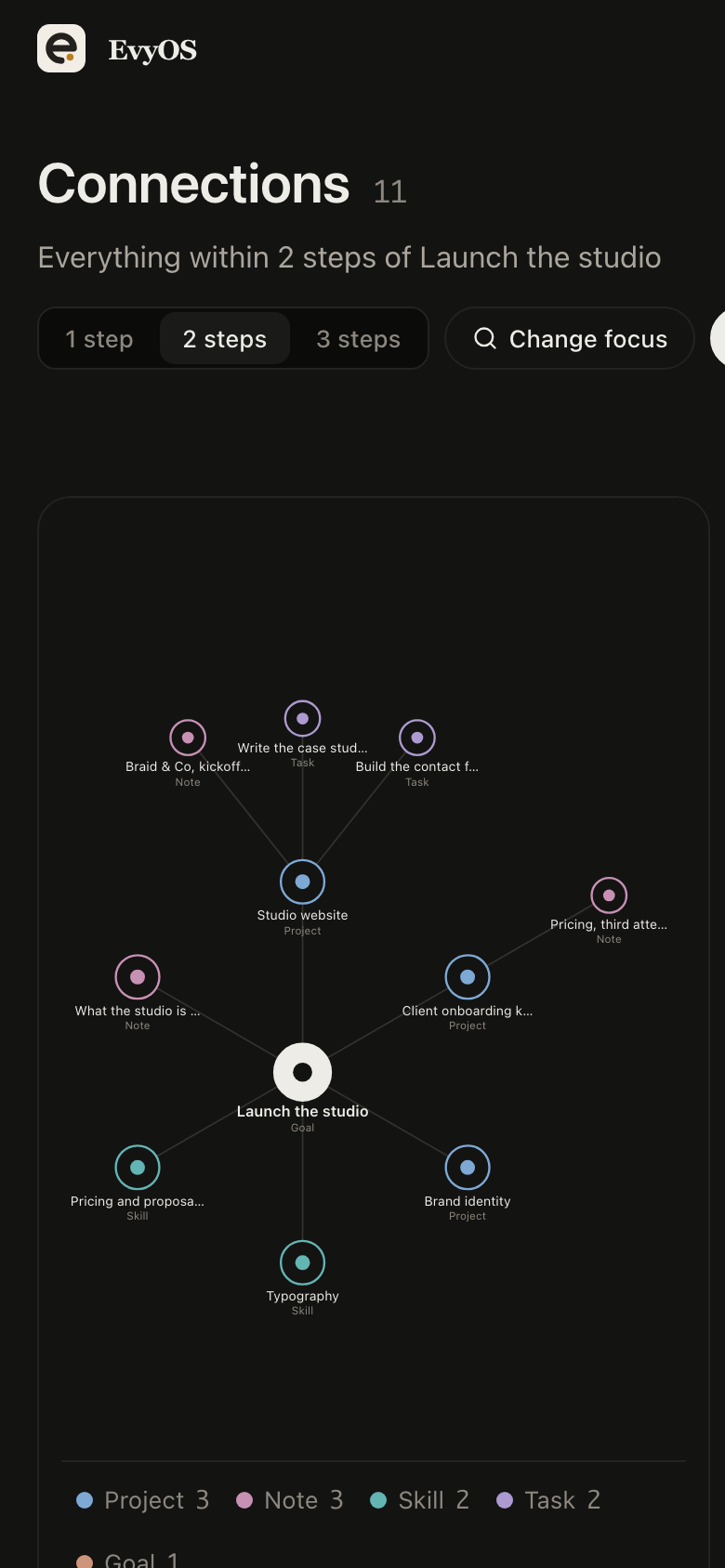
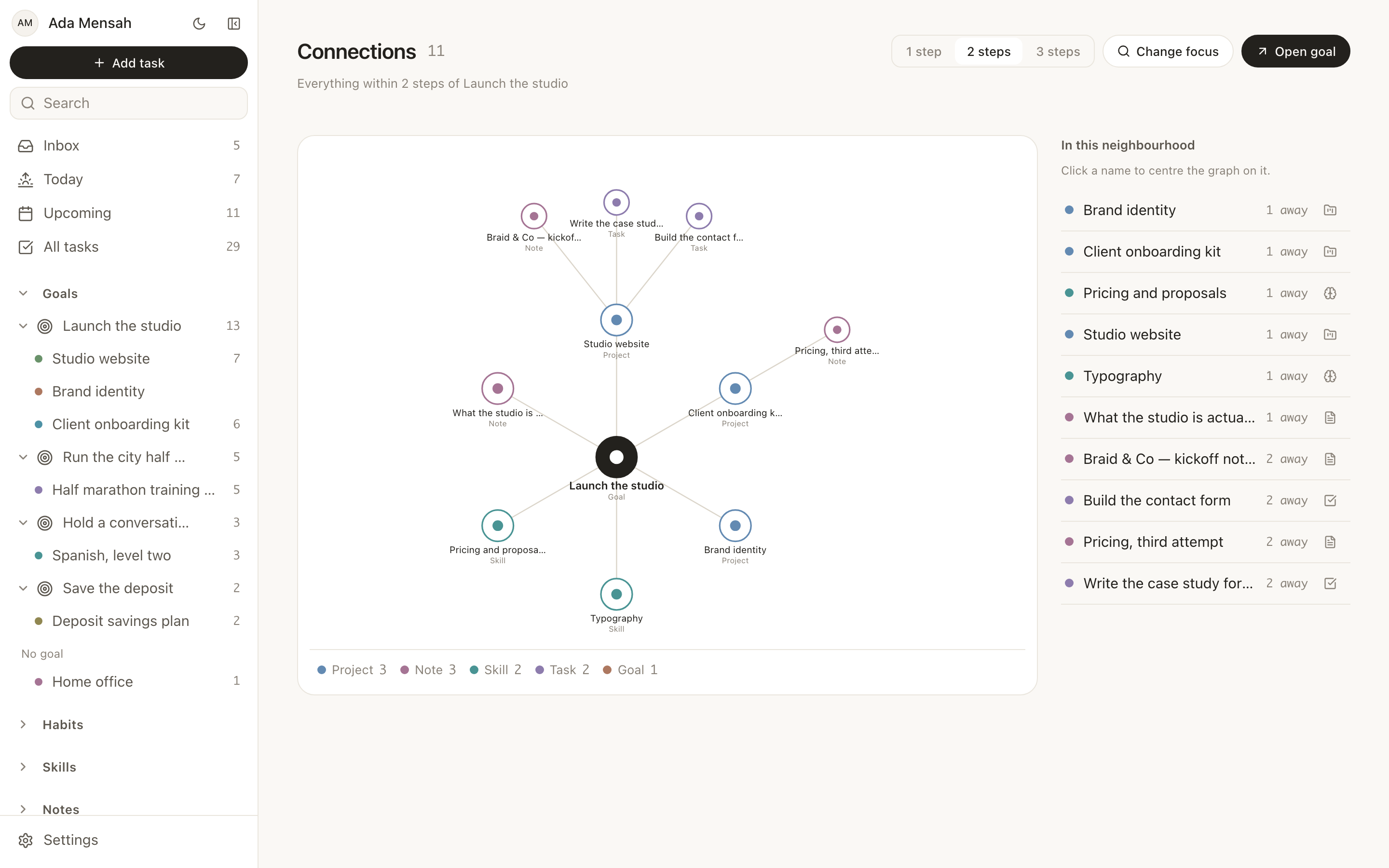
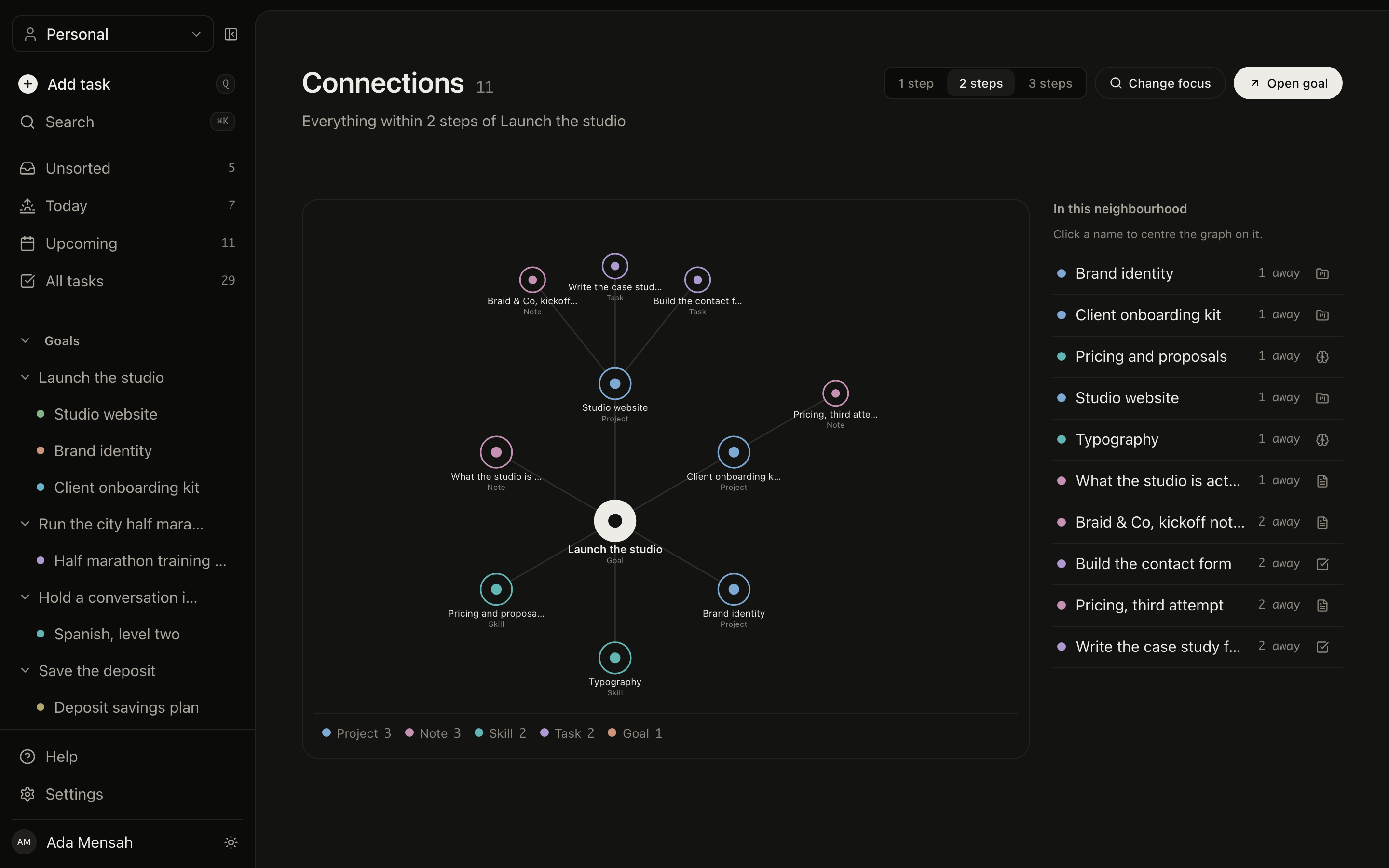
This is the part a vault cannot do. Any record can be connected to any other record across all seven types, with a stated relationship: supports, part of, depends on, relates to, involves, assigned to. So the interview notes support the research project, which is part of the goal for this quarter, and the skill you are practising relates to both. Open /connections and walk that up to 3 steps out from anything.
Typed relationshipsAll seven record types3 steps outTwo-way
The connections view in EvyOS, showing a record and the goals, projects, tasks, notes and skills linked to it by named relationships, walkable several steps out
The connections view in EvyOS, showing a record and the goals, projects, tasks, notes and skills linked to it by named relationships, walkable several steps out, on a phone
03 - The work itself

The half a vault leaves to you.

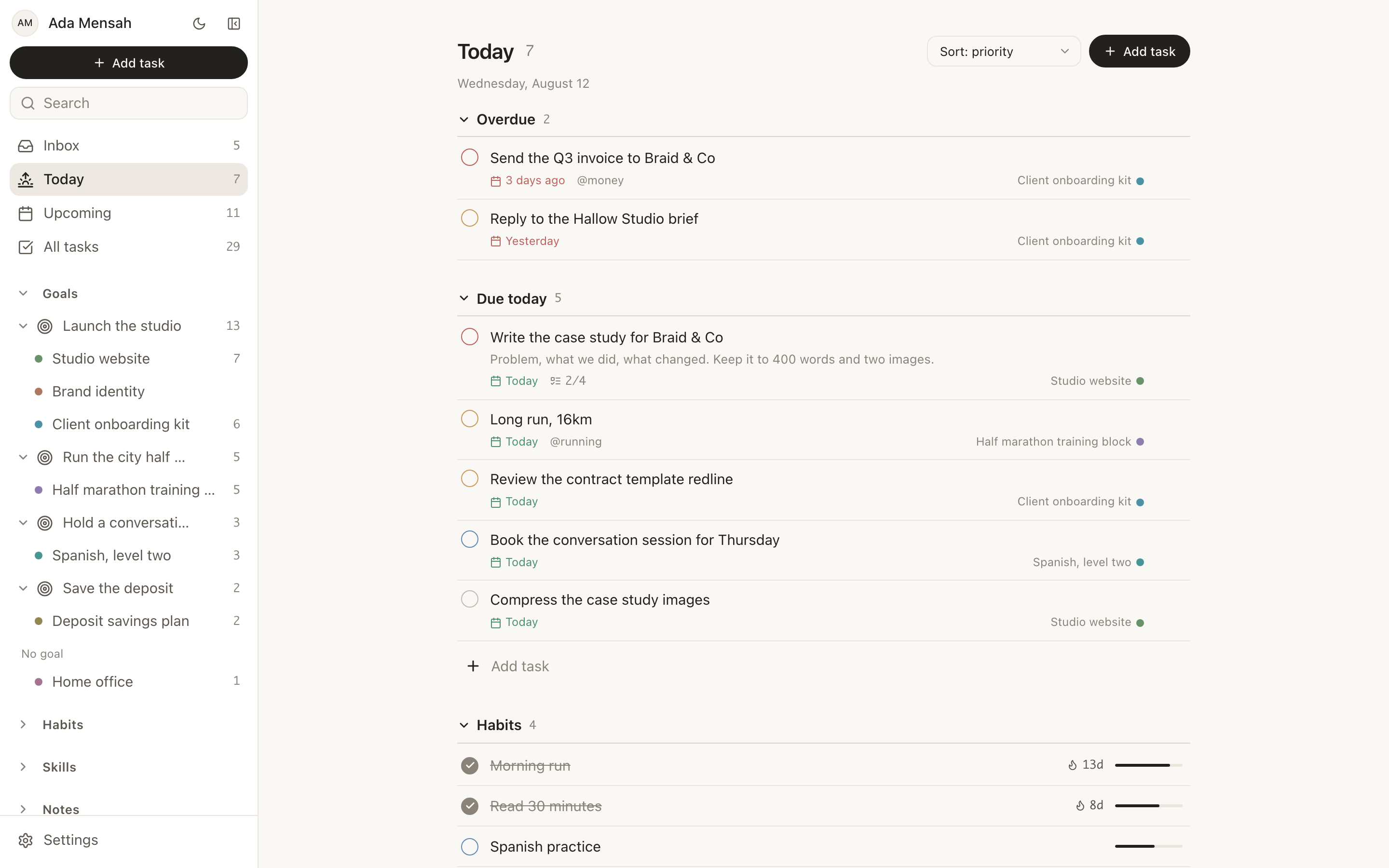
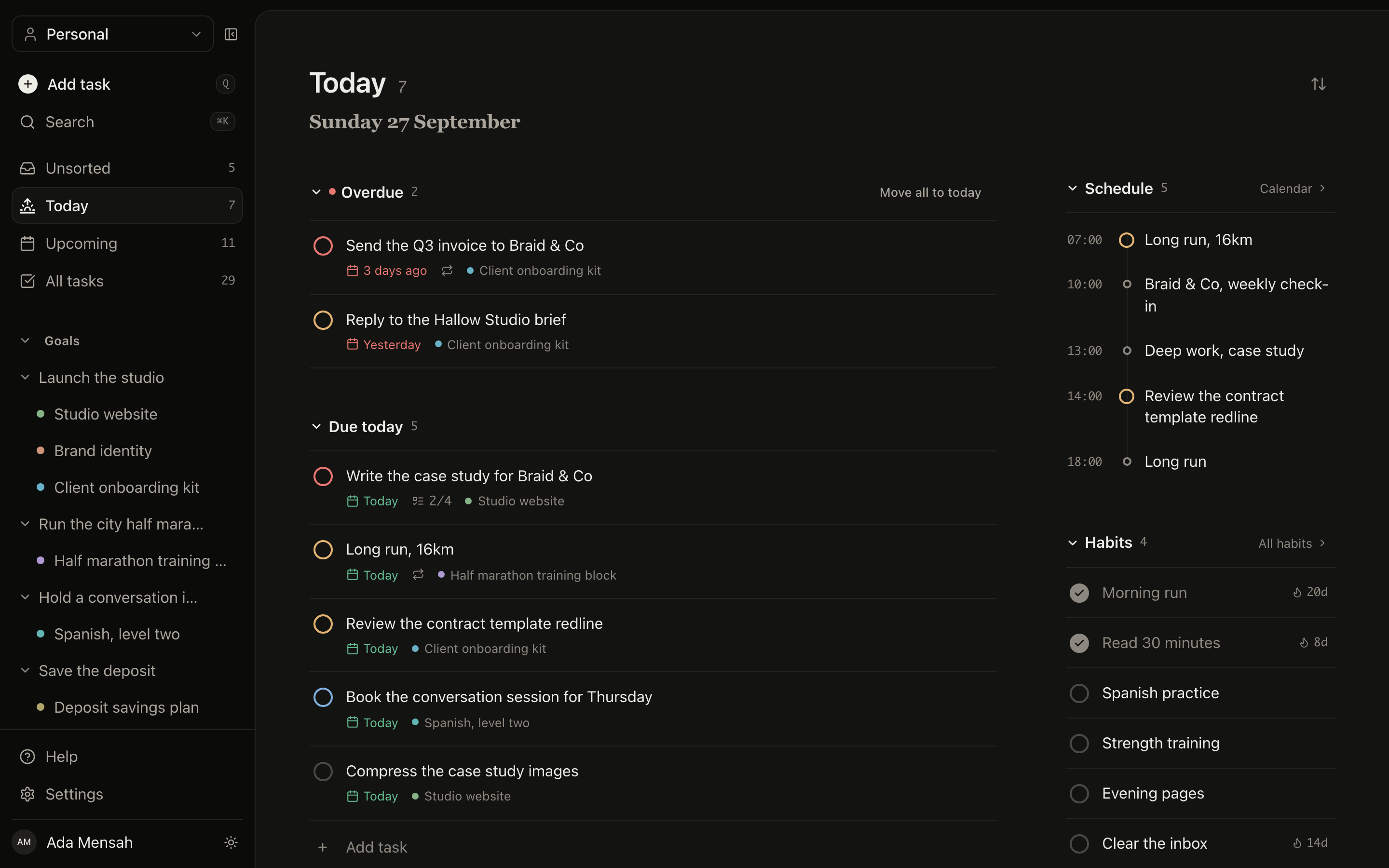
Tasks have 4 priority levels, due dates, estimated and actual minutes, subtasks, comments, attachments, tags and recurrence. Projects have milestones and a deadline. Goals calculate their progress from the work underneath them. Habits keep a streak and a strength score from consistency and recency. Skills log practice in minutes against a target level. In a vault, every one of those is a convention you invented and now maintain.
Goals and milestonesTasks with due datesHabit streaksPractice logs
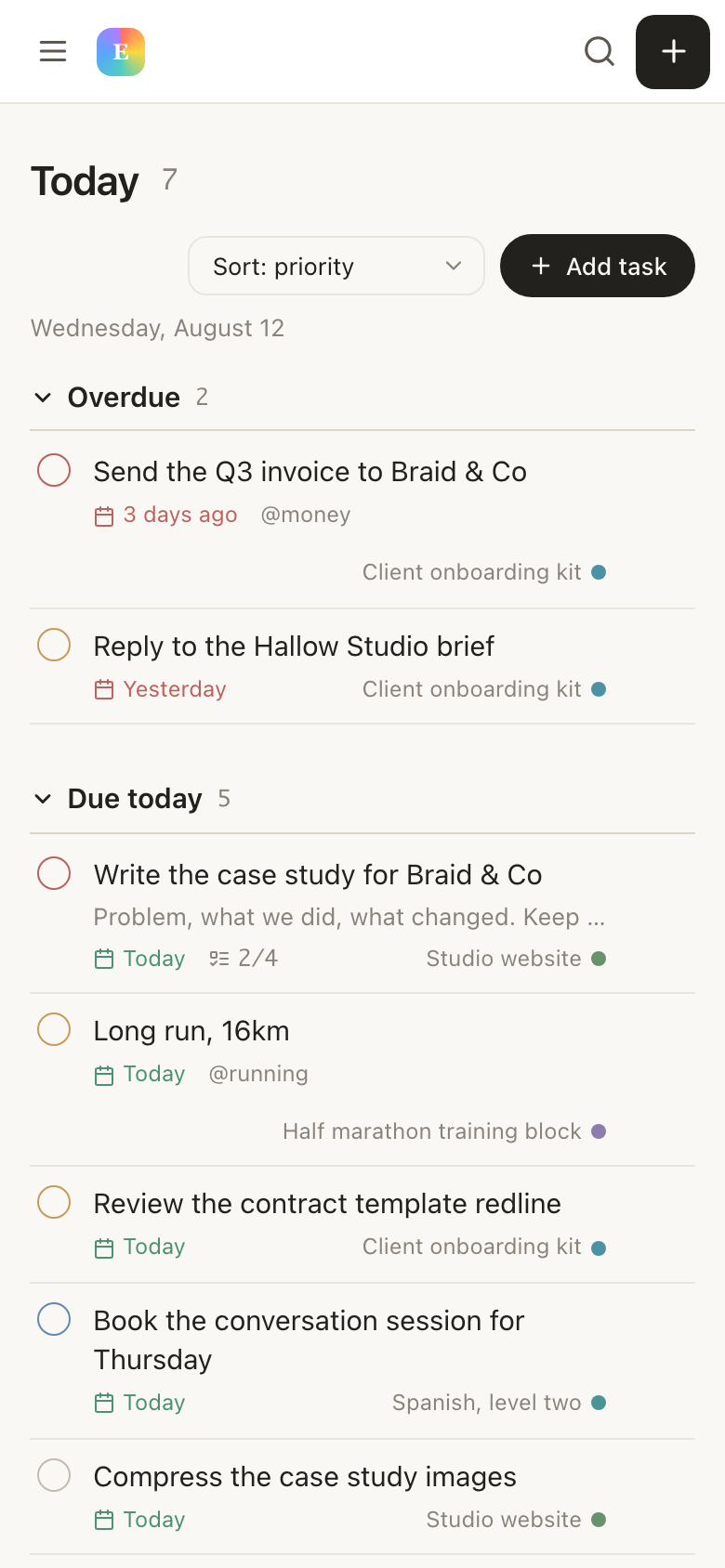
The Today view in EvyOS, showing overdue tasks, what is due today, habits and the calendar, with notes in the same sidebar as the rest of the record types
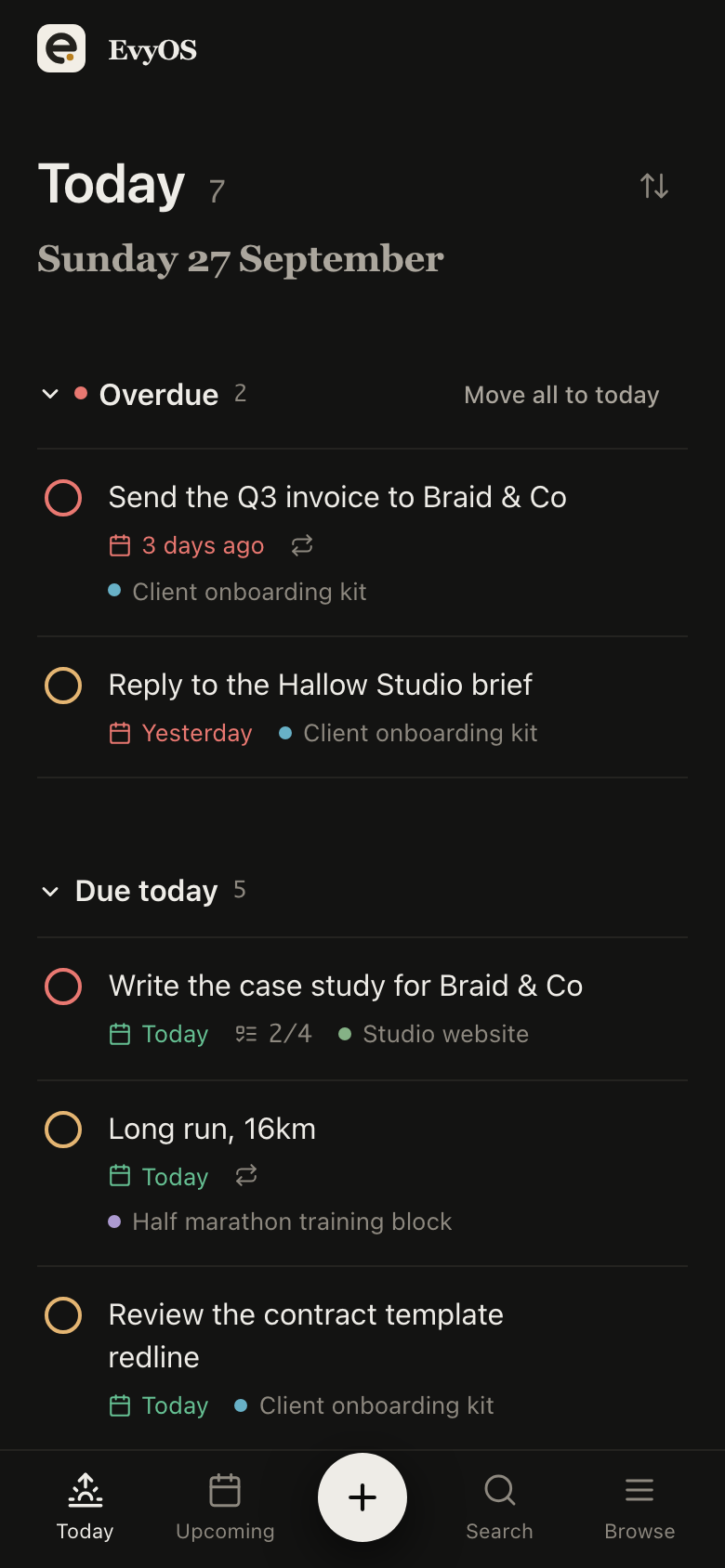
The Today view in EvyOS, showing overdue tasks, what is due today, habits and the calendar, with notes in the same sidebar as the rest of the record types, on a phone
Moving over

There is no import, so start small.

1
Bring the live notes only

There is no vault import. Paste in the notes you actually reopen, which is usually a dozen rather than a thousand. The archive can stay exactly where it is, on your disk, in markdown, unaffected.

2
Put the work in

Add the goal you are chasing, the projects under it and the tasks that move them. This is the part you were maintaining by hand in the vault, and it is the reason to be here at all.

3
Connect the two

Link each note to the project, goal or skill it belongs to. From then on the thinking and the deadline are one click apart, and you can walk between them instead of remembering where you filed things.

✦ Who moves

Three reasons people look.

The vault became the project

Tweaking the setup started to feel like progress. If most of your Obsidian time goes on plugins, templates and folder structure rather than writing, a product with one shape and nothing to configure is a relief rather than a limitation.

Second brain or personal OS →

Notes without follow-through

The thinking is captured and connected, and none of it has a due date. A checkbox in a note is not a task list, and there is no streak, no milestone and no progress on a goal. That gap is what the other six record types are for.

How goals work →

Work that involves other people

A vault is a single-player file tree. A shared workspace in EvyOS is one space several people plan in, with 5 people included and $3 per person per month above that, paid only by whoever subscribes.

Shared workspaces →

Questions

Frequently asked.

It depends on which half of Obsidian you use. If you use it as a place to think, with a vault you have shaped over years, plugins you rely on and files you want on your own disk, EvyOS is not a replacement and will feel like a downgrade. If you use it as the place your work ended up living, and the maintenance has started to outweigh the writing, then yes. EvyOS gives you markdown notes with folders, tags, search, version history and [[Title]] links, sitting in the same account as tasks, projects, goals, habits, skills and a calendar.
No. There is no vault import, and we would rather say so than sell you a migration that leaves half your links broken. People who move usually start with the handful of notes they actually reopen, paste them in, and leave the archive where it is. Your vault is markdown on your disk, so nothing about starting here takes it away from you.
No, not in the way Obsidian means it. EvyOS is a hosted product. Your notes live on our servers, not in a folder on your machine, and there is no offline mode. You can export your data and cancel whenever you like, but if a directory of markdown files that works with no company behind it is what you are protecting, Obsidian is the right tool and you should keep it.
Yes. Write [[Title]] in a note and it becomes a real link to that note. Every note shows both the notes it links out to and the notes that link back to it, so backlink-driven reading works. What is missing compared with Obsidian is the graph view of notes and the plugin ecosystem built around it. EvyOS has a different graph: a connection between any two records across all seven types.
Backlinks connect a note to another note. The connection graph connects a note to the task, project, goal, habit or skill it belongs to, with a stated relationship such as supports, part of, depends on or relates to. From /connections you can walk outwards up to 3 steps, so a research note leads to the project it feeds, and the project leads to the goal it moves. That is the sentence a note-to-note graph cannot express.
None of those. There is no plugin API, no community plugin directory, no theme store, no canvas and no query language like Dataview. EvyOS is one opinionated product rather than a platform you assemble. That is the trade, and it cuts both ways: nothing to configure on day one, and nothing to reach for when the built-in shape does not fit.
It is hosted, so sync is not a feature you set up. Sign in on your laptop and your phone and both show the same account. That is a real difference from a local vault, and it is the same fact as the previous answer about ownership, seen from the other side: convenience where Obsidian offers control.
The free plan covers 2 active goals, 5 active projects, 20 open tasks, 5 habits and 5 skills, plus notes and a weekly summary. The limits count only open items, so finished work never counts against you. Pro is $9.99 a month or $99 a year, and adds shared workspaces and the ChatGPT or Claude connector.

Keep the vault if you love it.
Put the work somewhere else.

Markdown notes with backlinks, connected to the goals, projects, tasks and habits they belong to. Free to start, and honest about what it does not do.

Start for free