FeaturesShared workspacesFor teamsChatGPT & ClaudeMCP serverProduct tourBlogPricingLog in
Shared workspaces

Some plans belong to
more than one person.

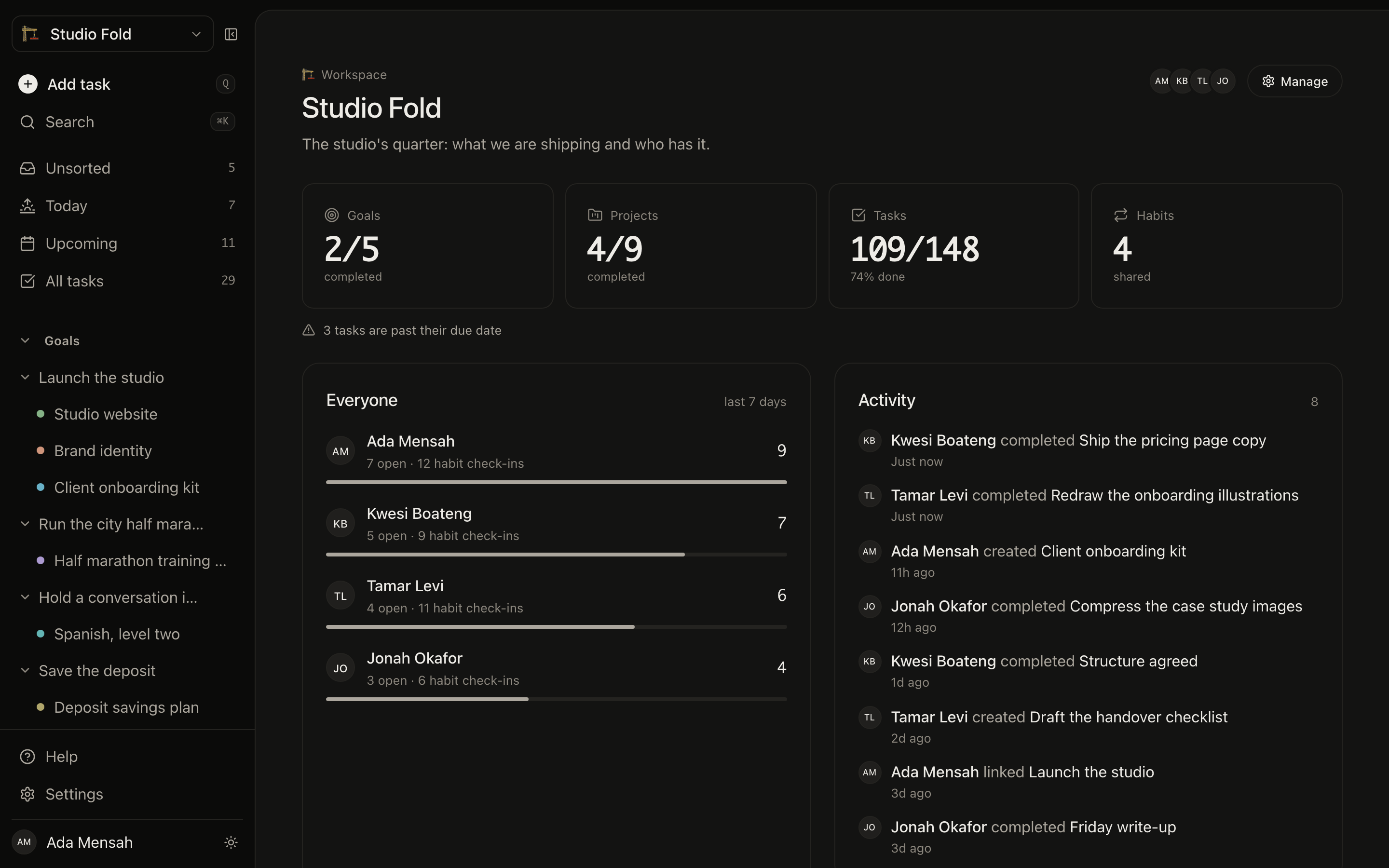
A workspace is a space you share. Goals, projects, tasks and habits created inside it belong to everyone in it — so the house move, the family trip, the team's quarter lives in one place instead of a group chat nobody can search.

Start for free →See pricing

One Pro subscription covers everyone you invite. They never pay.

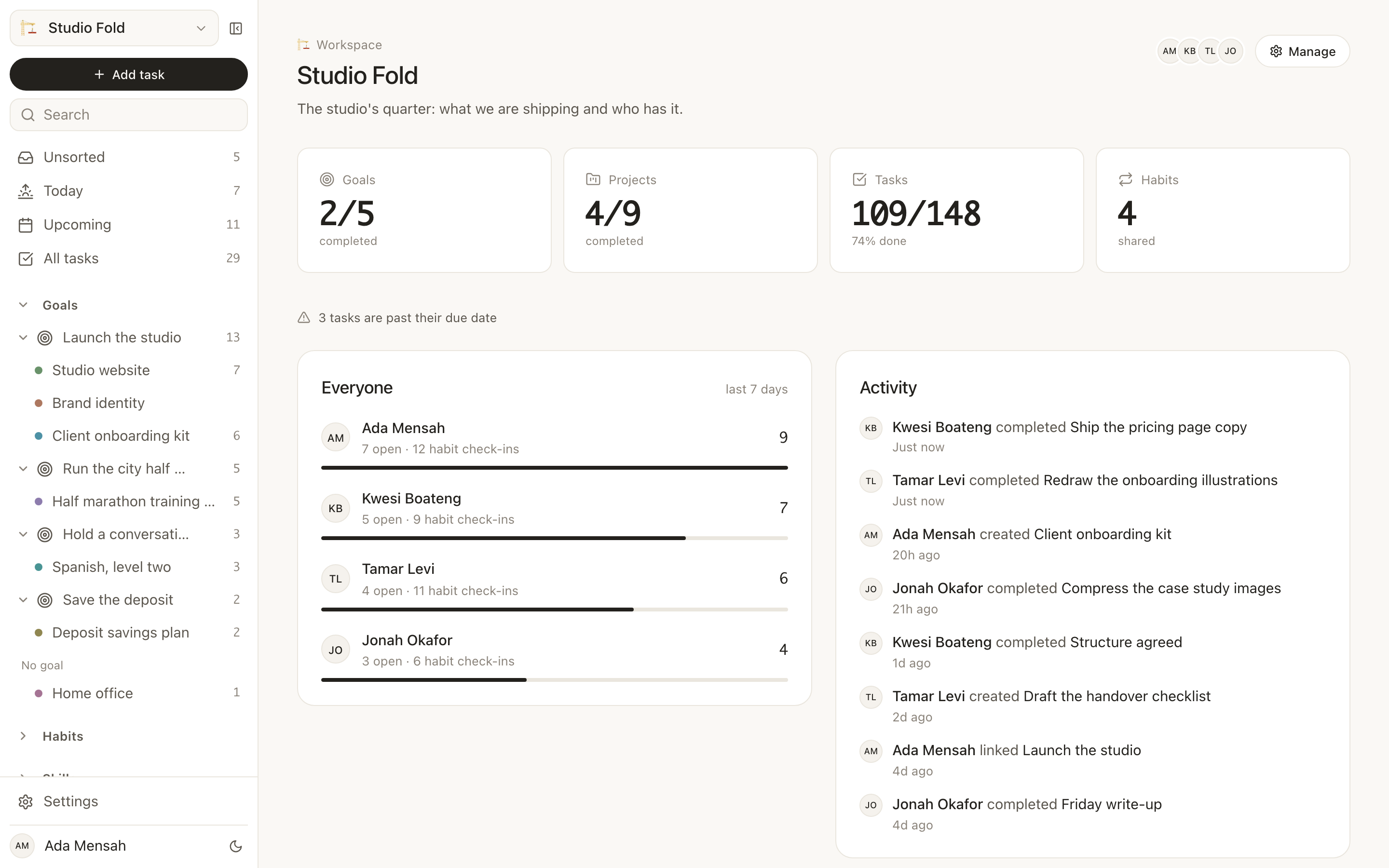
A shared workspace in EvyOS: goals, projects, tasks and habits counted for the whole space, what each member has finished this week, and a feed of who did what
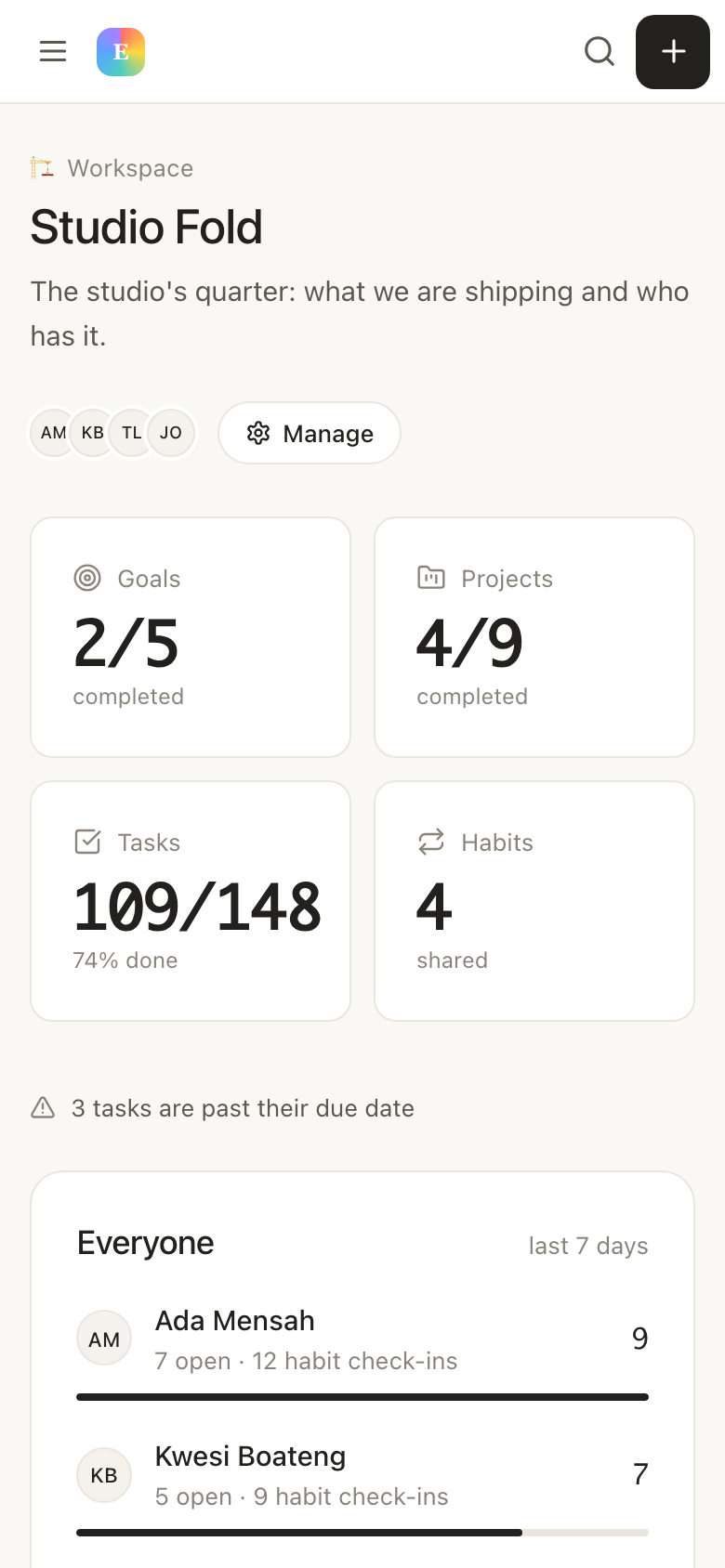
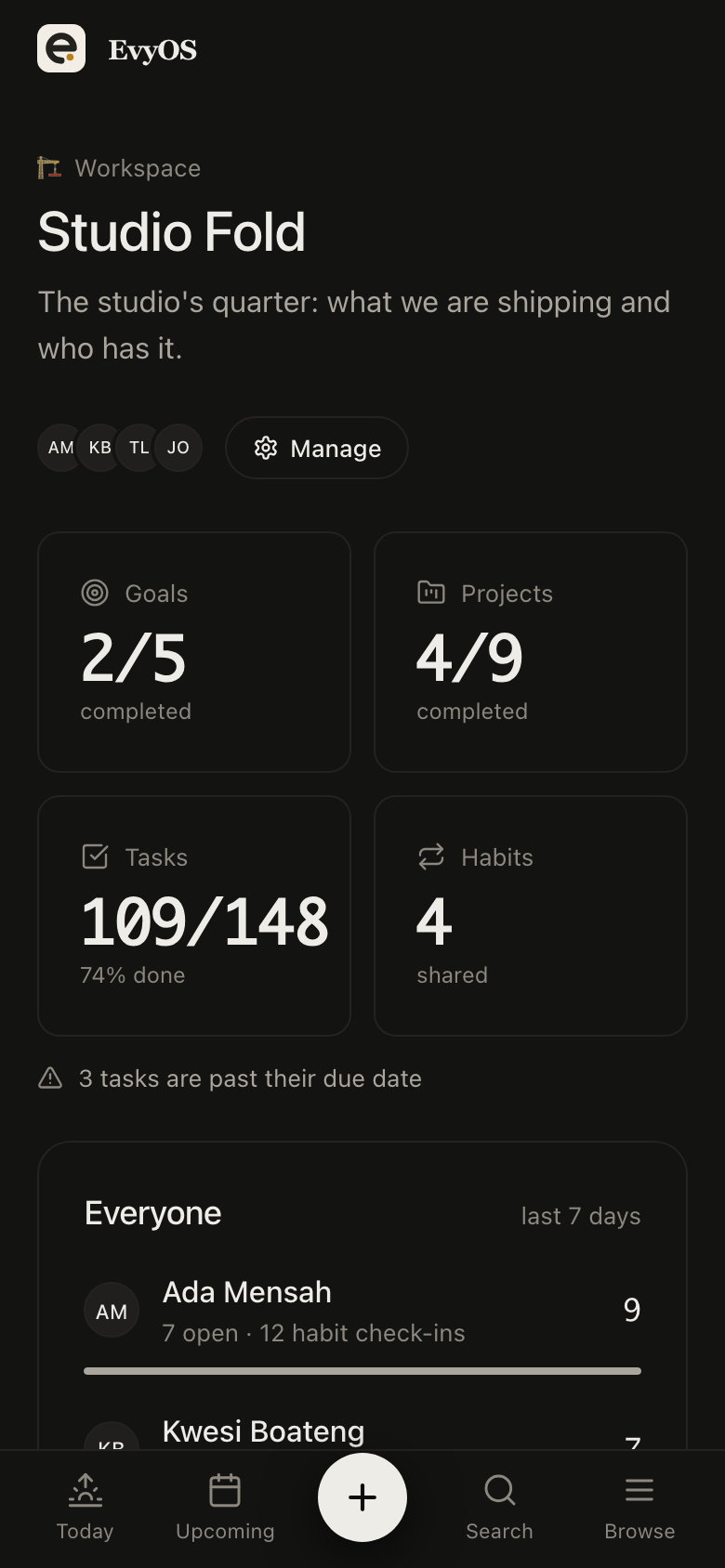
A shared workspace in EvyOS: goals, projects, tasks and habits counted for the whole space, what each member has finished this week, and a feed of who did what — on a phone
✦ What gets shared

Everything, or nothing.

A workspace is a boundary, not a permission list. Work created inside it is visible to everyone in it. Work in your personal space stays yours, and switching between the two is one click in the sidebar.

🎯
Goals and projects

The same goal → project → task ladder, held by the whole group. Anyone can add a milestone, and progress is calculated from what everybody has finished, not just you.

Tasks, with an owner

Assign a task to someone and it lands in their view of the work. Leave it unassigned and it stays up for grabs — which is the right default for a shopping list.

🔄
Habits, one streak each

One habit definition, a separate streak for every person. Read for 20 minutes is a single shared commitment with four independent records, side by side.

📝
Notes and the calendar

Shared notes for the things that are not tasks — the packing list, the recipe, the decision you already made once. Events sit on a calendar everyone can see.

📊
Who did what

An activity feed and per-member contributions, so a stalled project is a visible fact rather than a thing somebody has to bring up.

🔒
Your own space, still yours

Everything you had before the workspace existed stays in your personal space. Nothing is migrated, nothing is exposed, and nobody in the workspace can see it.

✦ The parts worth explaining

Sharing a plan should not mean
sharing a score.

01 - Shared habits

One habit, four streaks.

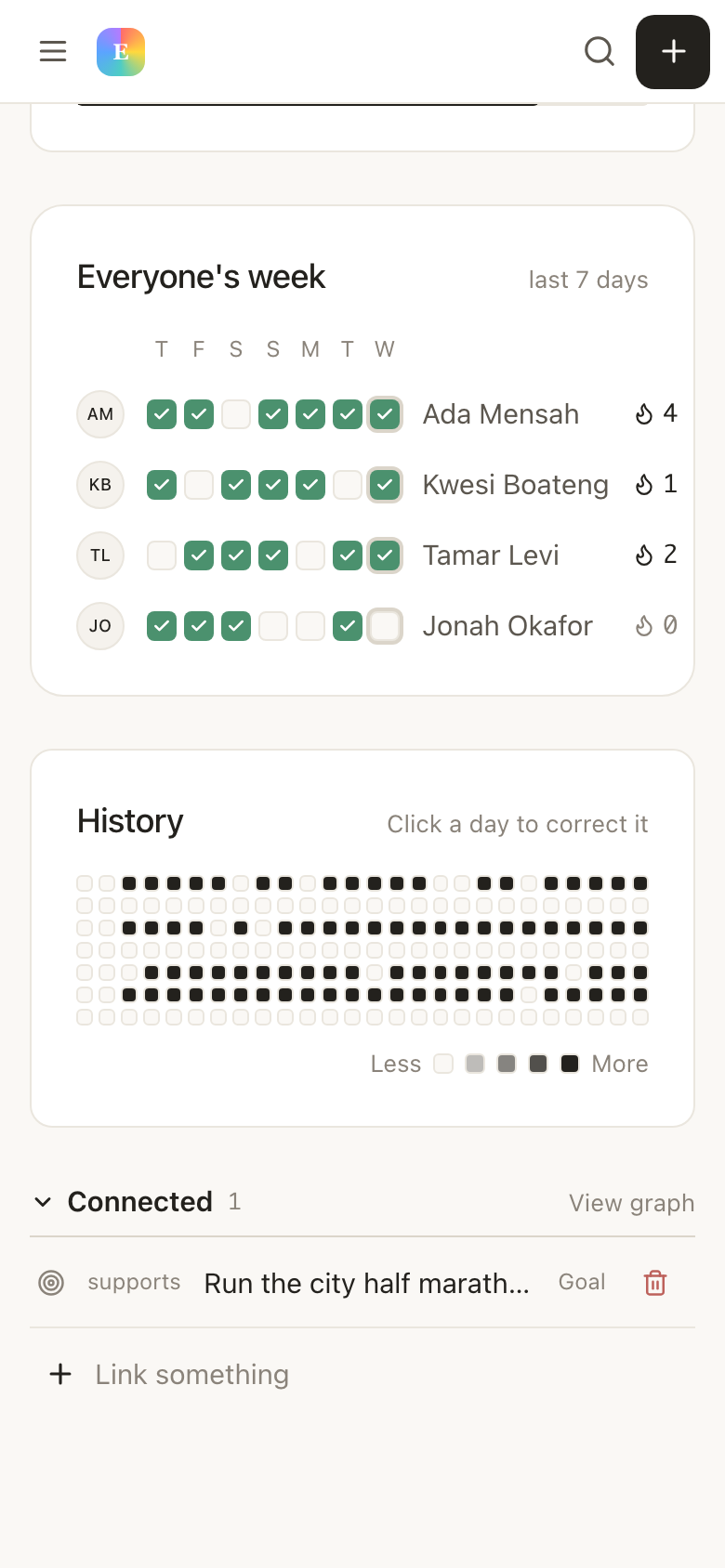
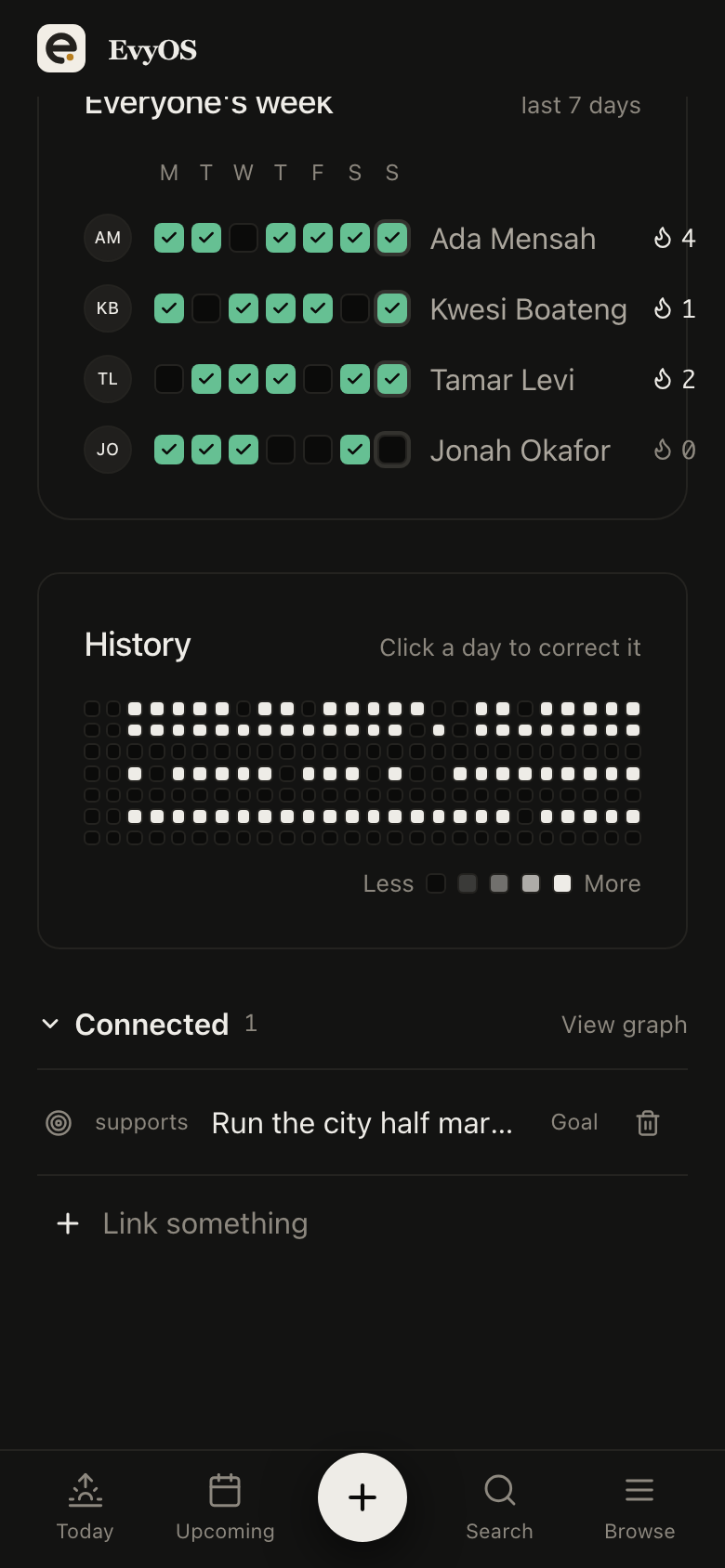
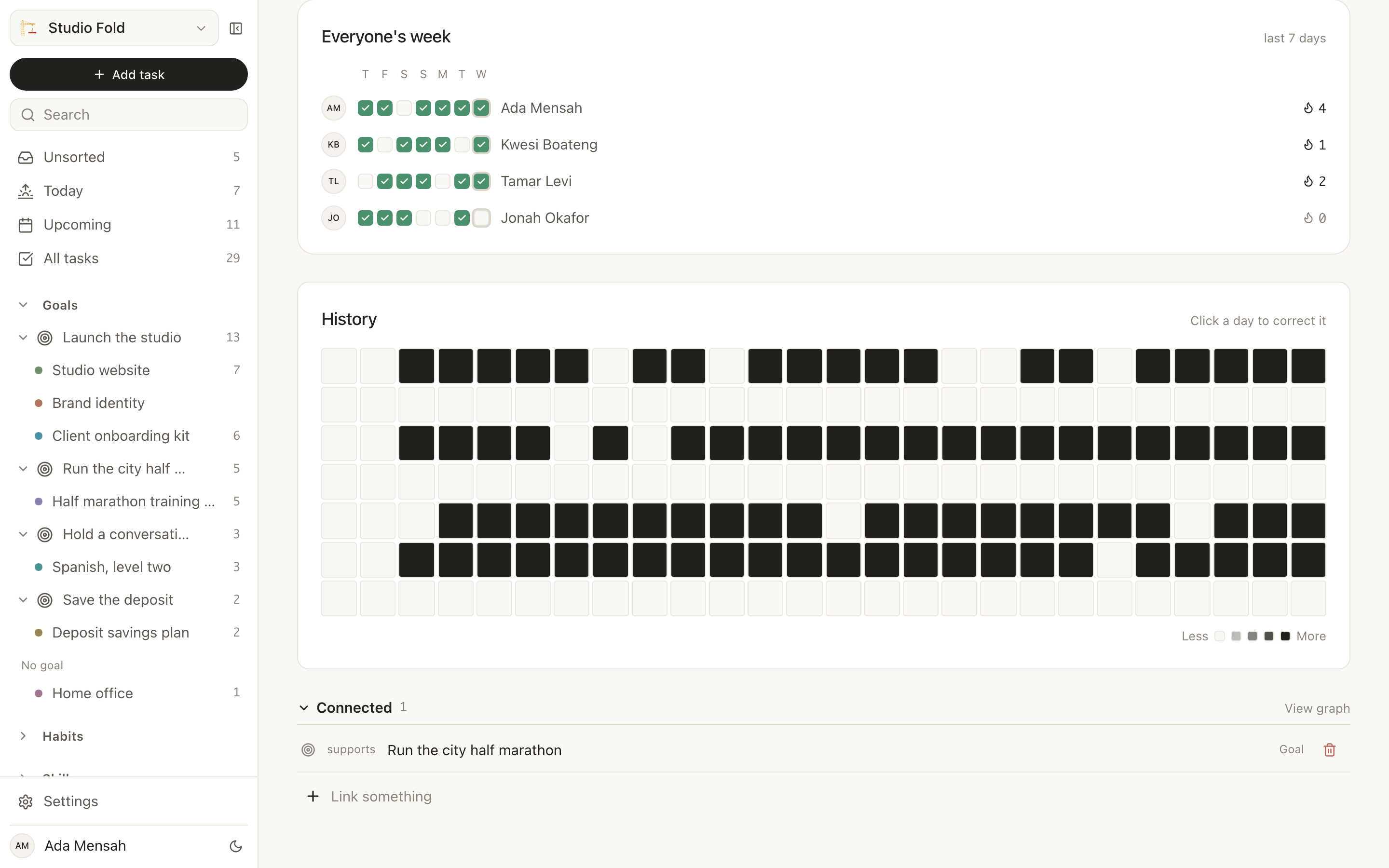
Most shared trackers treat a habit as a single checkbox, so one person ticking it lets everyone else off. In EvyOS a habit in a workspace has one definition and a separate record for each member: your streak, your completion rate, your strength score, shown next to everyone else's on a shared board. Missing Tuesday is your Tuesday, not the household's.
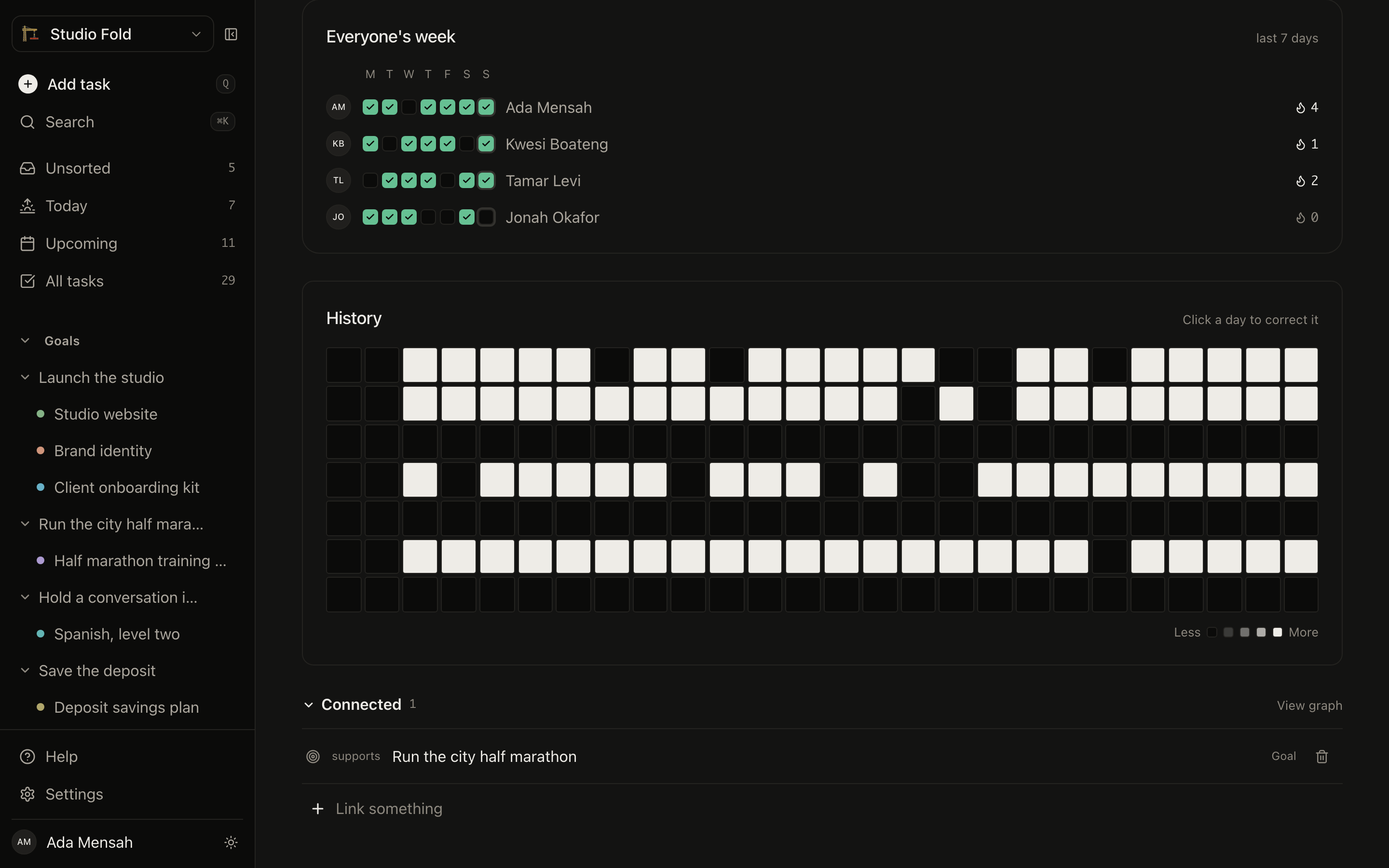
Per-person streaksShared boardStrength scoreYear heatmap
A shared habit in EvyOS: one commitment with a row per member, each with their own week of completions and their own streak
A shared habit in EvyOS: one commitment with a row per member, each with their own week of completions and their own streak — on a phone
02 - Assignment

Work with a name on it.

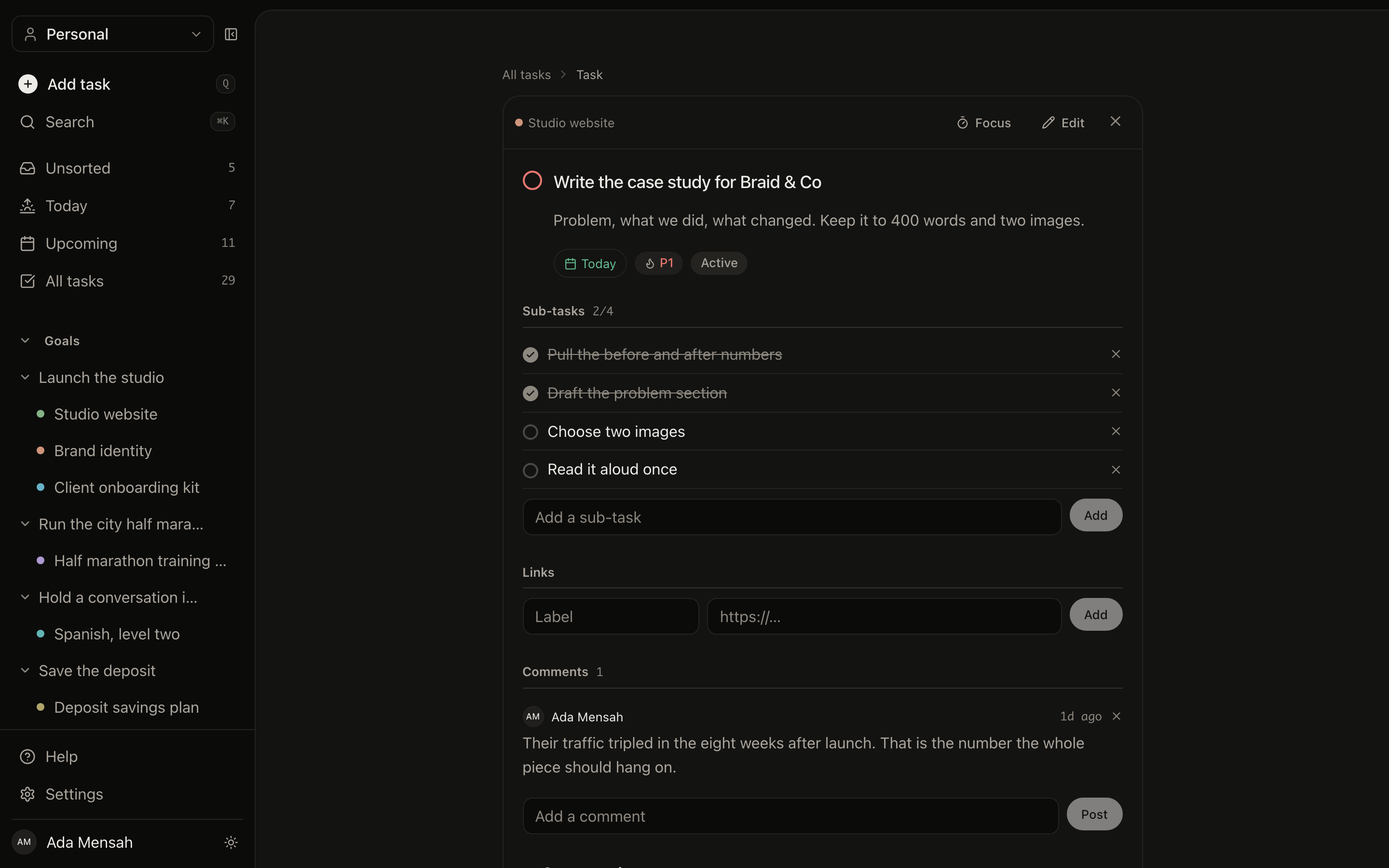
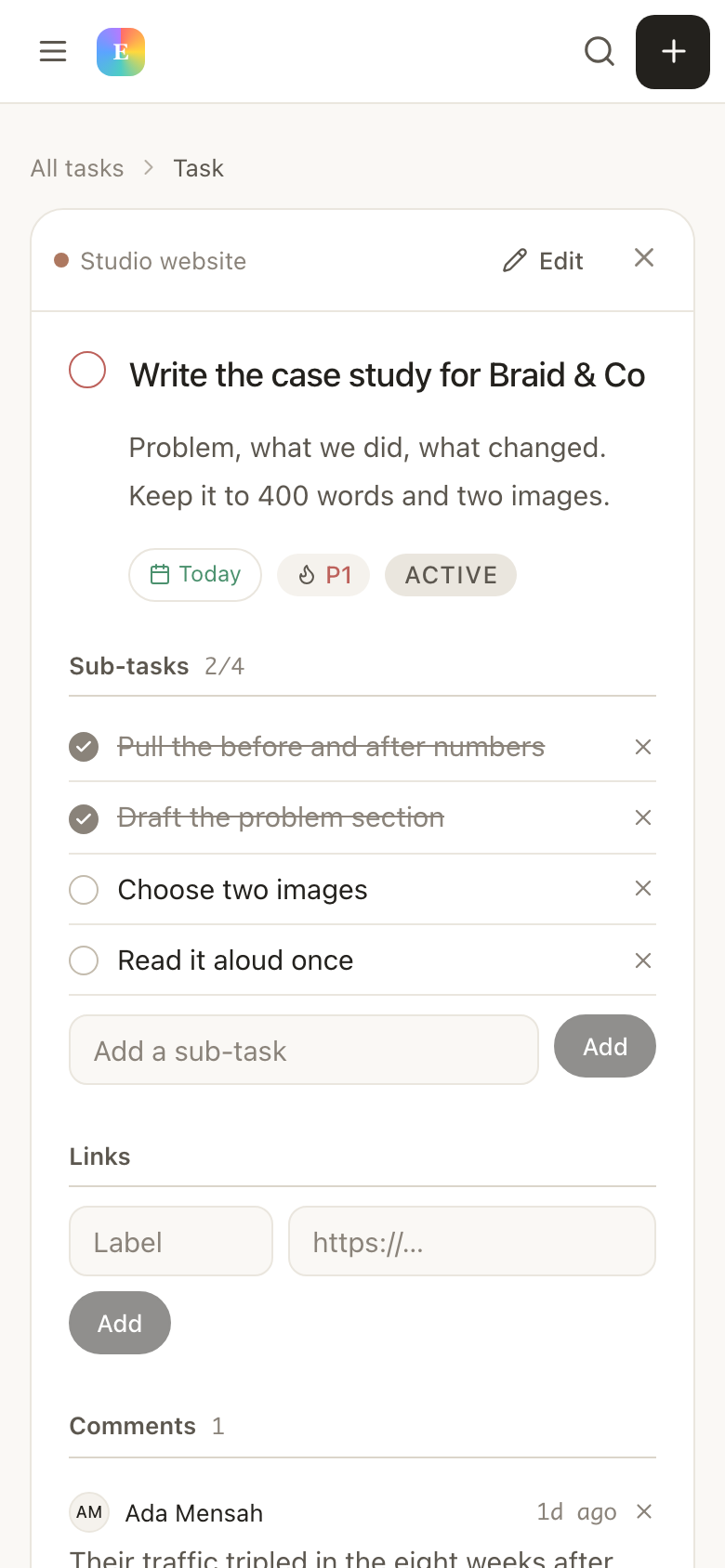
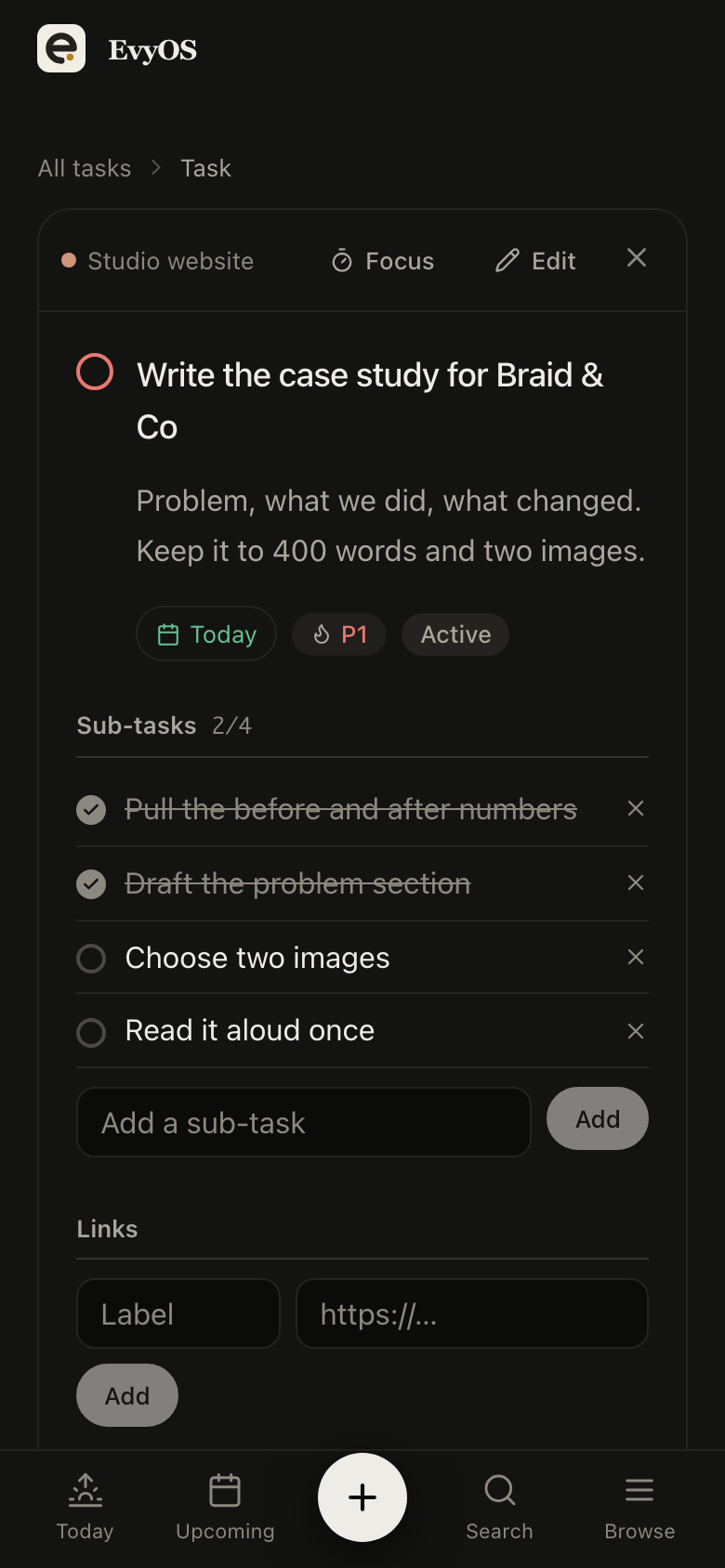
Open a task and hand it to someone. It keeps its project, its priority and its due date, and it now shows up as theirs. The things nobody owns yet stay unassigned and visible to all — which is what most of a shared list actually is, right up until somebody picks an item up.
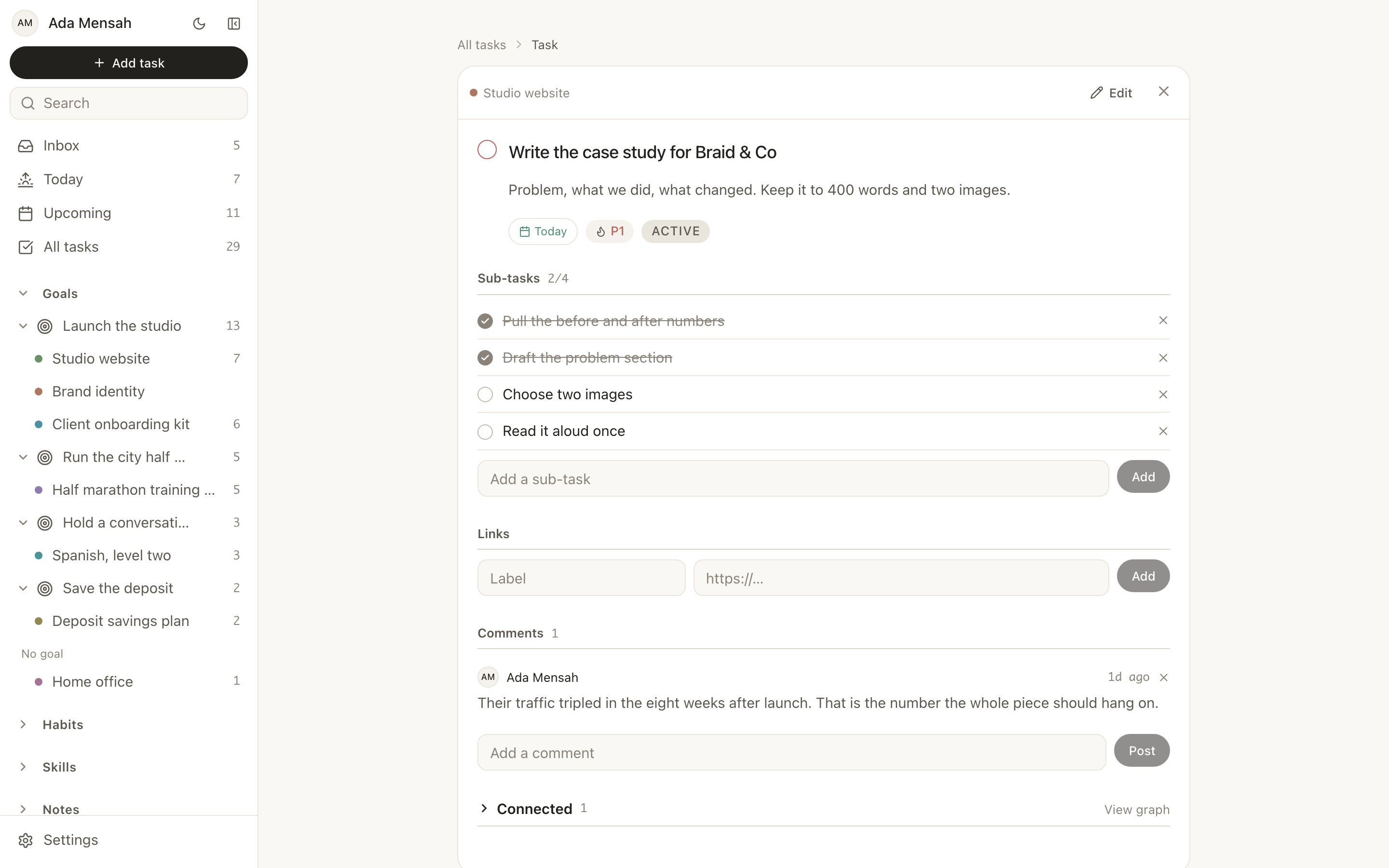
Assign to a memberUnassigned by defaultPrioritiesDue dates
A task open in EvyOS with its project, priority, due date, subtasks and comments
A task open in EvyOS with its project, priority, due date, subtasks and comments — on a phone
03 - Roles and invites

Let people in without letting go.

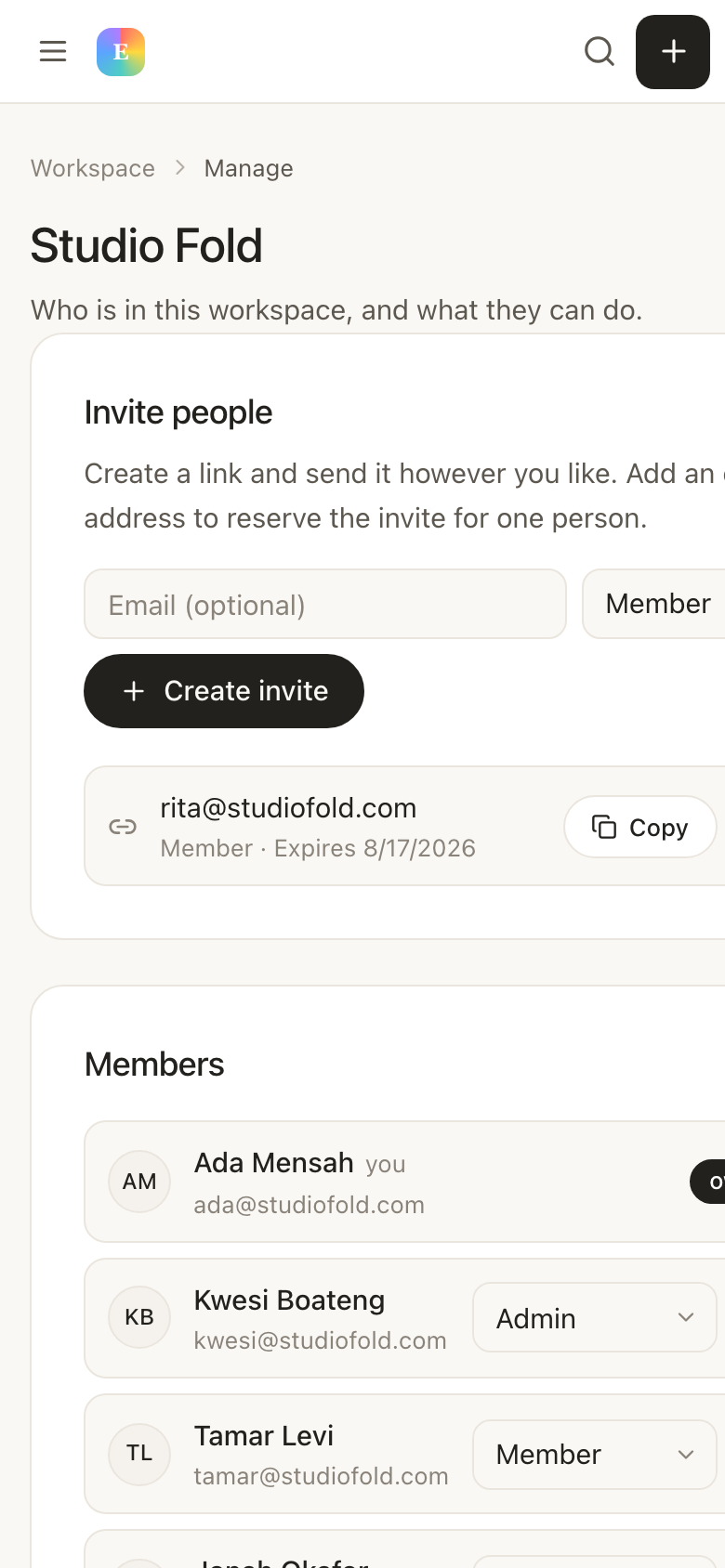
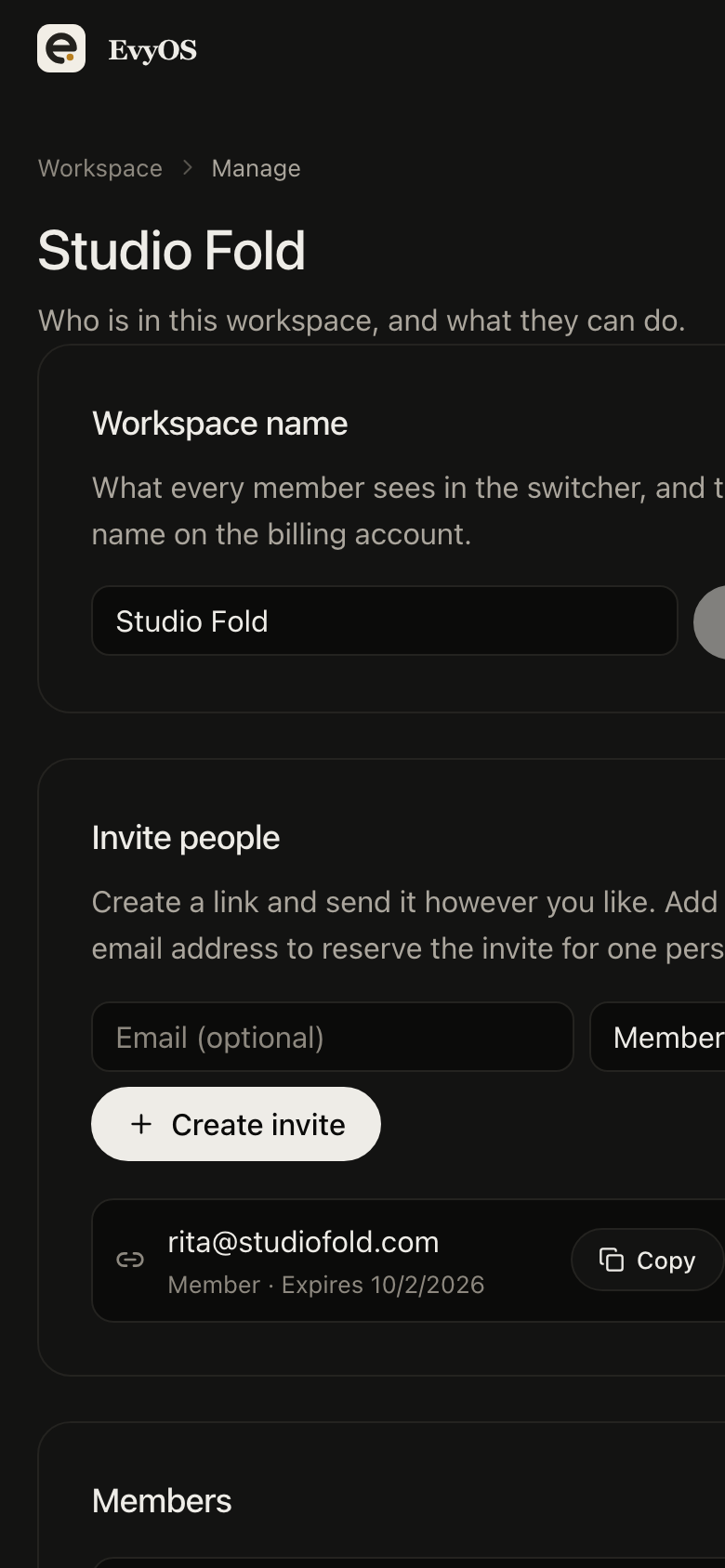
Invite by link or straight to an email address. Links expire after seven days and can be revoked before they are used. Everyone who joins has a role — owner, admin or member — and only owners and admins can change who is in the space. Removing someone takes their access with them and leaves the work behind.
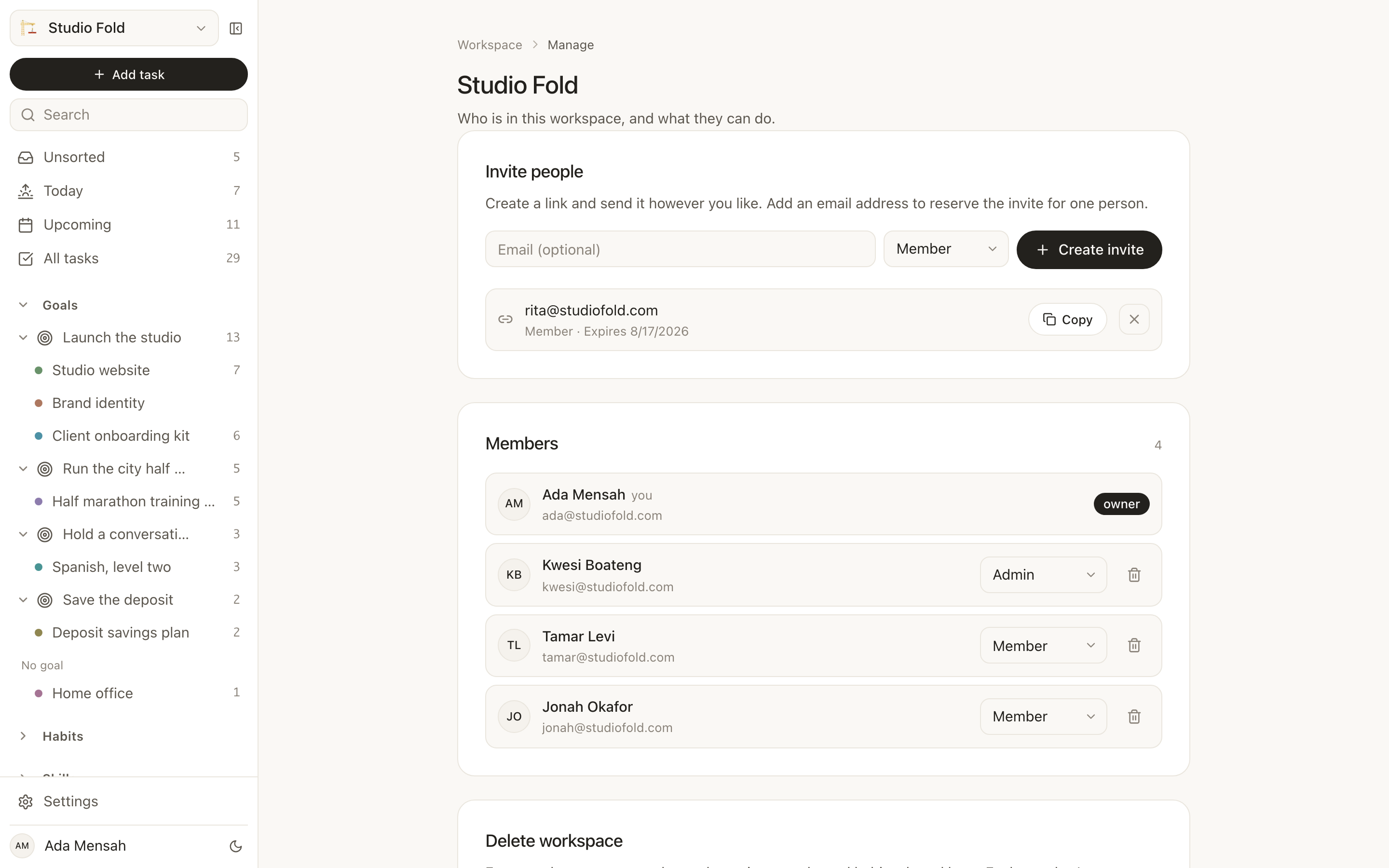
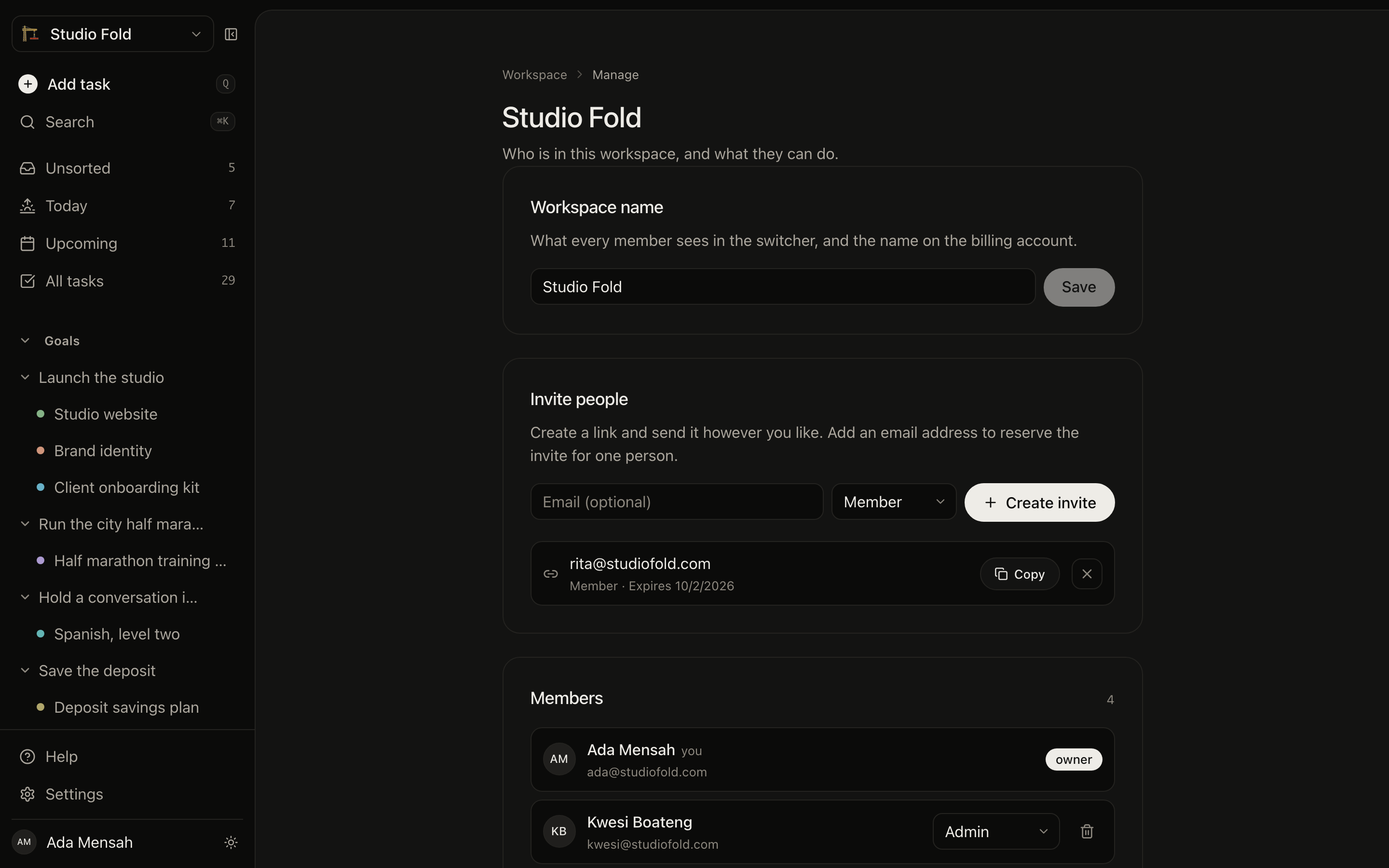
Invite linksEmail invitesOwner, admin, memberRevoke any time
Managing a workspace in EvyOS: creating an invite link, a pending invite with its expiry, and every member with their role
Managing a workspace in EvyOS: creating an invite link, a pending invite with its expiry, and every member with their role — on a phone
Getting started

Sharing something takes about a minute.

1
Create the workspace

Name it, give it an emoji, and say whether it is a family, a team or something else. It starts empty and private to you.

2
Invite the people

Send a link or address the invite to their email. They sign up free, accept, and land straight in the space. Nobody you invite is ever asked for a card.

3
Put the plan in it

Add the goal, the projects under it, the tasks that move them and the habits that support them. From then on everybody is looking at the same thing.

✦ Who shares one

Three groups, one shape.

Families

The school run, the chores, the trip in August, and a reading habit each of the kids keeps their own streak on. One place instead of a whiteboard and three group chats.

EvyOS for families →

Couples

The shared money goal, the flat, the wedding, the two of you trying to walk every evening. Small enough that a project management tool would be absurd, big enough that memory keeps failing.

EvyOS for couples →

Small teams

A quarter with three goals under it, projects that ladder up, and the weekly rituals a team actually depends on. No seats to count, because everyone you invite joins free.

EvyOS for teams →

✦ What it costs

One subscription. Everyone in.

Per-seat pricing punishes you for including people, which is a strange thing to charge for in an app about doing things together. Pro is one price, and the workspaces you create carry everyone in them.

See the plans →
  • Free: your own space, just you — 25 projects, 25 habits, 25 skill tracks and unlimited tasks
  • Pro: unlimited workspaces, at $9.99 a month or $99 a year
  • Everyone you invite joins free, with no card and no seat count
  • Only the person creating the shared workspace pays
  • Cancel whenever; your data is exportable and stays yours
Questions

Frequently asked.

A workspace is a space that several people track their work in together. Goals, projects, tasks, habits and notes created inside it belong to everyone in the workspace rather than to one person, so anybody in it can see the plan, add to it and mark things done. Your personal space stays separate and private: you switch between the two, and nothing crosses over unless you put it there.
Yes. Any task in a shared workspace can be assigned to a member of that workspace, and it then appears in their view of the work. Unassigned tasks stay visible to everyone, which is usually what you want for a shopping list or a house move.
A habit created in a shared workspace is one habit that everybody keeps their own record of. There is a single definition — read for 20 minutes, walk after dinner — and a separate streak, completion history and strength score for each person, shown side by side on a shared board. Nobody breaks anybody else's streak.
No. One Pro subscription covers the workspaces you create and everyone in them. Invite your partner, your family or your whole team and they join on your subscription at no extra cost, with no card of their own. Only the person creating the shared workspace pays.
From the workspace settings you can create an invite link, or address an invite to a specific email so it is waiting for that person when they sign in. Invite links expire after seven days and can be revoked at any time before they are used.
Yes. Every member has a role. Owners can do anything, including deleting the workspace. Admins can manage members and invites. Members can create and complete work but cannot change who is in the space. You can promote or demote anyone below you at any time.
The free plan gives you your own space for one person. Creating a workspace you can share with someone else is what Pro is for, at $9.99 per month or $99 per year — and the people you invite never pay anything.
The work stays in the workspace, because it belongs to the workspace rather than to you. Anything in your personal space is untouched and remains yours.

Some things are not a solo project.
Stop running them like one.

Create a workspace, invite the people it involves, and put the whole plan somewhere everyone can see it.

Start for free