FeaturesShared workspacesFor teamsChatGPT & ClaudeMCP serverProduct tourBlogPricingLog in
Built for small teams

A quarter your team
can actually see.

Goals at the top, projects underneath them, tasks with someone's name on them. One shared workspace, one subscription, and everyone you invite joins free.

Start for free →How workspaces work

No seats to count. No per-user upgrade at ten people.

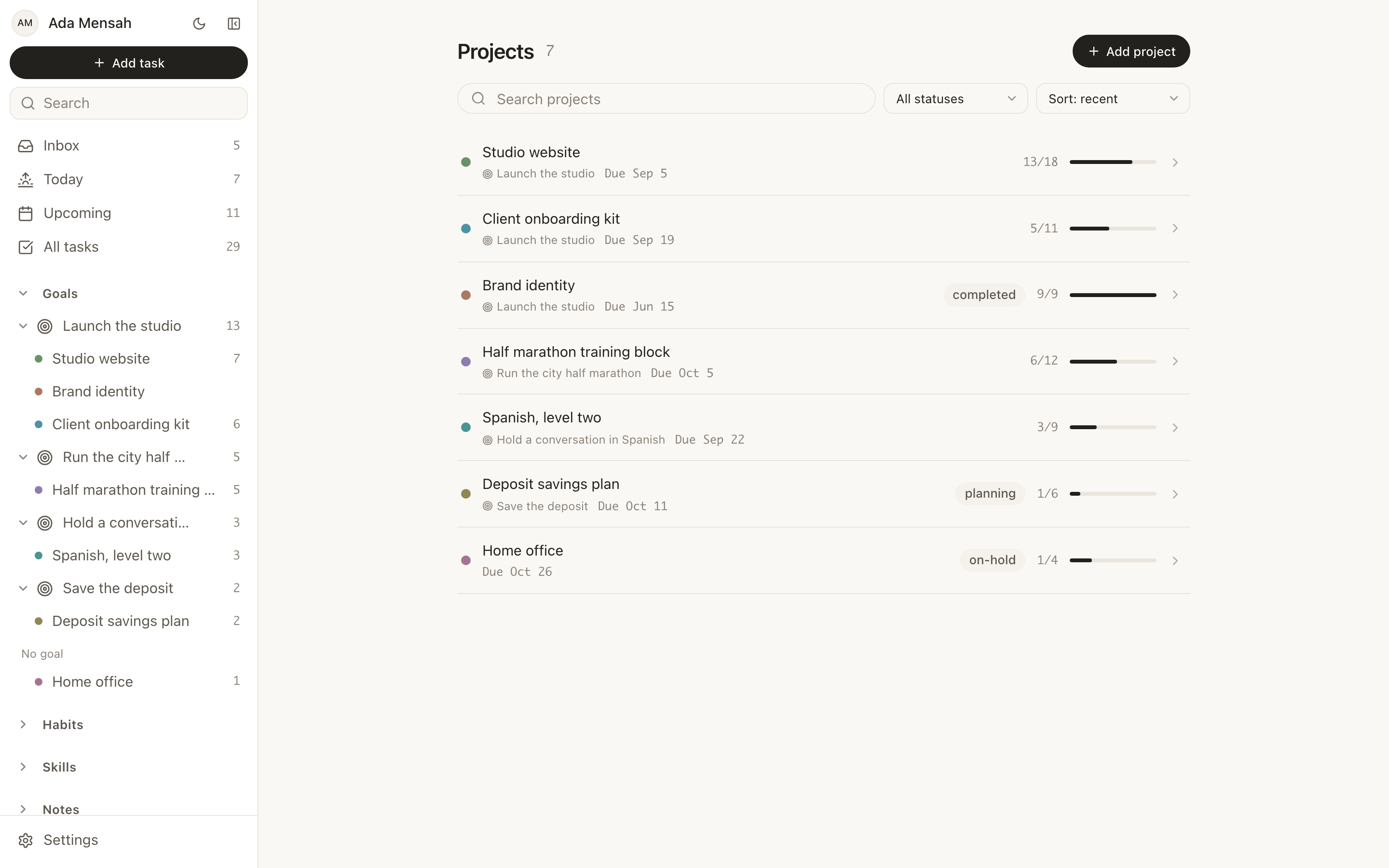
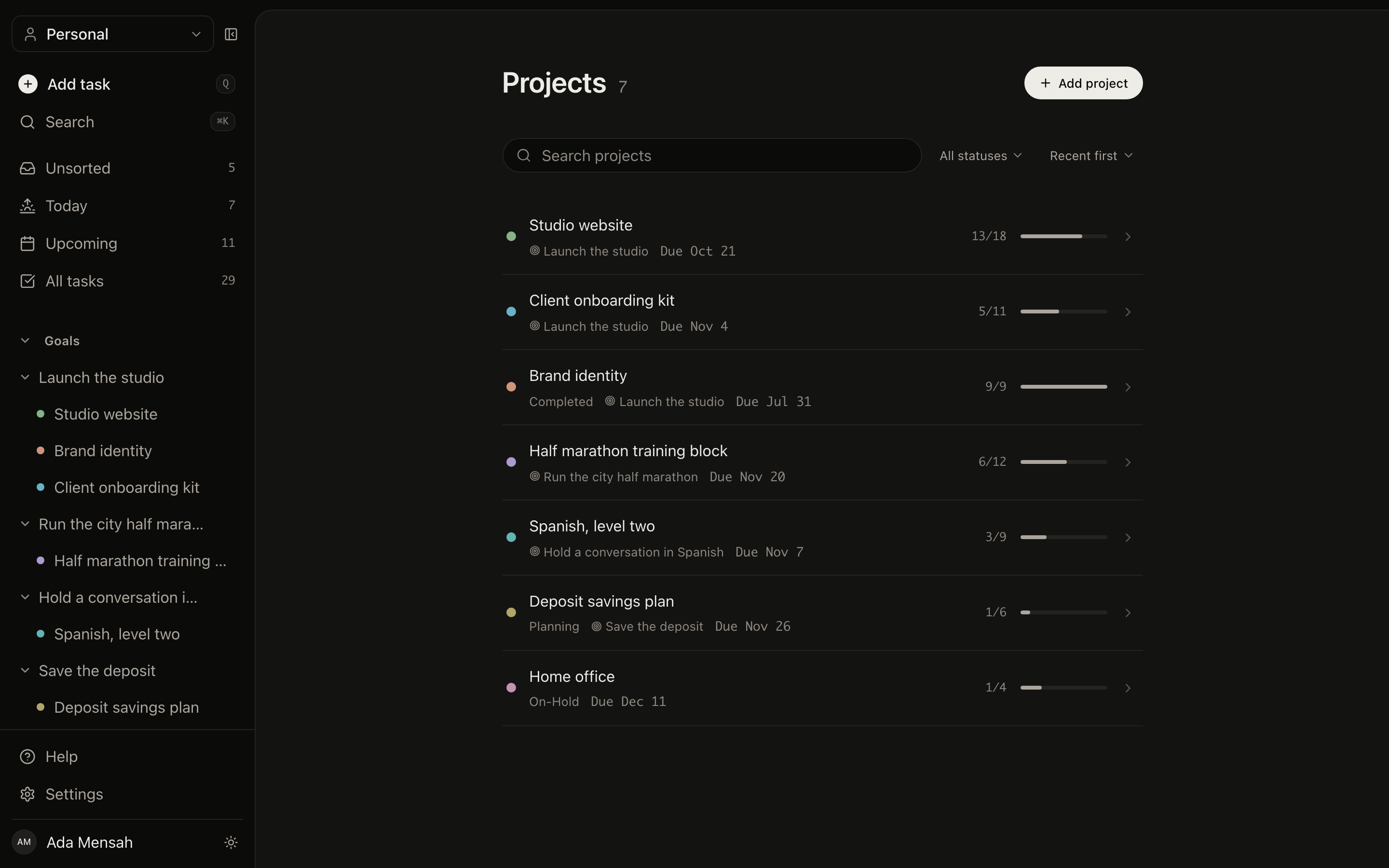
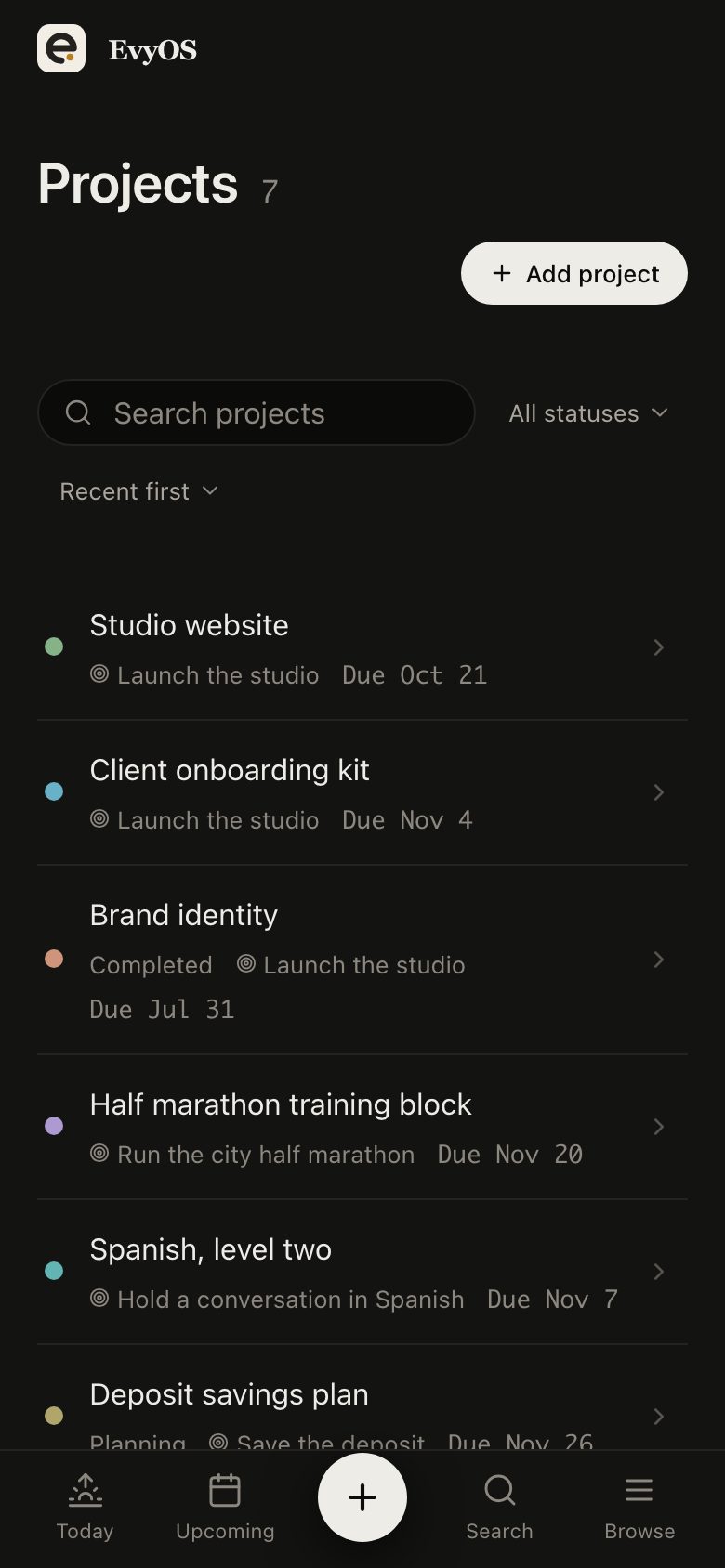
The projects list in EvyOS, showing each project's progress, deadline and open task count
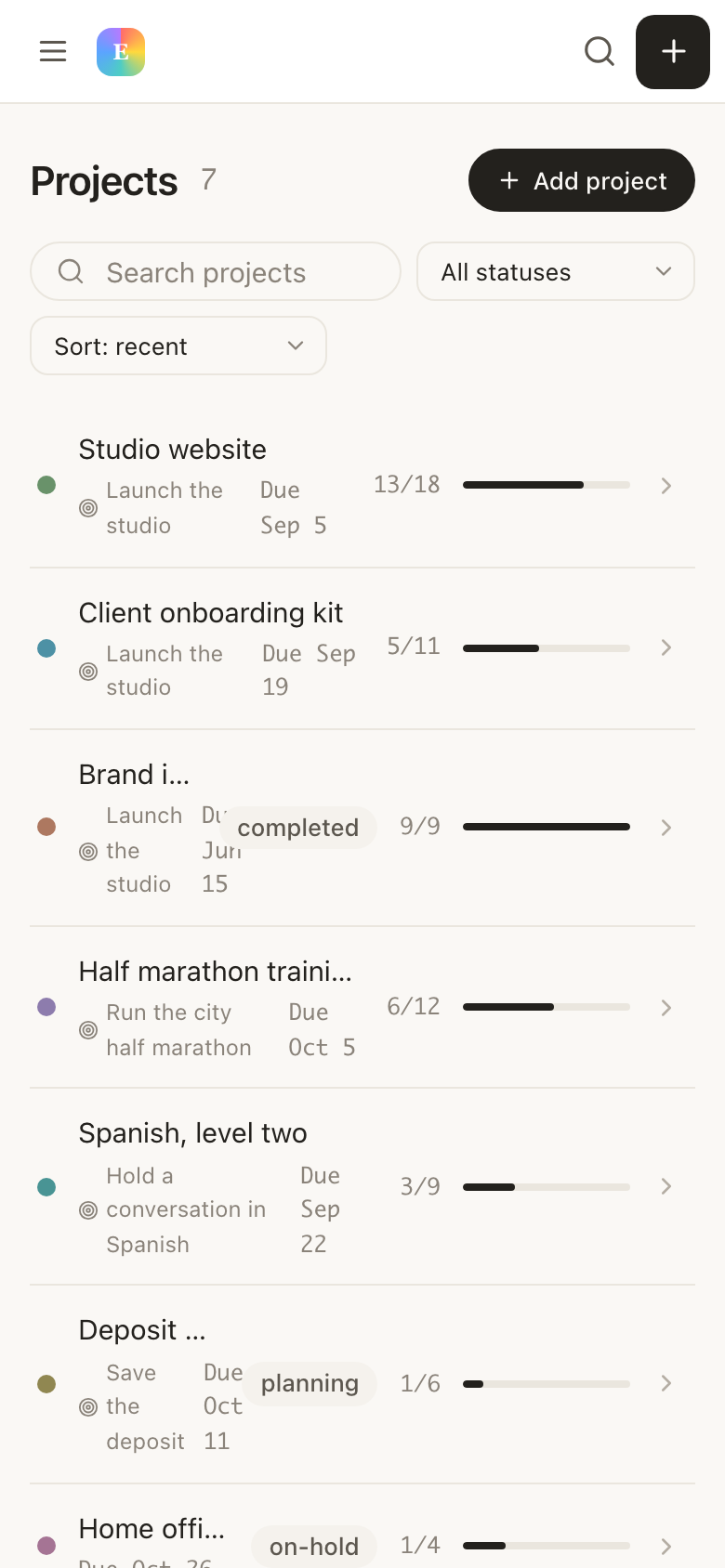
The projects list in EvyOS, showing each project's progress, deadline and open task count — on a phone
✦ Why small teams stall

The tool is heavier than the team.

Six people do not need sprints, story points and a permissions matrix. But a group chat and a spreadsheet lose the plan by week three. So the team ends up with the enterprise tool nobody opens, and the real state of the quarter lives in one person's head.

🏗️
Configuration is the whole first month
Custom fields, workflow states, automation rules. By the time the board is right, the quarter it was for is over.
💵
Per-seat pricing punishes including people
The contractor, the designer who joins for one project, the person on a three-month trial. Every one of them is a decision about money instead of a decision about work.
🧭
Tasks lose their reason
A board full of tickets tells you what is moving. It does not tell you whether any of it is moving the thing you said mattered this quarter.
💬
Status becomes a meeting
Without a shared record of who did what, the only way to know where things stand is to book half an hour and ask everyone.
📋
Issue tracker
Per user, per month
$8/user
📈
Goal / OKR tool
Per user, per month
$7/user
📝
Docs and notes
Per user, per month
$10/user
+
Six people
3 tools, priced per seat
$150/mo
vs $9.99 with EvyOS
✦ What a team workspace holds

Small enough to set up.
Structured enough to hold a quarter.

01 - Goals that ladder down

Every task can name its reason.

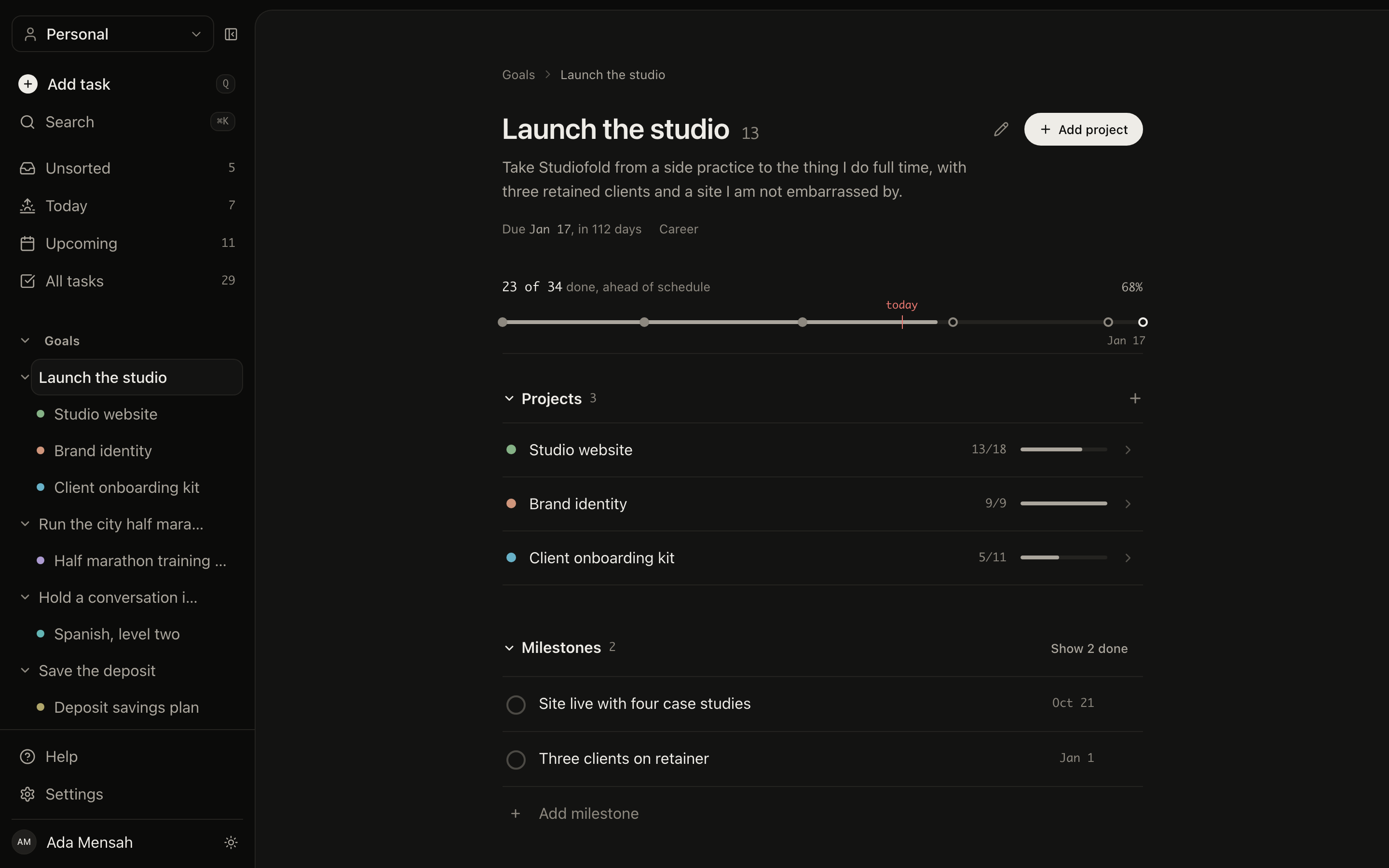
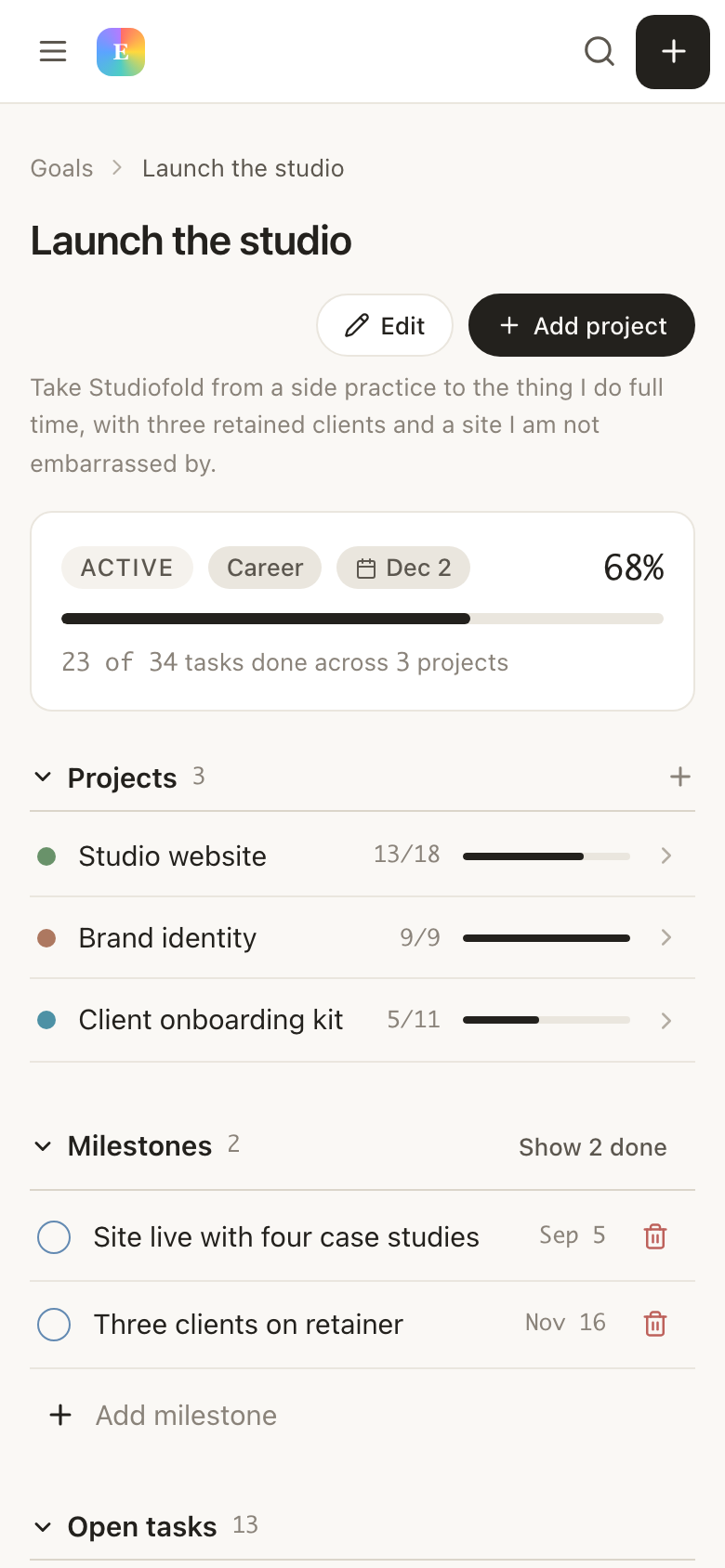
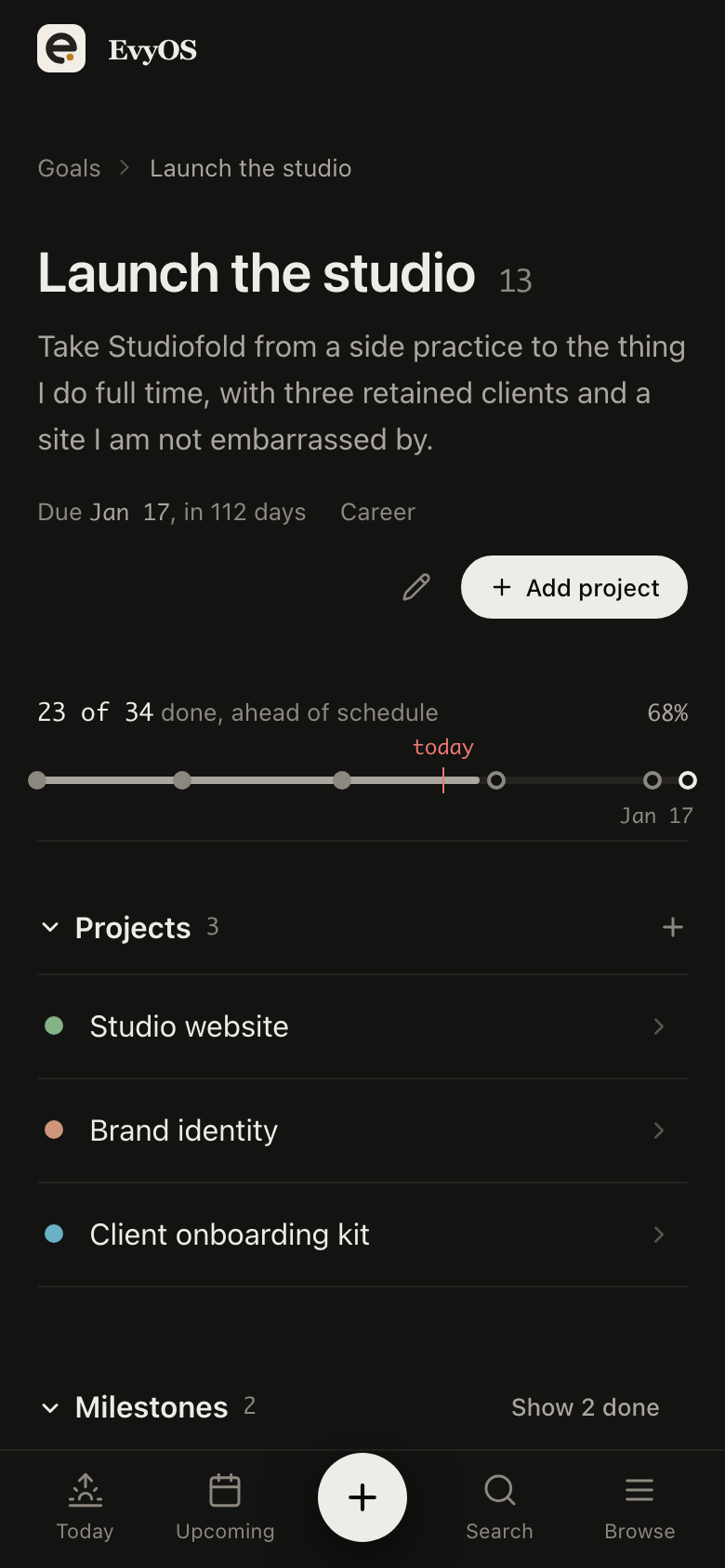
Set the two or three goals the quarter is actually about. Hang projects off them and tasks off the projects. A goal's progress is computed from what is underneath it, so it moves when anyone on the team finishes something — and a goal that is not moving is visibly not moving.
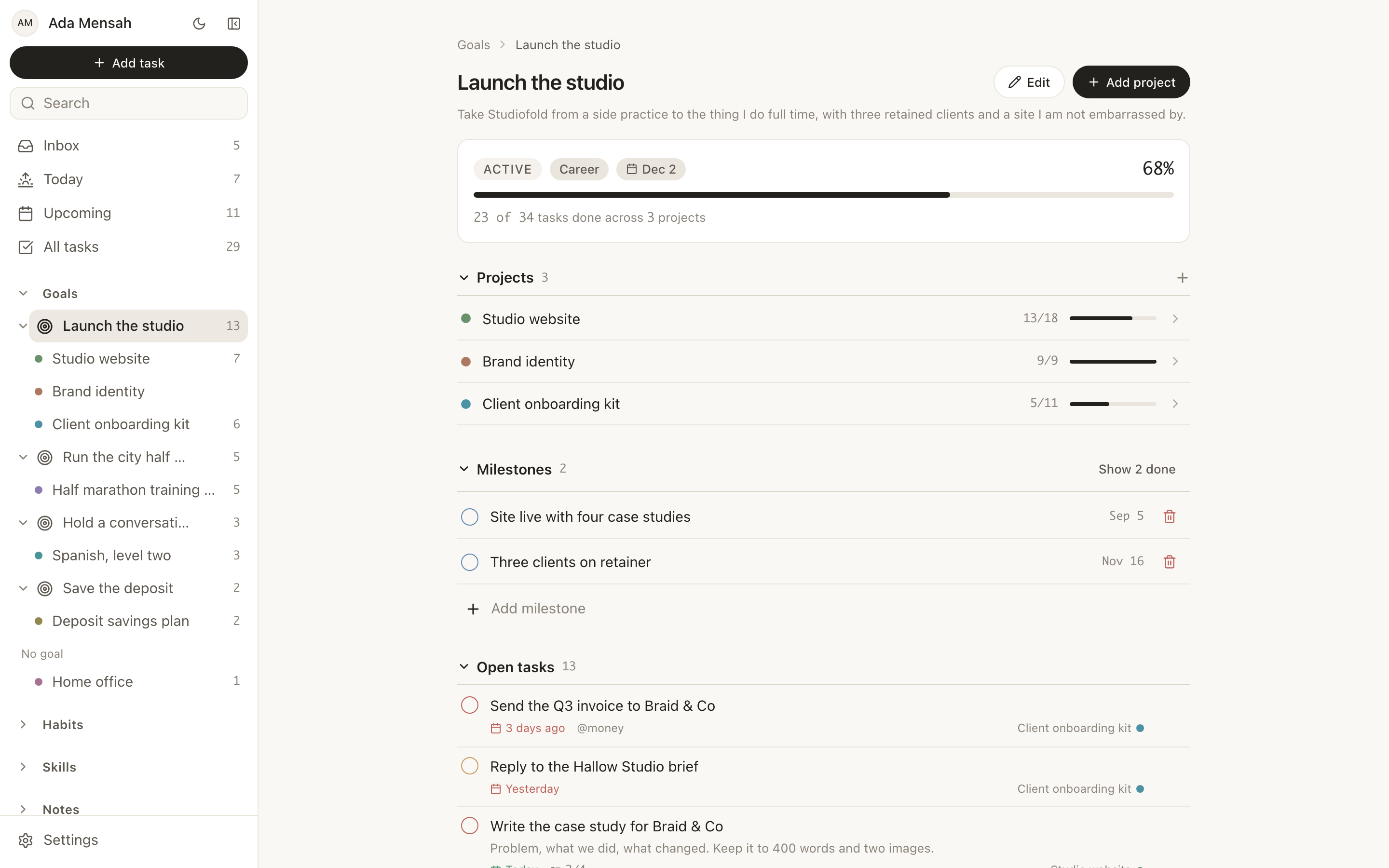
Team goalsMilestonesRolled-up progressTarget dates
A goal in EvyOS with its milestones, the projects moving it forward, and its open tasks
A goal in EvyOS with its milestones, the projects moving it forward, and its open tasks — on a phone
02 - Work with an owner

Assign it, or leave it up for grabs.

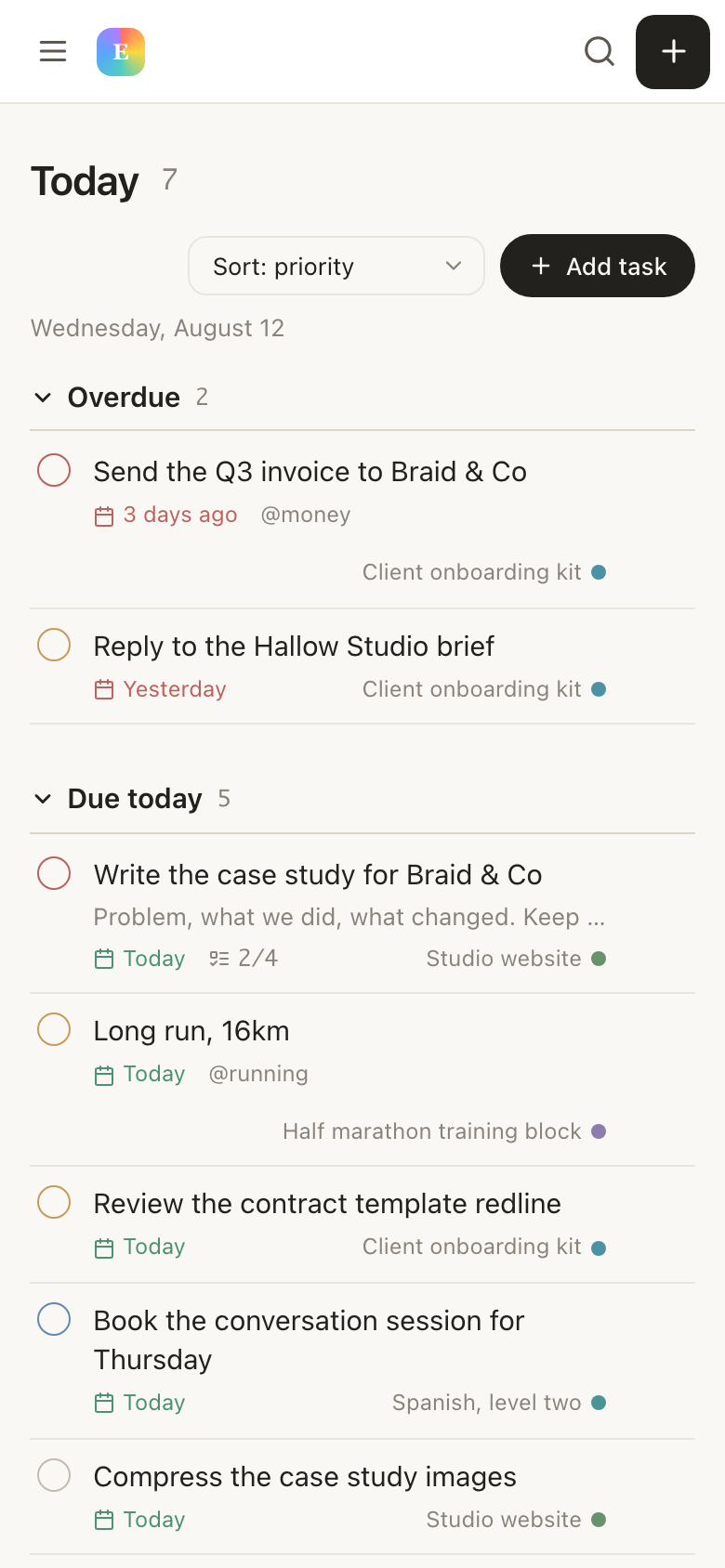
Any task in the workspace can be assigned to a member, and it then shows up as theirs. Anything unassigned stays visible to the whole team. Priorities, due dates, subtasks and comments work exactly as they do in your own space, because they are the same tasks.
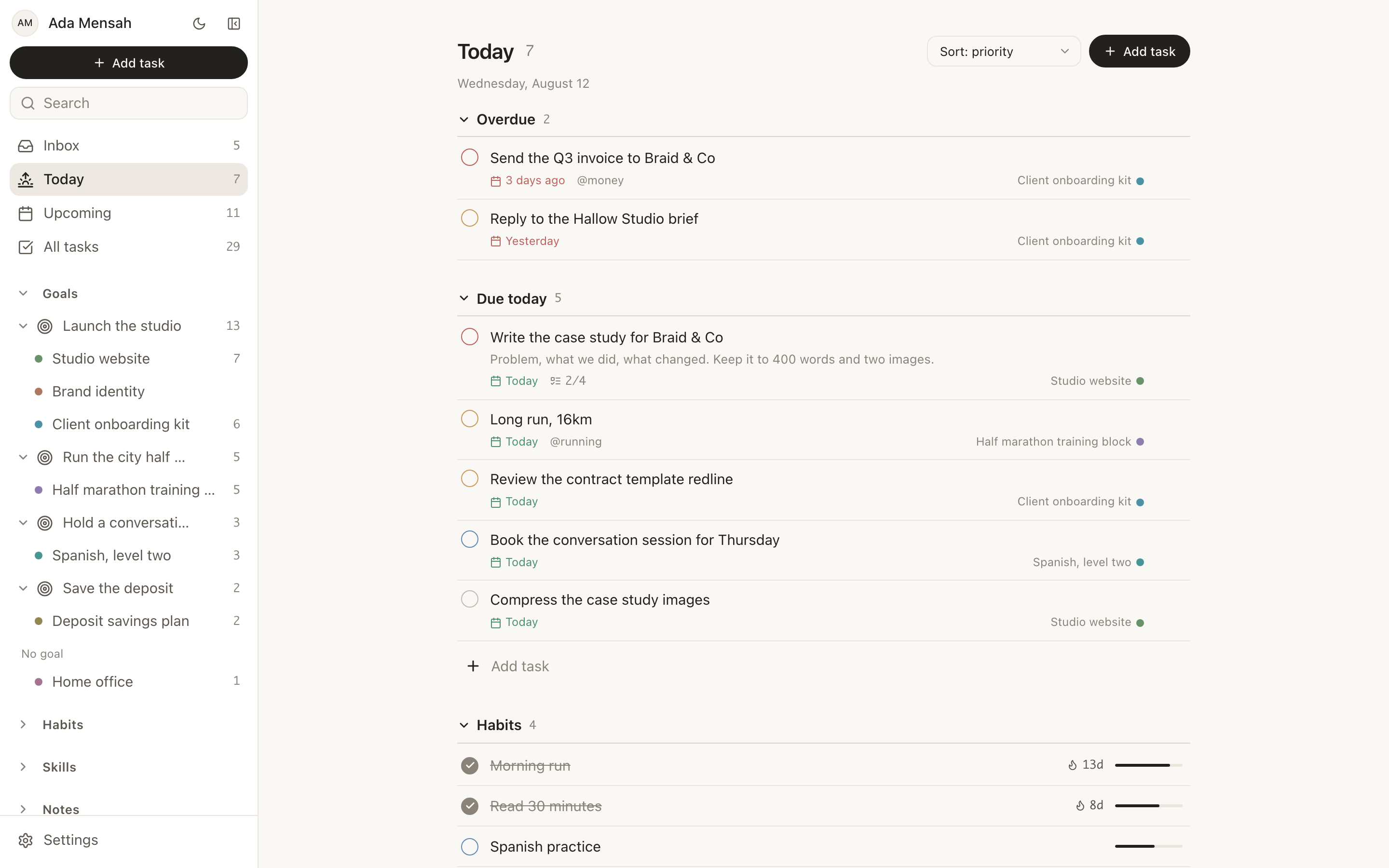
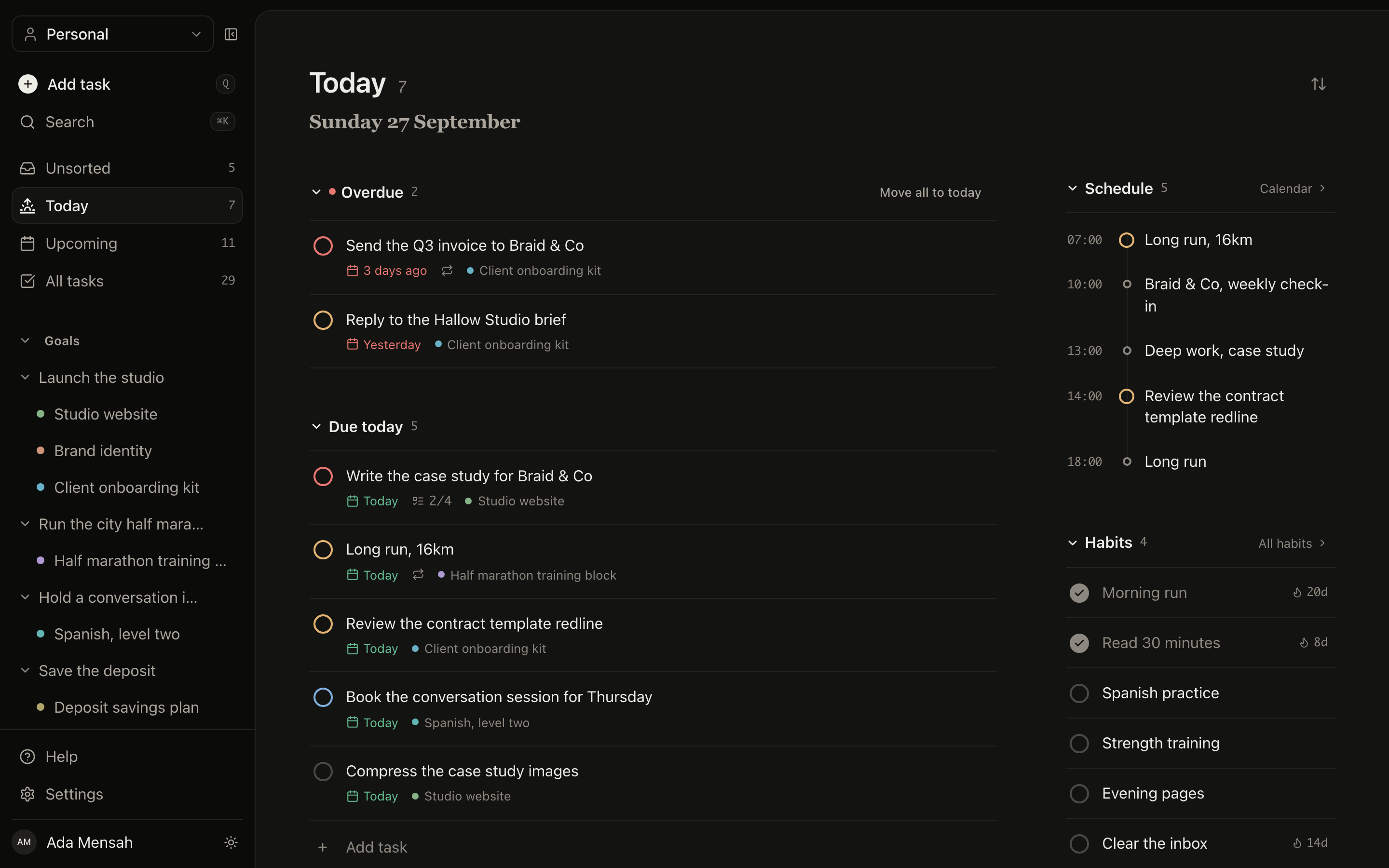
AssigneesPrioritiesSubtasksComments
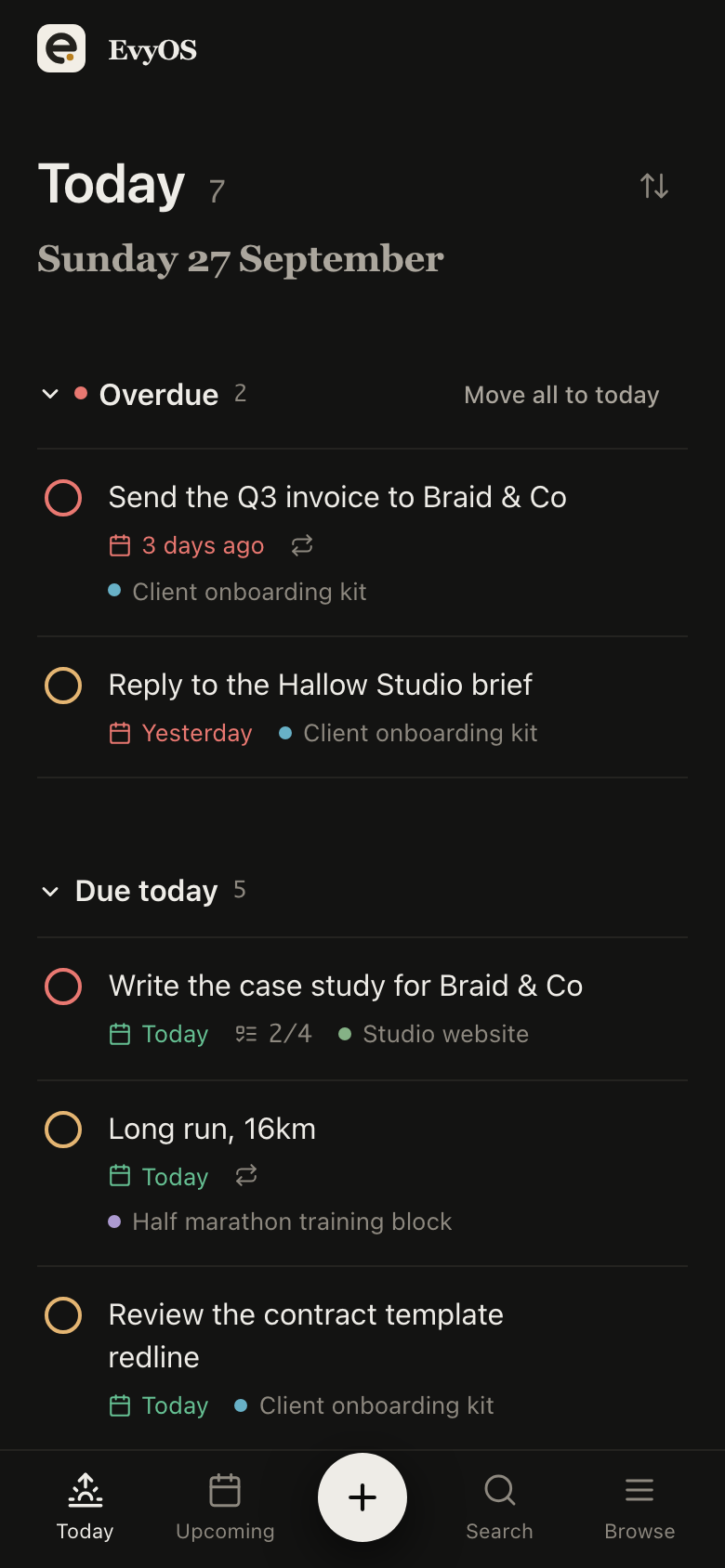
The Today view in EvyOS: overdue tasks at the top, then what is due today, the day's habits and the calendar
The Today view in EvyOS: overdue tasks at the top, then what is due today, the day's habits and the calendar — on a phone
03 - Status without a meeting

The record answers first.

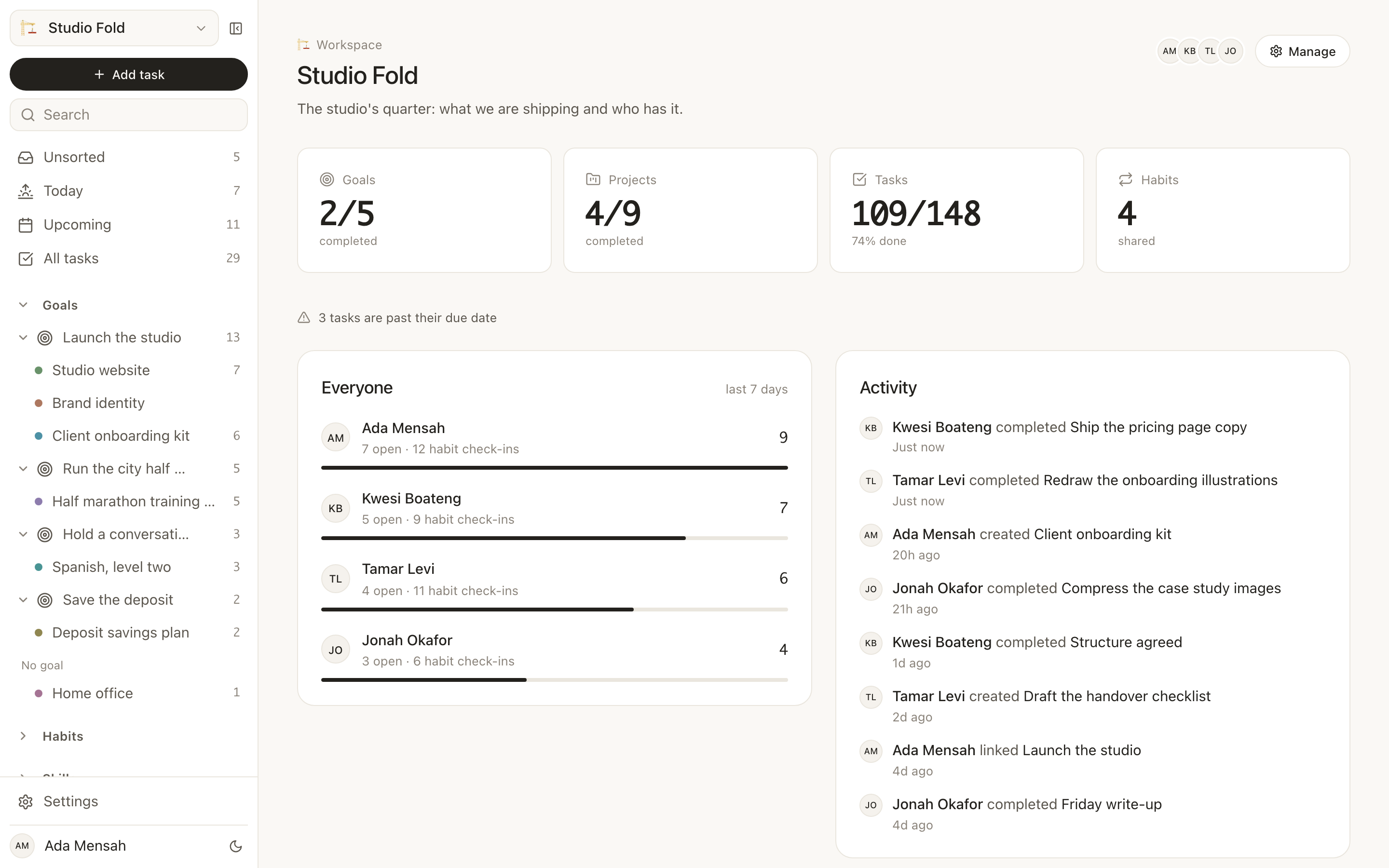
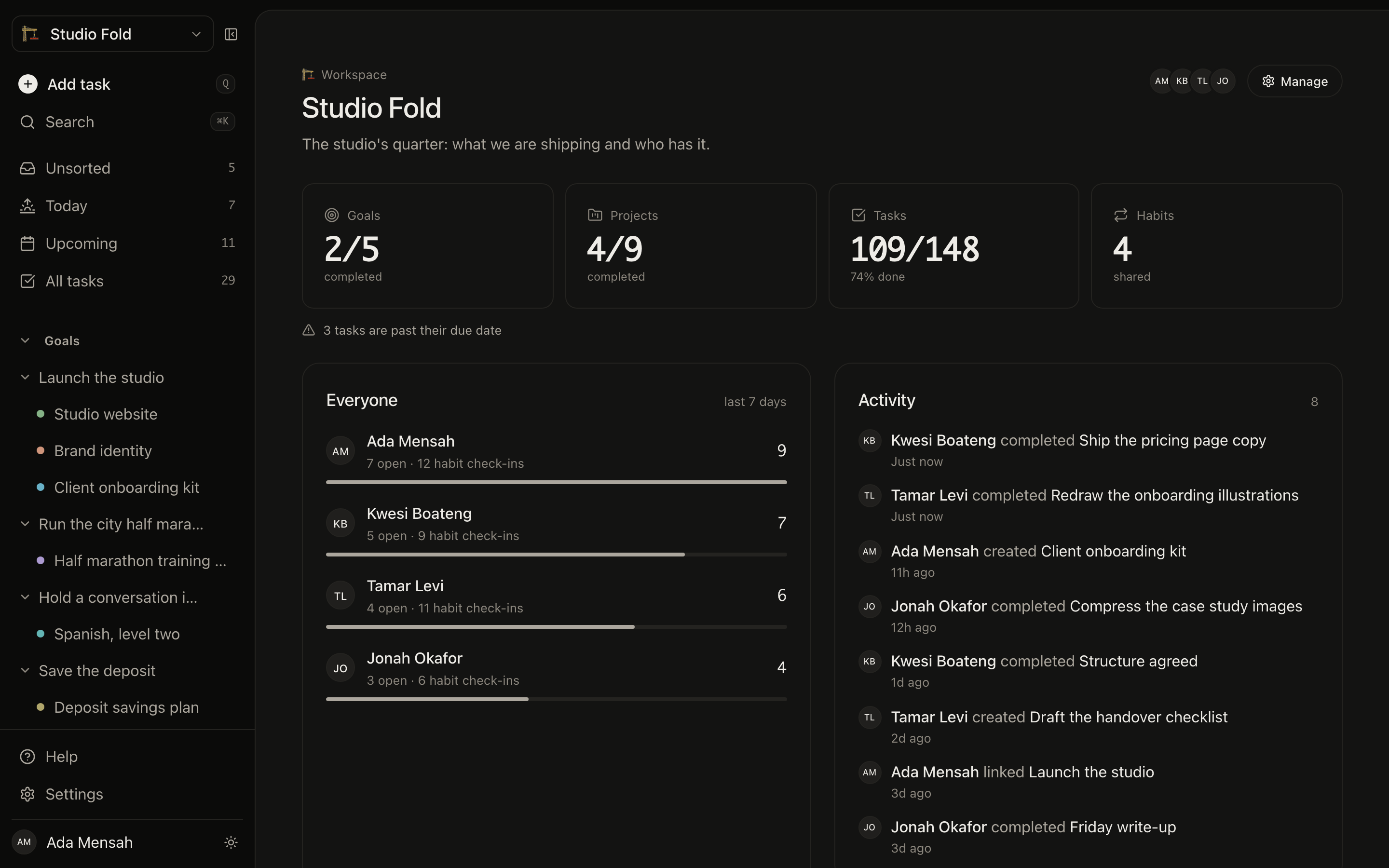
An activity feed for the workspace, contributions per member, and analytics that put completion rates and the week just gone against the one before it. Enough that “how are we doing” has an answer before anyone opens a calendar.
Activity feedPer-member contributionsCompletion ratesWeek on week
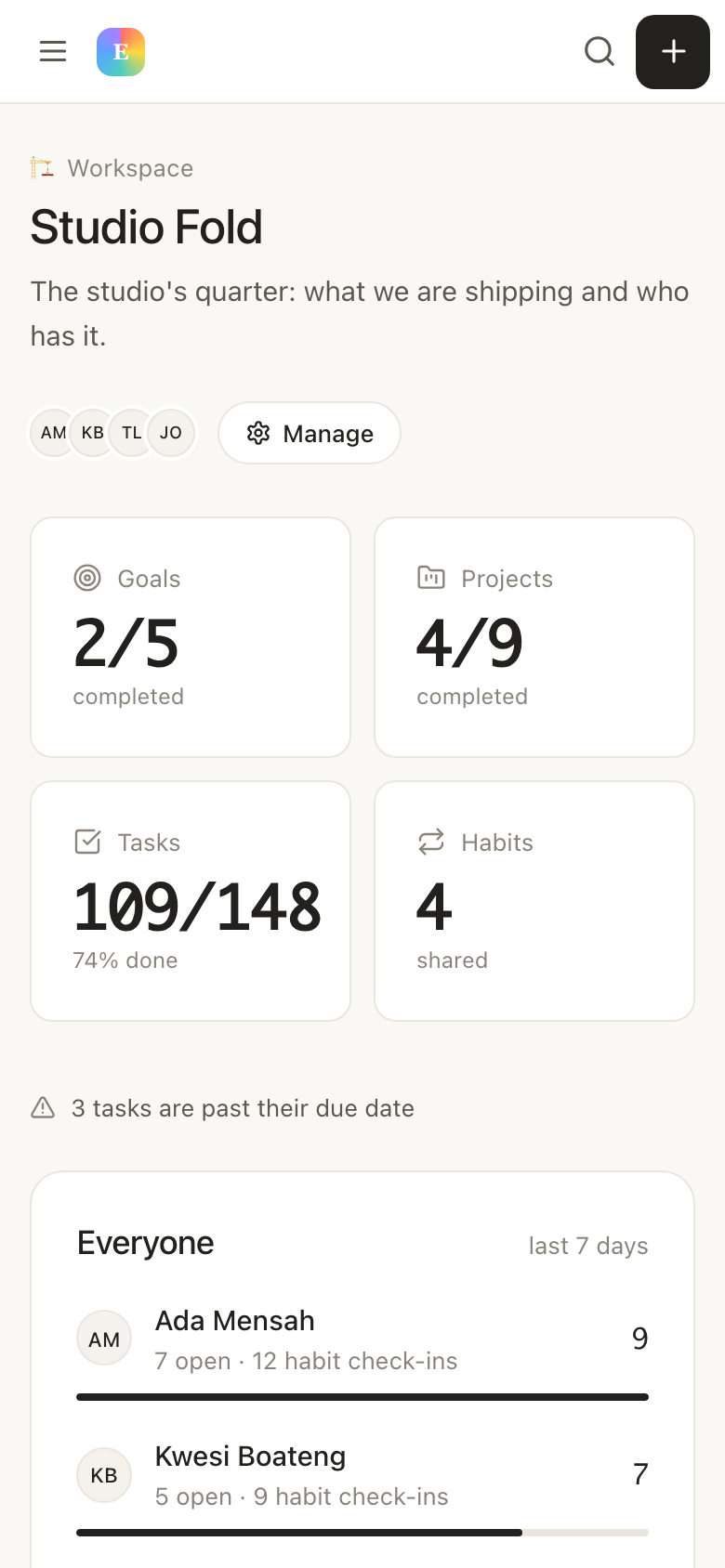
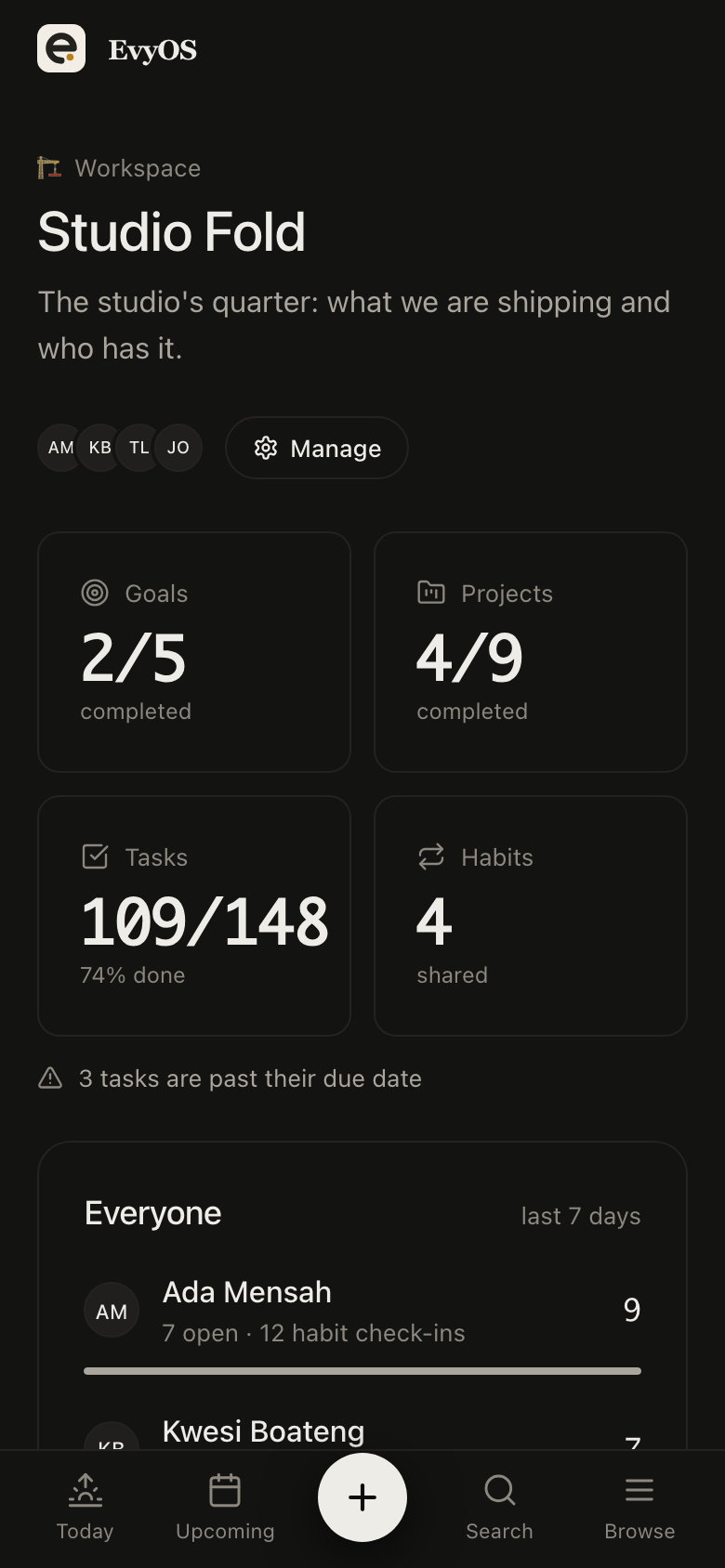
A team workspace in EvyOS, showing what the quarter adds up to, what each member finished in the last seven days, and a shared activity feed
A team workspace in EvyOS, showing what the quarter adds up to, what each member finished in the last seven days, and a shared activity feed — on a phone
04 - Team rituals

The habits a team runs on.

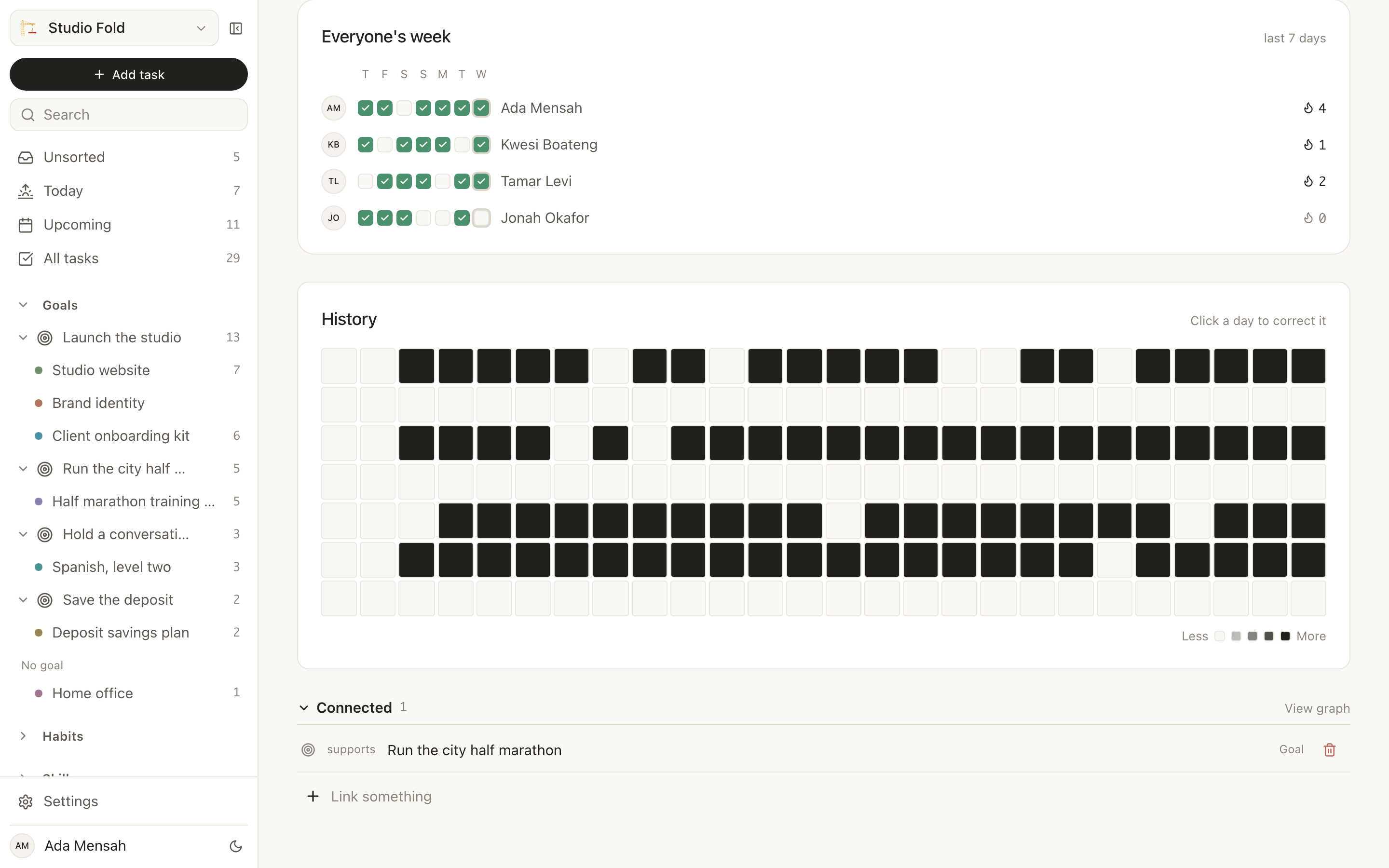
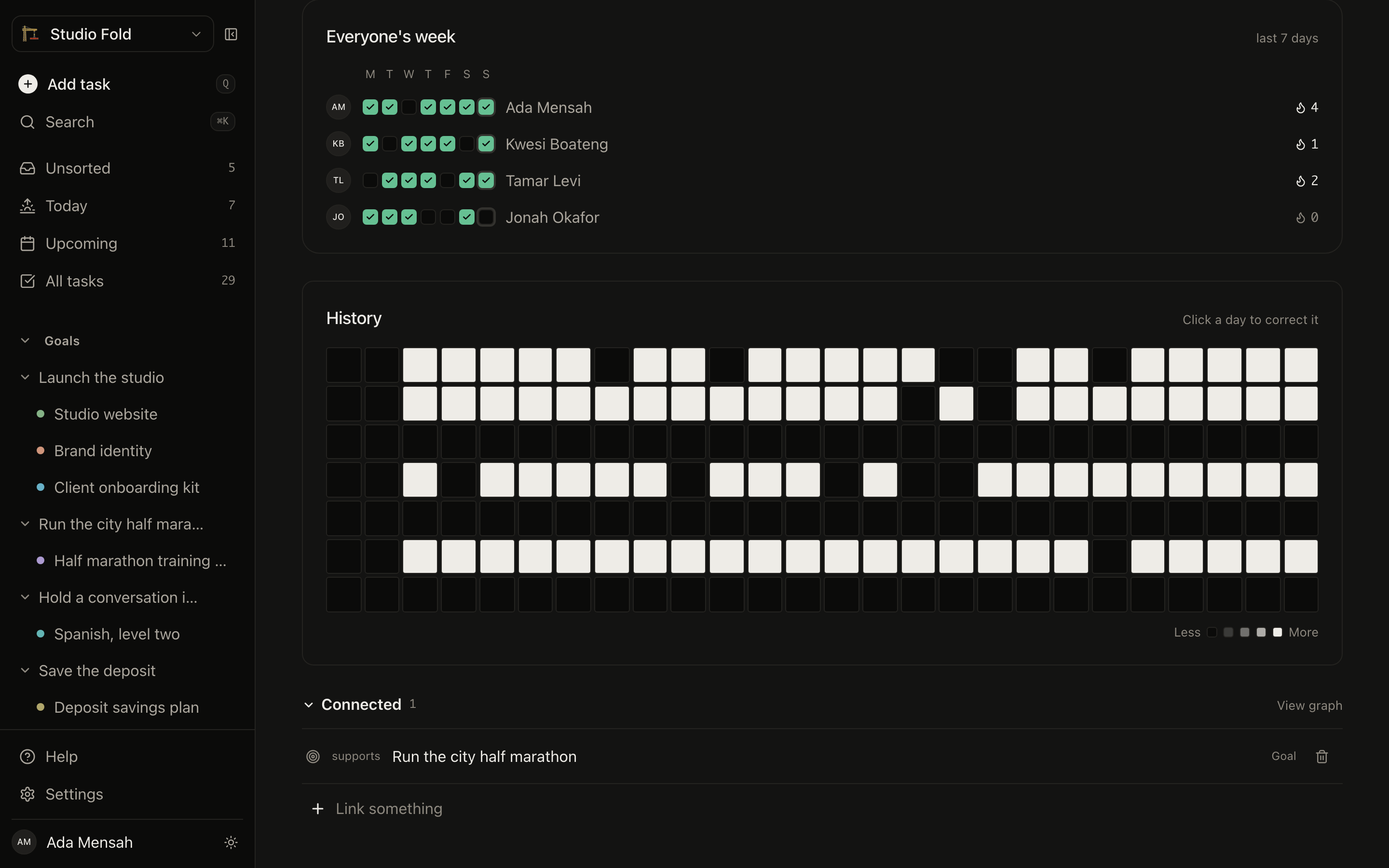
The Monday plan, the Friday write-up, the weekly review nobody does once it stops being written down. A habit in a shared workspace is one commitment with a separate streak for each person, so the ritual is visible without turning into a leaderboard.
Weekly reviewPer-person streaksFlexible schedulesReminders
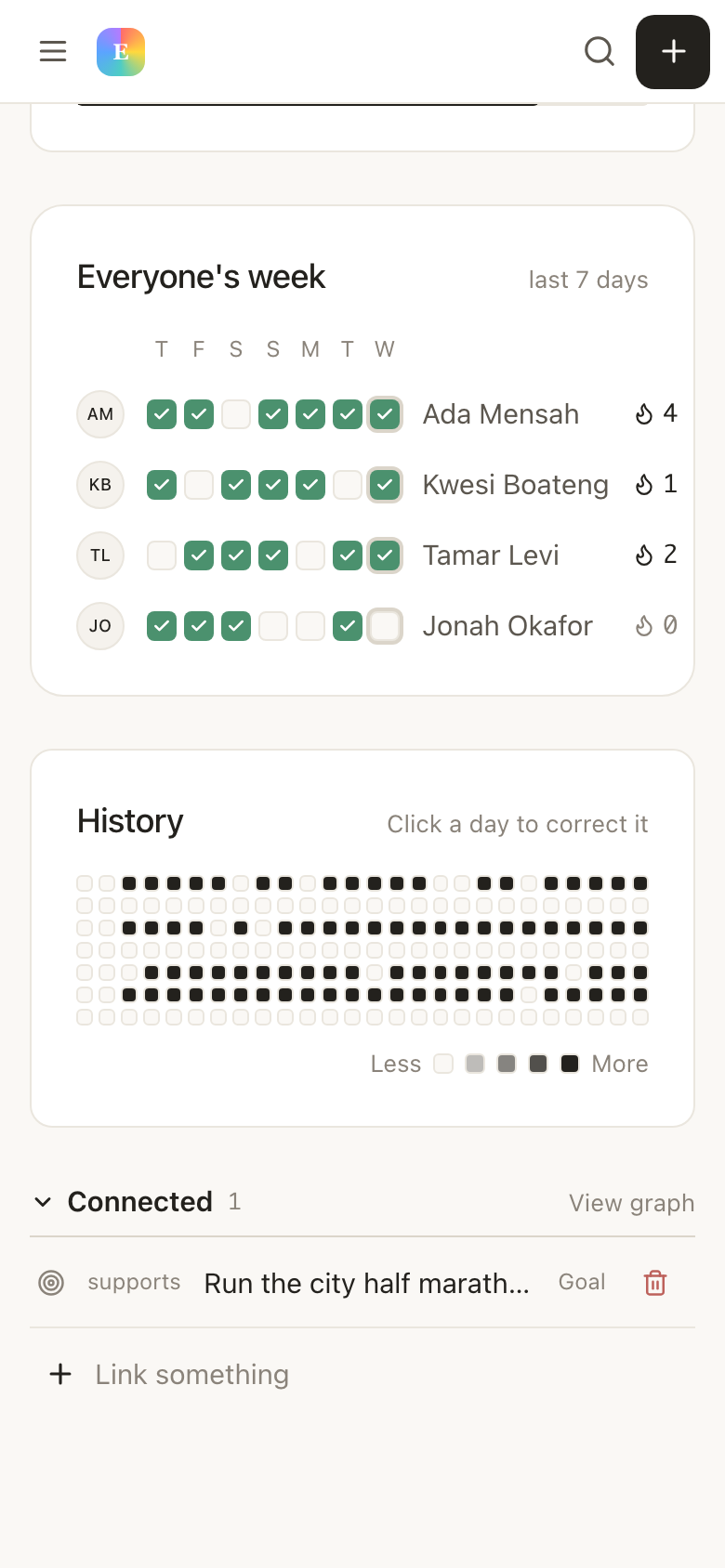
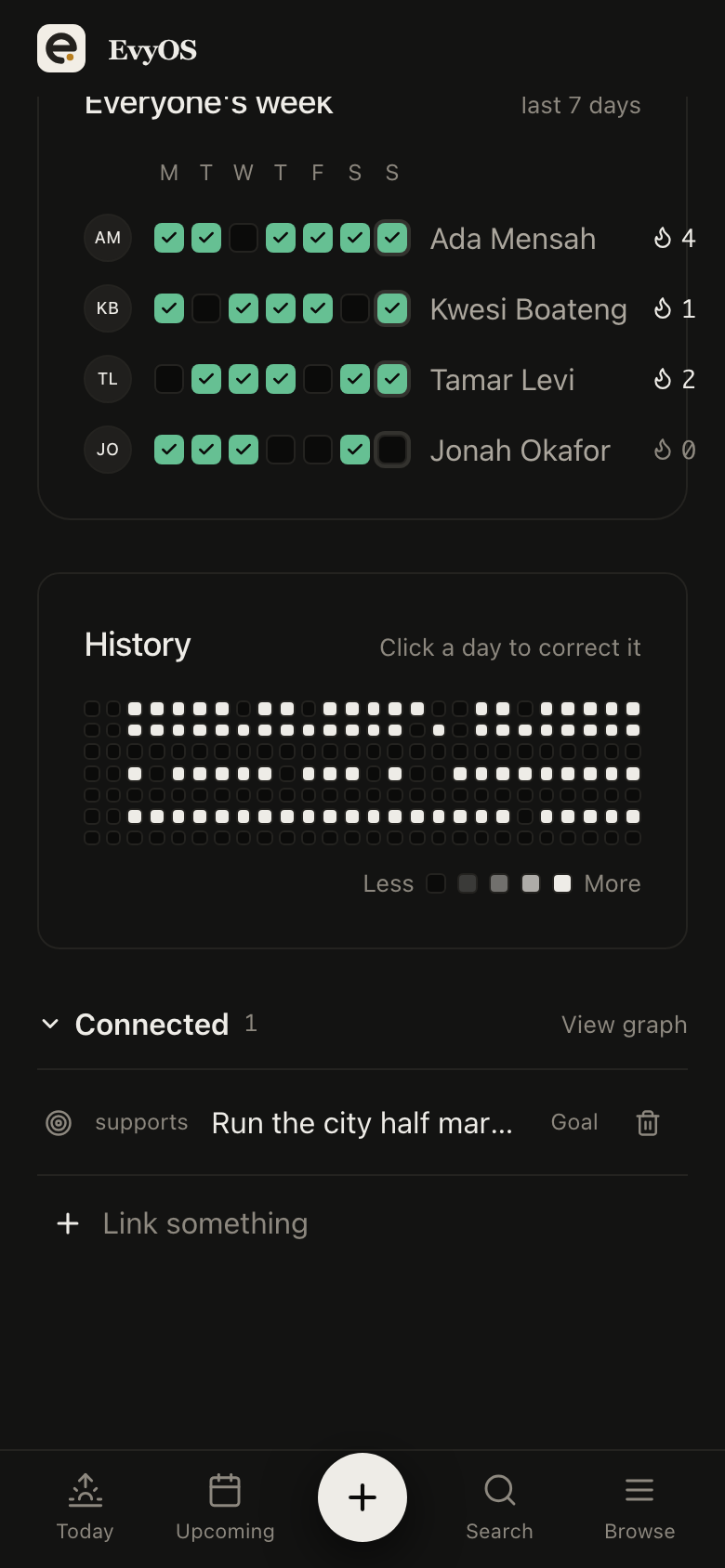
A shared habit in EvyOS: one commitment with a row per member, each with their own week of completions and their own streak
A shared habit in EvyOS: one commitment with a row per member, each with their own week of completions and their own streak — on a phone
Getting started

Set up on a Monday, useful by Tuesday.

1
Create the team workspace

One person creates it and starts Pro. Everyone else is invited by link or email, signs up free, and lands in the same space.

2
Write down the quarter

Two or three goals, the projects under each, and the first fortnight of tasks. Assign the obvious ones and leave the rest open.

3
Let the record do the reporting

People tick things off. Goal progress moves on its own, the activity feed fills in, and the status meeting gets shorter or disappears.

✦ Where the line is

What this is not.

EvyOS is a small team's planning system, not an engineering programme-management suite. It is worth knowing which one you need.

You will find
  • Goals, projects, milestones and tasks in one ladder
  • Assignment, priorities, due dates, subtasks, comments
  • Shared habits with a streak per person
  • Activity feed, contributions and analytics
  • A connector for ChatGPT and Claude
You will not
  • Sprints, story points or burndown charts
  • Custom workflow states and automation engines
  • A fine-grained permissions matrix
  • Time-sheet billing or invoicing
  • SSO or SCIM provisioning
Questions

Frequently asked.

One Pro subscription, at $9.99 per month or $99 per year, paid by whoever creates the workspace. Everyone else you invite joins on it for free and is never asked for a card. There are no seats to count and no per-user upgrade at five, ten or fifty people.
It is a replacement for the small team's version of them. EvyOS gives you goals, projects, milestones, assignable tasks with priorities and due dates, an activity feed and per-member contributions. It does not give you sprints, story points, custom workflow engines or a permissions matrix. If your team wants those, you want a heavier tool.
Yes, and by default they do. Every account has a personal space alongside any workspace they are in. Work created in the personal space is invisible to the workspace, and switching between the two is one click. Nothing moves across unless somebody moves it.
Owners can do anything including deleting the workspace. Admins can manage members and invites. Members can create, assign and complete work but cannot change who is in the space. Roles can be changed at any time by anyone above them.
A goal's progress is calculated from the projects and tasks underneath it, so it moves when anyone on the team finishes something. The workspace dashboard adds an activity feed and per-member contributions, and the analytics view shows completion rates and the week just gone against the one before it.
Yes. Connecting ChatGPT or Claude gives the assistant access to the shared workspaces that account is a member of as well as its personal space, so you can ask what is overdue for the team or have it file a task into the right project. Connecting is a Pro feature checked against the connecting account's own plan, so the subscriber can do it out of the box; a teammate who joined on the subscription would need their own Pro to connect their assistant.
Remove them from the workspace and their access goes with them. Everything they created stays, because it belongs to the workspace rather than to them. Their personal space is untouched and remains theirs.
The free plan is a single-person space, so a team needs Pro. But only one person on the team pays for it, and there is a 14-day trial before that.

Your team already has a plan.
Put it somewhere everyone can see it.

One shared workspace, one subscription, and everyone you invite joins free.

Start for free