ProjectsNobody is going to chase you.
So the plan has to hold itself.

A personal project management app for the work you own end to end. A status, a deadline, milestones with their own dates, and progress that comes from the tasks you finish rather than from how the week felt.

Start for free →How goals work

Free for 5 active projects. Finishing one frees the slot.

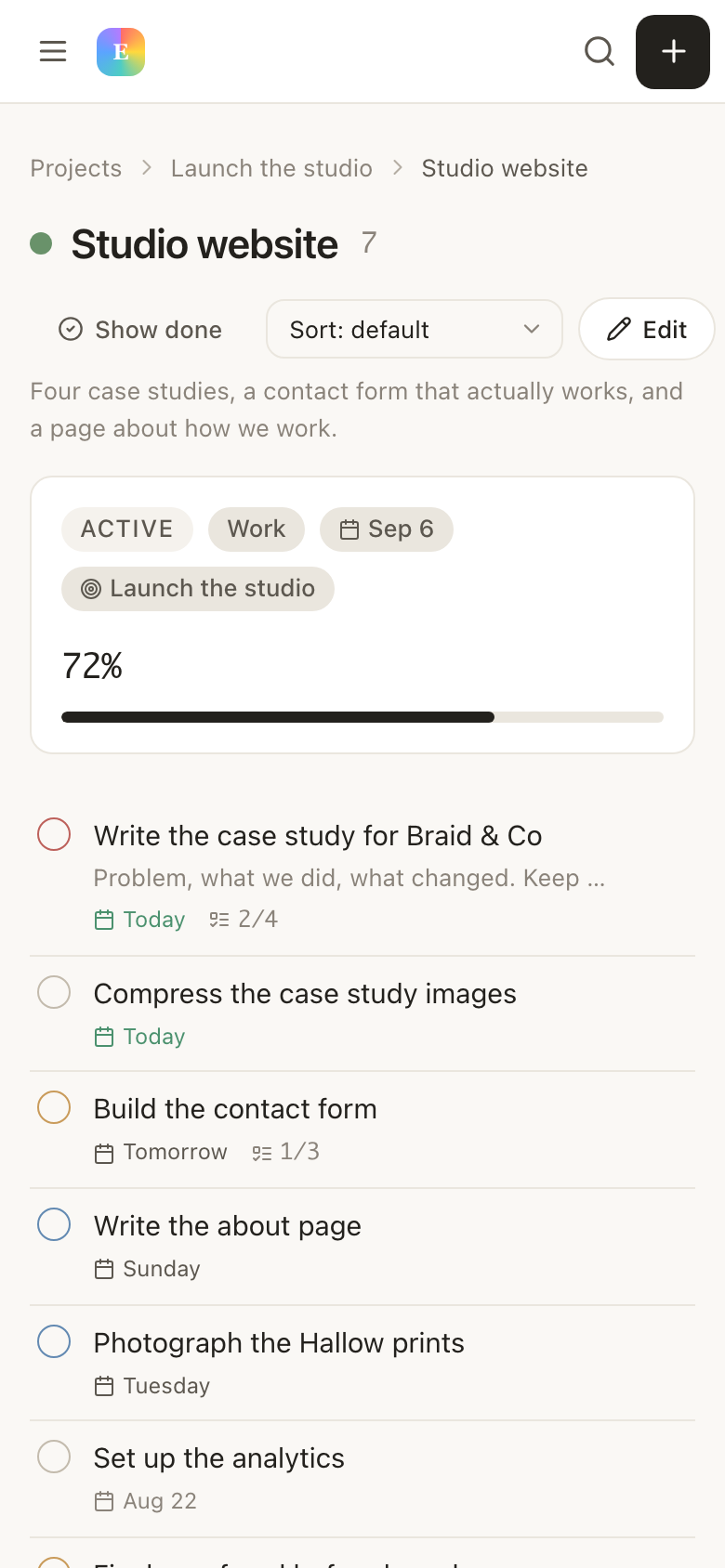
A project open in EvyOS with its deadline, calculated progress, milestones and the list of tasks under it
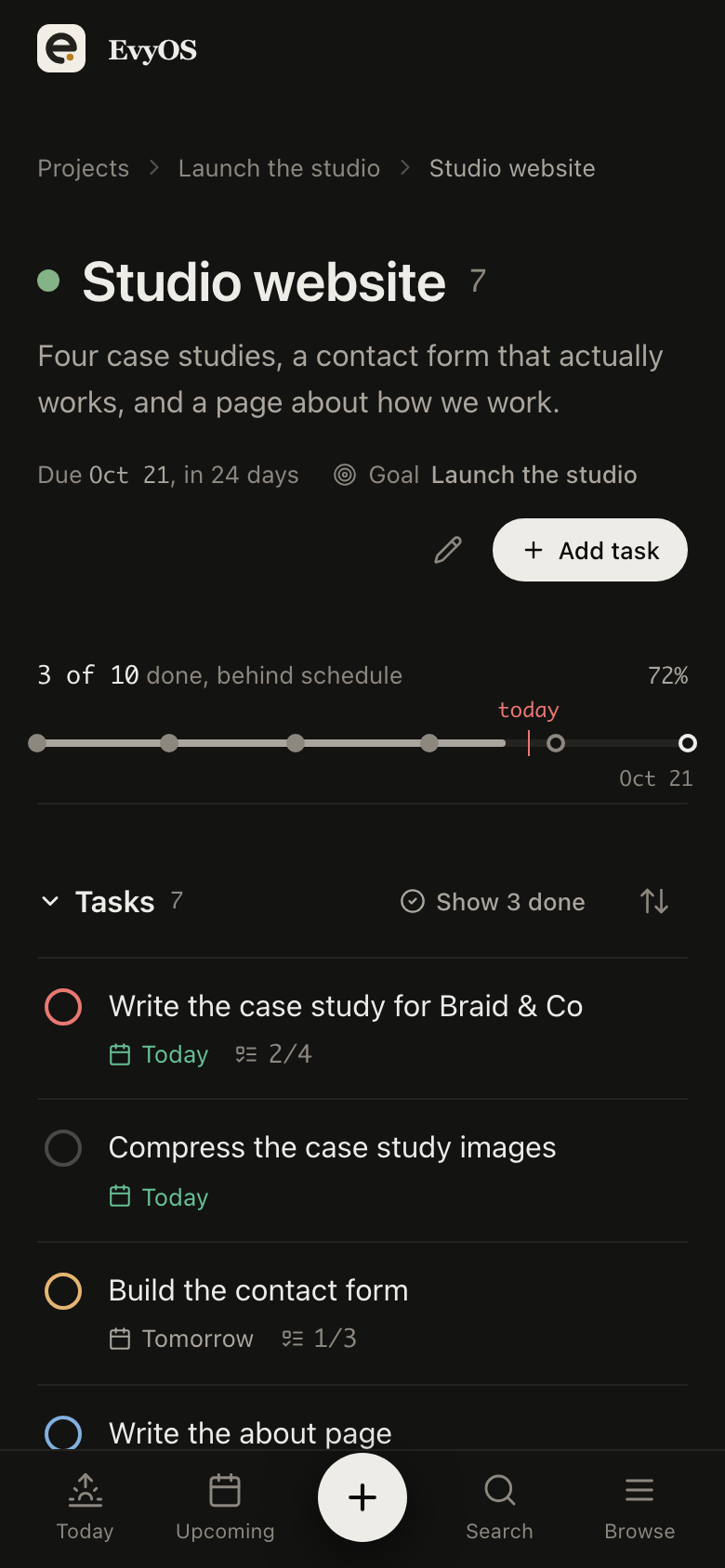
A project open in EvyOS with its deadline, calculated progress, milestones and the list of tasks under it, on a phone
✦ Why solo projects stall

The project is fine. The memory of it is not.

Team tools solve a coordination problem you do not have. What stops a one-person project is simpler: two weeks pass, and reconstructing where you were costs more than the next hour of work would have.

🧠
The state lives in your head

Which was the next step, and what was already decided. Nothing wrote it down, so every restart begins with 20 minutes of remembering.

📋
One flat list, no shape

Fifty tasks with no project above them read as equally urgent and equally optional, which is the same as having no plan.

🌙
Evenings are the whole budget

A side project gets 4 hours a week. Opening the app to the full backlog spends the first of them on triage.

📊
Progress is invisible

Without a number that moves on its own, month 2 feels identical to month 1, and that feeling is what most projects are abandoned over.

✦ What a project holds

Project management for one person,
with nothing to configure.

01 - The project record

Everything the project knows, in one place.

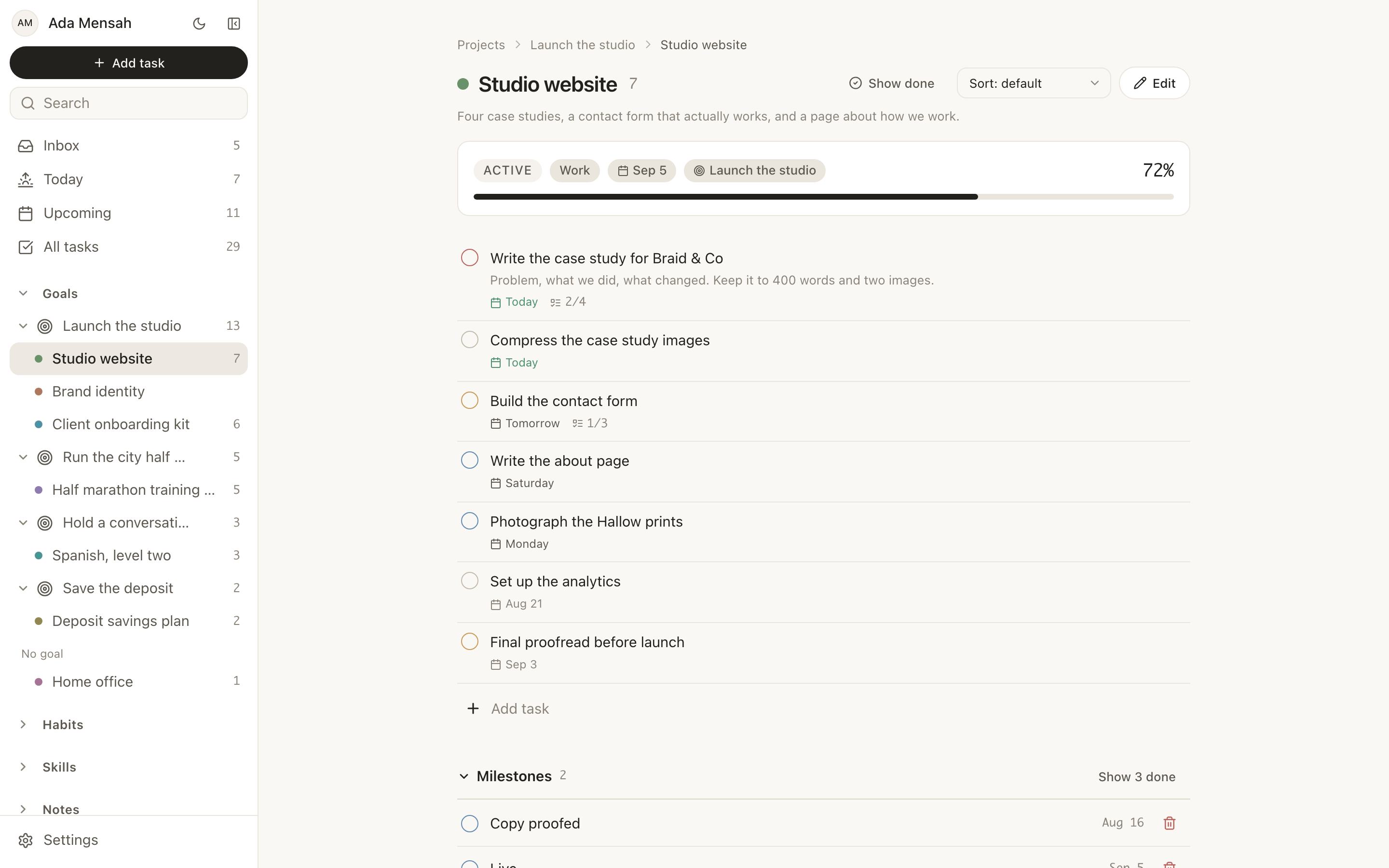
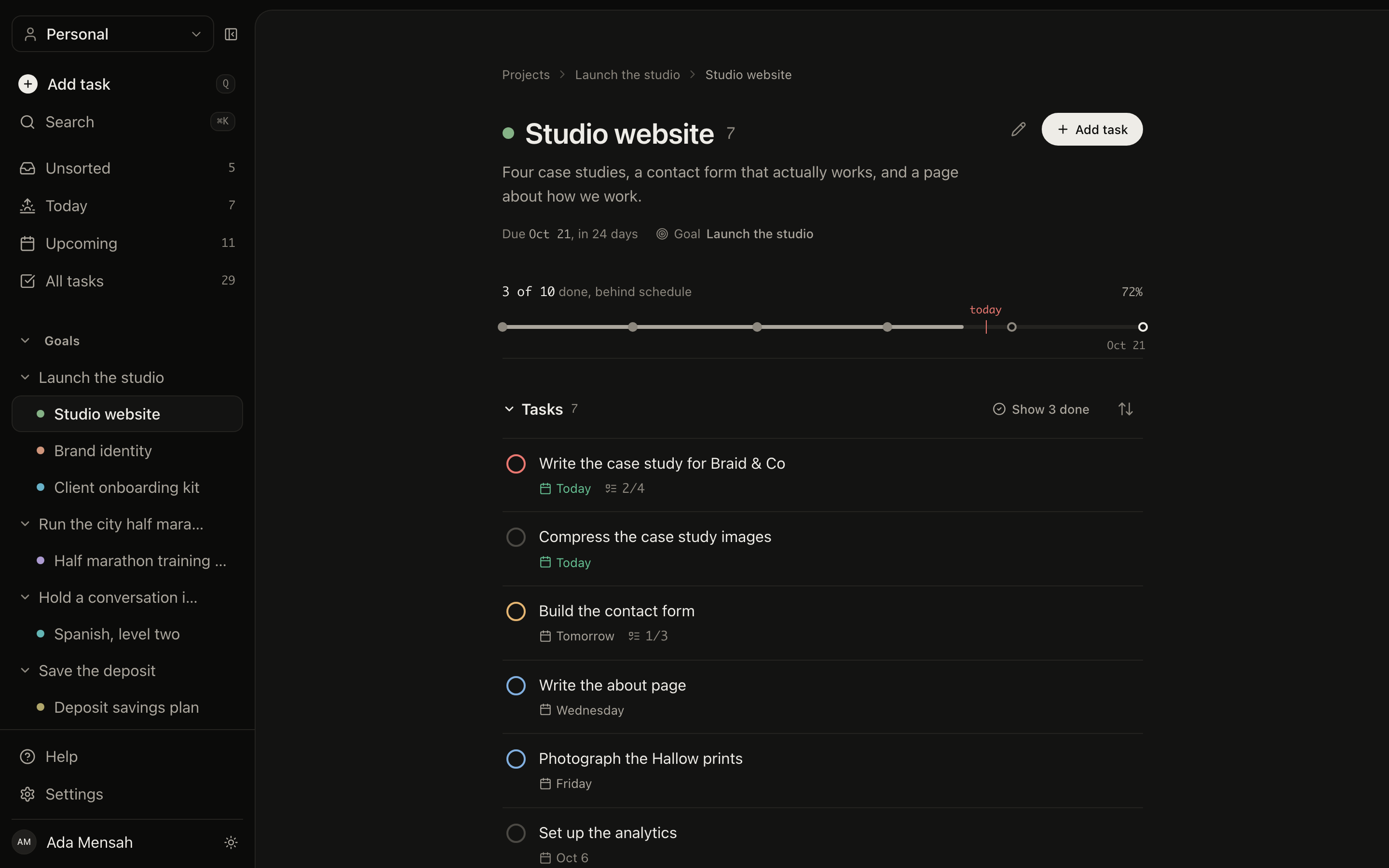
A status, a deadline, the milestones you named at the start and the tasks that get you there. Progress is computed from the tasks you have completed, so coming back after a fortnight starts with a number you can trust instead of a memory you cannot.

StatusDeadlineMilestonesProgress from tasks
A project detail page in EvyOS: progress bar, deadline, dated milestones and the task list underneath
A project detail page in EvyOS: progress bar, deadline, dated milestones and the task list underneath, on a phone
02 - Several at once

An app to manage side projects, plural.

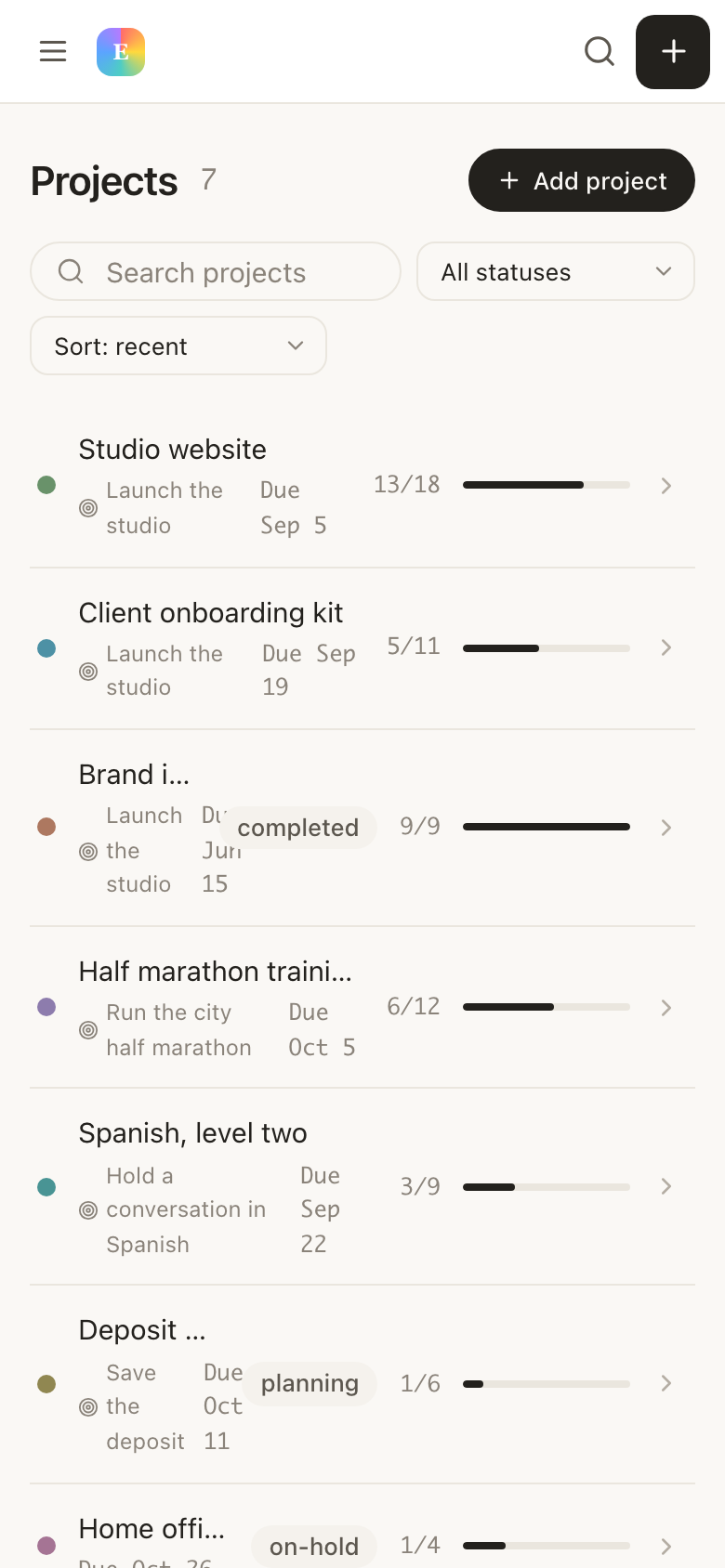
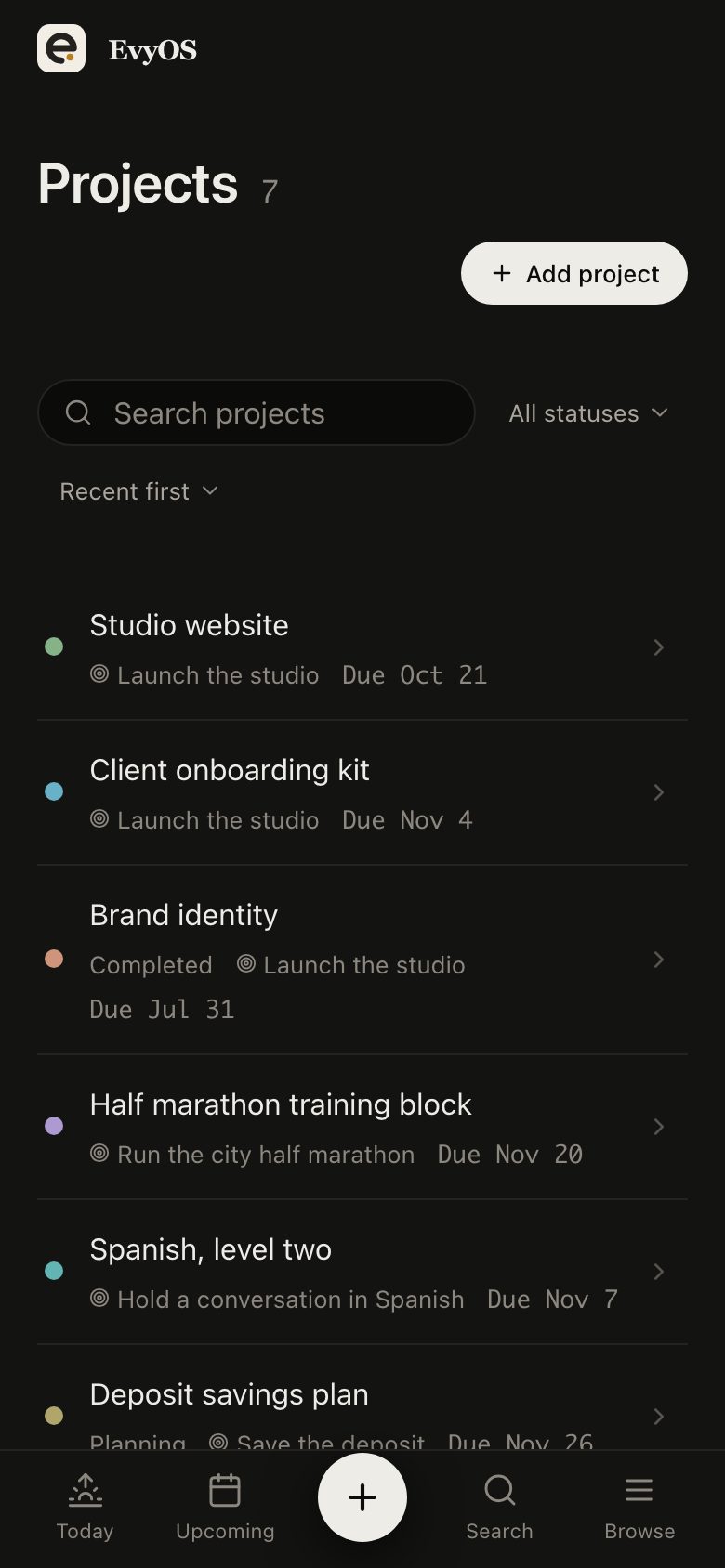
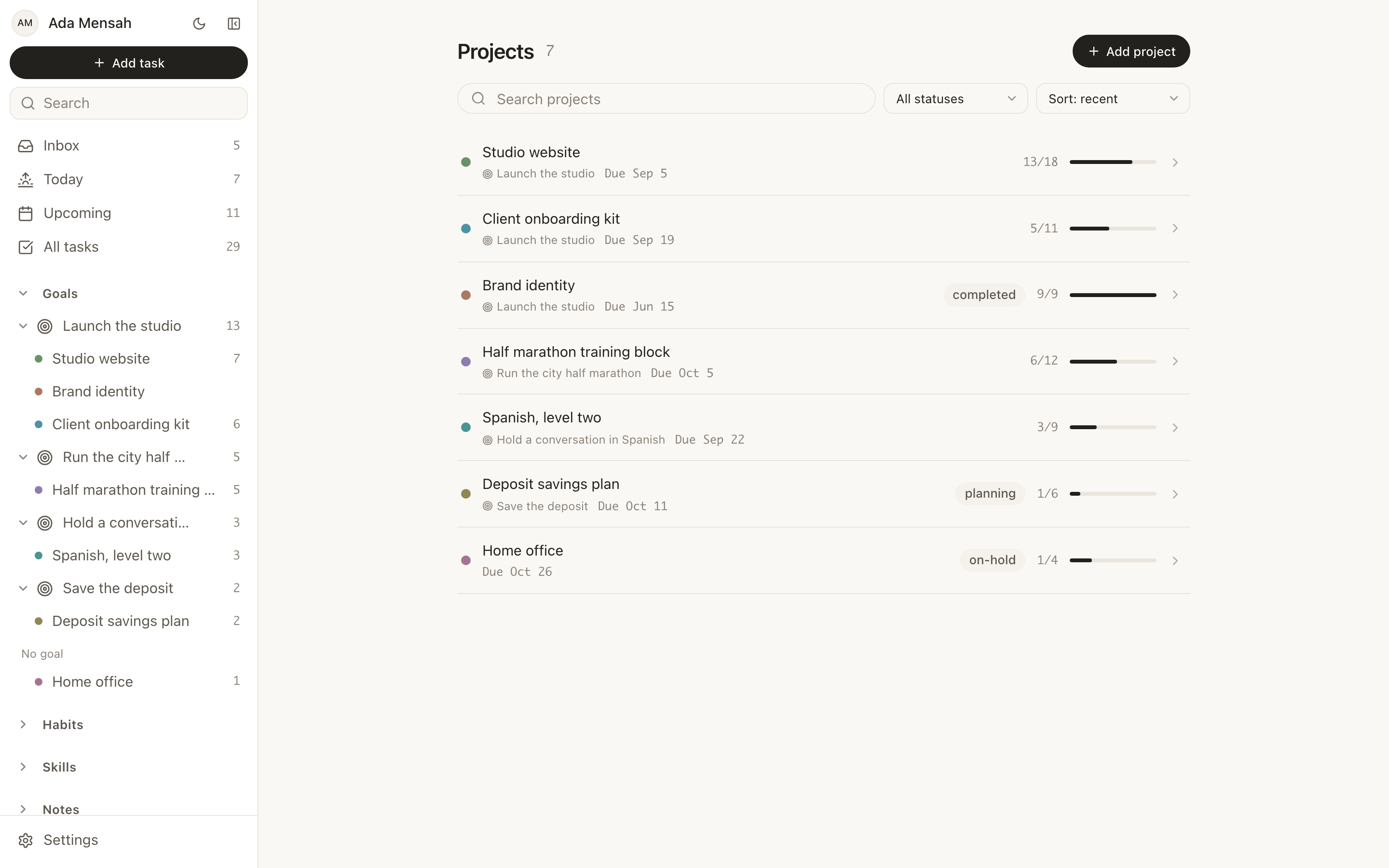
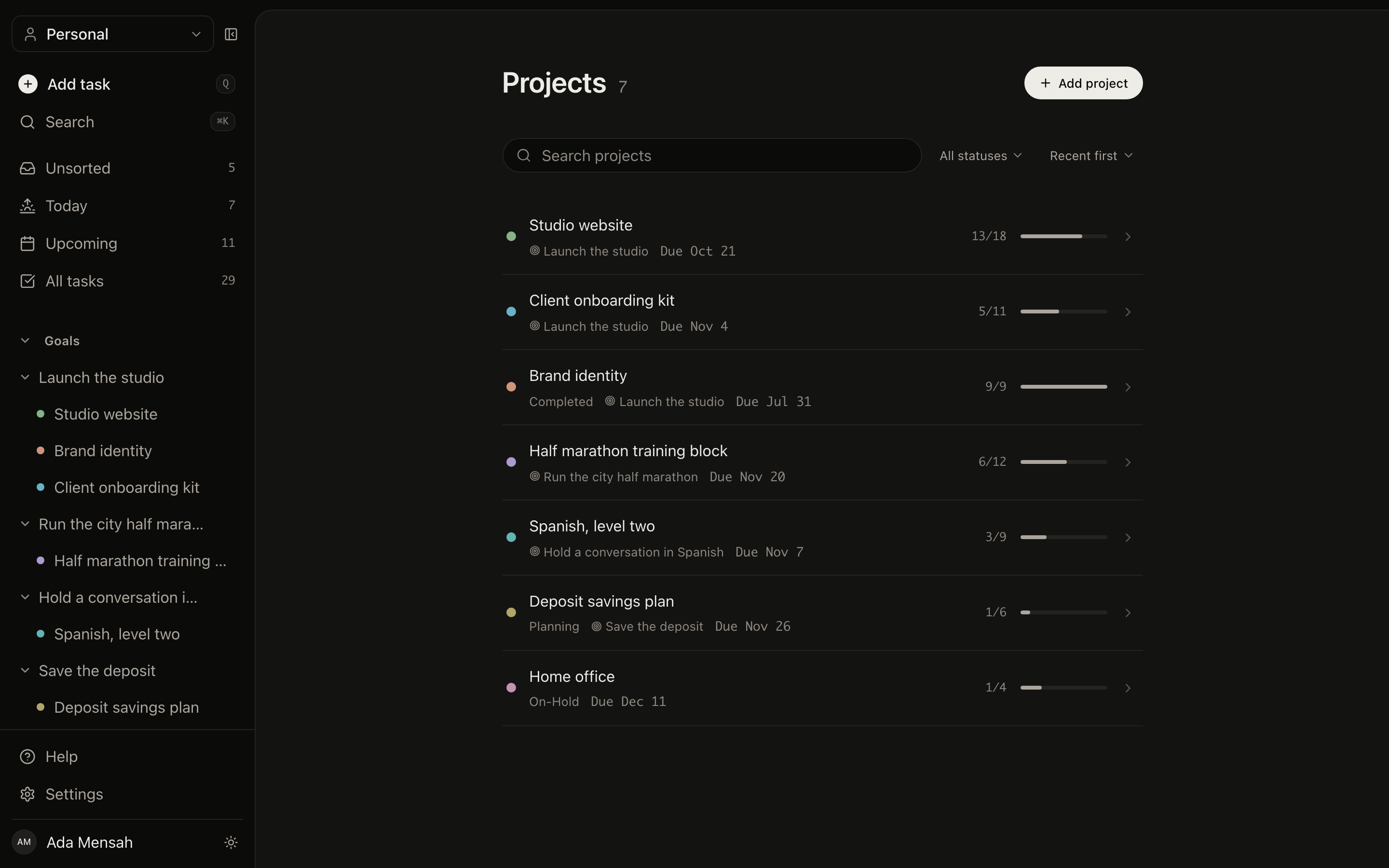
Every project in one list with its progress, its deadline and how many tasks are still open. Five things running at once stops being a source of dread and becomes a page you can read in 10 seconds, which is usually enough to pick the one that deserves tonight.
All projects, one listOpen task countsDeadlinesOn hold or done
The projects list in EvyOS, each project showing its progress, deadline and number of open tasks
The projects list in EvyOS, each project showing its progress, deadline and number of open tasks, on a phone
03 - A reason above it

Projects end. Goals say why they mattered.

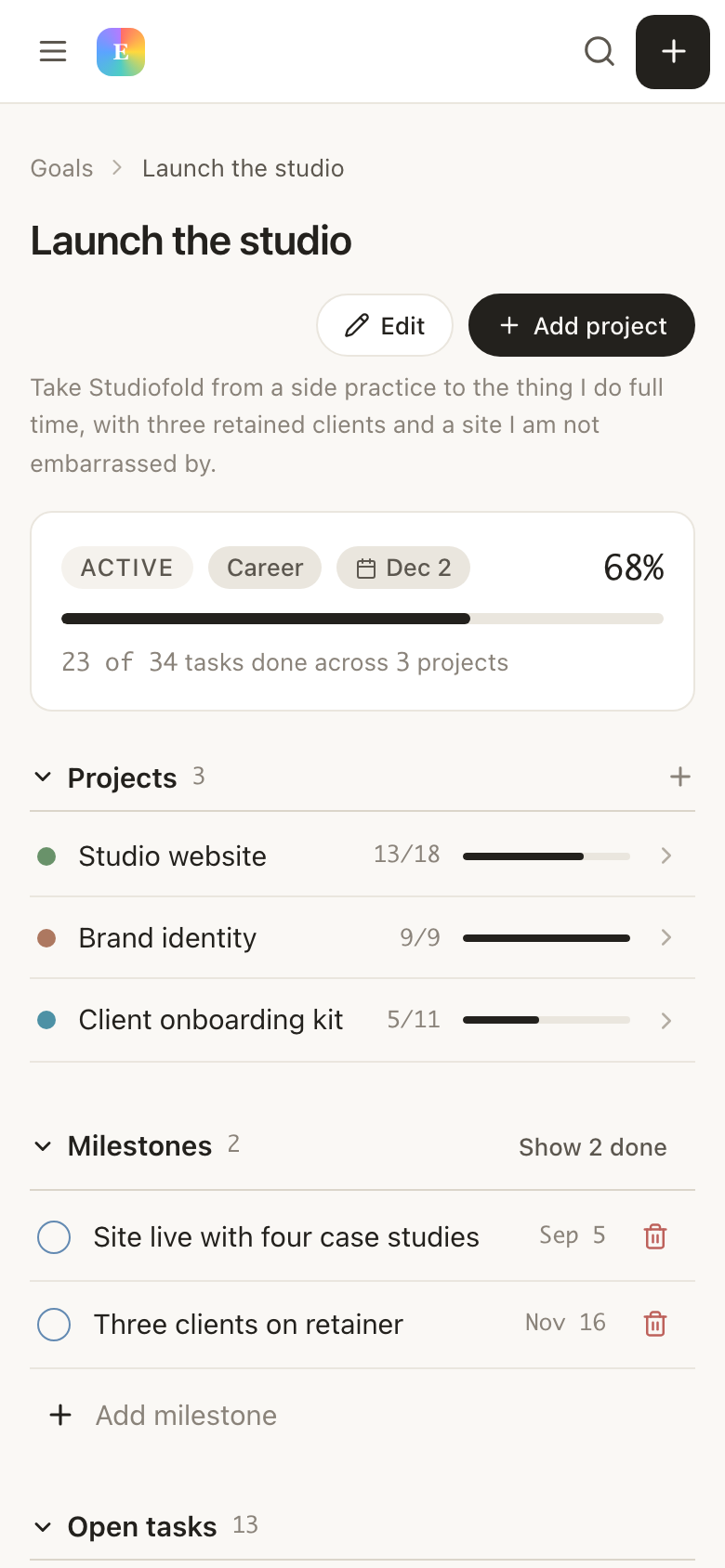
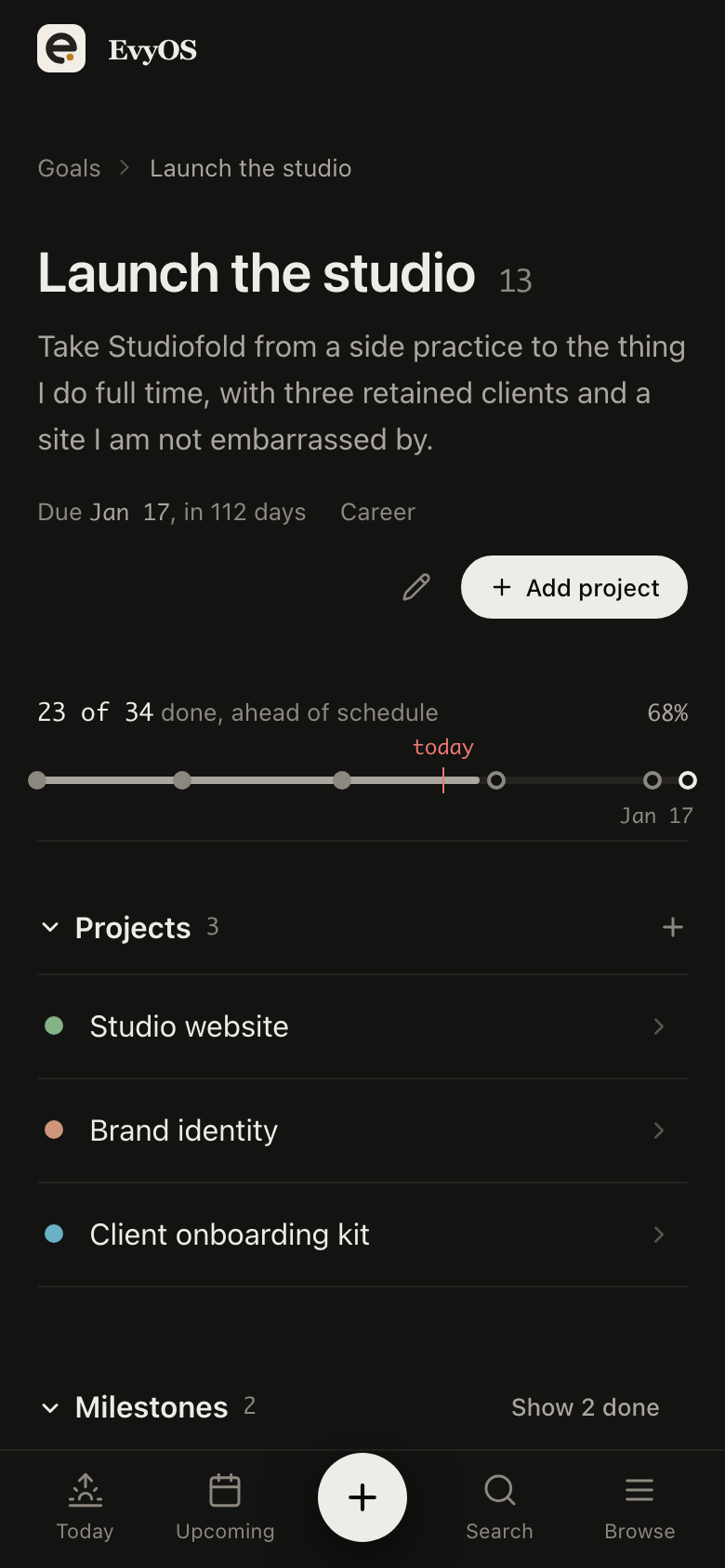
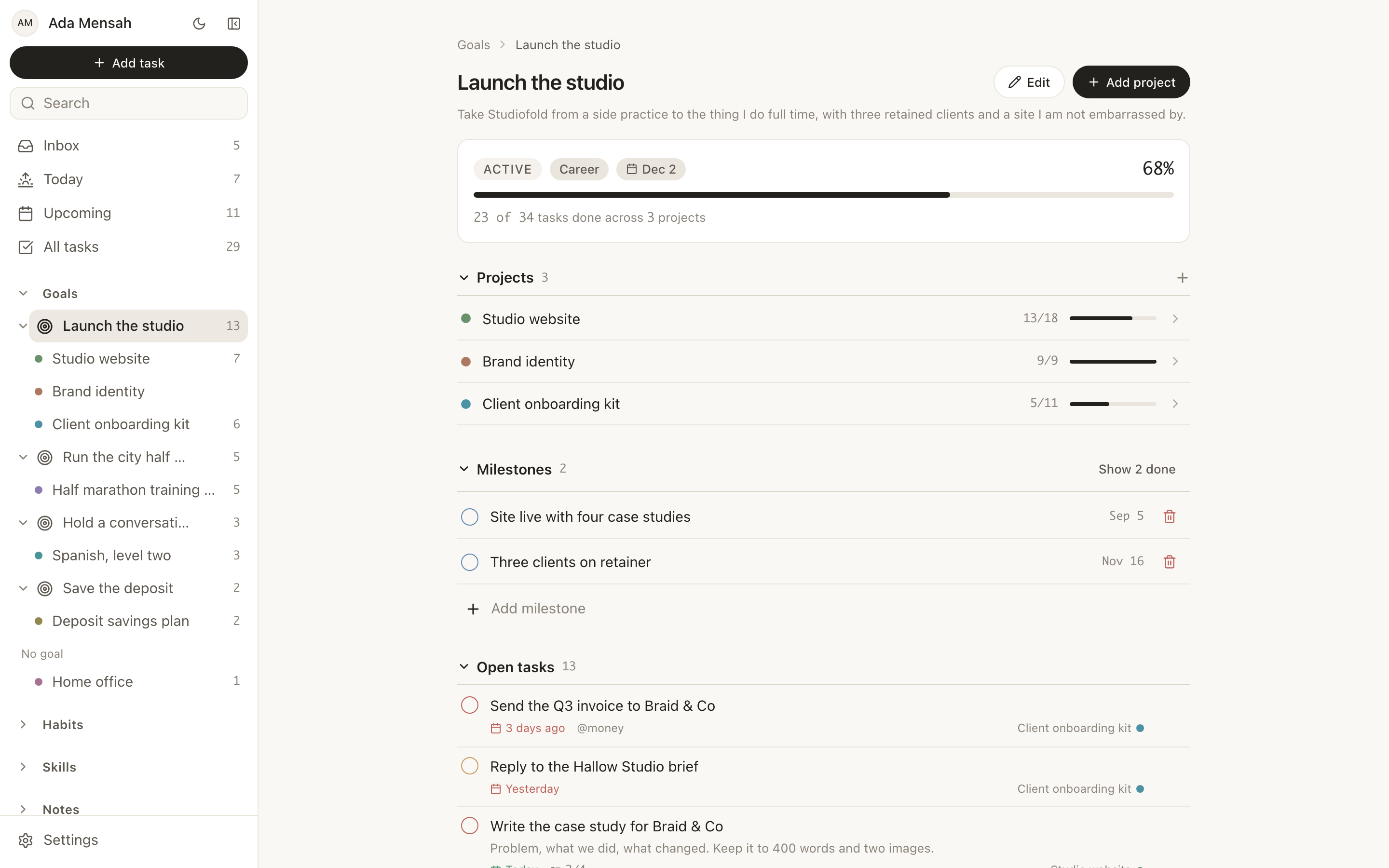
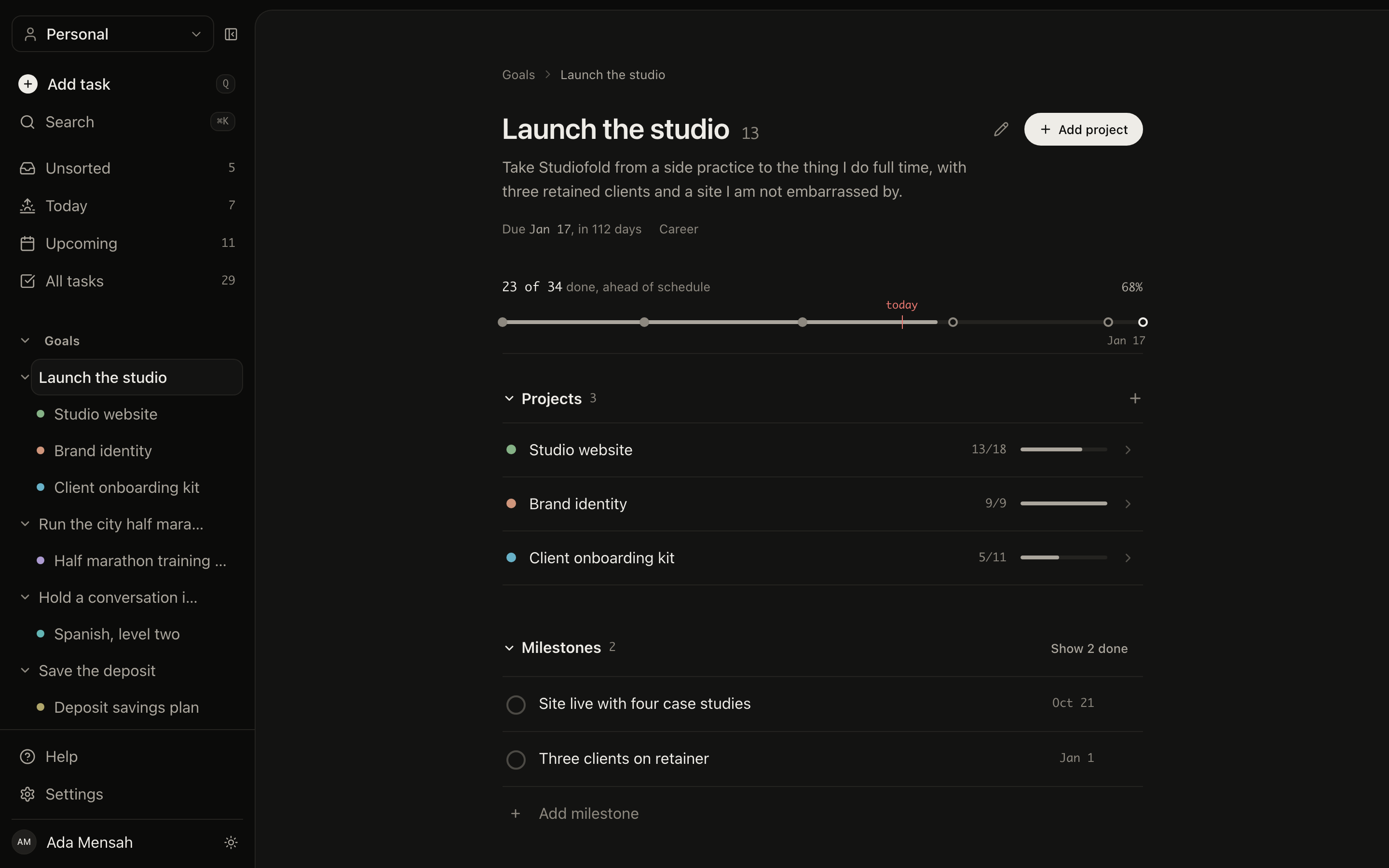
A project can sit under a goal, and then the goal's progress moves as the project does. It is the difference between a folder of work and a plan: you can read down from the outcome you want to the 3 tasks in front of you, and back up again to check the work still points somewhere.
Optional parent goalRolled-up progressSidebar treeLive counts
A goal in EvyOS with the projects hanging off it, each contributing to the goal's calculated progress
A goal in EvyOS with the projects hanging off it, each contributing to the goal's calculated progress, on a phone
04 - The next 2 weeks

A backlog you do not have to look at.

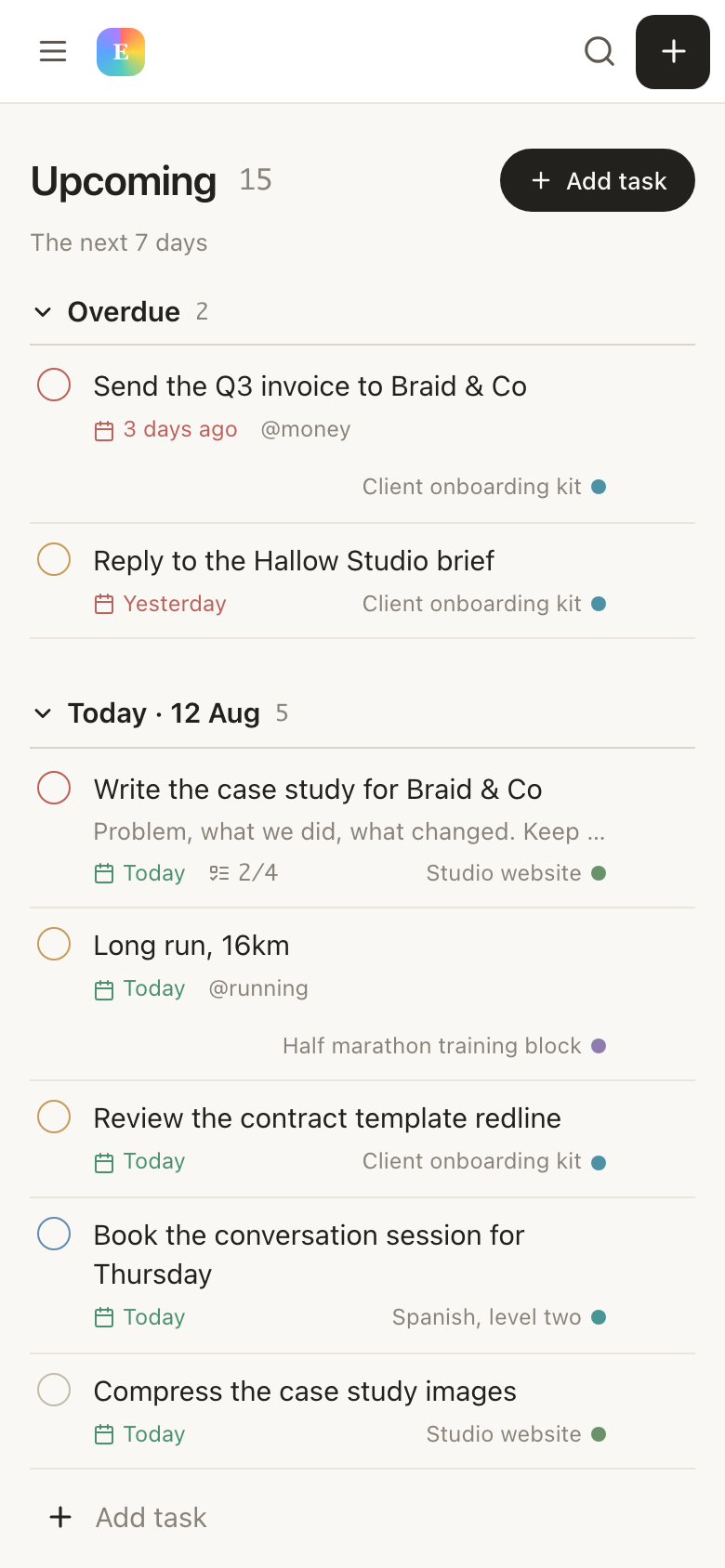
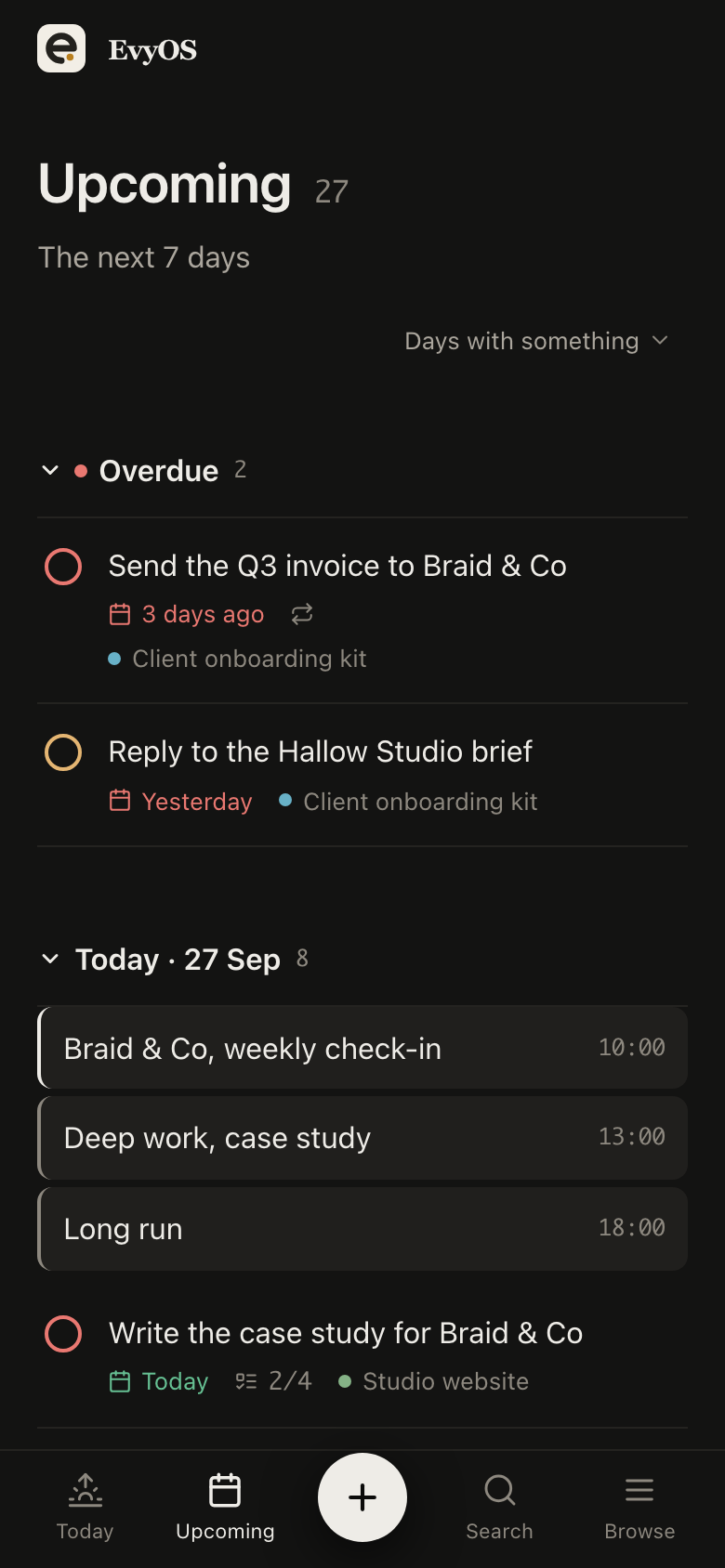
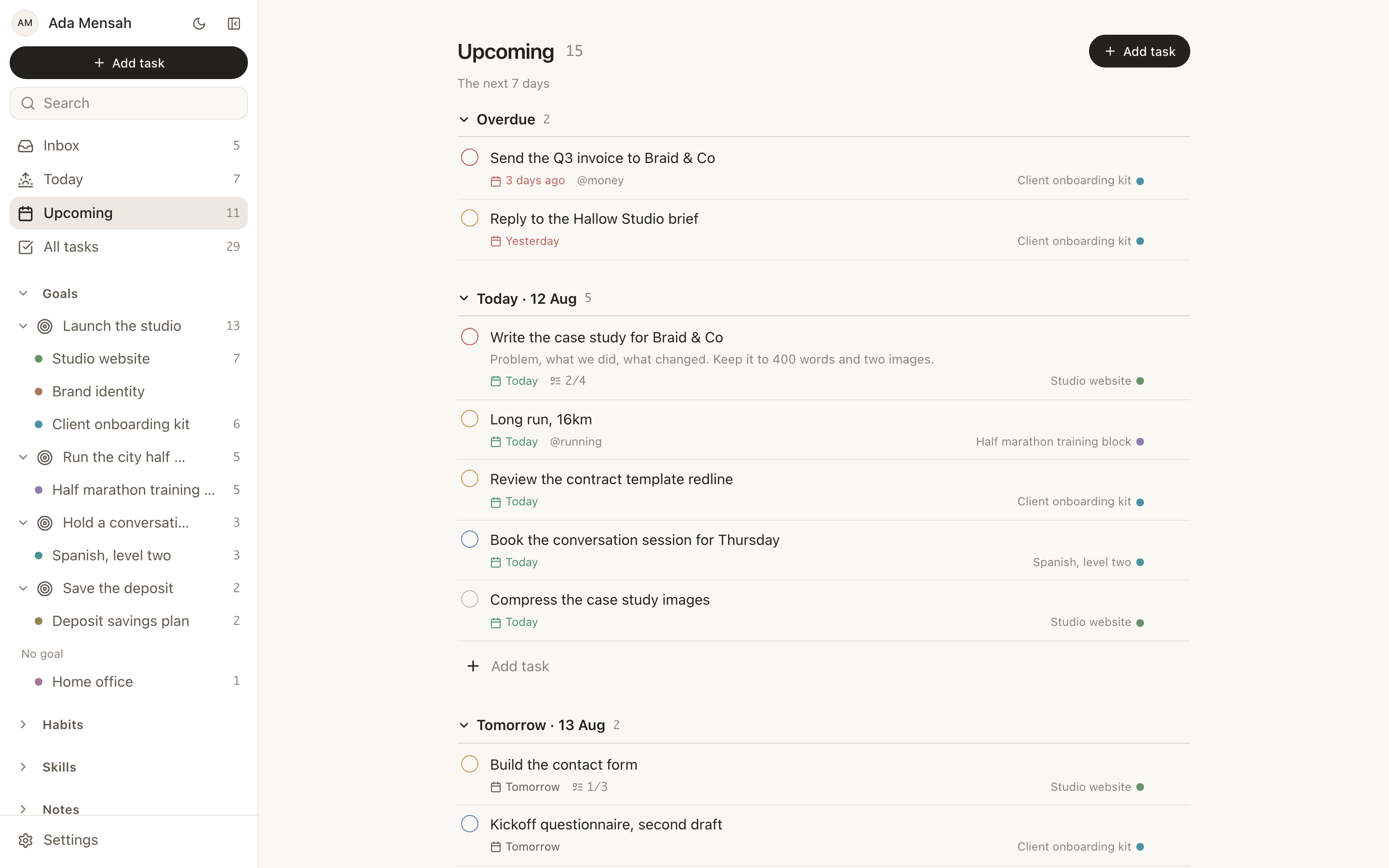
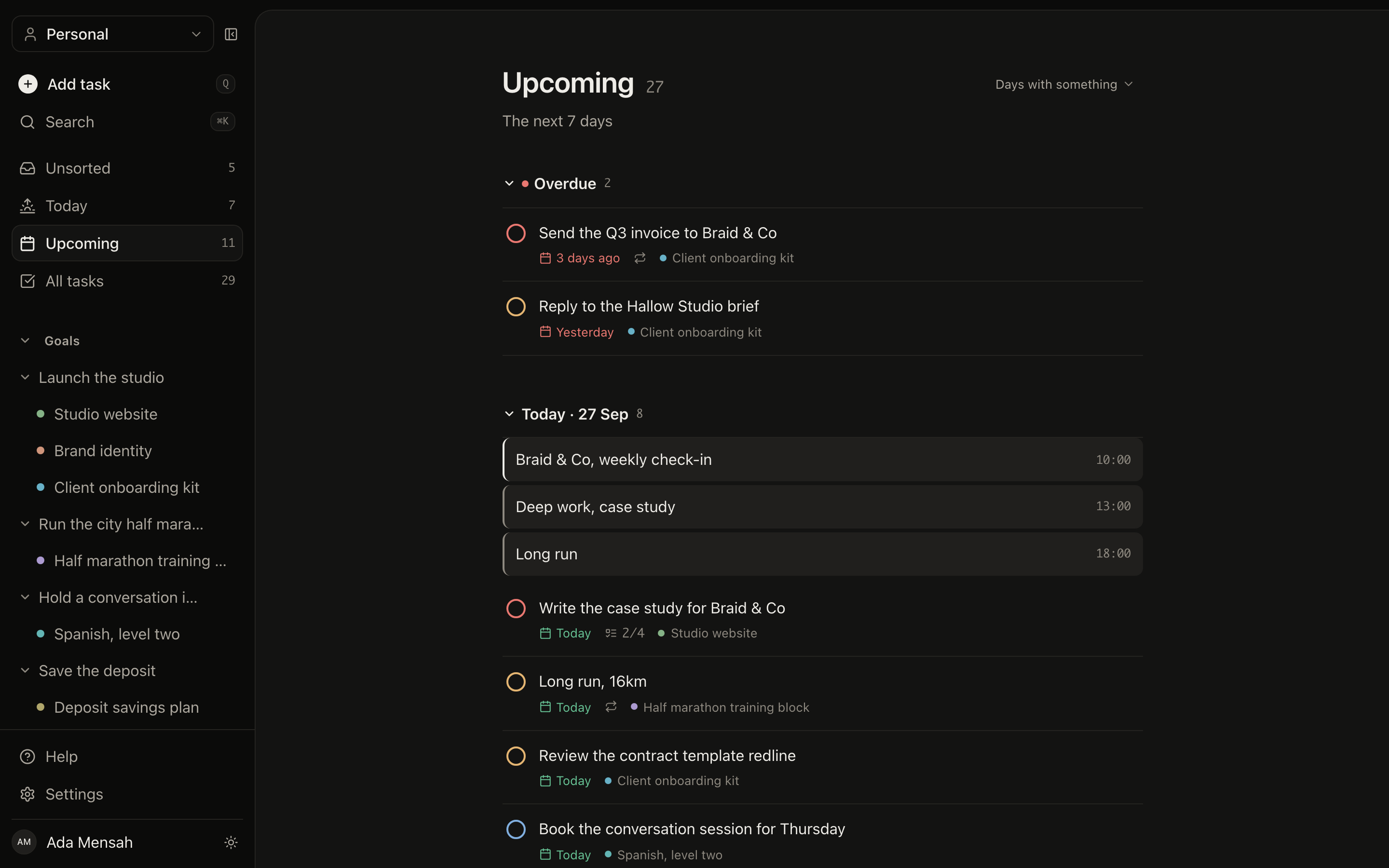
Upcoming lays out the next 7 to 14 days, one section per day, and Today puts overdue work at the top where it cannot be ignored. The rest of the project stays in the project, which is the point of filing it there. Anything captured in a hurry lands in an unsorted inbox until you decide where it belongs.
Today and UpcomingOverdue split outPrioritiesUnsorted inbox
The Upcoming view in EvyOS, the next two weeks broken into one section per day with the tasks due on each
The Upcoming view in EvyOS, the next two weeks broken into one section per day with the tasks due on each, on a phone
Getting started

A project takes a couple of minutes to set up.

1
Name it and date it

What the project is, and when it has to be done. Put it under a goal if there is one, or leave it standing on its own.

2
Add the checkpoints

Three or four milestones for the moments that prove it is moving. First draft, beta, submitted. These are the things a task list is too small to hold.

3
Fill in the next fortnight only

Tasks with due dates for the work you can actually see. The rest can wait in the project without a date until it comes into view.

✦ Where the line is

Simple project management, without a team.

This is a personal project tracker, not an agency operations suite. Knowing which one you are shopping for saves an afternoon.

You will find
  • Projects with a status, a deadline and dated milestones
  • Progress calculated from completed tasks
  • An optional goal above each project
  • Tasks with priorities, due dates, subtasks and comments
  • Today, Upcoming and an unsorted inbox
  • Habits, skills, notes and a calendar in the same account
You will not
  • Gantt charts or dependency arrows
  • Billable time tracking, timesheets or invoicing
  • Sprints, story points or custom workflow states
  • A client portal or expense tracking
  • Calendar sync with Google or iCal
Questions

Frequently asked.

It is built for one person first. There are no sprints, no story points and no workflow engine to configure, because a solo project does not need a process, it needs a place that keeps the state while you are away from it. If you do want other people in, a shared workspace on Pro puts the same projects in front of them without changing how any of it works.
Yes. A project has a status, a deadline and as many milestones as it needs, each with its own date, so a 3-month build reads as 4 checkpoints instead of one distant end. Milestones are the right size for the things that are not tasks, first draft done, beta live, submitted.
From the tasks under the project. Complete tasks and the bar moves; leave it alone and it does not. Nothing is typed in by hand, which is what makes the number worth reading when you come back to a project after two weeks away.
That is the common case. Each side project is its own project with its own deadline and task list, and Today and Upcoming show only what is due rather than the whole backlog, so an evening does not start with a wall of everything you have ever committed to. Anything you capture without deciding where it goes waits in an unsorted inbox until you file it.
5 active projects, along with 2 active goals, 20 open tasks, 5 habits and 5 skills. Limits count open items only, so completing a project frees its slot straight away, and so does putting one on hold. Pro, at $9.99 a month or $99 a year, makes projects, habits and skills unlimited and adds shared workspaces, progress heatmaps, the daily planner and the mobile app.
No, and deliberately. There are no Gantt charts, no timesheets to bill from and no invoicing. A task can carry estimated and actual minutes so you can see where your evenings went, but that is a planning aid, not a billing record. If you need to invoice clients, keep doing that where you already do it.

The project does not need a manager.
It needs somewhere to wait for you.

Give it a deadline, a few milestones and the next fortnight of tasks, then come back to a plan that held its own state.

Start for free